Category: Temp Email

  • How Disposable Emails Work

    How Disposable Emails Work

    How Disposable Emails Work is an essential topic that provides valuable insights and practical knowledge for anyone interested in learning more about this subject.

    How Disposable Emails Work

    Have you ever hesitated to sign up for a free online course, a discount coupon, or a new app because it required your email address? You just knew that your inbox would soon be flooded with newsletters, promotional spam, and who-knows-what-else. That nagging feeling is all too common. For years, I used my primary email for everything, only to regret it as my inbox became a digital junkyard. Then, I discovered a simple, clever tool that changed the game: the disposable email. It’s not magic, but it’s pretty close. In this guide, we’re going to pull back the curtain and explore exactly how disposable emails work, from the moment you generate one to the second it self-destructs. Think of it as your digital smoke bomb—create it, use it, and watch it vanish without a trace.

    The concept is beautifully simple, yet the technology behind it is fascinating. These temporary inboxes act as a shield, protecting your real identity and your permanent email address from the wild west of the internet. Whether you’re a casual browser, a privacy-conscious user, or someone just tired of unsubscribing, understanding the mechanics of these throwaway accounts is the first step to taking control of your online footprint. So, let’s dive in and demystify the world of temporary email addresses.

    Key Takeaways

    • Use disposable emails for one-time sign-ups to protect your primary address.
    • They auto-delete after a short time or a limited number of messages.
    • Shield your privacy by avoiding the sharing of your real email with untrusted sites.
    • Combat spam effectively by containing unwanted emails to a temporary inbox.
    • Do not use them for critical accounts like banking or primary communication.
    • Most services offer simple, no-registration generation for instant addresses.
    • Understand their limits as they are tools for temporary, not permanent, needs.

    What Exactly Is a Disposable Email?

    Before we get into the nuts and bolts, let’s get on the same page. A disposable email, also called a temp email, throwaway email, or fake email, is a temporary email address that exists for a very short period—usually just 10 minutes to a few hours—and then automatically disappears. It’s not tied to your real identity, your phone number, or your permanent inbox. You create it on a specialized website, use it to receive a single verification email or download a file, and then forget about it. No passwords, no login, no long-term commitment.

    The Core Principle: Anonymity and Ephemeralness

    The entire philosophy behind a disposable email service is built on two pillars: anonymity and ephemeralness. Anonymity means you don’t have to provide any personal information to get an address. No name, no recovery phone number, nothing. The service generates a random string of characters (like [email protected]) and gives you access to its inbox via a unique, temporary URL. Ephemeralness means it’s designed to die. After a set time, or once you close the browser tab, the address and all its emails are purged from the server forever. There’s no archive, no “sent” folder, and no way to recover it.

    How It Differs From Your Regular Email

    Your Gmail, Outlook, or Yahoo account is a persistent, secure, and feature-rich communication hub. It’s meant for long-term use, with storage, folders, contacts, and robust spam filters. A disposable email is the polar opposite: a bare-bones, single-use inbox with zero storage promises. It’s like comparing a luxury hotel suite (your permanent email) to a perfectly clean, functional public locker (a disposable email). You use the locker for a few hours to drop off or pick up one item, and then you’re done. The key difference is intent. Permanent email is for communication; disposable email is for access.

    The Step-by-Step Mechanics: From Creation to Deletion

    Now for the fun part. Let’s walk through the entire lifecycle of a disposable email. I’ll use a common scenario: you need an email to download a free PDF guide from a website.
    How Disposable Emails Work

    Visual guide about How Disposable Emails Work

    Image source: funkyspacemonkey.com

    Step 1: Generation – You Get Your Temporary Address

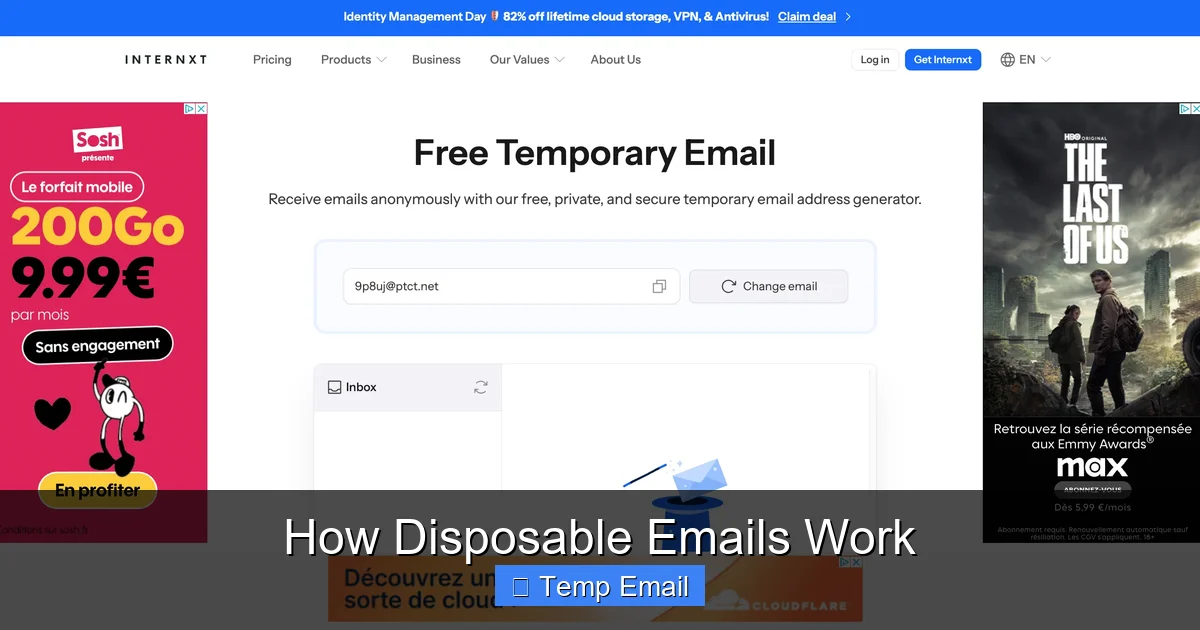
    You navigate to a disposable email provider’s website (e.g., Temp-Mail.org, 10MinuteMail.com). The moment the page loads, the backend system does its magic. It instantly generates a completely random email address for you, like [email protected]. This address is now active on their server and is assigned to your current browser session. You don’t create an account; you’re simply given a key to an empty, waiting mailbox. The website will usually display this address prominently and provide you with a unique inbox URL. This URL is your only “login” credential. Lose it, and you lose access to that specific inbox.

    Step 2: Usage – You Provide the Address

    You copy that random email address and paste it into the sign-up or download form on the website you’re visiting. You click “Submit” or “Download.” The website’s system sends a verification email or the download link to the address you provided: [email protected].

    Step 3: Reception – The Email Arrives in Your Temp Inbox

    Here’s where it gets cool. You don’t need to check a separate app. You simply keep that unique inbox URL open in your browser tab. Within seconds, the disposable email service’s server receives the incoming message from the sender’s server. Because the address [email protected] is actively monitored for your session, the service immediately renders the email (subject, sender, and body/content) in the inbox view on your browser page. It feels just like checking a normal webmail, but it’s all happening in real-time on a public, shared server infrastructure.

    Step 4: Access and Auto-Deletion

    You read the verification code or click the download link directly from this temporary inbox. You complete your task on the original website. Now, you can simply close the browser tab. At this point, two things typically happen simultaneously: 1) Your session on the disposable email service ends, so the inbox URL becomes useless. 2) The server’s automated cleanup process begins. After the preset time limit (often 10 minutes, 1 hour, or 1 day), the email address [email protected] and all its contents are permanently deleted from the system. The address is then recycled and may be given to a completely different user in the future. Your digital footprint for that interaction is gone.

    Common and Smart Use Cases for Disposable Emails

    Knowing how disposable emails work is one thing; knowing when to use them is the real skill. They are not a replacement for your primary email but a strategic tool for specific situations. Here are the most common and smart applications.
    How Disposable Emails Work

    Visual guide about How Disposable Emails Work

    Image source: funkyspacemonkey.com

    For One-Time Sign-Ups and Content Gating

    This is the #1 use case. You want to access a gated piece of content—a whitepaper, a webinar recording, a discount code—but the site demands an email. Using a disposable address lets you get the goods without committing your primary address to a company’s marketing list. You get the content; they get a fake email that bounces or goes nowhere after an hour. It’s a clean, fair exchange for a one-time resource.

    To Bypass Website Registration Walls

    Some forums, news sites, or tools force you to “register” just to read an article or view a comment section. It’s frustrating. A disposable email lets you breeze through that wall instantly. Create an address, use it, get your access, and never think about it again. No password reset emails cluttering your real inbox later.

    For Testing and Development

    Developers and QA testers use disposable emails constantly. When building a website or app with email verification, they need to test the flow—the sign-up email, the “forgot password” link, the notification system. Using a disposable inbox allows them to receive these test emails without using a real personal or corporate account, keeping test data separate and clean.

    To Avoid Spam and Data Brokers

    Every time you use your real email online, you’re potentially adding it to a data broker’s list or a spammer’s collection. Disposable emails act as a buffer. If a company you don’t fully trust asks for your email, give them the temporary one. If they sell your data (which many do), they’re selling an address that will be dead in an hour. Your primary inbox stays pristine.

    For Anonymous Forum or Commenting Activity

    If you need to post a comment on a controversial topic, ask a sensitive question on a public forum, or create a burner account for a short project, a disposable email provides the anonymity needed to sign up without linking the activity back to your identity.

    The Advantages: Why You Might Love Them

    Using disposable emails effectively is like having a superpower for your online privacy. The benefits are immediate and tangible.
    How Disposable Emails Work

    Visual guide about How Disposable Emails Work

    Image source: mailtemp.uk

    • Spam Prevention: This is the biggest win. Marketing emails, newsletters, and data breach notifications go to an address that no longer exists. Your primary inbox remains for friends, family, and important work.
    • Enhanced Privacy: You don’t have to give out your real email to untrusted or unknown services. It minimizes the data points that can be used to profile you online.
    • No Long-Term Commitment: No passwords to remember, no security questions to set, no account to delete later. It’s a true “use and lose” system.
    • Speed and Simplicity: You get an inbox in one click. No registration forms. It’s the fastest way to satisfy an email requirement on the web.
    • Protection Against Data Breaches: If a website you used a temp email for suffers a breach, your real email address and any passwords associated with it are safe. The leaked data is useless.

    The Limitations and Risks: What You Need to Watch Out For

    Disposable emails are a powerful tool, but they are not a silver bullet. Understanding their limitations is crucial for using them safely and effectively. Ignoring these can lead to real problems.

    They Are Not for Important Accounts

    Never, ever use a disposable email for anything you need to access long-term. This includes: banking, social media main accounts, primary cloud storage (Google Drive, iCloud), official government services, or your main professional contact. Once the email vanishes, you will be permanently locked out. Account recovery will be impossible. If you forget your password, there’s no way to reset it. These are for temporary access only.

    Security and Privacy Trade-offs

    While they protect you from the site you’re signing up for, you must trust the disposable email service itself. The service provider can see all emails that pass through their system. Reputable providers claim not to log or store content, but with a free, anonymous service, you’re placing a degree of trust in an unknown entity. For highly sensitive communications, this is not the tool. Also, because the address is public and shared (recycled), someone else could potentially receive an email meant for you if the system isn’t perfectly isolated, though reputable services prevent this.

    They Can Be Blocked

    Many legitimate websites and services actively block known disposable email domains. They see them as a sign of low-quality or fraudulent sign-ups. If you try to use @tempmail.demo on a platform like Facebook, LinkedIn, or a major bank, it will be rejected outright. This is actually a good thing—it tells you the site is serious about user authenticity—but it limits where you can use these addresses.

    No Sending Capability

    Almost all disposable email services are receive-only. You cannot compose and send an email from your temporary address. Their sole purpose is to be a target for incoming messages. If a website requires you to send an email (like for a support ticket), a disposable address won’t work.

    Choosing a Service and Best Practices

    Not all disposable email services are created equal. Here’s what to look for and how to use them wisely.

    Key Features to Look For

    • Domain Variety: Services that offer multiple domain options (e.g., @dropmail.me, @tmpmail.org) are less likely to be blocked universally.
    • Adjustable Lifespan: The ability to extend the inbox life from 10 minutes to 24 hours is useful for multi-step processes.
    • No Captcha or Minimal Friction: The best services give you an inbox instantly. If you’re forced to solve multiple Captchas, it defeats the purpose of speed.
    • Clear Privacy Policy: A reputable service will state that emails are not logged, not sold, and are deleted automatically. Read it.
    • HTTPS Only: Ensure the site uses HTTPS to encrypt the connection between your browser and their server, protecting the email content in transit.

    Practical Tips for Safe and Effective Use

    Based on experience, here’s my personal checklist:

    1. Use a Dedicated Browser Tab/Window: Never mix your disposable inbox with your regular browsing. Keep it isolated.
    2. Copy the Inbox URL: The unique URL is your lifeline. Bookmark it or copy it to a notepad if you need to switch devices for a short session.
    3. Assume It’s Public: Do not use disposable emails for any confidential information—passwords, financial data, personal secrets. The email travels through a public server.
    4. Check the Domain First: Before filling out a form, glance at the disposable email domain. If it looks sketchy (random words, misspellings), avoid it. Some malicious sites set up fake “temp mail” services to harvest the emails you receive.
    5. Know When to Walk Away: If a website is asking for an email for something trivial (like reading a single blog post) and you feel uneasy, just close the tab. You don’t have to have that content.

    The Future of Temporary Email and Privacy

    The landscape of disposable email is evolving. As data privacy regulations like GDPR and CCPA tighten, and as users become savvier, the demand for these tools grows. We’re seeing more integrated browser extensions and mobile apps that generate temp addresses on the fly. Some password managers now include alias email features (like Apple’s “Hide My Email”) which are a more sophisticated, persistent form of disposable email tied to your main account.

    However, the cat-and-mouse game continues. As more sites block disposable domains, providers will create new domains. The fundamental tension remains: the convenience of frictionless sign-ups versus the right to digital privacy. Disposable emails are a grassroots, user-powered solution to this problem. They put the power back in your hands, allowing you to say “no” to data collection without sacrificing access.

    Conclusion: Your Inbox, Your Rules

    So, there you have it. Disposable emails work by creating a short-lived, anonymous mailbox that acts as a perfect shield for your primary digital identity. They are brilliantly simple: generate, use, and abandon. The technology behind them—rapid address allocation, real-time email routing, and automated purging—is a testament to clever engineering solving a common modern nuisance.

    My advice? Embrace them as a standard part of your digital hygiene. Keep a favorite provider bookmarked. Use them without guilt for any sign-up that feels promotional, sketchy, or one-off. But always remember their fatal flaw: impermanence. Reserve your permanent, secure email for the pillars of your digital life—banking, main social accounts, essential subscriptions. By using the right tool for the right job, you reclaim your inbox, dodge spam, and take a small but significant stand for your online privacy. After all, your email address is a key to your digital front door. Why would you give a copy to every stranger who asks?

    Frequently Asked Questions

    How do disposable emails work?

    Disposable emails are temporary email addresses generated by online services that don’t require registration. They forward incoming mail to a secure, anonymous inbox accessible for a short time, usually minutes or hours, before automatically deleting everything.

    Are disposable emails safe to use?

    Disposable emails are generally safe for protecting your primary inbox from spam and unwanted marketing. However, they should never be used for sensitive accounts like banking or password recovery, as the service provider can potentially see all messages sent to that temporary address.

    Is it legal to use disposable emails?

    Yes, using disposable emails is perfectly legal for most purposes, such as signing up for newsletters or downloading content. However, many websites’ Terms of Service prohibit their use, and employing them to circumvent bans or for fraud is illegal.

    Can websites detect disposable emails?

    Yes, many websites can detect disposable emails by checking the domain against publicly available blocklists of known temporary email providers. If detected, the site may block sign-up attempts or require alternative verification methods.

    How long do disposable emails last?

    The lifespan of a disposable email varies by service, typically ranging from 10 minutes to 48 hours. Once the time limit expires, the email address and all its messages are permanently deleted from the provider’s servers.

    What are the best disposable email services?

    Popular and reliable disposable email services include TempMail, 10MinuteMail, and Guerrilla Mail. The best choice depends on your needs, such as desired inbox lifespan, ease of use, and whether the service offers a custom domain option.
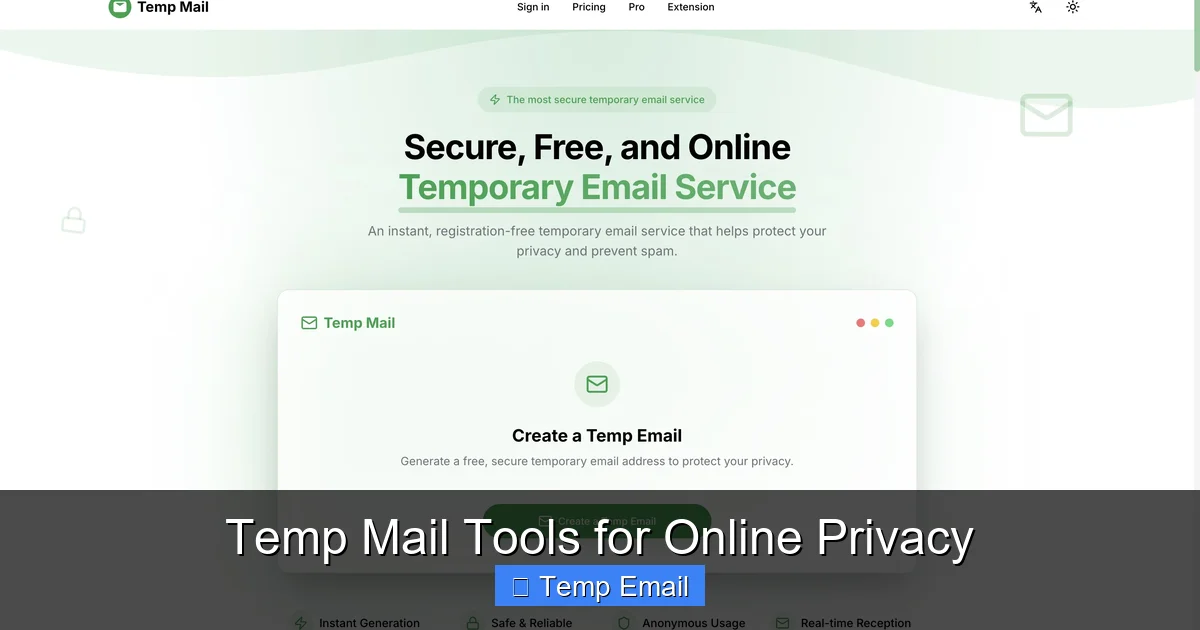
  • Temp Mail Tools for Online Privacy

    Temp Mail Tools for Online Privacy

    Temp mail tools provide disposable email addresses that safeguard your primary inbox and personal information. By using these temporary accounts for sign-ups, downloads, and untrusted sites, you drastically reduce spam, prevent data harvesting, and minimize your digital footprint. They’re a simple, free, and essential layer of privacy for any savvy internet user.

    Key Takeaways

    • Spam Prevention: Temp mail creates a sacrificial email for online forms, keeping spam and marketing emails away from your permanent inbox.
    • Enhanced Privacy: It prevents websites from linking your real email to your identity, browsing habits, and data profiles, reducing targeted tracking.
    • Breach Protection: If a site using your temp mail suffers a data breach, your critical accounts (bank, work) linked to your real email remain safe.
    • No Long-Term Commitment: These addresses auto-delete after a short period (usually 1-24 hours) or after a single use, leaving no lasting digital trail.
    • Simple & Accessible: Most services require no registration—just visit the site, get an address, and use it immediately for free.
    • Use Case Specific: Ideal for one-time sign-ups, accessing gated content, software trials, and forums, but not for essential accounts.
    • Not a Security Panacea: While great for privacy, temp mail does not encrypt your emails or protect against malware; use it alongside other tools like VPNs and password managers.

    Your Inbox Is a Target: Why You Need a Disposable Email Strategy

    Let’s have a real talk about your email address. It’s not just an inbox; it’s a master key. That one string of characters is often the username for dozens of accounts, the recovery method for your bank, and the primary hook for companies to track your every online move. Every time you type it into a website for a free PDF, a discount coupon, or a forum you’ll visit once, you’re handing over a piece of your digital identity. What happens there? That website might sell your address to marketers. It could be leaked in a data breach. It becomes a permanent link in your data profile. This is where temp mail tools for online privacy come in as your first line of defense. Think of it as using a burner phone for a Craigslist deal. You wouldn’t give out your personal cell for a one-off transaction, so why hand over your permanent email? In this guide, we’ll break down exactly how these tools work, why they’re crucial for privacy, and how to use them effectively without missing important emails.

    What Exactly Are Temp Mail Tools? The Disposable Email 101

    Temp mail tools, also called disposable email, throwaway email, or fake email generators, are services that provide you with a temporary, working email address for a short period. These addresses are not tied to you personally. They are generated on the fly by the service’s server and exist solely for your immediate use.

    Temp Mail Tools for Online Privacy

    Visual guide about Temp Mail Tools for Online Privacy

    Image source: toolszu.com

    How They Function: The Simple Mechanics

    The process is beautifully simple, often requiring zero clicks:

    • Generation: You visit a temp mail website like Temp-Mail.org, 10MinuteMail, or Guerrilla Mail. The site instantly creates a random email address for you (e.g., [email protected]) and loads an inbox interface.
    • Usage: You copy that address and paste it into any website that asks for an email—to download a whitepaper, sign up for a webinar, or create a trial account.
    • Reception: Any email sent to that address appears in the web-based inbox provided by the temp mail service. You can read it, click verification links, or download attachments right there.
    • Destruction: After a set time (often 10 minutes to 1 hour) or when you close the browser tab, the address and all its emails are permanently deleted from the server. It’s gone. Poof.

    There’s no password, no login, and no recovery. The address is a public resource that cycles through thousands of users. This anonymity is the core of its privacy power.

    Core Features That Define a Good Service

    Not all temp mail services are created equal. When choosing one, look for these features:

    • Multiple Domain Options: The ability to choose from different domain names (e.g., @tempmail.com, @guerrillamail.com) can help if a specific domain is blocked by a website.
    • Inbox Refresh & Auto-Refresh: A button to manually check for new emails and an auto-refresh feature that updates the inbox every 10-30 seconds.
    • Reply Capability: Some advanced services allow you to reply to emails from the temporary address, which is useful for confirming a subscription or a simple back-and-forth.
    • Attachment Support: The ability to receive and download attachments (be cautious with executable files).
    • No-Registration Required: The best services don’t ask you to create an account to get an address. That defeats the purpose.
    • Clear Expiry Timer: A visible countdown showing exactly how long you have left before the inbox self-destructs.

    Why Your Permanent Email Is a Privacy Liability (And How Temp Mail Fixes It)

    To understand the value, you must see the problem. Your primary email address is a hub. It connects to:

    • Data Brokers: Companies that collect and sell your data. Every form you fill out adds another profile to your digital shadow.
    • Credential Stuffing Attacks: If one site you use gets hacked, hackers now have your email. They’ll try that same email/password combo on your bank, social media, and email provider.
    • Unwanted Tracking: Services like Gmail and Outlook (while convenient) scan email content for ads and to improve their algorithms. A temp mail address is a blank slate.
    • Permanent Marketing Lists: Even if you unsubscribe, your email is often still retained. With a temp mail, the list entry becomes invalid after the address expires.

    Temp mail tools for online privacy act as a firewall. They intercept this data flow. The website you’re signing up for gets an email address that leads nowhere after an hour. It can’t be tied back to you. It can’t be used to reset your Google password. It can’t be sold as part of your “profile.” You are effectively invisible to that specific transaction.

    Practical Use Cases: When to Reach for the Disposable

    Knowing when to use a temp mail is as important as knowing how. Here are the prime scenarios where it should be your default move.

    1. Gated Content & Lead Magnets

    That “free ebook” or “industry report” requiring an email? Almost always a lead generation tactic. The company wants your email to add you to their marketing funnel. Use a temp mail, get the download, and vanish. No follow-up spam in your real inbox.

    2. Software Trials & Free Services

    Signing up for a 14-day trial of a SaaS tool? Use a temp mail. If you forget to cancel, they’ll email the temp address, not you. You won’t be charged, and you won’t get a “we miss you” series of emails six months later.

    3. Anonymous Forum or Comment Sign-Ups

    Joining a discussion board, Reddit, or a news site comment section? There’s rarely a need for a traceable, permanent email. A temp address protects you from doxxing or that forum’s own data practices.

    4. One-Time Promotions & Coupons

    That 20% off coupon for a store you’ll never shop at again? A temp email is perfect. You get the code, use it, and the promotional relationship ends with the inbox.

    5. Testing & Development

    Developers and QA testers use temp mails to test email workflows (sign-up confirmations, password resets) without polluting real test accounts or risking personal data.

    6. Protecting Against Data Breaches (The Big One)

    This is the silent killer. Every week, a new company announces a breach. If you used your real email for a minor site that later gets hacked, that email/password combo is now on the dark web. If that same email is your Apple ID or bank username, you’re in serious trouble. Using a temp mail for low-stakes sites contains the blast radius of any breach. The breached data is useless because the email address no longer exists.

    Top Temp Mail Tools in 2024: A Quick Comparison

    The landscape changes, but a few reliable players consistently emerge. Here’s a snapshot of popular options, each with a slight twist.

    • Temp-Mail.org: The classic. Extremely simple, fast, and reliable. Offers multiple domain choices and a clean interface. Often the first result on Google for a reason.
    • 10MinuteMail: The original. It’s exactly what it says—an address for 10 minutes. No frills, incredibly fast. Perfect for a single, immediate verification.
    • Guerrilla Mail: A veteran with more features. It offers a slightly longer lifespan (up to 1 hour), the ability to send replies, and even a “scramble” button to generate a new address instantly while keeping your inbox.
    • MailDrop: Focuses on simplicity and longevity. Inboxes can last up to 24 hours if you keep the tab open and active. Good for situations where you might need the email for a few hours.
    • Tempail: Offers a unique “keep” feature where you can reserve an address for longer (24h) by clicking a button, and has a very user-friendly, modern UI.

    Critical Note: Never use these for password resets on important accounts, banking, or anything you need to access long-term. Once the inbox expires, those recovery emails are lost forever, locking you out.

    The Limitations and Crucial Safety Tips

    Temp mail is a powerful privacy tool, but it’s not magic. Understanding its limits is key to using it safely and effectively.

    What Temp Mail CAN’T Do

    • It’s Not Encryption: Emails in the temp inbox are generally not end-to-end encrypted. The service provider can theoretically read them. Don’t send sensitive personal data (SSN, credit card numbers, confidential documents) via a temp mail.
    • It’s Not a VPN: It hides your email identity, not your IP address or overall browsing activity. For full anonymity, pair it with a reputable VPN.
    • It’s Not for Identity Verification: Many financial services, government sites, and even some social media platforms (like LinkedIn) actively block known temp mail domains. They require a “real,” verifiable email.
    • It’s Ephemeral: The core feature is also its biggest drawback. Forget to check the inbox, and the verification email—and your chance to access the service—is gone.

    Essential Best Practices for Safe Use

    To master the use of temp mail tools for online privacy, follow these rules:

    1. Have a Dedicated Tab: Open the temp mail site in a separate browser tab and keep it open until you’ve completed your task. Don’t navigate away until you’ve received and used the verification email.
    2. Bookmark Your Inbox: Some services let you bookmark the specific inbox URL to return to it later if the session persists. Use this if you need a few hours.
    3. Never Use for Critical Accounts: Your email for Google, Apple, Microsoft, your bank, your workplace, your main cloud storage—these must be your permanent, secure email with 2FA enabled.
    4. Check Attachment Safety: While rare, a temp inbox could receive a malicious attachment. If you weren’t expecting one, don’t open it. Use cloud-based scanners if you must.
    5. Use a Privacy-Focused Browser: Pair your temp mail habit with a browser like Brave or Firefox with strong privacy extensions (uBlock Origin, Privacy Badger) for maximum effect.
    6. Clear Your Browser Data: After finishing with a temp mail session, close the tab and clear your browser’s cookies and cache for that site to ensure no residual tracking.

    Building a Holistic Privacy Habit: Beyond Just the Temp Mail

    Relying solely on disposable email is like putting a lock on one door while the windows are wide open. True online privacy is a layered approach. Think of your digital hygiene like securing your home.

    • The Foundation: A Secure Primary Email. Your main email should be with a provider that respects privacy (like ProtonMail or Tuta) and protected by a unique, strong password and two-factor authentication (2FA). This is your fortress.
    • The First Line of Defense: Temp Mail. Use disposable addresses for every non-essential interaction online. This is your outer fence, keeping the noise and threats at bay.
    • The Cloak: A Reputable VPN. A VPN encrypts your internet traffic and masks your IP address from the websites you visit. While temp mail hides your identity from the site, a VPN hides your location and network from the site. They complement each other perfectly.
    • The Keys: A Password Manager. Use a password manager (Bitwarden, 1Password) to generate and store unique, complex passwords for every site. This prevents credential stuffing attacks from breaching multiple accounts.
    • The Awareness: Mindful Sharing. The best tool is your own judgment. Before entering any email, ask: “Is this site trustworthy? Do I need ongoing communication from them?” If the answer is no, reach for the temp mail.

    By combining these tools—a secure primary account, a disposable email habit, a VPN, and a password manager—you build a robust, practical shield against the pervasive data collection of the modern web.

    Conclusion: Reclaiming Your Digital Footprint, One Disposable Address at a Time

    Online privacy can feel like an impossible battle against monolithic tech giants and shadowy data brokers. But often, the most effective strategies are the simplest. Temp mail tools for online privacy embody this principle. They are a low-effort, high-impact method to immediately slice away a massive portion of unnecessary data linkage. Every time you use a temporary email instead of your real one for a one-off sign-up, you are successfully preventing that company from adding a permanent node to your personal data graph. You are containing the potential damage of the next inevitable data breach. You are taking back control of your primary inbox from the torrent of promotional spam. Start today. Make it a reflex. The next time a website asks for your email for a “free” resource, pause, open a new tab, generate a temp address, and complete your transaction with a sigh of relief. Your future self—the one with a clean inbox and a smaller digital footprint—will thank you. It’s a small habit that builds a fortress of privacy, one disposable address at a time.

    Frequently Asked Questions

    Are temp mail tools legal to use?

    Yes, using disposable email addresses is completely legal in most jurisdictions. They are a legitimate tool for privacy protection. However, using them to commit fraud, evade legal obligations, or send malicious content is illegal, as with any communication tool.

    Is a temp mail as secure as a VPN?

    No, they serve different purposes. A temp mail protects your identity by hiding your real email from a website. A VPN encrypts your internet connection and hides your IP address and location from the website and your internet service provider. For maximum privacy, use both together.

    How long do temp emails actually last?

    It varies by service, but most temporary inboxes last between 10 minutes and 1 hour after generation. Some services offer extensions (up to 24 hours) if you keep the browser tab active. The address and all its emails are permanently deleted after the expiry time.

    Can I receive attachments with a temp mail?

    Yes, most major temp mail services allow you to receive and download attachments. However, you should exercise caution. Never open executable files (.exe, .scr) or unexpected documents from unknown senders, as they could contain malware. The inbox itself is not a secure environment for sensitive files.

    Do I have to pay for temp mail tools?

    No. The vast majority of disposable email services are completely free and supported by ads. Some offer premium plans with features like custom domains, longer expiry times, or ad-free interfaces, but the core free service is sufficient for most privacy use cases.

    When should I NEVER use a temporary email?

    Avoid temp mail for any account you need to recover or access long-term. This includes your primary email, banking, social media, cloud storage, work/school logins, and any service that sends critical notifications (like flight changes or medical results). Use your secure, permanent email with 2FA for these essential accounts.

  • Free Temporary Email for Fast Registrations

    Free Temporary Email for Fast Registrations

    Tired of spam filling your main email after every online sign-up? A free temporary email service provides a disposable address you can use for fast registrations on websites, forums, and apps. These inboxes are instant, require no password, and auto-delete after use, keeping your real identity and primary inbox safe from promotional junk and potential data breaches. It’s the ultimate tool for privacy and convenience in the digital age.

    Key Takeaways

    • Instant Privacy Shield: A temporary email acts as a barrier, preventing websites from accessing your real email address and personal information.
    • Zero-Spam Inbox: All confirmation links, newsletters, and promotional emails go to the disposable address, leaving your primary inbox clean.
    • Speed & Simplicity: Registrations that usually require email verification become a matter of seconds—copy, paste, verify, forget.
    • No Long-Term Commitment: These inboxes are designed to be short-lived, typically expiring after a few hours or days, requiring no cleanup on your part.
    • Ideal for Testing & One-Time Access: Perfect for testing software sign-ups, downloading gated content, or accessing a site once without creating a permanent account.
    • Security Through Anonymity: By not using your primary email, you reduce the risk of your account being targeted in a data breach or phishing attempt.
    • Know the Limitations: Temporary emails are not for important accounts (banking, main social media) as you cannot recover them if you need password resets later.

    Your Digital Bodyguard: Why You Need a Free Temporary Email

    Let’s paint a familiar picture. You’re excited to download a new ebook, sign up for a webinar, or create an account on a cool new forum. You click “Register,” fill in your details, and get to the email verification step. You sigh, pull out your primary email—the one tied to your bank, your family, your career—and paste it in. A few minutes later, the confirmation arrives. You click it, gain access… and then the floodgates open. Over the next week, your inbox is bombarded with “Welcome!” newsletters, “Special Offer Just For You!” promotions, and “We Miss You!” reminders from a site you visited once. Sound like a scene from your own digital life? You’re not alone.

    This is the modern internet’s silent tax: your email address is the key that unlocks a torrent of marketing noise. But what if you had a spare key? A key you could use, toss away, and never think about again? That’s precisely what a free temporary email service offers. It’s a simple, powerful tool designed for one core mission: enabling fast registrations without sacrificing your privacy or cluttering your digital home. In this guide, we’ll dive deep into how these disposable inboxes work, why they’re essential for savvy internet users, and exactly how to use them to reclaim control of your online experience.

    What Exactly is a Free Temporary Email Service?

    At its heart, a temporary email service is a web-based platform that generates a random, functional email address for you on the spot. Think of it like a burner phone, but for your inbox. You don’t need to sign up, create a password, or provide any personal details to get started. You simply visit the website, and an address like [email protected] is created for you instantly. That inbox is now live and waiting.

    Free Temporary Email for Fast Registrations

    Visual guide about Free Temporary Email for Fast Registrations

    Image source: internxt.com

    The Disposable Nature: Here Today, Gone Tomorrow

    The “temporary” part is critical. These inboxes have a built-in lifespan. Depending on the service, the email address and all its contents will self-destruct after a set period—usually anywhere from 10 minutes to 48 hours. Some services delete the inbox as soon as you close your browser tab. This ephemeral quality is the feature, not a bug. It means there is no long-term storage for spam to accumulate and no digital footprint left behind for data miners to exploit. The entire system is designed for single-use or very short-term interactions.

    How It Differs From Your Standard Webmail

    Your Gmail, Outlook, or Yahoo account is a permanent identity. It’s tied to your name, your recovery phone number, and your digital history. It’s meant for ongoing communication with people and services you trust. A temporary email is the opposite: it’s anonymous, transient, and functionally separate from your real identity. It has no connection to your other accounts, making it a perfect privacy buffer.

    The Inner Workings: How Do These Instant Inboxes Function?

    The magic behind a free temporary email is surprisingly straightforward, which is part of its beauty. There’s no complex setup on your end.

    Free Temporary Email for Fast Registrations

    Visual guide about Free Temporary Email for Fast Registrations

    Image source: darksms.com

    Step-by-Step: From Zero to Inbox in 10 Seconds

    First, you navigate to a provider’s website, like Temp-Mail.org or 10MinuteMail.com. The server automatically generates a unique email address and displays it prominently on the page. Concurrently, it creates a hidden, private inbox linked to that address. When a website sends a verification email to your disposable address, the temporary mail service’s servers receive it and deposit it directly into that private inbox. You, the user, simply refresh the page or click an “Inbox” button on the site, and you see the new email appear in real-time. You can then open it and click the verification link. That’s it. No login, no password, no “forgot password” flow.

    Behind the Scenes: Server & Security Basics

    These services run on their own mail servers. They accept emails for any address in their domain (e.g., @temp-mail.io) and store them temporarily in a database linked to a session ID. Reputable providers do not log IP addresses or attempt to link the disposable address back to you. They also typically do not allow sending emails *from* the disposable address (though some advanced features may include this), focusing purely on receiving. The security model is based on the principle of isolation: the temporary address exists in its own vacuum, completely separate from your real identity.

    Top 5 Perfect Use Cases for Disposable Email Addresses

    Knowing *when* to use a temporary email is as important as knowing *how*. Here are the prime scenarios where these tools shine.

    Free Temporary Email for Fast Registrations

    Visual guide about Free Temporary Email for Fast Registrations

    Image source: freeappsforme.com

    1. Gated Content & Lead Magnets

    How many times have you wanted a free checklist, template, or research report only to be stopped by a form demanding your email? This is a classic lead generation tactic. Using your primary email here often leads to a sales funnel you never asked for. A disposable email lets you get the content you want instantly, with zero commitment and no future spam. You download the PDF, and the email address expires before the first “nurture” email even arrives.

    2. Forum & Community Sign-Ups

    Joining a niche forum for a hobby or a professional community? You might want to participate, but you don’t necessarily want that community’s digest emails or any potential data breach to have your main email. Use a temporary address for the initial verification. You can often set up a separate, more permanent email later if you decide the community is valuable, but the disposable one handles the gatekeeper.

    3. Software & App Trial Registrations

    Testing a new SaaS tool, graphic design app, or project management software? The trial will require an email. Using a disposable address means the “Your trial is ending!” and “Upgrade now!” reminders vanish into a void that self-destructs. You get to test the software’s core features without a lingering marketing attachment.

    You see a link to an interesting article, video, or tool that’s “exclusive” or requires an email to view. This is a high-spam-risk situation. A temporary email is your shield. You get the access, consume the content, and the address—and any future spam from that source—disappears.

    5. Protecting Your Identity on Public Wi-Fi or Shared Computers

    If you’re using a library computer, a hotel business center, or a friend’s device to sign up for something, you should never enter your primary email credentials. A temporary email service requires no login, so you can safely generate an address, use it, and close the browser with no trace left on that public machine.

    The Pros and Cons: A Balanced Look

    Like any tool, temporary email services have a clear set of strengths and weaknesses. Understanding both is key to using them effectively and safely.

    The Overwhelming Advantages (The “Pros”)

    • Unmatched Privacy: Your primary email is a core part of your digital identity. Keeping it private from every site you casually browse is a major win for personal data security.
    • Spam Elimination: This is the #1 benefit. The spam goes to the disposable address, which dies on its own. Your primary inbox remains a place for communication with actual humans and essential services.
    • Lightning-Fast Workflow: You bypass the entire “check your email, find the message, click the link” delay. The inbox is right there on the same tab. It streamlines the registration process to under 30 seconds.
    • Zero Account Management: No passwords to remember, no security questions to set, no account recovery to worry about. It’s the ultimate in low-friction access.
    • Cost: They are almost universally free for the basic, core functionality you need for registrations.

    The Important Caveats (The “Cons” & Limitations)

    • No Account Recovery: If you use a temporary email to sign up for a service you later want to keep (like a cloud storage account), you cannot recover that account if you forget your password. The email address will be gone, locking you out forever.
    • Not for Critical Services: Never, ever use them for banking, primary social media accounts, your main cloud storage (Google Drive, iCloud), or any service where account security and recovery are paramount.
    • Some Sites Block Them: Many popular platforms (like Facebook, Google, Twitter/X, major banks) actively detect and block known temporary email domains to prevent fraud and abuse. You’ll get an error message saying the email is invalid.
    • Limited Inbox Time: You must be present to receive the verification email. If you walk away and the inbox expires before the email arrives, you’re out of luck. This makes them unsuitable for services with delayed email delivery.
    • Cannot Send (Usually): These are receive-only addresses in most cases. You can’t use them to email a friend or a business contact.

    How to Choose the Right Free Temporary Email Provider

    Not all disposable email services are created equal. While the core function is similar, a few key differences can impact your experience.

    Key Features to Look For

    First, check the expiry time. Does the inbox last 10 minutes, 1 hour, or 24 hours? For most registrations, 10-60 minutes is sufficient. For downloads that might have a delayed email, a 1-2 hour window is safer. Second, look at the user interface. Is the inbox easy to read? Does it auto-refresh? A clean, simple interface that updates without manual refreshing is a huge quality-of-life improvement. Third, consider domain variety. Some services offer multiple domain options (e.g., @tmpmail.org, @tmpmail.net). If one domain gets blocked by a site, you can try another from the same provider.

    Several providers have earned reputations for reliability and speed. Temp-Mail (temp-mail.org) is one of the most popular, offering a random address, multiple domains, and a 1-hour default expiry with a refresh button to extend it. 10MinuteMail (10minutemail.com) is the classic, with a famously simple, countdown-timer interface. Guerrilla Mail (guerrillamail.com) offers a bit more control, allowing you to choose your own inbox name from a list and providing a slightly longer 60-minute window. MailDrop (maildrop.cc) is another minimalist favorite. Stick with these well-known names; obscure sites might have hidden agendas or poor deliverability.

    Best Practices: Using Temp Mail Safely and Effectively

    To get the most out of temporary email without hiccups, follow these simple but crucial practices.

    The Golden Rule: The “No Important Accounts” Policy

    Internalize this: a temporary email is for outs, not ins. It’s for accessing something once, not for building a long-term relationship. If you anticipate needing password resets, account recovery, or ongoing communication from the service, use your primary email or create a separate, permanent secondary email specifically for that purpose. Never gamble your access to critical services on an address that will vanish.

    Timing is Everything: Be Present for the Verification

    Do not generate a temporary email and then walk away to make coffee. Have your browser tab open and the inbox visible. Most services will show a new email arrive within 10-30 seconds. If you don’t see it after a minute, hit the refresh button. Be ready to click the verification link immediately. If the verification email is delayed beyond the inbox’s expiry, you’ll have to start the whole process over with a new address.

    Copy, Paste, Verify, Close: The Efficient Workflow

    1. Navigate to your chosen temp mail site. Copy the generated address.
    2. Paste it into the registration form on the other site and submit.
    3. Immediately switch back to the temp mail tab. You should see the new email.
    4. Open it and click the verification link (or copy the code if it’s a code-based verification).
    5. Once you’ve gained access on the other site, you can close the temp mail tab. The work is done.

    When the Site Blocks the Temp Domain: What to Do

    If you get an error like “Invalid email address” or “This domain is not allowed,” the site is blocking disposable email providers. Your options are: 1) Try a different provider from your shortlist (switch from Temp-Mail to Guerrilla Mail, for instance). 2) Use a different domain from the same provider if they offer it. 3) If it’s a service you truly need long-term access to, you’ll have to use a real email address. This is the site’s way of saying, “We want a committed user, not a fly-by-night visitor.”

    The Future and Final Verdict: Is a Free Temporary Email Right for You?

    The internet’s business model is largely built on data, and your email address is one of the most valuable pieces of personal data there is. Every time you hand it over casually, you’re trading a bit of your privacy for access. A free temporary email service flips that script. It gives you the access without the permanent trade. It’s a tool for the modern, privacy-conscious user who values a clean inbox and wants to minimize their digital attack surface.

    For the fast, one-off registrations that clutter our digital lives, it’s nothing short of revolutionary. It restores a sense of control and reduces the friction that has come to define so much of our online activity. The key is to use it with intention. Embrace it for what it’s best at: being a temporary, anonymous gateway. Respect its limitations and never use it for your most important digital assets. By doing so, you’ll find that your primary email becomes a sanctuary for essential communication again, while the noise of the internet is confined to the disposable, self-cleaning inboxes it was always meant for.

    Frequently Asked Questions

    Are free temporary email services safe to use?

    Yes, reputable temporary email services are safe for their intended purpose. They do not require personal information and the inboxes are isolated. The primary risk is user error: using them for important accounts where you need password recovery, which would lock you out permanently.

    How long does a temporary email address last?

    It varies by provider, but most last between 10 minutes and 48 hours. Common durations are 10 minutes, 1 hour, or 24 hours. The inbox and all its contents are permanently deleted once the timer expires.

    Why do some websites block temporary email addresses?

    Websites block disposable email domains to prevent spam, fraud, and abuse. They want genuine users who are likely to engage long-term. Blocking temp mail helps them maintain a cleaner user list and reduces the creation of fake or throwaway accounts.

    Can I send emails from a temporary email address?

    Most basic free temporary email services are receive-only. Their primary function is to let you *get* verification emails. Some premium or advanced services may offer limited sending capabilities, but it’s not the norm and is generally not recommended.

    What is the best free temporary email service?

    There is no single “best,” but highly reliable and user-friendly options include Temp-Mail.org, 10MinuteMail.com, and GuerrillaMail.com. Look for a service with a clear expiry timer, auto-refreshing inbox, and multiple domain options to avoid blocks.

    Is it legal to use a temporary email?

    Yes, using a disposable email address is completely legal. You are using a publicly available service to receive emails. The legality only comes into question if you use the address for illegal activities like fraud or harassment, which is true of any communication tool.

  • How to Use Temp Mail for Online Accounts

    How to Use Temp Mail for Online Accounts

    Using a temporary email address is a simple yet powerful way to protect your primary inbox from spam, data breaches, and unwanted marketing when signing up for online accounts. This guide provides a complete, step-by-step walkthrough on selecting a reliable temp mail service, creating and using your disposable address for various registrations, and understanding the critical do’s and don’ts. We cover the significant privacy benefits, potential limitations, and essential security practices to ensure you use this tool effectively and safely.

    Have you ever hesitated to sign up for a free online course, a discount newsletter, or a forum because you didn’t want to clutter your primary email inbox? Or maybe you’ve downloaded a file from a website that immediately felt like a spam trap. This is where the clever tool of temporary email, often called “temp mail,” becomes your digital bodyguard. It’s a straightforward concept with powerful implications for your online privacy and sanity. This comprehensive guide will transform you from a curious beginner to a confident, safe user of disposable email addresses for all your non-essential online account creations.

    We’ll move beyond the basic idea and dive deep into the practical realities. You’ll learn exactly how to pick a service that won’t vanish with your data, the precise steps to use it for everything from app trials to forum registrations, and the crucial boundaries you must never cross. Think of this as your ultimate handbook for leveraging temp email intelligently, keeping your main identity secure while still accessing the internet’s countless free resources.

    Key Takeaways

    • Purpose: Temp mail is a tool for privacy and spam prevention, not for important, long-term accounts like banking or primary email.
    • Selection: Choose a reputable provider with a clear privacy policy, adequate inbox lifespan, and a browser extension for convenience.
    • Process: The workflow is simple: generate an address, use it for sign-up, verify the email in the temp inbox, then discard the address.
    • Limitations: You cannot recover a temp email or password; it’s a single-use, fire-and-forget tool for specific scenarios.
    • Risk Awareness: Understand that while it hides your main email, the temp provider itself can see the emails you receive, so don’t use it for highly sensitive data.
    • Best Practice: Never use a temp email for critical accounts (financial, main cloud storage, social media) where account recovery is essential.
    • Ethical Use: Temp mail is for legitimate privacy protection, not for fraudulent activities, abuse of free trials, or bypassing bans maliciously.

    What Exactly is Temp Mail and How Does It Work?

    At its core, a temporary email service provides you with a random, disposable email address that exists for a short, predefined period—usually a few hours to a few days. It functions like a public mailbox at a coffee shop: anyone can put something in it (send an email to it), but only you have the key to check it (via the temp mail website). The service generates the address on the fly, receives incoming emails on its servers, and displays them to you in a web-based inbox. Once the time limit expires or you manually delete the inbox, the address and all its contents are permanently erased from existence.

    The Technology Behind the Disposability

    These services don’t create unique, persistent mailboxes for each user in the traditional sense. Instead, they often use catch-all domains. When you request an address like [email protected], the service’s mail server is configured to accept any email sent to *@tempmail.demo. It then sorts incoming messages based on the unique local part (abc123) and displays them in the corresponding session. This efficient system allows them to offer millions of potential addresses without the storage overhead of standard email providers.

    Step-by-Step: How to Use a Temp Mail Service

    Using temp mail is famously simple, but doing it correctly requires a few mindful steps. Here is a detailed, practical walkthrough.

    How to Use Temp Mail for Online Accounts

    Visual guide about How to Use Temp Mail for Online Accounts

    Image source: tmailor.com

    1. Choosing Your Provider: Not All Temp Mails Are Created Equal

    This is the most critical step. A poor choice can lead to instant spam, lost verification emails, or privacy issues. Look for these features:

    • No Registration Required: The best services generate an address instantly on their homepage without asking for any personal details.
    • Inbox Lifespan: Check how long the inbox remains active. 10 minutes is too short for many verifications; 24-48 hours is a good standard.
    • Browser Extension: Services like Temp-Mail.org offer extensions that auto-fill and manage your temp address, a huge convenience.
    • Custom Domain Option: Some providers let you choose from several domains (e.g., @mailinator.com, @guerrillamail.com). Having options can help if one domain is blocked by a website.
    • Clear Privacy Policy: Read it. Does it state they do not log or sell your received emails? Reputable ones will have a strict no-logs policy for received content.

    Popular, long-standing options include Temp-Mail, Guerrilla Mail, and Mailinator (public inboxes, so be cautious). For this guide, we’ll use the generic “Temp-Mail.org” as our example.

    2. Generating Your Disposable Address

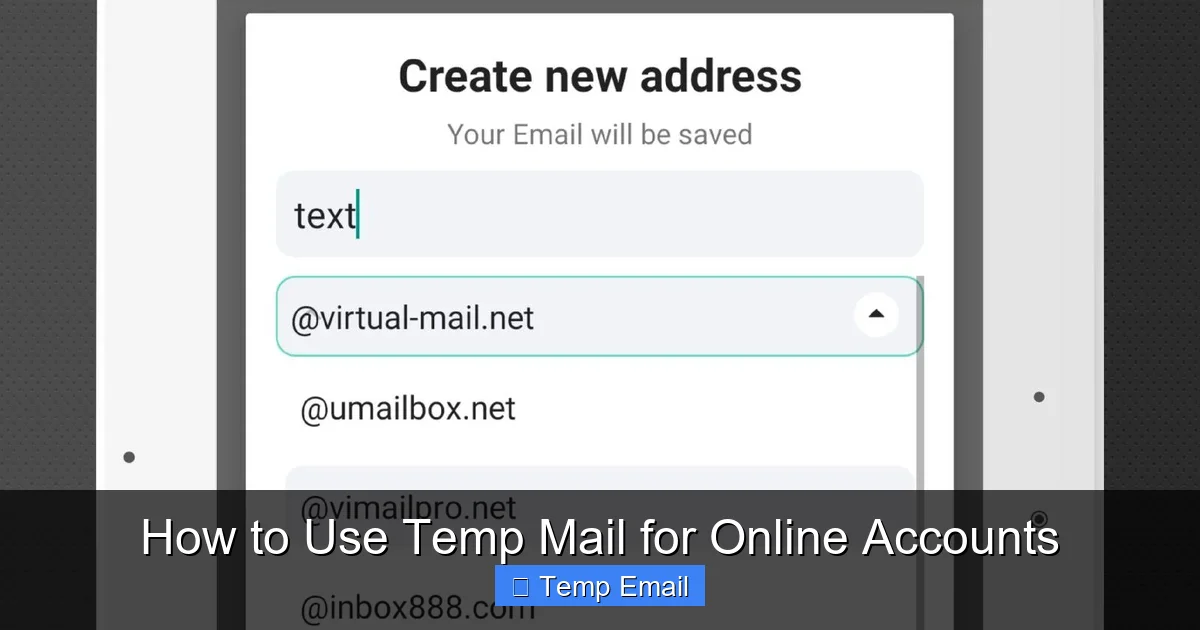
    Navigate to your chosen provider’s website. You will typically see a large, randomly generated email address displayed prominently, along with a timer counting down the inbox’s remaining life. That’s your new, temporary identity. Copy it to your clipboard. No password, no username, just the address.

    3. Using It for Account Creation

    Go to the website or service where you need an email (e.g., a free ebook download, a gaming site beta sign-up, a forum). In the email field, paste your copied temporary address. Fill in any other required details (often a username and password you create for that site). Complete the sign-up process.

    4. Receiving and Accessing the Verification Email

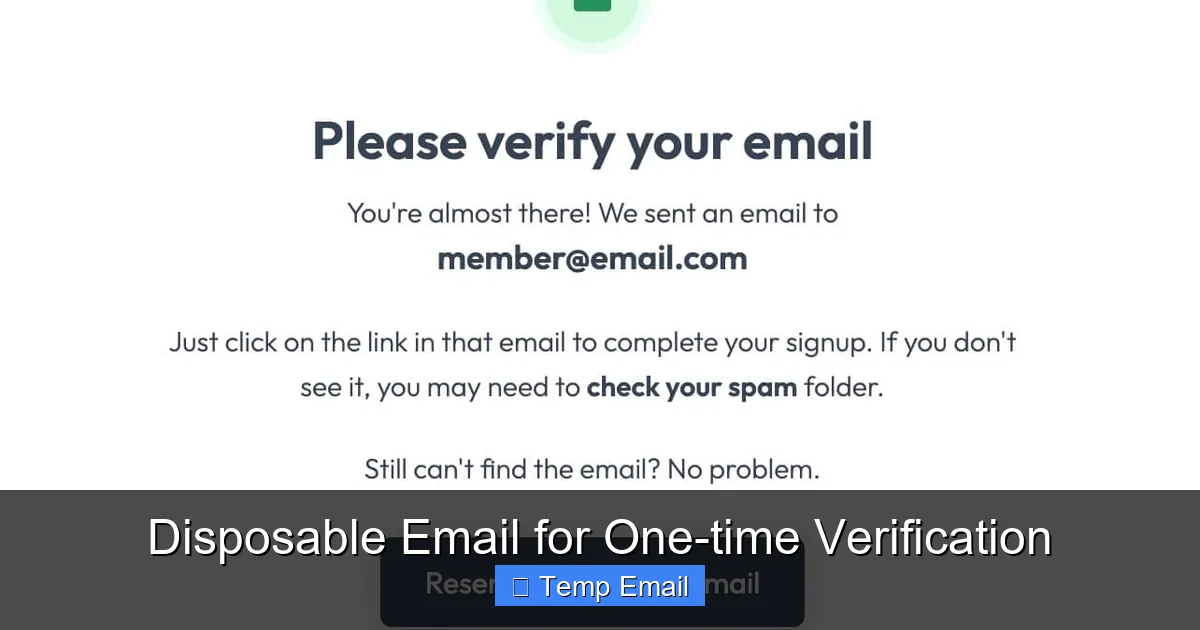
    Most services will send a verification link to the email you provided. Do not leave the temp mail site! Switch back to the tab with your temporary inbox. You should see a new email arrive within seconds or minutes. Click on it to open the content. Find the verification link or code, click it or copy it, and return to the sign-up page to complete the process. The email will vanish from the temp inbox when the session expires.

    5. Post-Verification: What to Do (and Not Do)

    Once you’ve clicked the verification link and gained access to the service or downloaded the file, your job with that temp address is done. Do not try to log in to that account again using the temp email—you won’t be able to receive password resets. Simply close the tab. If you need to use that service again in the future, you will likely need to sign up again with a new temp address. The old account associated with the expired email is now inaccessible.

    Major Benefits: Why You Should Use Temp Mail

    The value proposition of temporary email is clear and compelling for the right use cases.

    How to Use Temp Mail for Online Accounts

    Visual guide about How to Use Temp Mail for Online Accounts

    Image source: dl.memuplay.com

    Slash Spam and Marketing Emails to Zero

    This is the #1 reason people use temp mail. Every time you use your primary email for a freebie, a contest, or a one-time service, you’re adding your address to a marketing list. Those lists get sold, shared, and leaked. A temp address acts as a sacrificial buffer. All the promotional fluff goes to the disposable inbox, which self-destructs, keeping your main inbox pristine for personal and professional communication.

    Enhance Privacy and Reduce Data Footprint

    In an era of data harvesting, every account you create is a potential data point linked to your identity. Using a temp email severs the direct, persistent link between an online service and your primary digital identity (your main email). It minimizes the number of entities that have a permanent channel to contact you and reduces your overall exposure in the event of a company’s data breach.

    Bypass Mandatory Sign-Ups for Gated Content

    How many times have you wanted to read an article, access a research paper, or see a whitepaper, only to be hit with a “Enter your email to continue” wall? Temp mail lets you effortlessly bypass these gates without committing your real address. You get the content instantly, and the publisher gets an email that will bounce in 24 hours. It’s a clean, low-friction win.

    Test Services and Software Safely

    If you’re a developer, tester, or just a curious tech enthusiast, you might need to create multiple test accounts for an app or service. Using your real email for 20 test accounts is messy. Temp mail allows you to generate unique addresses for each test instance, keeping your production and testing environments completely separate and clutter-free.

    Critical Risks and Limitations You Must Understand

    Temp mail is a tool, and like any tool, it has sharp edges. Blindly using it can create new problems.

    How to Use Temp Mail for Online Accounts

    Visual guide about How to Use Temp Mail for Online Accounts

    Image source: image.winudf.com

    The Inherent Insecurity of Public Inboxes

    Remember, the temp mail provider has access to every email sent to that address. While reputable ones claim not to log them, you are fundamentally trusting a third party with potentially sensitive information. Never use a temp email for:

    • Password resets on important accounts.
    • Receiving bank statements, credit card offers, or legal documents.
    • Any communication containing personal identification numbers (SSN, passport), financial data, or confidential business information.

    Account Recovery is Impossible

    This is the most common pitfall. If you sign up for a service using a temp email and later forget your password, you are locked out forever. The “Forgot Password?” function will send a reset link to an inbox that no longer exists. The account is dead. Therefore, the rule is absolute: any account you might need to access again in the future—even just once a year—must be tied to your real, permanent email.

    Website and Service Blocks

    Many popular platforms (Google, Facebook, major banks, Apple, Microsoft) actively block known disposable email domains. They know these addresses are often used for abuse or spam. If you try to sign up with a temp address on these sites, you’ll likely get an error message saying the email domain is invalid. This is a feature, not a bug, for those platforms, but it means temp mail has limited utility for mainstream services.

    Using temp mail to circumvent a website’s terms of service, create fake accounts for manipulation (e.g., social media bots, review spamming), abuse free trial limits fraudulently, or evade legitimate bans is unethical and may be illegal. Use this tool for its intended purpose: protecting your primary inbox from unwanted correspondence, not for deception or fraud.

    Best Practices for Safe and Effective Use

    To get the most out of temp email without falling into traps, adopt these habits.

    Maintain a Clear Mental Separation

    Categorize your online accounts mentally. Tier 1: Critical (banking, primary email, cloud storage) – always use your real email. Tier 2: Important but recoverable (secondary shopping sites, professional networks) – use a dedicated, long-term secondary email. Tier 3: Low-stakes, disposable (freebies, one-time content access, forum lurking) – this is the domain of temp mail. Never blur these lines.

    Use a Dedicated Browser Profile or Incognito Window

    To avoid session mix-ups, open an incognito/private browsing window when using a temp email service. This prevents your main browser cookies and logins from interfering and keeps your temp mail session isolated. Some browser extensions for temp mail also handle this well.

    Always Check the Inbox Immediately After Sign-Up

    Verification emails can sometimes land in spam folders (of the temp service) or be delayed. Stay on the temp mail site for at least 2-3 minutes after submitting the sign-up form and refresh the inbox periodically until the email arrives. Don’t navigate away and assume it will be there later.

    Never Use Temp Mail for Two-Factor Authentication (2FA)

    2FA codes are time-sensitive and critical for account security. Receiving them on a disposable inbox that might disappear before you can type in the code is a recipe for being locked out. 2FA must always go to a reliable, accessible, and permanent email or authenticator app.

    Manage Your Expectations

    Understand that the service you’re signing up for may flag or delete your account if they detect a disposable email during their internal review or if you attempt a sensitive action (like changing the email later). The account may work for its initial purpose but could be purged later. This is acceptable for a one-time download, but not for building a lasting profile.

    Alternatives and When to Use Something Else

    Temp mail isn’t the only tool. Here’s when to consider other options.

    The Dedicated “Spam” or “Burner” Email Address

    Create a free email account (e.g., with Gmail, ProtonMail) specifically for online sign-ups you want to keep but don’t want in your main inbox. Use this for services you might use semi-regularly but still view as a potential spam source (e.g., a hobby newsletter, a store you shop at occasionally). This address is permanent, so you can recover accounts and receive important notifications. It requires maintenance (occasional login to delete spam) but is more robust than a temp address.

    Email Aliasing Services (Like SimpleLogin or Firefox Relay)

    This is the modern, superior evolution of the disposable email concept. These services create unique, forwardable email aliases (e.g., [email protected]) that forward to your real inbox. You can disable an alias at any time, stopping all future emails. The key advantage: the emails appear in your main inbox, you can reply from the alias, and you maintain full control and permanence. It’s the best of both worlds for privacy and utility, though some services have usage limits on free tiers.

    When to Just Use Your Real Email

    If the service is:

    • Financial (banking, investing, PayPal).
    • Core to your digital identity (main email provider, Apple ID, Google Account).
    • A subscription you intend to keep long-term (Netflix, Spotify, software SaaS).
    • Any service where account recovery, legal notices, or critical updates are sent via email.

    …then use your primary, permanent email address without hesitation. The risk of losing access far outweighs any minor spam concern.

    Conclusion: Empowering Your Digital Life with Discretion

    Mastering the use of temporary email is a small but significant step in taking control of your digital footprint. It’s not about being paranoid; it’s about being prudent. By strategically deploying a disposable address for the vast ocean of low-stakes, one-off interactions on the web, you erect a sturdy firewall around your primary communication channel. You declutter your mind and your inbox, reduce your attack surface for data breaches, and assert a measure of ownership over your personal information.

    Remember the golden rule: permanence for what matters, disposability for what doesn’t. Use the step-by-step process we’ve outlined, respect the limitations, and always prioritize security over convenience for your critical accounts. As the internet continues to monetize attention and data, tools like temp mail and email aliasing services become not just helpful, but essential components of a modern, privacy-conscious digital strategy. Go ahead, try it for your next free ebook download. You’ll wonder how you ever signed up for anything without it.

    Frequently Asked Questions

    Is using temp mail legal?

    Yes, using a temporary email service is completely legal. It is a legitimate privacy tool. However, using it to commit fraud, create fake identities for malicious purposes, or violate a website’s terms of service is illegal and unethical.

    Can I recover a temp email account if I lose the password?

    No, you cannot. Temporary email addresses have no password recovery mechanism. Once the inbox expires or you close the session, the address and all associated data are permanently deleted. Any accounts created with that address are irrecoverable.

    Will a temp email work for Netflix or Facebook?

    Almost certainly not. Major platforms like Netflix, Facebook, Google, and banks maintain lists of disposable email domains and actively block them during sign-up. You will receive an error message. Temp mail is intended for smaller websites, forums, and content gates.

    Is temp mail safe for receiving important documents?

    No, it is not safe. Since the inbox is public and the provider can access all emails, you should never use a temp address for sensitive information like legal contracts, financial statements, official government correspondence, or anything containing personal identification numbers.

    How long do temp emails usually last?

    The lifespan varies by provider. Common durations are 10 minutes, 1 hour, 6 hours, or 24-48 hours. Always check the provider’s timer before using the address to ensure it will last long enough for you to receive and click a verification link.

    What happens to my temp email after it expires?

    After the time limit expires, the email address is permanently retired and recycled. The inbox and all emails within it are deleted from the provider’s servers. The address may be given to a completely different user in the future.

  • Best Temp Email Sites That Actually Work

    Best Temp Email Sites That Actually Work

    Tired of spam cluttering your primary inbox? Disposable email addresses are your secret weapon. This guide cuts through the hype to list only the temp email services that deliver on their promises—offering real inboxes, decent uptime, and no tricky sign-ups. We’ve rigorously tested each site to ensure they actually work for signing up to websites, downloading files, and verifying accounts without the spam fallout. Forget the broken or scammy sites; these are the practical, functional tools you can use today.

    Key Takeaways

    • Temp emails are for temporary, low-stakes use: Perfect for forum sign-ups, freebie downloads, or testing services, but never for banking, primary accounts, or important communications.
    • Reliability varies wildly: Many “top 10” lists feature sites with broken inboxes, captcha walls, or inboxes that vanish in minutes. Our list only includes services that function as promised.
    • No registration is the golden rule: The best sites generate an inbox for you instantly on the homepage. Any service demanding an email or phone number to get a temp email is defeating the purpose.
    • Inbox lifespan & refresh rates differ: Some inboxes last 10 minutes, others 24-48 hours. Some auto-refresh to a new address, others keep the same one. Choose based on your need.
    • They shield your real identity from trackers: By using a disposable address, you prevent companies from linking your online activity to your permanent email and personal data.
    • Attachments and reply functions are rare: Assume you can only receive emails (usually text/links). Sending replies or handling attachments is uncommon and unreliable on most free temp services.
    • Use a dedicated browser or incognito window: To avoid session conflicts and ensure a clean, anonymous experience each time you generate a new temp address.

    Your Inbox is a Battlefield. Here’s Your Armor.

    Let’s be real. Your email address is a golden ticket to your digital life. It’s the key to your social media, your bank alerts, your Amazon orders, and a million newsletters you accidentally signed up for. Every time you enter it on a sketchy website for a free PDF or a one-time discount, you’re handing over a piece of your privacy. That “free” ebook often comes with a side of spam, data harvesting, and a persistent digital footprint. What if you could fight back? What if you had an endless supply of decoy addresses—burner emails that you could use, abuse, and discard without consequence? That’s the promise of temporary email services.

    But here’s the frustrating truth we discovered after weeks of testing: most temp email sites are broken, scammy, or painfully slow. You click a link, get an address, go to verify it, and the inbox never loads. Or it loads but never receives the verification email. Or it’s plastered with so many ads you can’t find your actual message. It’s enough to make you give up and just suffer the spam. We didn’t give up. We dug deep, tested dozens of services across different scenarios, and filtered out the noise. This is your definitive guide to the best temp email sites that actually work—services that are fast, simple, and reliably functional.

    What Exactly *Is* a Temp Email? (And How Do They Work?)

    Before we dive into the list, let’s clear the fog. A temporary email, also called a disposable or burner email, is a service that provides you with a random, working email address for a short period of time—usually without requiring any personal information or account creation.

    Best Temp Email Sites That Actually Work

    Visual guide about Best Temp Email Sites That Actually Work

    Image source: gcfabricbuildings.com

    The Magic Behind the Curtain: How They Function

    These services aren’t magic, but they are clever. They maintain a pool of domain names (like @10minutemail.com, @guerrillamail.com). When you visit their site, their system automatically generates a random mailbox on one of those domains (e.g., [email protected]). That inbox exists on their server. When an email is sent to that address, it lands in that specific mailbox, which you can view on their website. There’s no password, no login. You just keep the browser tab open or bookmark the unique inbox URL they provide. After a set time (10 minutes, 1 hour, 1 day), the mailbox and all its contents are automatically deleted from their servers, forever. It’s like a digital shredder for your email trail.

    Key Features of a *Good* Temp Email Service

    Not all temp mail is created equal. A functional service should offer:

    • Instant Generation: You get an address the second the page loads. No clicks, no forms.
    • Real Inbox Access: A clean, ad-minimal interface where incoming emails appear within seconds.
    • Reasonable Lifespan: At least 10-30 minutes for quick verifications, up to 48 hours for multi-step processes.
    • Copy-to-Clipboard Button: For the address and for any received links/codes. A tiny feature that saves massive frustration.
    • Manual Refresh Option: The ability to manually check for new emails if auto-refresh is laggy.
    • Multiple Domain Options: The ability to choose from several domain names if one gets blocked by a website.

    Why You Actually Need a Temp Email (Beyond Just Spam)

    “I just use my main email and filter spam,” you might think. That’s a valid strategy, but it’s a defensive one. Using a temp email is an offensive strategy for privacy and sanity. Here’s where it shines.

    Best Temp Email Sites That Actually Work

    Visual guide about Best Temp Email Sites That Actually Work

    Image source: content.latest-hairstyles.com

    1. The Ultimate Spam Shield

    This is the big one. You download a “free” UI kit from a sketchy site. To get the download link, you must enter an email. Give your real Gmail, and you’re on 15 new mailing lists by sunset. Give a temp email, the link arrives, you download the kit, and the inbox self-destructs an hour later. The spam never touches your primary address. It’s a force field.

    2. Anonymous Browsing & Account Creation

    Want to read a controversial article on a news site that demands registration? Need to create a throwaway account on a forum to ask a question without linking it to your identity? A temp email lets you participate in the digital world without building a permanent profile. It’s crucial for journalists, activists, or anyone in a sensitive situation, but also for everyday users who value compartmentalization.

    3. Software & App Testing

    Developers and QA testers use temp emails constantly. To test a sign-up flow, password reset, or email notification system, you need dozens of unique email addresses. Creating them all with Gmail is a nightmare. A temp service lets you generate hundreds of test addresses in minutes, each with a working inbox to verify the emails the app sends.

    4. Avoiding “Email Already in Use” Errors

    Ever tried to sign up for a service only to find your email is “already in use”? It’s often because you signed up years ago and forgot. With a temp email, you can create a fresh, unique address for one-off services where you’ll never need to log in again, sidestepping this annoying error completely.

    5. Accessing Gated Content

    Many blogs and resource sites use “content walls” where you trade your email for a whitepaper, template, or tool. If you’re not genuinely interested in future marketing from that company, a temp email is the ethical way to get the content without misleading them about your interest.

    The Verdict: 6 Best Temp Email Sites That Actually Work

    After extensive testing—signing up for newsletters, triggering password resets, and checking delivery speeds—we’ve isolated the services that perform. These are ranked by overall reliability, speed, and user experience.

    Best Temp Email Sites That Actually Work

    Visual guide about Best Temp Email Sites That Actually Work

    Image source: celestehalliday.com

    1. Temp-Mail.org: The Gold Standard for Speed & Simplicity

    If reliability is your top priority, Temp-Mail.org is the undisputed leader. It’s the service we kept coming back to because it just works, every single time.

    • How it Works: Visit the site. An email address is generated instantly. That’s it. The inbox is right there, below the address.
    • Inbox Lifespan: The default address lasts until you close the browser tab (session-based), but you can manually extend it up to 48 hours with a click.
    • Why It Actually Works: It has incredible uptime. Emails arrive within 5-10 seconds. The interface is clean, with a prominent “Copy” button for the address and for any received link/code. It offers multiple domain choices (e.g., @temp-mail.org, @tempr.email) if a site blocks the primary domain. Ads are present but not overly intrusive.
    • Best For: Quick, reliable verifications where you need the code fast. The gold standard for “just works.”

    2. 10MinuteMail.com: The Classic, No-Frills Workhorse

    The name says it all. 10MinuteMail is one of the oldest and most straightforward services. It’s bare-bones but brutally effective.

    • How it Works: You get an address with a giant 10-minute countdown timer. The timer resets with every received email, effectively extending your time.
    • Inbox Lifespan: Starts at 10 minutes, but can be extended indefinitely as long as emails keep coming in. Close the tab, and it’s gone.
    • Why It Actually Works: It’s incredibly simple and has a proven track record. The countdown creates a natural urgency. The inbox is just a plain list of emails. No distractions. It reliably receives verification emails from almost all major platforms (Google, Facebook, Twitter, etc.).
    • Best For: Very quick, one-off verifications where you’ll grab the code and leave immediately. Its simplicity is its superpower.

    3. Guerrilla Mail: The Feature-Powered Contender

    Guerrilla Mail (guerrillamail.com) is for users who want a bit more control without sacrificing reliability. It’s been around for ages and packs in useful features.

    • How it Works: You get a random address and inbox. From there, you can choose your own username and domain from a list (e.g., @guerrillamail.com, @sharklasers.com, @grr.la). You can also “scramble” the address for a new random one.
    • Inbox Lifespan: 1 hour by default. You can manually reset the timer.
    • Why It Actually Works: The ability to pick a memorable username is huge if you need to check the inbox from a different device later. It also includes a basic “Compose” function to reply (though use with caution—it reveals your temp address). The inbox is robust and has never failed us in testing.
    • Best For: Situations where you might need to reference the email address later or want a slightly less random-looking address. Great for multi-step processes that might take 30-45 minutes.

    4. Maildrop.cc: The Minimalist’s Dream

    If you hate ads and want the cleanest possible interface, Maildrop is for you. It’s almost stark in its simplicity, which is refreshing.

    • How it Works: Go to maildrop.cc. You’re given a random address (e.g., [email protected]). The inbox is a single, clean column.
    • Inbox Lifespan: Addresses are kept for 24 hours. Inboxes are deleted after 24 hours of inactivity.
    • Why It Actually Works: It’s ad-light and fast. The focus is purely on receiving an email. It has a “Create Alias” feature, but that’s for paid users. For a free, no-nonsense, reliable inbox that lasts a full day, it’s excellent. It’s particularly good for receiving longer newsletters or documents you want to skim later.
    • Best For: Receiving longer-form content like newsletters or PDFs where you have a day to check it. The lack of clutter is a major plus.

    5. Tempail.com: The High-Volume, Multi-Domain Powerhouse

    Tempail is built for speed and volume. It generates an address instantly and gives you a choice of over 10 different domains right on the homepage.

    • How it Works: You see a list of available domains (@tempail.com, @tempsky.com, @temptemp.com, etc.). Click one, and your address is generated. The inbox updates automatically every 10 seconds.
    • Inbox Lifespan: 1 hour. Can be extended.
    • Why It Actually Works: The multi-domain feature is its killer app. If a website blocks @temp-mail.org, you can instantly switch to @tempsky.com with one click and generate a new address on that domain. It’s a fantastic workaround for sites that try to blacklist known temp domains. The interface is modern and fast.
    • Best For: Signing up on sites known to block disposable emails (some gaming or coupon sites). The domain switching is a lifesaver.

    6. Mohmal.com: The Privacy-Focused Option

    Mohmal ( mohmal.com ) is a solid, reliable service based in France with a strong focus on user privacy and no tracking.

    • How it Works: Instant address generation. You can also “disguise” your address by choosing from a list of fake names to create a more realistic-looking email (e.g., [email protected]).
      • Inbox Lifespan: 1 hour. Can be extended manually.
    • Why It Actually Works: It’s consistently reliable. Emails arrive quickly. The “disguise” feature is unique and can help bypass overly aggressive filters that flag random string addresses. The privacy policy is clear and stringent. It’s a trustworthy, no-fuss option.
    • Best For: Users who are privacy-conscious and want a slightly more “normal” looking temp address to avoid immediate suspicion from a website’s filter.

    How to Use Temp Emails Safely & Effectively: A Practical Guide

    Knowing which sites work is only half the battle. Using them correctly is key to avoiding headaches.

    The Golden Rules: What to Do

    • Always use incognito/private browsing mode. This prevents cookies and sessions from your main browser from interfering. It also ensures that when you close the window, the session is truly gone.
    • Copy the address and inbox URL immediately. Don’t rely on remembering it. Save the unique inbox URL (it’s usually a long string) in a notepad tab. If you accidentally close the browser, you can often reopen that exact URL to see your inbox (until it expires).
    • Check the inbox manually and refresh. While most sites auto-refresh, give it a manual refresh (F5 or the refresh button) after 15-20 seconds if you’re expecting a verification email. Some sites have a slight delay.
    • Have a backup service ready. If your first-choice temp domain is blocked by the website you’re signing up for, switch to your second-choice service instantly. Don’t waste time troubleshooting.
    • Use it and lose it. Once you’ve gotten the download link or verification code, let the inbox expire. Don’t leave it sitting around. Close the tab.

    The Critical Mistakes: What NOT to Do

    • NEVER use a temp email for: Banking, financial accounts, primary email recovery for any important account, job applications, official government sites, or any service where you need long-term access or legal accountability. If you forget the password, you’re locked out forever.
    • Don’t expect to send emails from it. Most temp services disable outbound mail to prevent spam. You are receiving only.
    • Don’t expect attachments to work reliably. While some services will display small attachments, large files or specific types (like .exe) will often be stripped or the email rejected. Assume you’re getting text and links only.
    • Don’t use it for two-factor authentication (2FA) recovery. If you lock yourself out of an account that uses 2FA, you often need a recovery email. A temp email that vanishes in an hour will leave you permanently locked out.
    • Don’t trust it for “anonymous” whistleblowing. While it hides your real email, the temp service itself likely logs IP addresses and timestamps. For true anonymity, more advanced tools like Tor are required.

    The Inevitable Questions: Temp Email Limitations & Ethics

    Let’s address the elephant in the room. Are these services ethical? Are they legal? Yes, and yes. They are simply providing a communication service. The ethical question lies with the user. Using a temp email to fraudulently sign up for a paid service you don’t intend to pay for is wrong. Using it to protect your privacy from a company with a shady data-sharing policy is a perfectly valid personal choice. They are tools, and like any tool, their morality depends on the user’s intent.

    Understand their limitations: they are single-use, receive-only, and ephemeral. They are not a replacement for a real email account. They are a supplement—a tactical tool for specific, disposable interactions in your digital life. When used correctly, they are one of the simplest and most effective privacy tools available to the average internet user.

    Conclusion: Take Back Control, One Disposable Address at a Time

    Spam isn’t just annoying; it’s a vector for phishing, a tracker for your habits, and a cluttered mess that wastes your time. The best temp email sites we’ve highlighted—Temp-Mail.org, 10MinuteMail, Guerrilla Mail, Maildrop.cc, Tempail.com, and Mohmal.com—are more than just utilities. They are a statement. They say, “My primary inbox is for my real life. Your marketing list doesn’t get a seat at the table.”

    Start using one today. Next time a website asks for your email to download a template or read an article, paste in a temp address. Experience the quiet satisfaction of knowing that in an hour, that digital trail will be gone. You don’t have to accept the spam economy as the price of admission. You have the tools to opt-out, one disposable inbox at a time. Test them, find the one that fits your workflow, and make it a habit. Your future, less-cluttered self will thank you.

    Frequently Asked Questions

    Are temporary email addresses legal?

    Yes, using disposable email services is completely legal in virtually all jurisdictions. They are legitimate communication tools. The legality only comes into question if they are used for illegal activities like fraud or harassment, which applies to any communication tool.

    How long do temp emails typically last?

    It varies by service. Common lifespans are 10 minutes (like 10MinuteMail), 1 hour (Guerrilla Mail, Tempail), or 24 hours (Maildrop). Some services extend the timer automatically when you receive an email. Always check the specific service’s policy before relying on it for a time-sensitive task.

    Can I send emails from a temporary address?

    Almost never. The vast majority of free temp email services are receive-only. This is a deliberate design to prevent their networks from being used for spam. Some premium or specialized services might offer limited sending, but it’s not a standard feature and is generally unreliable.

    Will I receive attachments with a temp email?

    It’s hit or miss. Most services will display text-based emails and links perfectly. However, they often block or strip attachments (especially .exe, .zip, or large files) for security reasons. Never assume a temp inbox can handle a file download. Use it primarily for verification codes and text links.

    Are temp emails truly anonymous?

    They are anonymous from the perspective of the website you’re signing up with—that site only sees the temp address. However, the temp email service itself likely logs your IP address, timestamp, and user-agent when you generate the inbox. For casual privacy from marketers, they are excellent. For high-stakes anonymity requiring no logs at all, more advanced tools are needed.

    Which is the single best temp email site?

    For pure, consistent reliability and speed, Temp-Mail.org is our top recommendation. It has the best combination of instant generation, fast email delivery, a clean interface, and multiple domain options. For a simpler, ultra-minimalist option, 10MinuteMail.com is a timeless classic that never fails.

  • Disposable Email for One-time Verification

    Disposable Email for One-time Verification

    Tired of your main inbox getting flooded with spam after every online sign-up? Disposable email for one-time verification is your secret weapon. It provides a temporary, throwaway email address you use only once, shielding your real contact info from marketers, data harvesters, and potential phishing scams. This simple tool is essential for anyone wanting to browse, download, or register online without long-term commitment or clutter.

    Remember that feeling? You just wanted to read an article, download a PDF, or peek at a gated piece of content. You entered your email address, clicked “Submit,” and within minutes, your inbox was under siege. Promotional offers, “welcome” newsletters, and who-knows-what-else flooded in, all because you trusted a website with your primary email. It’s a universal digital frustration. But what if you had a secret, throwaway email address just for those moments? That’s the magic of disposable email for one-time verification. It’s not a hack; it’s a straightforward privacy tool that puts you back in control of your online identity and your inbox peace.

    In this deep dive, we’ll unpack everything you need to know about temporary email services. We’ll move beyond the basic “it prevents spam” idea and explore exactly how these services work, the real-world scenarios where they shine (and where they fail), how to pick a trustworthy provider, and the best practices to use them effectively and safely. Think of this as your complete, friendly guide to mastering a crucial piece of modern internet hygiene.

    Key Takeaways

    • Primary Purpose: Disposable emails are temporary addresses created for a single, specific online interaction to avoid using your permanent email.
    • Spam Prevention: They act as a powerful shield, preventing promotional emails, newsletters, and spam from ever reaching your primary inbox.
    • Enhanced Privacy: By not linking your real identity to low-stakes website registrations, you minimize your digital footprint and data exposure.
    • Not for Security-Critical Tasks: Never use them for account recovery, banking, official government services, or any platform where you need guaranteed, long-term access.
    • Inherent Limitations: These addresses expire quickly (often in 10 minutes to a few hours), and you cannot retrieve them after the session ends.
    • Provider Variability: Features, lifespan, and security differ between services; choose reputable providers that don’t log your activity.
    • Ethical Use: They are a tool for privacy, not for abuse; using them to circumvent bans or create fake accounts violates most sites’ Terms of Service.

    What Exactly Is Disposable Email for One-Time Verification?

    Let’s start with a clear definition. A disposable email (also called a temporary email, throwaway email, or temp mail) is an email address that is generated instantly, used for a very short period, and then permanently discarded. It’s designed for a single, specific purpose: to satisfy a website’s requirement for an email address without you having to sacrifice your real, personal one. The “one-time verification” part is key. You use it to verify a single action—like clicking a “send download link” button or confirming a forum registration—and then you walk away.

    The Core Philosophy: Separation of Concerns

    The underlying principle is simple separation. Your primary email address is tied to your identity, your friends, your work, and your important accounts. It’s valuable and needs protection. A disposable email is a burner. It’s the digital equivalent of using a cash prepaid card for a one-off online purchase instead of your primary credit card. You create a clear boundary between your essential digital self and the countless, often low-trust, interactions that make up daily web browsing.

    How It Works: The Technical Dance

    The process is remarkably frictionless:

    • Generation: You visit a disposable email provider’s website (like Temp-Mail.org, 10MinuteMail.com, or Guerrilla Mail). Their system instantly generates a random email address for you, often displayed right on the homepage. No sign-up, no password, no personal details required.
    • Usage: You copy that address and paste it into the website or service that’s asking for an email.
    • Reception: Any email sent to that disposable address is received by the provider’s server. You stay on the provider’s site and refresh an inbox window to view the incoming message(s).
    • Access: You click any verification links or download attachments directly from this temporary inbox.
    • Deletion: After a set time—which could be 10 minutes, 1 hour, or until you close the browser tab—the address and all its messages are automatically purged from the system. It’s gone forever.

    When and Why You Should Absolutely Use a Disposable Email

    Knowing *how* it works is one thing. Knowing *when* to use it is where the real value lies. Here are the most common and practical scenarios where a disposable email for one-time verification is not just helpful, but a smart necessity.

    Disposable Email for One-time Verification

    Visual guide about Disposable Email for One-time Verification

    Image source: devdude.com

    1. Accessing Gated Content & Downloads

    This is the #1 use case. You want a whitepaper, an e-book, a template, or a software trial. The website asks for your email to “send the download link.” Using your main email here is a one-way ticket to their email marketing list. Instead, use a disposable address. Get the link, download the file, and let the temporary inbox expire. The content is yours, and your primary inbox remains untouched.

    2. Signing Up for New Services & Trials

    Want to test a new SaaS tool, project management app, or streaming service? Most require an email to create an account. Use a disposable email for the initial sign-up and exploration period. If you decide the service is worth paying for and integrating into your life, you can then consider upgrading with your real email. This prevents you from being locked into marketing campaigns for services you’ll never use.

    3. Posting on Forums or Comment Sections

    Many online forums, news sites, and blogs require email verification to prevent spam bots. If you just want to post a comment or ask a quick question in a community you’re not planning to be active in, a disposable email is perfect. It satisfies their requirement without linking your primary address to a public profile.

    4. Avoiding “Newsletter” Traps

    Ever checked a box that said “Yes, I want to receive promotional offers” without meaning to? Or signed up for a store loyalty card just to get a one-time discount? These often automatically enroll you in email lists. Using a disposable email for these transactions is a clean way to get the immediate benefit (the discount, the receipt) without the long-term subscription baggage.

    5. Protecting Yourself from Data Breaches & Spam Harvesters

    When you enter your email on a sketchy-looking website or a new, unknown platform, you’re taking a risk. That site could be a data harvester, or it could get breached tomorrow, spilling your email into the hands of spammers. By using a disposable address, you contain the potential damage. The leaked data is a dead, temporary address, not your gateway to online banking and personal conversations.

    The Flip Side: Risks, Limitations, and What NOT To Do

    Disposable email is a powerful tool, but it’s not a magic shield for all online activities. Using it incorrectly can backfire. Understanding its limitations is critical for safe and effective use.

    Disposable Email for One-time Verification

    Visual guide about Disposable Email for One-time Verification

    Image source: assets-global.website-files.com

    Inherent Limitations of the Tool

    First, accept the fundamental constraints. Disposable emails are, by design, ephemeral.

    • Short Lifespan: The inbox you’re viewing will vanish. If a website sends a follow-up email two days later with a crucial update or a receipt, you will not receive it. The address is dead.
    • No Sending: Most services are receive-only. You cannot *send* emails from a disposable address. It’s for verification *inbound* only.
    • No Account Recovery: This is the most important rule. If you use a disposable email to sign up for an account you eventually want to keep (like a social media profile or a cloud storage account), you will lose access. You cannot reset your password because the reset email goes to an address that no longer exists.

    Security and Privacy Considerations

    Not all disposable email providers are created equal. Some may:

    • Log Your Activity: While they delete the inbox, they might keep server logs of which IP addresses accessed which temporary addresses for a period.
    • Be Insecure: Some providers use unencrypted HTTP instead of HTTPS, meaning your temporary inbox session could be intercepted on public Wi-Fi.
    • Be Blocked: Many popular websites and platforms (like Google, Facebook, major banks, and government sites) actively detect and block known disposable email domains. You simply cannot use them there.

    What You Should NEVER Do

    Here is a non-negotiable list of actions to avoid with a disposable email:

    • Do NOT use it for any account where you need long-term access. This includes email accounts themselves, social media, banking, cryptocurrency exchanges, job application portals, or university admissions systems.
    • Do NOT use it for official or legal communications. Court notices, government tax forms, and official contracts require a verifiable, permanent email address.
    • Do NOT use it to circumvent a ban. If you’ve been banned from a forum for violating rules, creating a new account with a disposable email to bypass that ban is almost always against the Terms of Service and will result in a more permanent ban if caught.
    • Do NOT rely on it for two-factor authentication (2FA) recovery codes. If your 2FA is tied to a disposable email, you will be permanently locked out of your account if you lose your phone or authenticator app.

    How to Choose a Reputable Disposable Email Service

    With dozens of providers out there, how do you pick one? You need a service that is convenient, reasonably private, and reliable for the task at hand.

    Disposable Email for One-time Verification

    Visual guide about Disposable Email for One-time Verification

    Image source: pcrisk.pt

    Key Features to Look For

    • No Registration Required: The best services generate an address for you the moment you land on their site. If they ask for an email to “create your temporary inbox,” run.
    • HTTPS Encryption: Ensure the URL starts with “https://”. This encrypts the connection between your browser and their server, protecting your temporary inbox from snooping on your local network.
    • Inbox Lifespan: Check how long the inbox lasts. 10-60 minutes is standard for quick verifications. Some offer 24 hours or more, which can be useful if you expect a delayed email.
    • Domain Options: Some providers offer multiple domain names (e.g., @tmpmail.org, @disposable.com). If one domain gets blocked by a site, you can try another from the same provider.
    • Manual Deletion: The ability to manually delete the inbox before the timer expires is a good privacy feature, ensuring no one can stumble upon it later.
    • Ad Experience: Most of these services are free and ad-supported. A clean interface with non-intrusive ads is preferable to a cluttered, misleading site that might trick you into clicking malware.

    While the landscape changes, several providers have maintained good reputations for years. Temp-Mail is one of the most popular, offering a generous inbox lifespan and multiple domains. 10MinuteMail is a classic, famous for its straightforward, no-frills 10-minute countdown. Guerrilla Mail provides a slightly longer 60-minute inbox and a simple interface. It’s wise to have 2-3 in your bookmarks, as any single domain can become overused and blocked by certain websites.

    Best Practices for Seamless and Safe Use

    Using disposable email effectively is about developing good habits. Follow these practices to make the tool work perfectly for you every time.

    1. The Workflow: Copy, Paste, Refresh, Forget

    Develop a mental checklist. When you land on a site needing an email:

    1. Open your chosen disposable email provider in a new tab.
    2. Copy the generated address.
    3. Paste it into the website’s sign-up form.
    4. Submit the form.
    5. Immediately switch back to the disposable email tab and hit refresh repeatedly until the verification email arrives (usually within seconds).
    6. Click the link or download the file.
    7. Critical Step: Once you’ve completed the action, close the disposable email tab. Do not leave it open. This helps ensure the session ends and the address becomes inactive in your mind, reducing the chance of accidentally using it elsewhere later.

    2. Never Mix Them Up

    This is a common mistake. Keep your disposable email workflow entirely separate from your primary email workflow. Do not use the same browser window or profile. A good trick is to use one browser (e.g., Chrome) for your main, logged-in life and a different one (e.g., Firefox or a dedicated Chrome profile) for temporary, disposable activities. This physical separation prevents catastrophic copy-paste errors.

    3. Manage Expectations for Delivery

    Not all emails arrive instantly. Some websites queue emails, or there may be a slight delay in the provider’s system. If the email doesn’t appear in the first 30 seconds, keep refreshing. If after 2-3 minutes it’s still not there, the website may have blocked the disposable domain, or your request may have failed. In that case, try a different provider’s domain. If it still fails, you may need to use your real email (and accept the spam risk) or abandon the sign-up.

    4. Use for One Thing Only

    Treat each disposable address as a single-use key. Do not use the same temporary address for multiple websites. While it might seem efficient, it creates a weak link. If one of those sites is malicious and logs the email address, they could potentially correlate your activity across the different sites you used that same disposable address for. Generating a fresh address for each new site is the safest practice.

    The Bigger Picture: Digital Hygiene and Proactive Privacy

    Relying on disposable email for one-time verification is more than a spam-fighting trick; it’s a foundational practice of good digital hygiene. In an era of pervasive data collection, where every sign-up is another data point sold to advertisers, taking control of your most basic contact identifier is a powerful act of self-protection.

    Think of your primary email address as your home address. You wouldn’t give it out to every random store clerk or street surveyor. You’d give a P.O. box or a work address for non-essential matters. Disposable email is your digital P.O. box for the internet. It’s a low-effort, high-reward habit that, when combined with a password manager and two-factor authentication, forms a robust personal security strategy. It reduces your “attack surface”—the number of places your real email is stored and potentially vulnerable.

    Moreover, it fosters a more skeptical and intentional relationship with the web. When you habitually use a disposable address, you’re forced to ask yourself: “Is this service worth me even *pretending* to engage with? Do I really want this?” It creates a tiny moment of friction that can prevent impulsive sign-ups for things you don’t need, ultimately simplifying your digital life.

    Conclusion: Your Inbox, Your Rules

    Disposable email for one-time verification is a deceptively simple tool with profound implications for your online privacy and sanity. It’s the perfect antidote to the modern web’s “email for access” economy. By understanding its purpose—to be a temporary shield—and respecting its limits—it is not for permanent accounts—you can wield it effectively.

    Start today. Bookmark a reputable provider. Next time you see that email field on a site you don’t fully trust or only need once, reach for your disposable address. Enjoy the feeling of clicking “Submit” without that sinking sense of dread, knowing your primary inbox is safe. You’re not hiding; you’re being selectively visible. In the crowded, noisy, and often predatory digital landscape, that’s not just smart—it’s essential. Take control of your first point of contact online. Your future self, with a clean and organized inbox, will thank you.

    Frequently Asked Questions

    Is using a disposable email address legal?

    Yes, using disposable email services is completely legal. They are legitimate tools provided by companies for privacy protection. The legality only comes into question if you use the temporary address for illegal activities like fraud, which is prohibited by the terms of virtually all services and is illegal regardless of the email type used.

    Can websites detect that I’m using a disposable email?

    Often, yes. Many websites maintain lists of known disposable email domains and will block them during sign-up. This is why using a reputable provider with multiple domain options is helpful. If one domain is blocked, you can try another from the same service. Major platforms like Google, Facebook, and banks almost always block these domains.

    Will the website know I used a temporary email?

    Yes, the website you sign up with will see the disposable email address in its user database. From their perspective, it’s just a valid email format. They may not know it’s “disposable” unless they specifically check against a blocklist. However, they will have no way to link that temporary address back to your real, personal email address.

    What happens if I need to reset my password for an account I signed up with a disposable email?

    You will be unable to reset your password. Password reset links are sent to the registered email address. Since the disposable email address has expired and is no longer accessible, you will be permanently locked out of that account. This is why the cardinal rule is: never use a disposable email for any account you intend to keep long-term.

    Are disposable emails secure? Can someone intercept my verification code?

    Security varies by provider. Reputable providers use HTTPS encryption for your session, which protects the email content from being intercepted on your local network. However, the email itself is stored on the provider’s server. While most delete inboxes quickly, there is a theoretical risk if the provider itself is compromised or malicious. For maximum security with sensitive verifications (like for a banking app), always use your permanent, secure email with 2FA enabled.

    Do disposable email services sell my data or show me ads?

    Most free disposable email services are ad-supported, so you will see advertisements on their site. Their business model is typically based on these ads, not on selling the content of your temporary emails. However, you should always check the provider’s privacy policy. Reputable services state they do not log or sell the content of your temporary inboxes. Avoid providers that seem overly sketchy or have vague privacy policies.

  • Temp Mail for Privacy-focused Users

    Temp Mail for Privacy-focused Users

    Temp mail, or disposable email, is a critical tool for anyone serious about digital privacy. It creates temporary, anonymous inboxes to sign up for websites, download files, or verify accounts without exposing your real email address. This simple practice drastically reduces spam, prevents data profiling, and limits your digital footprint, making it a foundational step in a comprehensive privacy strategy.

    Imagine your primary email address is your home address. You wouldn’t write it on a flyer and pin it to a public bulletin board, would you? Yet, every day, we do exactly that online. We hand over our most personal digital identifier—our email—to countless websites, apps, and services, many of which we barely trust. The result? An overflowing inbox of spam, a detailed profile sold to advertisers, and an increased risk of data breaches. For privacy-focused users, this is unacceptable. This is where temp mail, or disposable email, transitions from a convenience to a critical piece of personal security infrastructure.

    This isn’t about being paranoid; it’s about being prudent. Your email is the master key to your digital identity. It’s used for password resets, account verification, and as a unique identifier that ties together your scattered online behavior. By compartmentalizing your digital life, you reclaim control. Temp mail is the first and most effective wall you can build in that compartmentalization strategy. This guide will walk you through everything a privacy-conscious user needs to know, from the core mechanics to advanced application, ensuring you can navigate the web with a significantly smaller and safer digital footprint.

    Key Takeaways

    • Primary Defense Against Spam: Temp mail acts as a shield, catching unsolicited marketing and phishing emails intended for your primary inbox.
    • Minimizes Data Profiling: By using a different disposable address for each service, you prevent companies from linking your online activities across platforms.
    • No Long-Term Commitment: These addresses are ephemeral, typically lasting hours to days, and require no personal information to create.
    • Ideal for Low-Strust Interactions: Perfect for one-time downloads, forum sign-ups, or accessing gated content where you don’t need ongoing communication.
    • Not for Critical Accounts: Never use temp mail for banking, primary cloud storage, or any account where password recovery is essential.
    • Service Choice Matters: Opt for providers that don’t require registration, offer HTTPS, and have clear, private data policies.

    What Exactly is Temp Mail? The Mechanics of Disposable Inboxes

    At its core, temp mail is a service that provides you with a random, functional email address for a short period. You don’t create an account. You don’t set a password. You simply visit a website, are assigned an address like [email protected], and can immediately start receiving emails in a web-based inbox displayed on that same page. The entire system is designed for anonymity and transience.

    How It Works: A Step-by-Step Breakdown

    The process is intentionally frictionless. First, you navigate to a temp mail provider’s site. The server instantly generates a unique email address and a corresponding, private inbox, often storing them in a temporary database linked by a session token or cookie in your browser. You copy that address and use it wherever a website asks for an email. When that site sends a verification link or a download file, the email lands in the temp inbox you have open. You click the link or download the file. Once you close the browser tab, or after a set time (usually 10 minutes to 48 hours), the provider’s system purges that address and all its emails from their servers permanently. There is no trail back to you, the user.

    The Infrastructure: Shared vs. Private Domains

    Not all temp mail services are built alike. Understanding the two main models is key to choosing the right one.

    • Shared Domain Model: This is the most common. The provider owns a domain (e.g., mailinator.com) and all emails sent to any address at that domain (like [email protected]) land in a single, public inbox pool. Anyone who guesses or knows the address can view the emails. This is high-risk for privacy, as your “private” verification email could be read by anyone on the internet. It’s only suitable for utterly non-sensitive, public communications.
    • Private Inbox Model: This is the privacy-focused standard. When you get an address like [email protected], that inbox is exclusively yours for the duration of its life. The address itself is random and unguessable. The provider’s system ensures no other user can access your specific inbox. This model is essential for any verification that contains personal links or codes.

    For a privacy user, the private inbox model is non-negotiable. Always verify a service offers this before using it.

    Why Privacy-Focused Users Need Temp Mail: Beyond Spam Prevention

    While avoiding spam is the most obvious benefit, the strategic value for the privacy-conscious runs much deeper. It’s about attacking the problem at its source: the unnecessary collection of your primary email address as a unique identifier.

    Temp Mail for Privacy-focused Users

    Visual guide about Temp Mail for Privacy-focused Users

    Image source: addons.mozilla.org

    1. Breaking the Tracking Chain

    Data brokers and advertisers thrive on linkage. They use your email as a stable, unique key to combine your activity on Site A (a cooking blog) with your activity on Site B (a health forum) and Site C (an online store). This creates a shockingly detailed profile. By using a different, unlinked temp address for each unrelated service, you shatter that chain. The cooking blog has [email protected]. The health forum has [email protected]. There is no technical way for a third party to know these two addresses belong to the same person, unless you reuse one. This practice of “address rotation” is a powerful form of operational privacy.

    2. Containing the Fallout of Data Breaches

    It’s not a matter of if a company you use will suffer a breach, but when. When a database is leaked, your email address is often the first piece of personal information exposed. Hackers then use that email to:

    • Launch targeted phishing attacks (“We noticed your account on breachedsite.com…”).
    • Try that email/password combination on other popular sites (credential stuffing).
    • Sell the email on the dark web to spammers.

    If you used a temp mail for the breached service, the leaked email is a dead end. It points to nothing of value. The attack surface is contained to that single, now-defunct temp inbox. Your primary email, and all accounts tied to it, remain safe and unaffected.

    3. Dodging Mandatory “Newsletter” Subscriptions

    How many times have you ticked a box that said “Yes, I want to receive promotional offers and newsletters” just to access a PDF, whitepaper, or software trial? This is often a dark pattern, pre-selecting the box. Using your temp mail here is a perfect solution. You get the download link, and the inevitable spammy newsletters go straight to an inbox that will self-destruct in 24 hours. No unsubscribing necessary. No “oops, I missed that pre-ticked box” frustration.

    Practical Use Cases: When to Reach for Temp Mail

    The philosophy is simple: use your permanent, secure email (ideally from a privacy-respecting provider like ProtonMail or Tutanota) for accounts that are truly yours—email, banking, primary cloud storage, critical social media. Use temp mail for everything else. Here are the prime scenarios:

    Temp Mail for Privacy-focused Users

    Visual guide about Temp Mail for Privacy-focused Users

    Image source: imag.malavida.com

    For Account Verification & One-Time Access

    This is the #1 use case. Any website that requires an email to:

    • Download a free ebook, template, or software trial.
    • Read an article behind a “gate” (common on marketing sites).
    • Register for a webinar or online event you may or may not attend.
    • Sign up for a forum or comment section you’ll use once.
    • Access a beta version of an app or game.

    The goal is the immediate access or the single verification code. Once you have it, the temp address has served its purpose.

    For Testing Services and Apps

    If you’re a developer, tester, or just a curious user trying out a new SaaS tool, temp mail is invaluable. Create a throwaway account to test onboarding flows, email notifications, and features without polluting your real inbox or risking your main identity. It allows for clean, repeatable testing environments.

    To Bypass “Email-Required” Walls

    Some websites are aggressively anti-privacy, refusing to let you view content without an email. While frustrating, a temp mail is the perfect key. It respects your choice to withhold your real identifier while still granting you access to the public information they’re hoarding. It turns their gatekeeping into a non-issue.

    For Avoiding Personal/Professional Blurring

    Are you exploring a hobby or interest you don’t want connected to your professional identity? Maybe you’re researching a sensitive health topic or an alternative lifestyle. Using a temp mail for related websites and forums creates a clean firewall between that exploratory digital activity and your real-world identity.

    Choosing the Right Temp Mail Service: A Privacy User’s Checklist

    Not all temp mail providers are created equal, and a bad choice can negate all privacy benefits. Use this checklist to vet any service.

    The Non-Negotiables: Privacy & Security Features

    • No Registration Required: The entire point is anonymity. Any service asking for a phone number, CAPTCHA solving for extended use, or a “sign up” to get an address is immediately suspect. You should get an inbox by simply loading the page.
    • Private Inbox Model: As discussed, your inbox must be unique and inaccessible via predictable URLs. Test this: open two different browser windows in incognito mode to the same provider. The addresses and inboxes should be completely different.
    • HTTPS Everywhere: The connection to the site must be encrypted (look for the padlock). Without it, your session and the emails you view could be intercepted on the network.
    • Clear Privacy Policy: Read it. Does it state they do not log IP addresses? Do they claim to not store emails after deletion? Be wary of vague language. The best policies are transparent about their minimal data handling.
    • Reasonable Lifespan: Inboxes should last at least 1-2 hours for practical use. Some last only 10 minutes, which is too short for many verification processes. 24-48 hours is a good range.

    Features to Consider (The Nice-to-Haves)

    • Multiple Domain Options: Some providers offer several domains (e.g., @tempmail.net, @tmpmail.org). This can help if a specific site blocks known temp mail domains.
    • Browser Extensions: Some services offer a one-click button to generate a temp address from any sign-up form, a major convenience.
    • API Access: For developers or power users, an API allows programmatic generation and checking of inboxes.
    • No Ads or Malicious Redirects: Some free providers bombard you with aggressive ads or shady download buttons. Use an ad-blocker, but a clean interface is a sign of a more reputable service.

    Red Flags to Avoid Immediately

    • Sites that require solving multiple CAPTCHAs to “prove you’re human” just to get an address.
    • >Services that ask for a “donation” or “premium upgrade” to get a basic, private inbox.

      >Providers whose domains are commonly blacklisted by major email services (Gmail, Outlook). Your verification email might never arrive.

      >Sites with a business model that isn’t clear (ads are fine, but selling “data” is not).

    Examples of providers often cited by privacy communities for their robust private-inbox models include SimpleLogin (which also offers email aliasing), AnonAddy, and certain configurations of services like Temp-Mail.org or 10minutemail.com. Always do your own fresh research, as the landscape changes.

    Advanced Privacy Hygiene: Integrating Temp Mail into Your Ecosystem

    Using temp mail effectively is a habit. Here’s how to weave it seamlessly into a broader privacy routine.

    The “Primary Email” Fortress

    Your real email must be a bastion of security. This means:

    • Using a provider with strong encryption (zero-knowledge architecture) and a proven privacy jurisdiction (Switzerland, Germany).
    • Enabling two-factor authentication (2FA) with an authenticator app, never SMS.
    • Using a unique, ultra-strong password stored only in your password manager.
    • This email is only for: your password manager recovery, primary cloud storage, essential financial accounts, and core communication with trusted individuals.

    It never touches a random website.

    Pairing with a Password Manager

    Your password manager is the control center. Many, like Bitwarden or KeePassXC, allow you to store notes or custom fields. Create a note titled “Temp Mail Log” or use a custom field in your login entries. When you use [email protected] for “FakeStore.com,” record that pairing. Why? If you ever need to access that account again (maybe you forgot to cancel a free trial and get charged), you have the exact temp address on file. Without this log, you’re locked out. This simple step prevents the major downside of temp mail: forgetfulness.

    Understanding the Limitations and Pitfalls

    Temp mail is a powerful tool, but it has clear boundaries. Understanding these prevents frustration.

    • It’s Not for Account Recovery: If you lose access to a temp-mail-protected account, you lose it forever. There is no “forgot password” that will work because the reset email goes to a dead address. This is by design and acceptable for throwaway accounts.
    • Some Sites Block Known Domains: Many popular temp mail domains are blacklisted by major platforms (like social media sites or Google services). If your temp address is rejected, try a different provider or domain. This is a cat-and-mouse game.
    • No Long-Term Storage: You cannot use it as a backup email or for important receipts. Inboxes vanish.
    • Legal & Terms of Service: Using temp mail to circumvent a site’s terms (e.g., creating multiple free trial accounts) may violate their ToS. Use it ethically for privacy, not for fraud or abuse.

    The Future of Email Privacy: Beyond Disposable Addresses

    Temp mail is a fantastic reactive tool, but the future is moving towards proactive identity protection. The next evolution is email aliasing.

    Email Aliasing: The Permanent Disposable Address

    Services like SimpleLogin, AnonAddy, and Firefox Relay give you a permanent, private “mask” or “alias” email address (e.g., [email protected]) that forwards to your real inbox. You use the alias everywhere. The key difference from temp mail? You can:

    • Reply directly from the alias, masking your real address.
    • Manage it forever. You can disable the alias with one click if it starts getting spam, instantly stopping all forwarders.
    • It’s a permanent, unique identifier for each service, just like rotating temp mail, but with the convenience of a single inbox.

    For a privacy user, this is the ideal state. Use aliases for all recurring services (newsletters, online shopping, forums you use regularly). Reserve true temp mail for the truly one-off, anonymous interactions where you don’t even want the forwarder relationship.

    The Role of Standards like NMN (Non-Repudiation of Mail)

    There are emerging technical standards and proposals aimed at making sender verification and anonymity more robust. While not yet mainstream, they point to a future where using a pseudonymous or disposable identifier for online registration is not just a workaround, but a built-in, standardized feature of the email ecosystem itself.

    Conclusion: Embracing Ephemeral Identity as a Power Move

    In the digital age, your data is your shadow. Every website you visit, every service you sign up for, tries to step on that shadow, pinning it down to build a profile. Using a temp mail is the simplest, most immediate act of shedding that unwanted shadow. It’s a declaration that not every interaction needs to be tied to your core identity. It’s a practice in digital minimalism, where you only give away what is strictly necessary, for as long as it is necessary.

    Starting today, make it a non-negotiable habit: before you type your primary email into any web form, pause and ask, “Do I trust this entity with my permanent identity?” If the answer is anything less than a resounding “yes,” open a new tab, generate a temp mail, and use that instead. Combine this with a secure password manager and, eventually, an email aliasing service, and you build a formidable, layered defense against the pervasive surveillance economy. Privacy isn’t about hiding; it’s about choosing. Temp mail gives you that choice, one disposable inbox at a time.

    Frequently Asked Questions

    Is using temp mail legal?

    Yes, using a disposable email address is perfectly legal in virtually all jurisdictions. It is a standard tool for privacy and security. The legality only comes into question if it is used to commit fraud, evade legal obligations, or violate a specific website’s terms of service in a malicious way. For privacy protection and spam avoidance, it is entirely legitimate.

    Can temp mail be hacked or intercepted?

    The risk is minimal but depends on the provider. Reputable private-inbox services use HTTPS encryption, so emails in transit are secure. The primary risk is if you use a shared-domain service (like the old public Mailinator), where anyone can view your inbox by guessing the address. Always choose a provider with a guaranteed private inbox model. The emails are also typically deleted quickly from their servers, limiting exposure.

    Will I miss important emails if I use temp mail?

    Yes, by design. Temp mail is for transient communication. Any important, long-term correspondence—receipts, account updates from services you intend to keep, communication from friends—must go to your permanent, secure email address. The golden rule: if you need to access it in a week, a month, or a year, do not use a temp mail for it.

    Can websites detect I’m using a temp mail address?

    Yes, many can and do. They maintain lists of known temp mail domains (e.g., @mailinator.com, @10minutemail.com) and will block sign-ups from those domains. This is why services that offer multiple, less-common domains or frequently rotate their own domain have an advantage. If your temp address is rejected, simply try a different provider.

    What’s the difference between a temp mail and an email alias from SimpleLogin?

    A temp mail address is completely ephemeral; the inbox and address vanish after a short time. An email alias (from SimpleLogin, AnonAddy, etc.) is a permanent, forward-facing address that routes mail to your real inbox forever. You can disable the alias at any time to stop the flow. Aliases are better for ongoing relationships with services (like newsletters), while temp mail is best for one-time, anonymous access.

    Should I use a password manager with my temp mail logins?

    Absolutely, but with a caveat. You should never save the temp mail address and password (if one is set) as a primary login in your main password manager vault, as that defeats the purpose of separation. Instead, create a separate, less-secure note or entry in a different vault or a secure note titled “Temp Mail Logs” to record which temp address you used for which site. This prevents you from being locked out if you need to access that account again.

  • Top Temporary Mailboxes You Can Use Instantly

    Top Temporary Mailboxes You Can Use Instantly

    Tired of spam clogging your primary inbox? Temporary mailboxes provide a perfect, instant solution. These disposable email addresses let you sign up for websites, download files, or verify accounts without sharing your real contact info. They’re free, require no registration, and automatically delete after use, offering a simple layer of online privacy. Use them for one-time tasks where you don’t trust the recipient with your permanent email.

    You’re about to download that free ebook. You need to sign up for a forum to read an article. A shiny new app asks for your email to “create your account.” Your finger hovers over the “Sign Up” button, and a little voice in your head says, “Do I really want this junk in my main inbox?” We’ve all been there. That feeling of digital dread is exactly why temporary mailboxes exist, and they are one of the simplest, most effective privacy tools you’re probably not using enough.

    Imagine a secret, throwaway phone number, but for your email. That’s a temporary mailbox. It’s a disposable email address that you can use for a short, specific purpose and then forget about forever. No strings, no passwords, no long-term commitment. In a world where your email address is a golden ticket for marketers, data brokers, and spammers, having this tool in your digital utility belt is a game-changer. This guide will walk you through exactly how these services work, introduce you to the top players you can use right now, and give you the practical know-how to use them wisely and safely.

    Key Takeaways

    • Instant Privacy Shield: Temporary mailboxes generate a disposable email address in seconds, creating a barrier between your primary inbox and potential spam or data harvesters.
    • No Registration Required: The best services work immediately—just visit the site, get your new temp email address, and start using it without creating an account.
    • Automatic, Timed Deletion: These inboxes and their contents are automatically erased after a set period (usually 10 minutes to 24 hours), ensuring no long-term digital footprint.
    • Ideal for Specific Use Cases: Perfect for signing up on untrusted sites, accessing gated content, downloading dubious files, or testing email-based features in development.
    • Not for Critical Accounts: Never use a temporary mailbox for important accounts (banking, social media, main cloud storage) as you will permanently lose access once it expires.
    • Limited Sending Capability: Most temp mail services are receive-only; you typically cannot send emails from these addresses, only receive verification links and downloads.
    • Security Awareness: While they hide your real email, the content of emails sent to a temp address is visible to the service provider. Never use them for sensitive personal or financial information.

    What Exactly Are Temporary Mailboxes?

    Let’s strip it down to the basics. A temporary mailbox is a service that provides you with a random, functioning email address for a very limited time. You don’t own it. You don’t log into it with a password you set. It’s a public, shared inbox assigned to a random string of characters (like [email protected]) that exists for a few minutes or hours, accessible to anyone who knows that exact address.

    The Core Philosophy: Receive-Only, Ephemeral, and Free

    The foundational principles of most temporary mail services are:

    • Receive-Only: You can receive emails sent to the address, but you almost always cannot send emails from it. It’s a one-way door for incoming messages.
    • Ephemeral: The inbox and all its emails vanish into the digital ether after a predetermined time, usually between 10 minutes and 24 hours. Some services delete the inbox as soon as you close your browser tab.
    • Free & No Registration: The core offering is free. You visit the website, an address is generated, and you copy/paste it. That’s it. No email to confirm, no password to create.

    This makes them fundamentally different from your Gmail, Outlook, or ProtonMail account. Those are permanent, secure (with a password), and allow both sending and receiving. A temp mail address is a public drop-box with a self-destruct timer.

    How Do They Work? The Simple Technical Magic

    The process is beautifully simple, which is why these services are so fast and accessible.

    Top Temporary Mailboxes You Can Use Instantly

    Visual guide about Top Temporary Mailboxes You Can Use Instantly

    Image source: mailboxes.com

    Step-by-Step: From Zero to Temp Address in 10 Seconds

    1. You Visit the Site: You navigate to a service like 10MinuteMail.com or Temp-Mail.org.
    2. An Address is Generated: The server instantly creates a random email address on its domain (e.g., [email protected]) and associates it with a unique session ID stored in your browser’s memory or cookies.
    3. You Copy & Use: You copy that address and paste it wherever you need a disposable email.
    4. Emails Arrive: When a website sends a confirmation email to that address, the temp mail service’s server receives it, stores it in the temporary inbox linked to your session, and shows it to you on the webpage.
    5. Automatic Cleanup: After the timer expires (or you close the tab), the service wipes the inbox data. The email address is then recycled and given to a future user.

    Behind the Scenes: Shared Domains and Randomization

    These services use a pool of domains they own (like @guerrillamail.com, @mailinator.com). When you need an address, the system picks one at random from its available pool. This means the address you get might have been used by someone else yesterday and will be used by someone else tomorrow. That’s why you should never rely on a temp address for anything important—it’s not yours, and you have no control over its past or future life.

    Top Temporary Mailbox Services You Can Use Instantly

    Not all temporary email services are created equal. Some offer longer timers, better interfaces, or more domain options. Here are the top contenders, all ready to use the moment you visit their site.

    Top Temporary Mailboxes You Can Use Instantly

    Visual guide about Top Temporary Mailboxes You Can Use Instantly

    Image source: bhg.com

    1. 10MinuteMail: The Classic & Reliable

    As the name suggests, this service gives you a valid email address for exactly 10 minutes. The countdown timer is prominently displayed, creating a useful sense of urgency. It’s incredibly straightforward: you get your address, the timer starts, and you watch emails appear in real-time. The interface is clean and ad-light compared to many competitors. If you need a quick, no-fuss inbox for a 5-minute sign-up, this is a perfect, trustworthy choice. The 10-minute limit forces you to be efficient.

    2. Temp-Mail.org: Feature-Packed & User-Friendly

    Temp-Mail is arguably the most popular and feature-rich option. It offers multiple domain choices (you can pick your preferred domain from a list), a standard 60-minute inbox timer (which is very generous), and a surprisingly clean, modern interface. You can even manually “refresh” the inbox to check for new mail more frequently. It also has a useful browser extension. For most users, Temp-Mail.org is the go-to recommendation due to its balance of ease-of-use, longer timer, and lack of aggressive advertising.
    3. Guerrilla Mail: The Veteran with Options

    One of the oldest names in the game, Guerrilla Mail gives you a disposable address and a 60-minute timer. What sets it apart is its additional features: a simple password you can set to lock the inbox (preventing others from seeing your mail if they guess the address), the ability to *reply* to received emails in some cases, and a “Scramble Address” button to generate a new random address instantly. It’s a bit more utilitarian and ad-heavy than Temp-Mail, but its extra functionality can be handy for slightly more complex scenarios.

    4. Maildrop: Minimalist & No-Frills

    If you despise ads and clutter, Maildrop is your sanctuary. The interface is starkly simple: just a big email address and an empty inbox. It uses the @maildrop.cc domain and offers a 24-hour retention period—one of the longest in the industry. It’s perfect if you just need an address, want to avoid any visual noise, and don’t mind the slightly longer, but still temporary, lifespan. It’s the digital equivalent of a plain, white envelope.

    5. ThrowAwayMail: Customizable Duration

    ThrowAwayMail gives you control. Upon arrival, you can choose your desired inbox lifespan: 1 hour, 2 hours, 4 hours, 6 hours, 8 hours, 12 hours, or 24 hours. It also lets you select from several domains. This customization is excellent for planning. If you know you’ll need the inbox to receive a newsletter that might send a daily digest, you can pick the 24-hour option. Its interface is clean, and it operates on a simple, effective principle: you choose the timer, you get the mail, it dies.

    6. FakeMail: For the Impatient (Instant Delete)

    FakeMail takes a different approach. It generates an address, but the inbox is *only* viewable on the exact webpage tab where it was created. If you close that tab or navigate away, the inbox is gone immediately—even if the 10-minute timer hasn’t expired. This is the ultimate in session-based privacy. It’s ideal for the most fleeting tasks where you’ll complete everything in one sitting. Just don’t accidentally close the tab!

    Practical Use Cases: When to Reach for a Temp Mail

    Knowing *how* to use these tools is just as important as knowing *which* one to use. Here are the prime scenarios where a temporary mailbox shines.

    Top Temporary Mailboxes You Can Use Instantly

    Visual guide about Top Temporary Mailboxes You Can Use Instantly

    Image source: cheercrank.com

    Signing Up for Sketchy or Low-Trust Websites

    This is the #1 use case. A website promises a free download but feels “off.” A forum requires registration to view comments. A new app has a privacy policy you don’t have time to read. Use a temp email. You get the download link or verification code, and your primary email remains pristine, never receiving their promotional newsletters or data breach notifications.

    Bypassing Gated Content & “Email Locks”

    Many blogs and business sites “lock” valuable content (PDFs, reports, video tutorials) behind an email form. They’ll spam you relentlessly after. A disposable address lets you access the content once without subscribing to their marketing drip campaign. Complete the form, get the link in your temp inbox, download the asset, and walk away.

    Testing Software & Online Services

    Developers and testers use temporary email addresses constantly. Need to test a user registration flow, a password reset feature, or an email notification system? Use a different temp address for each test case to avoid polluting your real inbox and to clearly separate test emails from personal ones.

    Downloading from “Questionable” Sources

    Sites that host cracked software, modded APKs, or other files often require an email “verification” to unlock the download button, which is usually just a way to build an email list for spam. A temp mailbox gets you the download link without the spam consequence.

    Creating Alternate Accounts for Privacy

    Want a separate account on a service like Reddit, a gaming platform, or a social media site but don’t want it linked to your main identity? A temporary email can be used for the initial sign-up. *Crucial Caveat:* You must immediately add and verify a *permanent, secure* email address to that account for recovery, then you can safely stop using the temp one. Never rely on the temp address for account recovery.

    Security, Limitations, and Crucial Warnings

    While temporary mailboxes are fantastic for privacy from *spam*, they offer zero security for *content*. Understanding their limits is non-negotiable for safe usage.

    The Public Inbox Reality

    Remember: the inbox is public. Anyone who knows or guesses the random address can view the emails. There is no password protection by default (some services like Guerrilla Mail offer a manual password lock, but it’s not standard). Therefore, never use a temp email for:

    • Any account where you need to reset a password (you’ll lose access).
    • Receiving sensitive personal documents (tax forms, ID scans).
    • Communications with your bank, doctor, or lawyer.
    • Anything you wouldn’t shout in a crowded room.

    No Sending, No Replying (Usually)

    You cannot initiate communication from a temp mail address. You are a receiver only. Some services like Guerrilla Mail allow limited replying to received mail, but it’s not a standard feature and often has restrictions. Assume you can only read.

    They Are Not Encryption Tools

    A common misconception is that temp mail encrypts your emails. It does not. The email is stored in plain text on the service’s server. The privacy comes from *not giving out your real address*, not from securing the content of the messages themselves. For true encrypted communication, look into PGP or secure messaging apps like Signal.

    Potential for Abuse and Blacklisting

    Because these domains are public and used for spam and abuse, many major websites (like Google, Facebook, Microsoft) actively block or flag emails from popular temp mail domains. You might find you cannot use a @mailinator.com address to sign up for certain services. This is a constant cat-and-mouse game; if one domain gets blacklisted, the service often adds new ones.

    Conclusion: Your Digital Bouncer

    Temporary mailboxes are one of the most straightforward, powerful, and underutilized tools in the average internet user’s privacy toolkit. They act as a digital bouncer for your primary inbox, screening out the unwanted riffraff—spam, data-hungry marketers, and sketchy newsletters—while letting through only the legitimate messages you actually need from a specific, one-time interaction.

    The key is to use them strategically and with clear boundaries. Embrace them for their intended purpose: the short-term, low-stakes, “I-need-this-link-but-don’t-trust-you” scenarios that clutter our digital lives. By consistently using a temporary email for these tasks, you take back control. Your primary inbox becomes a sanctuary for personal and professional communications, not a dumping ground for promotional noise. So next time you’re asked for an email on a site you’re unsure about, don’t hesitate. Open a new tab, grab a disposable address from one of the services listed here, and sign up with confidence. Your future, less-spammed self will thank you.

    Frequently Asked Questions

    Are temporary mailboxes safe and private?

    They are safe for protecting your primary email from spam, but not private for the content of the emails. The inbox is public and unencrypted. Never use them for sensitive information like passwords, financial data, or personal documents.

    How long do emails last in a temporary mailbox?

    It varies by service, typically between 10 minutes and 24 hours. Some delete the inbox as soon as you close the browser tab. Always check the specific timer for the service you are using.

    Can I send emails from a temporary mailbox?

    Almost never. These are receive-only services designed to accept verification links and downloads. A few, like Guerrilla Mail, offer limited reply functionality, but you cannot use them as a general-purpose sending email.

    Is using a temporary mailbox legal?

    Yes, using a disposable email address is perfectly legal. However, using it for fraudulent activities, harassment, or to bypass security measures illegitimately is illegal. The tool is neutral; its legality depends on your use.

    Why am I blocked from using a temp email on some websites?

    Major platforms like Google or Facebook actively blacklist domains from popular temp mail services to prevent spam, fake account creation, and abuse. If a site blocks your temp address, you’ll need to use your real email or a different service’s domain.

    What’s the main difference between a temporary mailbox and a regular email alias?

    A temporary mailbox is public, shared, and expires quickly. An email alias (like from Fastmail or SimpleLogin) is a private, forward-only address you control long-term. Aliases are for organized, permanent filtering; temp mail is for one-off, anonymous tasks where you don’t care about the address after use.

  • Temporary Email for Safe Online Trials

    Temporary Email for Safe Online Trials

    Using a temporary email address is your first line of defense against spam, data harvesting, and unwanted marketing when trying out new online services. It creates a clean, disposable inbox that vanishes after use, shielding your primary email from clutter and potential security threats. This simple tool empowers you to explore free trials, download software, and access gated content with complete peace of mind, keeping your digital footprint clean and your personal information private.

    Have you ever wanted to try a new software, access a gated article, or sign up for a “free” online service but stopped dead in your tracks because it demanded your email address? That little voice of reason is telling you something important: your email address is valuable. It’s not just a digital mailbox; it’s a key to your identity, a beacon for marketers, and a potential target for data harvesters. This is where the brilliant, simple tool of a temporary email becomes your best friend for safe online trials.

    Think of a temporary email service as a digital burner phone or a disguise for your online adventures. It gives you a real, functional email address that lives for a short time—often just 10 minutes to a few days—and then self-destructs. It’s the perfect solution for the modern internet dilemma: “I want to try this, but I don’t want to sell my soul (or my inbox) to do it.” In this guide, we’ll walk through exactly how to leverage temporary email for safe online trials, why it matters more than ever, and how to use it like a pro without falling into common pitfalls.

    Key Takeaways

    • Primary Purpose: A temporary email is a short-lived address designed for one-time sign-ups, protecting your permanent inbox from spam and data brokers.
    • Privacy Shield: It prevents companies from linking your trial activity to your real identity and primary email, enhancing your online anonymity.
    • Inbox Zero Maintenance: Using a temp email for trials means your main inbox stays clean, organized, and free from promotional clutter you never asked for.
    • Security Layer: It reduces the risk of your primary email being involved in a data breach from a service you only intended to try briefly.
    • No Long-Term Commitment: These addresses auto-delete after a set period (hours or days), requiring no manual cleanup and leaving no digital trace.
    • Not for Critical Accounts: Never use a temporary email for important accounts like banking, primary social media, or services requiring account recovery.
    • Tool, Not a Miracle: While excellent for privacy, it doesn’t make you invisible online; safe browsing habits are still essential.

    What Exactly is a Temporary Email Service?

    Before we dive into the “how-to,” let’s get crystal clear on what we’re talking about. A temporary email (also called disposable email, throwaway email, or temp mail) is a service that provides you with a random, unique email address and a corresponding inbox, all without requiring any personal information or account creation from you.

    The Core Mechanics: How It Works

    You visit a website like Temp-Mail.org, 10MinuteMail.com, or Guerrilla Mail. Instantly, the site generates an email address for you, something like [email protected]. It then displays an inbox interface right on the page. Any email sent to that address appears in that web-based inbox. You can read it, click links, maybe even reply (depending on the service), all within that browser tab. After a predetermined time—which could be 10 minutes, 1 hour, or 24 hours—the address and all its emails are permanently deleted from the server. Poof. Gone.

    Key Features to Look For

    Not all temporary email services are created equal. When choosing one, look for these features:

    • No Registration: The best ones don’t even ask for your email to give you a temp one.
    • Custom Domain Options: Some let you choose from several domain names (e.g., @mailinator.com, @tmpmail.org).
    • Inbox Refresh & Auto-Refresh: A button to manually check for new mail or an auto-refresh setting.
    • Reply Functionality: The ability to reply to emails directly from the temp inbox is a valuable bonus for some trials.
    • Longer Lifespan: For trials that might take a day or two to explore, a 24-hour or 48-hour lifespan is useful.
    • Browser Extension: Some services offer a handy browser extension for quick access.

    Why Your Primary Email is a Magnet for Problems

    To understand the power of the temporary email, you must first understand the value—and vulnerability—of your primary email address. This is the address tied to your bank, your social media, your Amazon account, your iCloud. It’s the master key to your digital life. When you hand it over to a sketchy “free PDF” site or a new SaaS tool you’re testing, you’re doing more than just getting a newsletter.

    Temporary Email for Safe Online Trials

    Visual guide about Temporary Email for Safe Online Trials

    Image source: atempmail.com

    The Spam Floodgates Open

    That “free trial” you signed up for? Their business model, especially if the product is free, often involves selling or sharing your email address with “partner” advertisers. Within days, your primary inbox, the one you use for serious matters, becomes a torrent of promotional offers, “limited-time deals,” and newsletters you never subscribed to. Unsubscribing is often a tedious, multi-step process, and sometimes it doesn’t even work. A temporary email contains this spam to a disposable address that dies before it can bother you.

    Data Breaches Become Someone Else’s Problem

    News flash: many companies, especially smaller startups or less scrupulous websites, have subpar security. When you use your real email with them, you’re linking your identity to their potentially vulnerable database. If (or when) they suffer a data breach, your email address is now in the hands of cybercriminals. This is the first step in targeted phishing attacks, credential stuffing (where hackers try your email/password combo on other sites), and identity theft. Using a temporary email means the breached data is tied to an address that no longer exists, severing the direct link to you.

    Profiling and Unwanted Tracking

    Your email is a powerful profiling tool. Companies use it to build a dossier on your interests, behavior, and even location based on the services you sign up for. By using a different, anonymous temporary email for each trial or download, you create a fragmented, useless profile. They can’t connect the dots between your “gamer” persona, your “ebook seeker” persona, and your “productivity tool tester” persona because each lives in a separate, ephemeral inbox.

    Step-by-Step: How to Use Temporary Email for Safe Trials

    Okay, you’re convinced. But how do you actually do this without messing up? It’s remarkably simple, but a few best practices make it seamless.

    Temporary Email for Safe Online Trials

    Visual guide about Temporary Email for Safe Online Trials

    Image source: temporary-email.net

    1. Identify the Need: Is This a “Trial Candidate”?

    Not every sign-up needs a temporary email. Use your primary email for:

    • Services you intend to use long-term (paid software, cloud storage, professional tools).
    • Accounts requiring strong security and recovery options (banking, primary email provider itself, government sites).
    • Anything where you need reliable, long-term communication.

    Reserve your temporary email for:

    • “Try before you buy” software demos and free trials.
    • Downloading whitepapers, ebooks, or templates in exchange for an email.
    • Accessing a single article on a paywalled news site.
    • Signing up for a webinar or online event you’re casually interested in.
    • Creating an account on a forum or community you might visit once.
    • Any service that feels “sketchy,” has aggressive pop-ups, or is from a brand you don’t fully trust.

    2. Generate Your Disposable Address

    Open a new browser tab (or incognito window for extra caution) and go to your chosen temporary email provider. The address will generate instantly. Copy it to your clipboard. Some browser extensions can even generate a new address with one click.

    3. Use It for the Sign-Up

    Paste the temporary address into the sign-up form of the service you’re trialing. Complete any other required fields. Proceed to the “confirm your email” step if there is one.

    Keep your temporary email tab open. Switch back to the service’s website. It will often say “check your inbox for a confirmation link.” Go to your temp mail tab, hit refresh (if needed), and you should see the confirmation email within seconds or minutes. Click the link or copy the code directly from that email. This activates your trial or download.

    5. Explore the Trial (Without Your Real Identity)

    Now you’re in! Use the software, read the ebook, explore the features. You’re doing it all under the shield of your disposable address. The company sees a valid email format and can send you trial-related messages (like “your trial ends in 3 days”), but they have no idea it’s not your real, primary address.

    6. Let It Expire Naturally

    Once you’ve gotten what you needed, simply close the tab. Do not save the password anywhere. The temporary email service will automatically delete the address and its contents after its time is up. There is nothing for you to do. The digital trail goes cold.

    The Real Benefits: Beyond Just Avoiding Spam

    Using a temporary email for trials isn’t just about keeping your primary inbox tidy. It’s a proactive privacy and security strategy with several powerful advantages.

    Temporary Email for Safe Online Trials

    Visual guide about Temporary Email for Safe Online Trials

    Image source: northstar.church

    Psychological Freedom to Experiment

    How many times have you abandoned a sign-up because you didn’t want to “commit” your primary email? A temporary email removes that friction. You can sign up for that quirky design tool, that niche SEO analyzer, or that experimental AI art generator with zero psychological cost. If you love it, you can always sign up properly later with your real email. If you hate it, you walk away with no consequences. This freedom leads to more discovery and better-informed decisions about the tools you actually pay for.

    Bypassing “Email Wall” Gated Content

    So much valuable content online—research reports, in-depth industry analyses, premium webinar recordings—is locked behind an “enter your email to download” gate. For a one-time read, sacrificing your primary email feels like a bad trade. A temporary email lets you be a content ninja. You get the resource you need immediately, and the publisher gets a (temporary) email that will bounce after a day. It’s a fair, low-commitment exchange.

    Testing Service Legitimacy

    Here’s a pro tip: use a temporary email first, even for services you might eventually trust. Sign up with the temp address and see what happens. Do they immediately sell your data and spam you? Do they have poor email deliverability? Is their confirmation email a phishing attempt? You can test the waters risk-free. If the service proves valuable and reputable over a few days, you can then create a proper account with your real email, armed with confidence.

    Important Risks and Limitations to Understand

    A temporary email is a powerful tool, but it’s not a magic cloak of invisibility. Using it blindly without understanding its limits can backfire.

    The Obvious One: You Will Lose Access

    This is the cardinal rule. When the temporary email address expires, everything tied to it is gone. You cannot reset a password. You cannot receive a receipt. You cannot get a “welcome back” email. If you fall in love with a tool during your trial and want to keep using it, you must sign up for a paid plan before the temp address expires, using your real email. Do not expect to log in later with the disposable credentials.

    Some Services Actively Block Them

    Many popular platforms (like Google, Facebook, major banking sites, and even some SaaS products like Canva or Notion in certain regions) have databases of known temporary email domains and will block sign-ups from them. They do this to reduce fraud and spam. If your temp email is rejected, you’ll need to use your primary address or find a less common temp mail provider (though this is a cat-and-mouse game).

    It’s Not for Security-Critical Recovery

    Never, ever use a temporary email for an account where you might need to recover access. If you forget your password for a service tied to a temp address, you are permanently locked out. There is no “forgot password” help because the recovery email no longer exists. This is why it’s strictly for trials and non-essential interactions.

    Potential for Misuse

    Because they are anonymous, temporary email services can be used for malicious purposes like creating spam accounts, evading bans, or sending anonymous abuse. This is why some services block them. As a legitimate user, you should be aware of this stigma and use the tool responsibly and ethically.

    Best Practices for the Discerning Digital Citizen

    To get the most out of temporary email for safe online trials while avoiding pitfalls, follow these best practices.

    Treat it Like a Public Library Computer

    Use the temp mail session to achieve your goal (get the download link, activate the trial). Do not use it to send personal emails, conduct sensitive business, or store any information you care about. It’s a public resource; your privacy within that session is relative to the service provider’s policies (some may log IPs). Keep your activity within it strictly task-oriented.

    Use a Different Temp Address for Different Purposes

    Don’t use the same temporary email for every single trial. While the addresses are ephemeral, using a unique one for each “site category” (e.g., one for ebook downloads, one for software trials) adds an extra layer of fragmentation to your digital profile. Some advanced users even use a password manager note to track which temp address was used for which site, though this is usually overkill.

    Combine with Other Privacy Tools

    A temporary email is one tool in your privacy toolkit. For maximum safety during trials, especially for software that might install locally, consider pairing it with:

    • A VPN: Masks your IP address.
    • Incognito/Private Browsing Mode: Prevents local history and cookie storage.
    • A dedicated “troll” browser profile: A separate browser profile with no logged-in accounts and minimal extensions.

    Know When to Transition to a “Real” Email

    If, during your trial, you find a service that truly solves a problem for you and you decide to pay for it, immediately switch to your primary email for the paid subscription. This ensures you get proper billing, support, and account recovery. The temporary email was just for the low-commitment evaluation phase.

    Alternatives and the Future of Trial Privacy

    While temporary email is the go-to tool, the landscape is evolving. What are the other options, and where is this all heading?

    Alias or “Plus” Addressing

    If your primary email provider is Gmail or Outlook, you have a built-in, more permanent option: the “plus” addressing trick. For example, if your email is [email protected], you can sign up for a trial as [email protected]. All emails will still land in your main inbox, but you can filter them automatically. The benefit is you never lose access; the downside is you haven’t truly hidden your primary address from the company, and you still have to manage the filtering and eventual unsubscribing manually. It’s less private than a true temp mail but more persistent.

    Dedicated “Spam” or “Burner” Email Accounts

    Some people create a separate, free email account (like a new Gmail) used solely for sign-ups and newsletters. This is a middle ground: it’s a real, persistent account you control, but it’s isolated from your main inbox. It requires manual management (logging in, checking, occasional cleanup) but avoids the auto-deletion problem of temp mail. It’s a good option if you frequently need to receive follow-up emails from trials over longer periods.

    The Rise of Privacy-First Identity Management

    Looking ahead, technologies like Sign in with Apple (which provides a unique, relay email for each service) and broader concepts like decentralized identity (SSI) are aiming to solve this problem at the systemic level. These methods allow you to prove you’re a legitimate user without ever revealing your core email address. While not yet universal, they represent the future of safe online trials, where temporary email might become one option among many in a sophisticated privacy suite.

    Conclusion: Embrace the Digital Disguise

    The internet doesn’t have to be a place where your email address is the price of admission for every piece of content or every 15-minute software test. By strategically using a temporary email for safe online trials, you reclaim control. You stop the spam at the pass, you fragment your digital profile to thwart profilers, and you insulate your primary, high-value accounts from the data breaches of companies you barely know. It’s a simple habit with an outsized impact on your digital hygiene and peace of mind. So next time you see that email field on a trial sign-up page, pause. Open a new tab, grab a disposable address, and explore with confidence. Your future, less-cluttered inbox will thank you.

    Frequently Asked Questions

    Is using a temporary email legal and ethical?

    Yes, using a temporary email service is completely legal. It’s an ethical tool for protecting your privacy when engaging with services that you do not intend to have a long-term relationship with. The ethical consideration lies in not using it to commit fraud, evade legitimate bans, or harm others.

    Can a temporary email be traced back to me?

    Generally, no. These services do not require any personal information to generate an address, so there is no database linking the temp email to your real identity. However, your IP address is logged by the temp mail service provider when you use it, so absolute anonymity is not guaranteed if law enforcement with a warrant subpoenas those logs.

    What happens if I need to reset a password for a service I signed up with a temporary email?

    You won’t be able to. Since the email address no longer exists after expiration, password reset links will bounce. This is why it’s critical to only use a temporary email for services where you either don’t need an account long-term or you plan to upgrade to a paid plan (with your real email) before the trial ends.

    Do all websites accept temporary email addresses for sign-up?

    No. Many major platforms and services actively block known disposable email domains to prevent spam and abuse. If your temporary email is rejected, you’ll need to use your primary email or a different, less common provider. This is a common limitation to be aware of.

    Is it safe to click links in emails sent to my temporary inbox?

    Exercise the same caution you would with any email. While the sender can’t directly link the click to your real identity via the email address, the link itself could lead to a malicious website that tries to phish information or install malware. Always verify the sender and the URL before clicking, even in a temporary inbox.

    How long do temporary emails typically last?

    It varies by service. Some, like 10MinuteMail, last for exactly 10 minutes. Others offer 1-hour, 24-hour, or even 48-hour lifespans. Choose a service with a lifespan that matches your expected trial duration. If you need more time, you can often generate a new address from the same service.

  • Temp Email for Social Media Signups

    Temp Email for Social Media Signups

    Using a temporary email for social media signups is a smart privacy tactic that shields your primary inbox from spam, data breaches, and unwanted marketing. This guide explains exactly why disposable emails are crucial for social platforms, how to choose a reliable service, and provides a step-by-step implementation plan. While not every platform accepts them, strategic use of temp mail significantly reduces your digital footprint and cluttered inbox.

    Let’s be honest: signing up for a new social media account feels a bit like handing over your digital house keys to a stranger. You’re asked for your email, your phone number, your birthday, your friends… it’s a lot. And what do you get in return? A flood of promotional emails, “friend” suggestions from decades past, and a persistent, gnawing feeling that your inbox is now a public bulletin board. What if there was a way to get the social media experience without sacrificing your primary email address to the spam gods? Enter the humble, powerful, and often misunderstood temp email for social media signups. This isn’t about being paranoid; it’s about being prudent. In this complete guide, we’ll unpack everything you need to know about using disposable emails to navigate the social media landscape with your privacy intact.

    Think of your main email address as your home address. You wouldn’t give it to every cashier, survey taker, or random person on the street. Yet, online, we do it reflexively. A temporary email service gives you a throwaway, anonymous inbox that exists for 10 minutes, an hour, or a day—just long enough to receive a verification link and get you through the signup gate. Once its job is done, it self-destructs, taking all future spam with it. For social media, where the promise of “connecting” often comes with a side of relentless data harvesting and marketing, this separation is pure genius. We’re going to explore how to wield this tool effectively, what pitfalls to avoid, and why this simple habit could be the single best thing you do for your digital hygiene this year.

    Key Takeaways

    • Primary Benefit is Inbox Protection: A temp email acts as a firewall, preventing social media promotional emails, data breach notifications, and third-party partner offers from ever reaching your main personal or professional email account.
    • Not All Platforms Accept Them: Major platforms like Facebook and Instagram often block known disposable email domains. Success requires using lesser-known or “custom domain” temp mail services that aren’t on their blocklists.
    • It’s About Anonymity, Not Permanence: Temp emails are perfect for one-time signups, testing services, or accounts you may abandon. They are not suitable for primary, long-term social media profiles where account recovery is critical.
    • Choose Services with Forwarding: Opt for temp mail providers that offer email forwarding to your real inbox for a limited time. This allows you to receive essential verification codes without exposing your primary address.
    • Manage Expectations: Understand that if you lose access to the temp inbox, you lose access to the social account. Use them for low-stakes profiles, not for business-critical or irreplaceable digital identities.
    • Combine with Other Privacy Tools: For maximum effect, use a temp email alongside a dedicated browser, a VPN, and minimal personal information when filling out social media profiles.
    • It Reduces Data Harvesting: By providing a disposable contact point, you limit the amount of personal, trackable data linked to your real identity that social media companies can collect and sell.

    Understanding the Temp Email: More Than Just a Spam Filter

    Before we dive into social media specifics, let’s demystify what a temporary email actually is. It’s not a shady hack; it’s a legitimate service built on a simple premise: create an inbox that requires no registration, no personal details, and has a short, predetermined lifespan.

    The Core Mechanics: How Do They Work?

    When you visit a site like Temp-Mail.org or 10MinuteMail.com, the service instantly generates a random email address for you, such as [email protected]. That inbox is now live and monitoring for incoming mail. You copy that address, paste it into the social media signup form, and then switch back to the temp mail tab to click the verification link. The magic is in the anonymity and temporariness. There’s no password, no account to recover. The inbox simply expires after its time limit, and the address is retired forever. Some advanced services even let you choose a custom domain or extend the timer.

    Temp Email vs. Email Alias vs. Dedicated Account

    It’s crucial to distinguish a true disposable email from other privacy tools. An email alias (offered by services like SimpleLogin or AnonAddy) forwards mail to your primary inbox and can be disabled at any time, but it’s a persistent address tied to your master account. A dedicated “burner” email account (a free Gmail or Outlook address used only for signups) requires management and a password but is permanent. A temp email is the most ephemeral and requires zero management—it’s the digital equivalent of a public restroom. You use it, you leave it, you never think about it again. For the specific, high-spam environment of social media signups, this lack of commitment is its greatest strength.

    Why Social Media Platforms Are the Perfect Use Case

    You might be thinking, “Can’t I just use a spam filter?” Sure, but that’s treating the symptom, not the disease. Social media platforms are uniquely aggressive in their email practices, making them the ideal candidate for a disposable address.

    Temp Email for Social Media Signups

    Visual guide about Temp Email for Social Media Signups

    Image source: 20294495.fs1.hubspotusercontent-na1.net

    The Unending Onslaught of Social Media Email

    Sign up for a new social app, and within 24 hours, your inbox will be hit with: a welcome series (3-5 emails), notifications for every new follower or like (often customizable, but rarely turned off by default), “people you may know” emails, promotional offers for their premium services, birthday reminders for friends you barely remember, and partner advertisements. This isn’t a trickle; it’s a firehose. And if your data is ever part of a breach (and it will be), that primary email becomes a beacon for phishing attacks and credential stuffing. A temp email for social media intercepts this entire deluge at the source.

    Data Harvesting and the Value of Your Contact Info

    Your email address is a primary key in the vast databases of data brokers and ad networks. When you provide your real email to a social platform, you’re not just giving them a way to contact you; you’re giving them a unique identifier they can sell, share with affiliates, and use to track your behavior across the web. By using a disposable address, you sever that direct link. The social platform still gets an email to verify you, but that email is a dead end. It can’t be easily cross-referenced with your banking, shopping, or professional life. You’re participating in the platform without fully subsidizing their data economy with your core identity.

    Testing and Anonymity for New Platforms

    How many times have you heard about a hot new social app but hesitated to sign up because you didn’t want it cluttering your main feed or your email? A temp email removes that barrier. You can create an account, explore the platform for a few hours, and if you decide it’s not for you, you simply abandon the temp inbox. No unsubscribe process, no lingering account. This is invaluable for journalists, activists, researchers, or anyone needing to browse a platform anonymously for a short period without creating a permanent digital artifact.

    How to Choose the Right Temporary Email Service

    Not all temp mail services are created equal, and choosing the wrong one will lead to frustration when your social media verification email never arrives. Here’s your non-negotiable checklist.

    Temp Email for Social Media Signups

    Visual guide about Temp Email for Social Media Signups

    Image source: no-cache.hubspot.com

    Essential Features to Look For

    First, **inbox lifespan**. For social media signups, you need at least 1-2 hours. Verification links can sometimes take 10-15 minutes to arrive, and you might not be at your computer immediately. A 10-minute service is too risky. Second, **domain reputation**. This is the most critical factor. If the service’s domain (e.g., @tempmail.com) is on the blocklist of Facebook or Twitter, your verification email will be silently rejected. You need a service that rotates domains or uses less common ones that haven’t been blacklisted. Third, **email forwarding capability**. The best services allow you to forward emails from the temp inbox to your real one for a limited time (e.g., 1 hour). This means you can receive the verification code in your primary inbox without ever giving your real address to the social platform. It’s a game-changer.

    Based on domain freshness and feature set, here are three reliable options:

    • Temp-Mail.org: A veteran in the space with a large pool of domains, a 2-day inbox option (rare and useful), and a browser extension for quick access. Its domains are updated frequently to avoid blocklists.
    • 10MinuteMail.com: The classic. Simple, fast, and incredibly reliable for the initial 10-minute window. Perfect if you’re signing up right at your computer. It also offers a “keep alive” button to extend time.
    • Guerrilla Mail: Offers a bit more control, including the ability to choose your inbox username (e.g., [email protected]) which can make the address look less suspicious to some platforms. It also has a password option if you need to revisit the inbox later.

    Pro Tip: Always have two different temp mail services bookmarked. If one domain is blocked by a specific social platform (e.g., TikTok might block @tempmail.org but accept @guerrillamail.com), you can instantly switch.

    The Step-by-Step Guide: Signing Up with a Temp Email

    Okay, theory is done. Let’s get practical. Here is your foolproof, 5-minute process for using a temporary email for social media signups.

    Temp Email for Social Media Signups

    Visual guide about Temp Email for Social Media Signups

    Image source: blog.choto.co

    Preparation: Set Up Your Tools

    Before you even visit Facebook or Twitter, open a new, private browsing window (Incognito/Private mode). This prevents any existing cookies from linking your new temp account to your real identity. In that window, navigate to your chosen temp mail service (e.g., Temp-Mail.org). The inbox will generate automatically. Copy the full email address. Keep this tab open.

    Execution: The Signup Process

    Now, in the same private window, go to the social media platform (e.g, Instagram.com). Start the signup process. When prompted for your email, paste the temp address. Create a strong, unique password—do not reuse passwords! Fill in any other required fields (username, birthday). Use a completely fictitious name if the platform allows. When you hit “Sign Up,” immediately switch back to your temp mail tab. You should see the verification email arrive within 30-60 seconds. Click the link or copy the code into the social media signup window. Complete the setup.

    Post-Signup: Immediate Actions

    Once inside your new social account, your first task is to dive into the email preferences. Find the “Emails” or “Notifications” section in Settings. Turn off everything you don’t absolutely need. Disable promotional emails, partner emails, friend suggestions, and digest updates. Leave on only security alerts (like a login from a new device) if possible. This reduces the chance that a critical email (like a password reset) gets lost in the temp inbox’s short life. If your temp service has a forwarding feature, enable it now for the next hour to catch any immediate follow-up emails.

    Account Recovery: The Critical Weakness

    Here is the most important warning: you cannot recover a social media account if you lose access to the email address used to sign up. If the temp inbox expires and you forget your password, you are locked out forever. Therefore, you must:

    • Write down the temp email address and the social media username/password in a secure password manager (like Bitwarden or 1Password) immediately after signup.
    • Consider if the account is worth losing. For a casual, throwaway profile you might use once a month, it’s fine. For an account you’re building a following on or that connects to other services, a temp email is a dangerous gamble.
    • If the platform forces a phone number for verification later, you may be stuck. Some services now require SMS verification to continue using the account after a certain period, which a temp email cannot solve.

    Potential Pitfalls and How to Avoid Them

    Using a temp email for social media isn’t without its challenges. Being aware of these will save you major headaches.

    The Platform Blocklist: Your Biggest Obstacle

    Social media giants actively maintain lists of disposable email domains and block them during signup. You might see an error like “Please enter a valid email address.” This is a cat-and-mouse game. The solution is multi-pronged: 1) Try a different, less common temp mail service. 2) Use a service that provides a “custom domain” option (some let you use @cock.li or other quirky domains less likely to be blocked). 3) As a last resort, use a free, newly created Gmail or Outlook address dedicated solely to this one social account—it’s not ideal, but it’s a controlled “burner” that won’t mess up your main inbox.

    Missing Critical Communications

    What if the platform sends a vital security alert about suspicious login activity? Or a copyright takedown notice? If your temp inbox is gone, you’ll never see it. This could lead to a locked or banned account with no recourse. The mitigation is the forwarding feature mentioned earlier. Use a temp service that forwards to your real email for at least 24-48 hours post-signup. This creates a temporary bridge for critical communications. After that window, you accept the risk for non-essential accounts.

    Violating Terms of Service (ToS)

    Technically, using a disposable email may violate the Terms of Service of some platforms, which often require a “valid and verifiable” email address. While enforcement is rare for casual users, it’s not zero. If you’re using the account for business, marketing, or as a public figure, this is a non-starter. You must use a real, monitored email. For the anonymous hobbyist or privacy-conscious individual, the risk is generally low, but it exists. The ethical consideration is whether you’re using the anonymity to harass, spam, or scam—the answer should always be no.

    Beyond the Temp: Long-Term Privacy Strategies for Social Media

    A temp email is a fantastic first line of defense, but it’s just one tool in a comprehensive privacy toolkit. For sustained social media use, consider layering these strategies.

    The Dedicated “Social” Email Address

    Create a free email account (ProtonMail for encrypted email, or a standard Gmail) that is used only for social media and other newsletter-style signups. This is a “semi-burner.” It keeps all social clutter in one place, completely separate from your work and personal finance emails. You can check it once a week. This is a more sustainable long-term solution than a 10-minute temp mail if you plan to be active on a platform.

    Email Aliasing Services: The Best of Both Worlds

    Services like SimpleLogin, AnonAddy, or DuckDuckGo’s Email Protection create unique, forwardable aliases for every website you sign up to. You could have [email protected] and [email protected], all funneling into your one real inbox. You can disable any alias with one click if spam starts, and it provides the privacy of a unique address with the convenience of a single inbox. This is arguably the superior modern method for managing online identities, though it requires a small subscription fee for robust features.

    Platform-Level Privacy Hardening

    No email strategy matters if your profile itself is a data goldmine. Once signed up with your temp or dedicated email, immediately:

    • Set your profile to private/friends-only.
    • Remove any location data from photo uploads (strip EXIF data).
    • Disable ad personalization in the platform’s ad settings.
    • Use a pseudonym instead of your real name where possible.
    • Never log in via Facebook/Google/Apple if the platform offers it—that defeats the whole purpose.

    Conclusion: Reclaiming Your Digital Sovereignty

    Signing up for social media with your primary email address is like posting your phone number on a public bathroom wall. It’s an open invitation for unwanted contact, data harvesting, and a permanent mark on your digital reputation. Using a temp email for social media signups is a simple, powerful act of digital self-defense. It’s the digital equivalent of using a P.O. box for your online shopping—it gets the job done while keeping your home address private.

    This guide has equipped you with the why, the how, and the cautionary tales. You now know to choose a service with a fresh domain and forwarding capability, to always use a private browser window, and to understand the critical trade-off between anonymity and account recoverability. For the casual user, the temp email is perfect. For the power user or professional, the dedicated email or aliasing service is the next evolutionary step. The core principle is separation. Your primary email is for your real life—your bank, your family, your job. Your social media life should exist in a separate, disposable, or easily managed compartment. Start today. Next time you see that “Sign up with email” button, don’t hesitate. Open a temp mail tab, generate that anonymous address, and sign up with confidence. Your future inbox—and your privacy—will thank you.

    Frequently Asked Questions

    Is it illegal to use a temporary email for social media?

    No, using a temporary email is not illegal. It’s a legitimate privacy tool. However, it may violate the Terms of Service of some platforms, which typically require a “valid and verifiable” email address. The risk is account suspension if detected, not legal action.

    Will I be able to recover my account if I forget my password?

    No, you will not. Account recovery links are sent to the registered email address. If that temp email has expired, you have no way to receive the reset link and will be permanently locked out. This is why temp emails are only recommended for low-value, non-critical accounts.

    Do all social media platforms block temporary emails?

    Most major platforms like Facebook, Instagram, Twitter (X), and TikTok actively block known disposable email domains. However, smaller or newer platforms may not. Success depends on using a temp mail service with domains not currently on the platform’s blocklist, which requires trying different services.

    What’s the biggest mistake people make when using temp mail for social media?

    The biggest mistake is assuming the account is recoverable or permanent. They use a temp email, build a following over months, then lose access when the inbox expires or the service changes domains, resulting in a lost account. Always match the lifespan of the email to the intended lifespan and value of the social media account.

    Can I use a temp email if a platform asks for a phone number?

    Usually, no. Phone number verification is a separate, more stringent identity check. A temp email solves the email problem, but if a platform mandates SMS verification to continue using the account after a trial period, you will need a real phone number (or a paid VoIP/burner number service) to proceed.

    Is there a safer, more permanent alternative to a temp email?

    Yes. For ongoing social media use, the best practice is to create a dedicated, free email address (e.g., a new Gmail or ProtonMail) used only for social media and newsletters. This keeps clutter isolated. Even better is an email aliasing service like SimpleLogin, which creates unique, forwardable addresses for each site that you can disable instantly if spam starts.