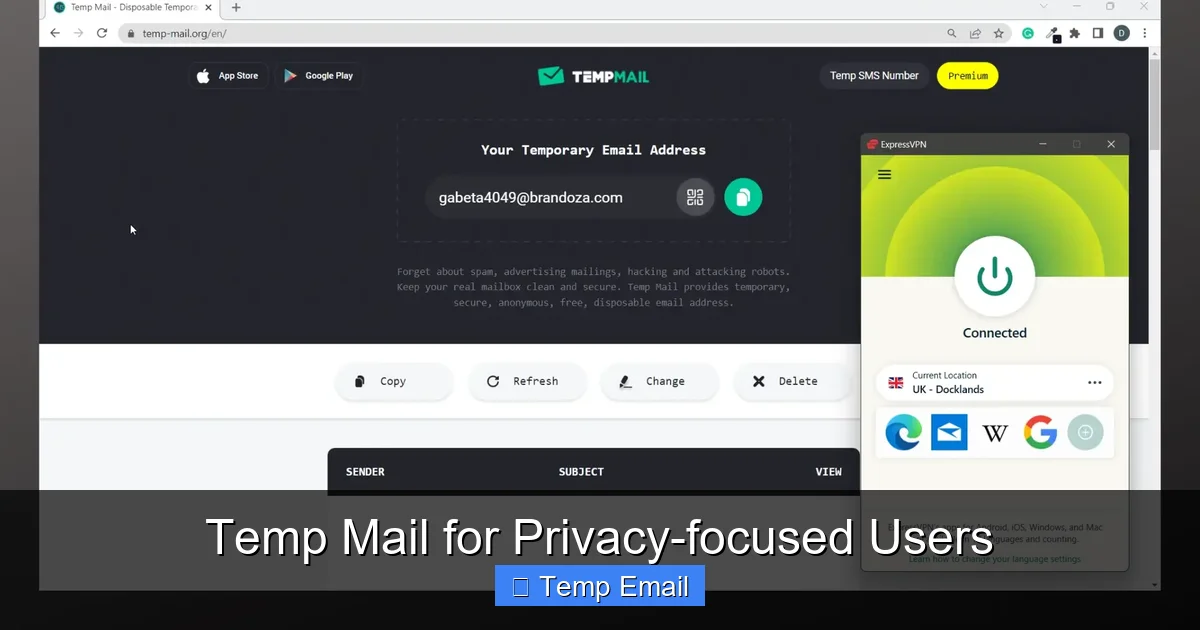
Temp mail, or disposable email, is a critical tool for anyone serious about digital privacy. It creates temporary, anonymous inboxes to sign up for websites, download files, or verify accounts without exposing your real email address. This simple practice drastically reduces spam, prevents data profiling, and limits your digital footprint, making it a foundational step in a comprehensive privacy strategy.
Imagine your primary email address is your home address. You wouldn’t write it on a flyer and pin it to a public bulletin board, would you? Yet, every day, we do exactly that online. We hand over our most personal digital identifier—our email—to countless websites, apps, and services, many of which we barely trust. The result? An overflowing inbox of spam, a detailed profile sold to advertisers, and an increased risk of data breaches. For privacy-focused users, this is unacceptable. This is where temp mail, or disposable email, transitions from a convenience to a critical piece of personal security infrastructure.
This isn’t about being paranoid; it’s about being prudent. Your email is the master key to your digital identity. It’s used for password resets, account verification, and as a unique identifier that ties together your scattered online behavior. By compartmentalizing your digital life, you reclaim control. Temp mail is the first and most effective wall you can build in that compartmentalization strategy. This guide will walk you through everything a privacy-conscious user needs to know, from the core mechanics to advanced application, ensuring you can navigate the web with a significantly smaller and safer digital footprint.
Key Takeaways
- Primary Defense Against Spam: Temp mail acts as a shield, catching unsolicited marketing and phishing emails intended for your primary inbox.
- Minimizes Data Profiling: By using a different disposable address for each service, you prevent companies from linking your online activities across platforms.
- No Long-Term Commitment: These addresses are ephemeral, typically lasting hours to days, and require no personal information to create.
- Ideal for Low-Strust Interactions: Perfect for one-time downloads, forum sign-ups, or accessing gated content where you don’t need ongoing communication.
- Not for Critical Accounts: Never use temp mail for banking, primary cloud storage, or any account where password recovery is essential.
- Service Choice Matters: Opt for providers that don’t require registration, offer HTTPS, and have clear, private data policies.
📑 Table of Contents
- What Exactly is Temp Mail? The Mechanics of Disposable Inboxes
- Why Privacy-Focused Users Need Temp Mail: Beyond Spam Prevention
- Practical Use Cases: When to Reach for Temp Mail
- Choosing the Right Temp Mail Service: A Privacy User’s Checklist
- Advanced Privacy Hygiene: Integrating Temp Mail into Your Ecosystem
- The Future of Email Privacy: Beyond Disposable Addresses
- Conclusion: Embracing Ephemeral Identity as a Power Move
What Exactly is Temp Mail? The Mechanics of Disposable Inboxes
At its core, temp mail is a service that provides you with a random, functional email address for a short period. You don’t create an account. You don’t set a password. You simply visit a website, are assigned an address like [email protected], and can immediately start receiving emails in a web-based inbox displayed on that same page. The entire system is designed for anonymity and transience.
How It Works: A Step-by-Step Breakdown
The process is intentionally frictionless. First, you navigate to a temp mail provider’s site. The server instantly generates a unique email address and a corresponding, private inbox, often storing them in a temporary database linked by a session token or cookie in your browser. You copy that address and use it wherever a website asks for an email. When that site sends a verification link or a download file, the email lands in the temp inbox you have open. You click the link or download the file. Once you close the browser tab, or after a set time (usually 10 minutes to 48 hours), the provider’s system purges that address and all its emails from their servers permanently. There is no trail back to you, the user.
The Infrastructure: Shared vs. Private Domains
Not all temp mail services are built alike. Understanding the two main models is key to choosing the right one.
- Shared Domain Model: This is the most common. The provider owns a domain (e.g., mailinator.com) and all emails sent to any address at that domain (like [email protected]) land in a single, public inbox pool. Anyone who guesses or knows the address can view the emails. This is high-risk for privacy, as your “private” verification email could be read by anyone on the internet. It’s only suitable for utterly non-sensitive, public communications.
- Private Inbox Model: This is the privacy-focused standard. When you get an address like [email protected], that inbox is exclusively yours for the duration of its life. The address itself is random and unguessable. The provider’s system ensures no other user can access your specific inbox. This model is essential for any verification that contains personal links or codes.
For a privacy user, the private inbox model is non-negotiable. Always verify a service offers this before using it.
Why Privacy-Focused Users Need Temp Mail: Beyond Spam Prevention
While avoiding spam is the most obvious benefit, the strategic value for the privacy-conscious runs much deeper. It’s about attacking the problem at its source: the unnecessary collection of your primary email address as a unique identifier.
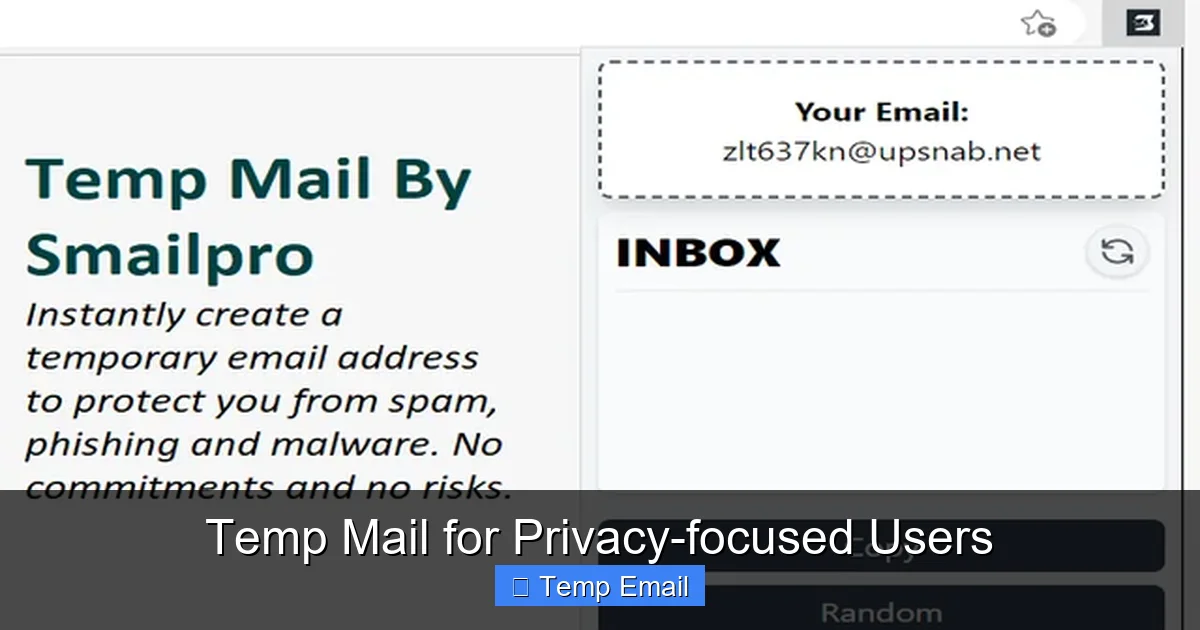
Visual guide about Temp Mail for Privacy-focused Users
Image source: addons.mozilla.org
1. Breaking the Tracking Chain
Data brokers and advertisers thrive on linkage. They use your email as a stable, unique key to combine your activity on Site A (a cooking blog) with your activity on Site B (a health forum) and Site C (an online store). This creates a shockingly detailed profile. By using a different, unlinked temp address for each unrelated service, you shatter that chain. The cooking blog has [email protected]. The health forum has [email protected]. There is no technical way for a third party to know these two addresses belong to the same person, unless you reuse one. This practice of “address rotation” is a powerful form of operational privacy.
2. Containing the Fallout of Data Breaches
It’s not a matter of if a company you use will suffer a breach, but when. When a database is leaked, your email address is often the first piece of personal information exposed. Hackers then use that email to:
- Launch targeted phishing attacks (“We noticed your account on breachedsite.com…”).
- Try that email/password combination on other popular sites (credential stuffing).
- Sell the email on the dark web to spammers.
If you used a temp mail for the breached service, the leaked email is a dead end. It points to nothing of value. The attack surface is contained to that single, now-defunct temp inbox. Your primary email, and all accounts tied to it, remain safe and unaffected.
3. Dodging Mandatory “Newsletter” Subscriptions
How many times have you ticked a box that said “Yes, I want to receive promotional offers and newsletters” just to access a PDF, whitepaper, or software trial? This is often a dark pattern, pre-selecting the box. Using your temp mail here is a perfect solution. You get the download link, and the inevitable spammy newsletters go straight to an inbox that will self-destruct in 24 hours. No unsubscribing necessary. No “oops, I missed that pre-ticked box” frustration.
Practical Use Cases: When to Reach for Temp Mail
The philosophy is simple: use your permanent, secure email (ideally from a privacy-respecting provider like ProtonMail or Tutanota) for accounts that are truly yours—email, banking, primary cloud storage, critical social media. Use temp mail for everything else. Here are the prime scenarios:
Visual guide about Temp Mail for Privacy-focused Users
Image source: imag.malavida.com
For Account Verification & One-Time Access
This is the #1 use case. Any website that requires an email to:
- Download a free ebook, template, or software trial.
- Read an article behind a “gate” (common on marketing sites).
- Register for a webinar or online event you may or may not attend.
- Sign up for a forum or comment section you’ll use once.
- Access a beta version of an app or game.
The goal is the immediate access or the single verification code. Once you have it, the temp address has served its purpose.
For Testing Services and Apps
If you’re a developer, tester, or just a curious user trying out a new SaaS tool, temp mail is invaluable. Create a throwaway account to test onboarding flows, email notifications, and features without polluting your real inbox or risking your main identity. It allows for clean, repeatable testing environments.
To Bypass “Email-Required” Walls
Some websites are aggressively anti-privacy, refusing to let you view content without an email. While frustrating, a temp mail is the perfect key. It respects your choice to withhold your real identifier while still granting you access to the public information they’re hoarding. It turns their gatekeeping into a non-issue.
For Avoiding Personal/Professional Blurring
Are you exploring a hobby or interest you don’t want connected to your professional identity? Maybe you’re researching a sensitive health topic or an alternative lifestyle. Using a temp mail for related websites and forums creates a clean firewall between that exploratory digital activity and your real-world identity.
Choosing the Right Temp Mail Service: A Privacy User’s Checklist
Not all temp mail providers are created equal, and a bad choice can negate all privacy benefits. Use this checklist to vet any service.
The Non-Negotiables: Privacy & Security Features
- No Registration Required: The entire point is anonymity. Any service asking for a phone number, CAPTCHA solving for extended use, or a “sign up” to get an address is immediately suspect. You should get an inbox by simply loading the page.
- Private Inbox Model: As discussed, your inbox must be unique and inaccessible via predictable URLs. Test this: open two different browser windows in incognito mode to the same provider. The addresses and inboxes should be completely different.
- HTTPS Everywhere: The connection to the site must be encrypted (look for the padlock). Without it, your session and the emails you view could be intercepted on the network.
- Clear Privacy Policy: Read it. Does it state they do not log IP addresses? Do they claim to not store emails after deletion? Be wary of vague language. The best policies are transparent about their minimal data handling.
- Reasonable Lifespan: Inboxes should last at least 1-2 hours for practical use. Some last only 10 minutes, which is too short for many verification processes. 24-48 hours is a good range.
Features to Consider (The Nice-to-Haves)
- Multiple Domain Options: Some providers offer several domains (e.g., @tempmail.net, @tmpmail.org). This can help if a specific site blocks known temp mail domains.
- Browser Extensions: Some services offer a one-click button to generate a temp address from any sign-up form, a major convenience.
- API Access: For developers or power users, an API allows programmatic generation and checking of inboxes.
- No Ads or Malicious Redirects: Some free providers bombard you with aggressive ads or shady download buttons. Use an ad-blocker, but a clean interface is a sign of a more reputable service.
Red Flags to Avoid Immediately
- Sites that require solving multiple CAPTCHAs to “prove you’re human” just to get an address.
>Services that ask for a “donation” or “premium upgrade” to get a basic, private inbox.
>Providers whose domains are commonly blacklisted by major email services (Gmail, Outlook). Your verification email might never arrive.
>Sites with a business model that isn’t clear (ads are fine, but selling “data” is not).
Examples of providers often cited by privacy communities for their robust private-inbox models include SimpleLogin (which also offers email aliasing), AnonAddy, and certain configurations of services like Temp-Mail.org or 10minutemail.com. Always do your own fresh research, as the landscape changes.
Advanced Privacy Hygiene: Integrating Temp Mail into Your Ecosystem
Using temp mail effectively is a habit. Here’s how to weave it seamlessly into a broader privacy routine.
The “Primary Email” Fortress
Your real email must be a bastion of security. This means:
- Using a provider with strong encryption (zero-knowledge architecture) and a proven privacy jurisdiction (Switzerland, Germany).
- Enabling two-factor authentication (2FA) with an authenticator app, never SMS.
- Using a unique, ultra-strong password stored only in your password manager.
- This email is only for: your password manager recovery, primary cloud storage, essential financial accounts, and core communication with trusted individuals.
It never touches a random website.
Pairing with a Password Manager
Your password manager is the control center. Many, like Bitwarden or KeePassXC, allow you to store notes or custom fields. Create a note titled “Temp Mail Log” or use a custom field in your login entries. When you use [email protected] for “FakeStore.com,” record that pairing. Why? If you ever need to access that account again (maybe you forgot to cancel a free trial and get charged), you have the exact temp address on file. Without this log, you’re locked out. This simple step prevents the major downside of temp mail: forgetfulness.
Understanding the Limitations and Pitfalls
Temp mail is a powerful tool, but it has clear boundaries. Understanding these prevents frustration.
- It’s Not for Account Recovery: If you lose access to a temp-mail-protected account, you lose it forever. There is no “forgot password” that will work because the reset email goes to a dead address. This is by design and acceptable for throwaway accounts.
- Some Sites Block Known Domains: Many popular temp mail domains are blacklisted by major platforms (like social media sites or Google services). If your temp address is rejected, try a different provider or domain. This is a cat-and-mouse game.
- No Long-Term Storage: You cannot use it as a backup email or for important receipts. Inboxes vanish.
- Legal & Terms of Service: Using temp mail to circumvent a site’s terms (e.g., creating multiple free trial accounts) may violate their ToS. Use it ethically for privacy, not for fraud or abuse.
The Future of Email Privacy: Beyond Disposable Addresses
Temp mail is a fantastic reactive tool, but the future is moving towards proactive identity protection. The next evolution is email aliasing.
Email Aliasing: The Permanent Disposable Address
Services like SimpleLogin, AnonAddy, and Firefox Relay give you a permanent, private “mask” or “alias” email address (e.g., [email protected]) that forwards to your real inbox. You use the alias everywhere. The key difference from temp mail? You can:
- Reply directly from the alias, masking your real address.
- Manage it forever. You can disable the alias with one click if it starts getting spam, instantly stopping all forwarders.
- It’s a permanent, unique identifier for each service, just like rotating temp mail, but with the convenience of a single inbox.
For a privacy user, this is the ideal state. Use aliases for all recurring services (newsletters, online shopping, forums you use regularly). Reserve true temp mail for the truly one-off, anonymous interactions where you don’t even want the forwarder relationship.
The Role of Standards like NMN (Non-Repudiation of Mail)
There are emerging technical standards and proposals aimed at making sender verification and anonymity more robust. While not yet mainstream, they point to a future where using a pseudonymous or disposable identifier for online registration is not just a workaround, but a built-in, standardized feature of the email ecosystem itself.
Conclusion: Embracing Ephemeral Identity as a Power Move
In the digital age, your data is your shadow. Every website you visit, every service you sign up for, tries to step on that shadow, pinning it down to build a profile. Using a temp mail is the simplest, most immediate act of shedding that unwanted shadow. It’s a declaration that not every interaction needs to be tied to your core identity. It’s a practice in digital minimalism, where you only give away what is strictly necessary, for as long as it is necessary.
Starting today, make it a non-negotiable habit: before you type your primary email into any web form, pause and ask, “Do I trust this entity with my permanent identity?” If the answer is anything less than a resounding “yes,” open a new tab, generate a temp mail, and use that instead. Combine this with a secure password manager and, eventually, an email aliasing service, and you build a formidable, layered defense against the pervasive surveillance economy. Privacy isn’t about hiding; it’s about choosing. Temp mail gives you that choice, one disposable inbox at a time.
Frequently Asked Questions
Is using temp mail legal?
Yes, using a disposable email address is perfectly legal in virtually all jurisdictions. It is a standard tool for privacy and security. The legality only comes into question if it is used to commit fraud, evade legal obligations, or violate a specific website’s terms of service in a malicious way. For privacy protection and spam avoidance, it is entirely legitimate.
Can temp mail be hacked or intercepted?
The risk is minimal but depends on the provider. Reputable private-inbox services use HTTPS encryption, so emails in transit are secure. The primary risk is if you use a shared-domain service (like the old public Mailinator), where anyone can view your inbox by guessing the address. Always choose a provider with a guaranteed private inbox model. The emails are also typically deleted quickly from their servers, limiting exposure.
Will I miss important emails if I use temp mail?
Yes, by design. Temp mail is for transient communication. Any important, long-term correspondence—receipts, account updates from services you intend to keep, communication from friends—must go to your permanent, secure email address. The golden rule: if you need to access it in a week, a month, or a year, do not use a temp mail for it.
Can websites detect I’m using a temp mail address?
Yes, many can and do. They maintain lists of known temp mail domains (e.g., @mailinator.com, @10minutemail.com) and will block sign-ups from those domains. This is why services that offer multiple, less-common domains or frequently rotate their own domain have an advantage. If your temp address is rejected, simply try a different provider.
What’s the difference between a temp mail and an email alias from SimpleLogin?
A temp mail address is completely ephemeral; the inbox and address vanish after a short time. An email alias (from SimpleLogin, AnonAddy, etc.) is a permanent, forward-facing address that routes mail to your real inbox forever. You can disable the alias at any time to stop the flow. Aliases are better for ongoing relationships with services (like newsletters), while temp mail is best for one-time, anonymous access.
Should I use a password manager with my temp mail logins?
Absolutely, but with a caveat. You should never save the temp mail address and password (if one is set) as a primary login in your main password manager vault, as that defeats the purpose of separation. Instead, create a separate, less-secure note or entry in a different vault or a secure note titled “Temp Mail Logs” to record which temp address you used for which site. This prevents you from being locked out if you need to access that account again.
Leave a Reply