Tired of your inbox being bombarded by spam, promotions, and unwanted newsletters after every online interaction? A disposable email—also called a temporary or temp email—is a simple, powerful tool to create a short-lived email address for one-time use. This shields your personal or primary email from clutter, potential data breaches, and relentless marketing. By using a disposable address for sign-ups, downloads, or forum registrations, you control who can contact you long-term, significantly reducing unwanted emails and enhancing your online privacy with minimal effort.
Let’s be honest: your email inbox can feel like a digital battlefield. Between the relentless onslaught of promotional newsletters, the “special offers” from a site you visited once five years ago, and the ever-present threat of phishing scams, maintaining a clean, manageable primary inbox is a constant chore. What if you had a secret weapon? A way to engage with the online world on your terms, collecting the goods you need—a PDF guide, a discount code, forum access—without handing over the keys to your digital castle? Enter the disposable email. This isn’t some shady hack; it’s a straightforward, legitimate privacy and productivity tool that millions of savvy internet users employ daily to avoid unwanted emails and reclaim control.
Think of a disposable email as a digital burner phone. You get a functional, temporary number (or in this case, email address) for a specific, short-term purpose. Once that purpose is fulfilled, you discard it. It’s that simple. The concept revolves around using a temporary email service that provides you with a random, unique inbox address valid for a limited period—typically a few hours to a couple of days. During that window, you can receive emails sent to that address. After the time expires, the address and all its contents are permanently deleted from the provider’s servers. Your primary email, the one tied to your bank, your family, and your real identity, remains blissfully untouched. In this comprehensive guide, we’ll dive deep into exactly how to use a disposable email to avoid unwanted emails, explore its mechanics, weigh the pros and cons, and master the best practices to become an anonymous, spam-free ninja online.
Key Takeaways
- Disposable emails are temporary inboxes: They are created instantly from a provider, last for a set time (hours/days), and self-destruct, leaving no trace in your primary inbox.
- Primary purpose is spam prevention: Their core function is to act as a sacrificial email for non-critical online activities, completely isolating your main email address from marketing lists and data leaks.
- They enhance privacy and security: By not using your real email, you reduce the digital footprint linked to your identity, minimizing risks from data breaches and unsolicited tracking.
- Not for important accounts: Never use a disposable email for banking, primary social media, job applications, or any service requiring account recovery or long-term access.
- Choose reputable providers: Opt for well-known disposable email services that offer clear privacy policies, adequate inbox time, and no requirement for personal information to generate an address.
- They are a tactical tool, not a full solution: While excellent for sign-up barriers, they won’t stop spam sent directly to your primary address you’ve already compromised.
- Check site compatibility first: Some websites and platforms actively block known disposable email domains to prevent abuse, so have a backup plan if your temp email is rejected.
📑 Table of Contents
- What Exactly Is a Disposable Email and How Does It Work?
- The Core Benefit: How a Disposable Email Helps You Avoid Unwanted Emails
- Pros and Cons: Is a Disposable Email Right for You?
- Perfect Use Cases: When to Break Out the Disposable Email
- Choosing a Disposable Email Service: Key Features to Look For
- Best Practices and Crucial Warnings for Safe Use
- The Future of Disposable Email and Your Digital Hygiene
What Exactly Is a Disposable Email and How Does It Work?
The magic of a disposable email lies in its beautiful simplicity and automation. There’s no lengthy sign-up process, no password to remember, and certainly no link to your real identity. Here’s a step-by-step breakdown of the typical workflow:
The Instant Creation Process
You navigate to a disposable email provider’s website (like Temp-Mail, Guerrilla Mail, or 10MinuteMail). The moment the page loads, the service generates a random email address for you—something like [email protected]—and displays it prominently on the screen. Simultaneously, it opens a browser-based inbox window right there on the same page. This inbox is pre-assigned to receive emails sent to that newly generated address. You didn’t create an account; the system just handed you a functional, temporary digital mailbox.
The Lifespan and Auto-Deletion
Every disposable email address comes with an expiration timer. This could be 10 minutes, 1 hour, 1 day, or sometimes even a week, depending on the service. The countdown is usually visible on the page. The system is programmed so that once this timer reaches zero, the email address is invalidated. Any emails sent to it after expiration will bounce. More importantly, the entire inbox—all received messages—is automatically and permanently purged from the provider’s servers. There’s no archive, no “deleted items” folder for you to worry about. It’s designed to vanish without a trace.
The One-Way Communication Street
It’s crucial to understand the directional nature of a disposable email. You can receive emails on it, but you typically cannot send emails from it. The interface usually lacks a “compose” function. This is by design. The purpose is to be a receptacle, not a communicator. You use it to get that verification link or download file from an external service. You are not meant to use it as your active email for conversations. This one-way setup further limits its utility for malicious purposes and reinforces its role as a simple data collection shield.
The Core Benefit: How a Disposable Email Helps You Avoid Unwanted Emails
This is the heart of the matter. The link between using a disposable email and a cleaner primary inbox is direct and powerful. Unwanted email, or spam, primarily enters your life in two ways: you explicitly or implicitly consent to it, or your email address is harvested and sold. A disposable email attacks both vectors.
Visual guide about Disposable Email to Avoid Unwanted Emails
Image source: clean.email
Breaking the Chain of Consent
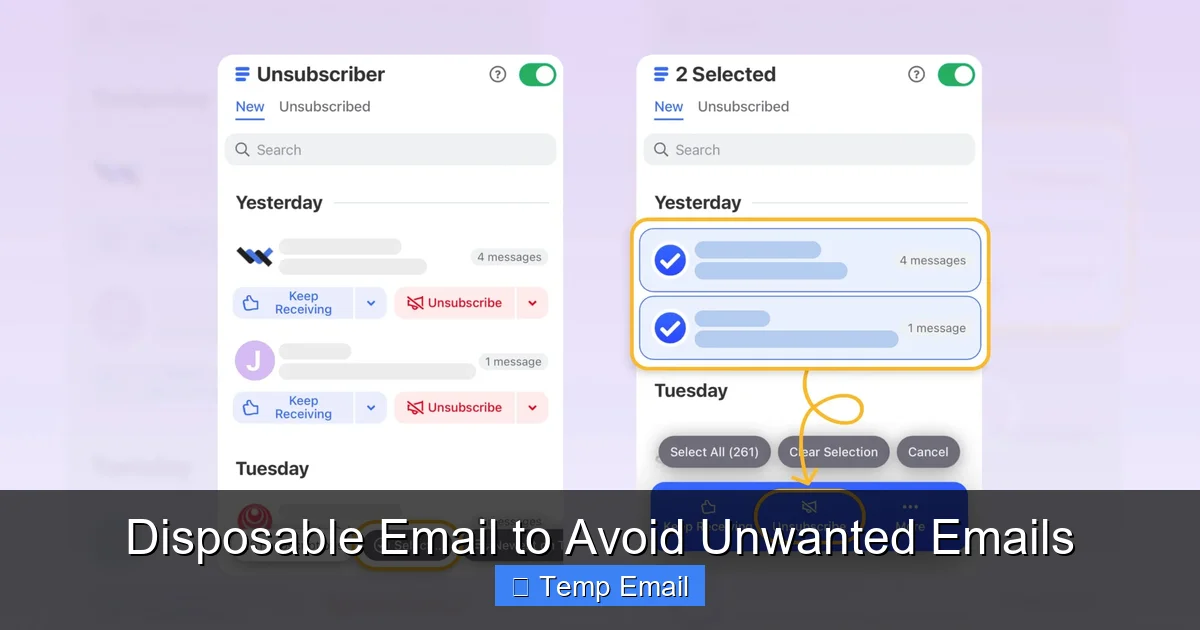
How many times have you signed up for a service, downloaded a free ebook, or entered a contest, and then been buried in a daily promotional barrage? You likely checked a box that said “I agree to the Terms of Service and Privacy Policy,” and buried in that 20-page document was a clause about marketing emails. By using your primary email for that transaction, you directly linked your permanent identity to that company’s marketing database. A disposable email breaks this chain. You provide the temp address instead. The company sends its welcome email and subsequent promotions to an address that will cease to exist in 24 hours. The promotions vanish with it. You get the initial download link or access code, and then… silence. No clutter, no temptation, no “unsubscribe” clicks for a sender you never truly wanted to hear from in the first place.
Containing the Data Breach Fallout
Data breaches are a sad reality of the modern internet. When a company you’ve registered with suffers a breach, your email address—along with your password, name, and other data—can end up for sale on the dark web. This exposes your primary email to a new wave of spam and phishing attempts from unknown third parties. If you had used a disposable email for that low-stakes forum sign-up, the breached data is useless to spammers targeting your real inbox. The spam goes to the dead temp address. Your primary email, the crown jewel of your digital identity, remains insulated from that particular breach’s fallout. It’s a firewall for your inbox.
Pros and Cons: Is a Disposable Email Right for You?
Like any tool, a disposable email has its shining strengths and notable limitations. Understanding both is key to using it effectively and avoiding pitfalls.
Visual guide about Disposable Email to Avoid Unwanted Emails
Image source: support.rediff.com
The Undeniable Pros
- Spam Elimination: The number one benefit. Your primary inbox stays pristine for emails from known contacts and essential services.
- Enhanced Privacy: No personal information is required to generate an address. You browse and interact with a layer of anonymity.
- Zero Maintenance: No passwords, no recovery questions, no security updates. The service handles everything and cleans up after itself.
- Speed and Convenience: Get an email address and inbox in under 5 seconds. Ideal for quick, one-off tasks where creating a new account feels like overkill.
- Testing and Development: Developers and QA testers use them to create multiple test accounts for apps or websites without managing dozens of real inboxes.
The Important Cons and Limitations
- No Sending Capability: You cannot use it to send emails. It’s receive-only.
- No Long-Term Access: You cannot log back in tomorrow to check if a service sent a follow-up. If you need that information later, it’s gone forever.
- Blocked by Some Sites: Many reputable websites (especially financial platforms, social media giants, and SaaS tools) maintain blacklists of disposable email domains and will prevent you from signing up with one.
- Not for Account Recovery: If you use a disposable email to sign up for an important service and then forget your password, you are locked out forever. There is no way to reset it.
- Perceived as Low Trust: Some service providers or community moderators may view a disposable email as a red flag for spam, bot activity, or lack of serious intent.
- Limited Feature Set: Inboxes are often basic, with minimal search, filtering, or attachment handling capabilities compared to Gmail or Outlook.
Perfect Use Cases: When to Break Out the Disposable Email
Knowing when to use a disposable email is just as important as knowing how. Here are the ideal scenarios where it shines:
Visual guide about Disposable Email to Avoid Unwanted Emails
Image source: maketecheasier.com
Downloading Gated Content
You want a free whitepaper, template, or industry report. The website asks for your email to send the download link. This is a classic disposable email scenario. You get the file immediately via the temp inbox, and you never get added to their nurturing email sequence. It’s a clean, ethical transaction: you get the content, they get a (temporary) lead metric, and your primary inbox is unharmed.
Signing Up for One-Time Access or Trials
Need to quickly sign up for a website to read one article, check a tool’s demo, or access a forum thread? Use a disposable email. For software trials that require an email, a temp address works perfectly to get the initial login credentials. Just be aware: if you want to use the software beyond the trial period, you’ll need a real email to convert to a paid plan.
Creating Test Accounts
Are you a developer testing user flows? A marketer setting up multiple social listening accounts? A gamer needing a throwaway account on a forum? A disposable email is your friend. It allows you to generate numerous unique identities without the administrative nightmare of managing multiple real email accounts and passwords.
Protecting Your Identity on Public Wi-Fi or Untrusted Networks
When using a coffee shop or airport Wi-Fi, your data is more vulnerable. If you need to register for a service while on such a network, using a disposable email adds a layer of protection. Even if the site is malicious or the network is compromised, the attacker only gains access to the temporary, now-expired email address, not your primary credentials.
Choosing a Disposable Email Service: Key Features to Look For
Not all disposable email providers are created equal. While the core function is similar, features and reliability vary. Here’s what to consider when selecting one:
- Inbox Lifespan: How long does the email address last? 10 minutes is great for a instant download, but 1-2 days is better for trials that might send follow-up info. Choose based on your expected need.
- Domain Variety: Some providers offer multiple domain options (e.g., @tempmail.net, @tmpmail.org). If one domain is blocked by a site you’re trying to access, you can try another from the same service.
- Inbox Refresh/Regenerate: A good service will let you click a button to get a completely new email address if your current one is blocked or you’re done with it, without having to reload the page.
- No CAPTCHA or Hassle: The best services require no CAPTCHA solving, no “prove you’re human” pop-ups, and no mandatory newsletter sign-up to use the temp inbox.
- Clear Privacy Policy: Read it. Does the provider claim to log IP addresses? Do they store emails after deletion? Reputable services explicitly state they do not log personally identifiable information and permanently delete all data upon expiration.
- Ad Experience: Most free disposable email sites are ad-supported. Some are more intrusive than others. A clean interface with non-deceptive ads is preferable.
Best Practices and Crucial Warnings for Safe Use
To master the art of using a disposable email and avoid self-inflicted problems, follow these golden rules:
NEVER Use for Critical Accounts
This cannot be stressed enough. Do not use a disposable email for:
- Banking, financial services, or cryptocurrency exchanges.
- Your primary email account (Gmail, Outlook, etc.) recovery email.
- Social media accounts you want to keep (Instagram, Facebook, Twitter/X, LinkedIn).
- Job applications or professional networking profiles.
- Any subscription service you intend to use long-term (Netflix, Amazon, Spotify).
- Government or healthcare portals.
The risk of permanent lockout is too high. For anything requiring password resets, two-factor authentication, or legal identity, use your primary, permanent email.
Check the Site’s Reputation First
Before you paste a disposable email into a form, do a quick gut check. Is the website asking for your email to send a promised file, or is it a sketchy-looking site with poor grammar and too-good-to-be-true offers? A temp email protects you from the former’s spam, but it won’t protect you from the latter’s malware or scams. Use your judgment. The temp email is a spam shield, not an antivirus.
Copy the Address and Inbox Link Carefully
Since the address is random and long, copy it directly from the provider’s page. Then, paste it into the sign-up form. Do not try to type it manually. Similarly, if you need to access the inbox later (within its lifespan), keep the browser tab open or copy the unique inbox URL provided. Closing the tab usually means you lose access to that specific inbox session.
Have a Backup Plan
If a site rejects your disposable email domain (you’ll get an error like “Invalid email address”), you have two options: 1) Switch to a different provider’s domain, or 2) reluctantly use your primary email. Having 2-3 trusted disposable email services bookmarked gives you alternatives when one domain is blacklisted.
Use It for the Intended Purpose and Forget It
Don’t get tempted to use a single disposable email for dozens of sign-ups over a week. Its lifespan is limited. Once you’ve received the necessary email (verification link, download), consider the address’s job done. Let it expire. For a new task, generate a fresh one. This habit maximizes the privacy benefit by minimizing the number of entities that have ever held that specific temp address.
The Future of Disposable Email and Your Digital Hygiene
The disposable email is not a new invention, but its importance is growing in an era of data commodification and pervasive tracking. As privacy regulations like GDPR and CCPA give users more rights, the value of a clean, controlled primary email address increases. Using a temp email is a proactive step in practicing good digital hygiene—the habit of regularly auditing and minimizing your online data footprint.
Looking ahead, we may see more integration of temporary email functionality directly into privacy-focused browsers or password managers. The concept is sound and fills a genuine need. However, the cat-and-mouse game with websites trying to block them will continue. For the individual user, the takeaway is clear: strategic use of a disposable email is a low-effort, high-reward tactic. It’s the digital equivalent of using a fake name at a coffee shop to avoid getting on their marketing list. It’s polite, it’s effective, and it keeps your real information, and your real inbox, for the people and services that truly matter.
In conclusion, if your goal is to avoid unwanted emails, declutter your digital life, and add a layer of anonymity to your everyday browsing, adopting the habit of using a disposable email is one of the smartest and simplest moves you can make. It requires no technical skill, costs nothing, and delivers immediate, tangible results. Start today: the next time a website asks for your email for a simple download, reach for a temporary address instead of your primary one. Experience the quiet joy of an inbox that only contains emails you genuinely want to receive.
Frequently Asked Questions
Is using a disposable email legal and safe?
Yes, using a disposable email is completely legal and safe when used appropriately. These services operate within the law. The safety aspect depends on the provider’s privacy policy; reputable services do not log your IP or store emails after deletion. The primary risk is using them for important accounts where you need long-term access or recovery options, which is a user error, not an inherent flaw in the tool.
Will websites stop working if I use a disposable email?
Some websites, especially major platforms like Google, Facebook, or banking sites, actively block known disposable email domains during sign-up. For these sites, you must use a permanent email. However, for thousands of blogs, forums, download sites, and small businesses, a disposable email works perfectly. The key is to use it only on sites where a temporary address is logically sufficient for the service offered.
Can I receive attachments with a disposable email?
Most disposable email services allow you to receive attachments, including common formats like PDFs, images, and documents. However, there are often strict size limits (e.g., 10-25 MB) compared to permanent email providers. Additionally, some services may block certain file types (like .exe) for security reasons. Always check the specific provider’s features if attachment handling is critical for your use case.
What happens to my disposable email after it expires?
After the expiration timer (e.g., 1 hour, 1 day) runs out, the email address is permanently deactivated. The server automatically deletes the entire inbox and all contained messages. The address is then recycled and may be reassigned to a completely different user in the future. Any future emails sent to the expired address will bounce back to the sender with an undeliverable error.
Are disposable emails truly anonymous?
They offer a high degree of practical anonymity for everyday use. You don’t provide any personal information to get the address. However, true absolute anonymity is difficult. Your internet service provider can see your connection to the disposable email provider’s website. A determined adversary with legal authority could potentially request logs from the provider, though reputable services claim to keep minimal or no logs. For evading casual tracking and marketing, they are highly effective.
Can I use a disposable email for password reset links?
You should never use a disposable email for any account where you might need to reset a password. Since the email address is temporary and you will lose access to it, you will also lose the ability to receive password reset emails. This will permanently lock you out of that account. Only use a disposable email for services where you will never need to log in again after the initial session or where you use a different, permanent method for account recovery.
Leave a Reply