Author: admin

  • Temp Email for Protecting Personal Information

    Temp Email for Protecting Personal Information

    Your primary email address is a digital fingerprint, attracting spam, data brokers, and potential security threats. A temporary email service provides a disposable, alternative address you can use for low-trust interactions, like signing up for a newsletter or downloading a file, without ever revealing your real contact details. This simple strategy drastically cuts down on unwanted emails, minimizes your data footprint, and creates a crucial barrier between your private life and the chaotic internet.

    Think about your primary email address. It’s not just an inbox; it’s the keys to your digital kingdom. It’s tied to your bank, your social life, your shopping habits, and your identity. Every time you type it into a website, you’re handing out a piece of yourself. What if you could hand out a decoy instead? This is the powerful, simple promise of a temporary email. In a world of constant data harvesting and relentless spam, a temp email isn’t just a convenience—it’s a fundamental tool for protecting your personal information and reclaiming your online privacy.

    We’ve all been there. You want to read a juicy article behind a paywall, so you enter your email. Suddenly, your inbox is flooded with promotions you never asked for. You sign up for a free webinar, and your contact info gets sold to ten other vendors. Your main email address becomes a magnet, attracting a swarm of unwanted communication that clutters your life and exposes you to phishing scams. A temporary email service breaks this cycle. It gives you a disposable, anonymous address you can use for these very specific, low-trust interactions. Once its short lifespan is over, it vanishes into the digital ether, taking all the associated spam and potential security risks with it. Let’s dive deep into how this works and why you should start using one today.

    Key Takeaways

    • Your main email is a high-value target: It’s linked to accounts, purchases, and identity, making it prime for spam, phishing, and data harvesting.
    • Temp emails act as a privacy shield: They create a sacrificial layer, absorbing spam and keeping your real address out of marketers’ and hackers’ hands.
    • Perfect for low-stakes sign-ups: Use them for one-time downloads, forum registrations, or any service where you don’t need long-term communication.
    • Not for critical accounts: Never use a temp email for banking, primary social media, or essential services where account recovery is vital.
    • They enhance security hygiene: By isolating activities, a temp email limits the “blast radius” of a potential data breach from a compromised low-security site.
    • Easy and free to use: Most services require no registration, generate an address instantly, and automatically delete after a short period.
    • Part of a broader privacy toolkit: Combine temp emails with strong passwords, 2FA, and a VPN for maximum digital protection.

    What Exactly Is a Temporary Email Service?

    A temporary email, also called a disposable email or throwaway email, is a service that provides you with a random, functional email address for a very limited time—usually 10 minutes to a few hours. You don’t need to create an account or set a password. You simply visit the website, an address is generated for you, and you can start using it immediately to receive emails. The inbox is displayed right there on the page.

    The Core Mechanics: No Strings Attached

    The technology behind it is straightforward. These services maintain a pool of domain names and generate random usernames. When you visit, you’re assigned an address like [email protected]. Any email sent to that address is routed to the service’s servers and displayed in a public inbox accessible via the unique URL associated with your session. There is no persistent login. Once you close the browser tab, that specific inbox is typically gone forever. The emails are automatically deleted from the server after a set time, ensuring no long-term storage of your data.

    Disposable vs. Anonymous: Understanding the Nuance

    It’s important to clarify: a temp email is disposable, not truly anonymous in the cryptographic sense. The service provider *can* technically see the emails passing through. However, because no personal information is required to obtain the address, and the address itself is random and short-lived, there is no persistent link back to you. For the vast majority of use cases—avoiding spam from a sketchy website—this level of separation is more than sufficient and dramatically enhances your privacy.

    Why Your Personal Email Address Is a Privacy Liability

    Your main email is a linchpin of your online identity. It’s used for account verification, password resets, and official communication. This makes it incredibly valuable—not just to you, but to everyone from legitimate marketers to cybercriminals. Handing it out indiscriminately is like giving your home address to every store you window-shop at.

    Temp Email for Protecting Personal Information

    Visual guide about Temp Email for Protecting Personal Information

    Image source: brad9884cyberbulling.weebly.com

    The Spam Pipeline: How Your Address Gets Sold

    When you enter your email on a website, especially a smaller or less-reputable one, you often agree (in lengthy, fine-print terms) to their privacy policy. Many of these policies include clauses allowing them to share your data with “partner” companies for marketing purposes. Your email address quickly finds its way onto massive data broker lists. These lists are then bought by email marketers, leading to the spam avalanche in your primary inbox. A temp email intercepts this process. The marketer gets a dead-end address that will self-destruct before any meaningful spam can be sent.

    The Security Domino Effect: One Breach, Many Accounts

    We reuse passwords. It’s a bad habit, but a common one. When a low-security website you signed up for with your main email (and a reused password) suffers a data breach, hackers now have your email address and your password. They immediately try that combination on more valuable targets: your social media, your email provider itself, your online bank. This is called “credential stuffing.” By using a unique, throwaway email for every low-stakes site, you break this chain. Even if that site is breached, the hackers only get a temp email that’s already expired, leaving your critical accounts safe.

    Practical, Real-World Use Cases for a Temp Email

    Knowing *why* to use a temp email is step one. Knowing *when* to use it is the key to effective privacy hygiene. Think of it as a tool for specific jobs. You wouldn’t use a sledgehammer to hang a picture; similarly, you shouldn’t use your primary email for every interaction.

    Temp Email for Protecting Personal Information

    Visual guide about Temp Email for Protecting Personal Information

    Image source: thumbs.dreamstime.com

    1. Gating Content and One-Time Downloads

    This is the most common use case. You want to download a whitepaper, access a research report, or read an article that requires an email signup. You have zero intention of maintaining a relationship with that company. Use a temp email. Get the download link, and never hear from them again. The temporary address absorbs all future marketing emails, which are automatically deleted.

    2. Registering for Online Forums and Comment Sections

    Many forums or news sites require an account to comment. These platforms are notorious for having poor security and spamming members. Create a temp email, register, participate, and forget. If the forum is hacked or starts spamming, your real inbox is untouched.

    3. Signing Up for “Free Trials” and Discount Offers

    That tempting “30-day free trial” for a software tool? They’ll almost certainly require a credit card and an email. Use the temp email for the communication side. You can still use your real payment method if needed, but all the “your trial is ending!” and “special offer!” emails will go to the disposable address, preventing unwanted charges from slipping through the noise of a cluttered inbox.

    4. Testing Website or App Sign-Up Flows

    If you’re a developer, designer, or just a curious user testing how a website handles email verification, a temp email is perfect. You can go through the entire sign-up and verification process without polluting your real inbox or creating a permanent account you’ll never use.

    5. Avoiding Unwanted Newsletters After a Purchase

    You buy something from an online store. At checkout, there’s a pre-checked box for “receive news and promotions.” Uncheck it, but if you miss it, you’re still signed up. Use a temp email for the purchase if the store isn’t one you’ll buy from regularly. This keeps promotional clutter out of your main life.

    How to Choose and Use a Temp Email Service Effectively

    Not all temp email services are created equal. While the core function is similar, some features make certain services more user-friendly or reliable than others.

    Temp Email for Protecting Personal Information

    Visual guide about Temp Email for Protecting Personal Information

    Image source: images.ctfassets.net

    Key Features to Look For

    • Inbox Auto-Refresh: A good service will automatically check for new emails and update your inbox view without you needing to manually reload the page.
    • Email Reply Capability: Some services allow you to reply to emails directly from the temporary inbox. This is crucial if you need to confirm a subscription or respond to a verification code.
    • Multiple Domain Options: If one domain gets blocked by a particular site, being able to generate an address from a different domain (e.g., @tempmail.net vs. @dispostable.com) can solve the problem.
    • No Captcha (or simple Captcha): Some services require you to solve a Captcha to get an address. Look for ones with minimal friction, though a simple Captcha helps prevent abuse of the service.
    • Clear Expiration Timer: The site should clearly display how much time is left on your address and inbox.

    Step-by-Step: Using a Temp Email

    Using one is remarkably simple:

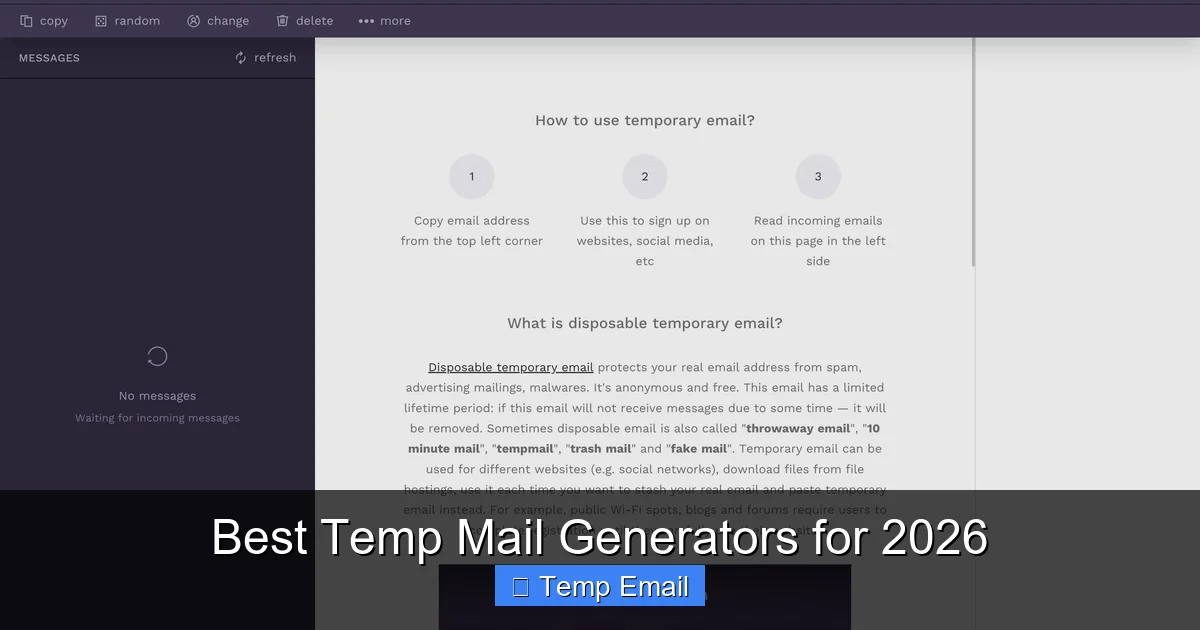
    1. Open your browser and go to a trusted temp email site (e.g., Temp-Mail.org, 10MinuteMail.com, Guerrilla Mail).
    2. A random email address will be displayed prominently. Copy it to your clipboard.
    3. Navigate to the website where you need to provide an email. Paste the temp address into the field.
    4. If the site sends a verification email, switch back to the temp email tab. The inbox will update, showing the new message. Click it to view the content and find the verification link or code.
    5. Use the link/code to complete your action on the original site.
    6. Close the browser tab. Your work is done. The address and its inbox will expire and be deleted.

    Pro Tip: If you need the temp inbox for longer than the default time (e.g., you’re waiting for a delayed email), some services have a “keep alive” or “extend” button you can click to reset the timer.

    Critical Limitations: When NOT to Use a Temp Email

    A temp email is a specialized tool. Using it in the wrong context can cause serious problems, locking you out of accounts or services. The golden rule is: never use a temp email for anything you need to access long-term or that involves significant personal or financial stakes.

    The “Account Recovery” Trap

    This is the biggest danger. If you sign up for your main social media account (Facebook, Twitter/X, Instagram), your primary cloud storage (Google Drive, iCloud, Dropbox), or your online banking with a temp email, you will permanently lose access the moment you need to reset your password. The recovery email will be gone, and customer support will have no way to verify you own the account. These are the crown jewels of your digital life—protect them with a permanent, secure, and accessible email address you control.

    Avoid temp emails for:

    • Government services: Tax agencies (IRS, HMRC), voter registration, official permits.
    • Healthcare portals: Patient records, prescription services, insurance communications.
    • Financial institutions: Bank accounts, credit cards, loan applications, investment platforms.
    • Employment: Job applications, HR platforms (Workday, ADP), payroll services.
    • Legal agreements: E-signatures for contracts, leases, or terms of service where you are a party.

    In these cases, the communication is legally binding or critically important. You need a reliable, permanent channel.

    Building a Layered Privacy Strategy Beyond Temp Emails

    A temp email is a fantastic first line of defense, but it’s just one layer. True digital privacy and security require a holistic approach. Think of your digital identity as a house: you need locks on the doors (passwords), an alarm system (2FA), and maybe even a security guard (a VPN).

    Foundational Practices: Password Managers and 2FA

    First, use a password manager (like Bitwarden, 1Password, or Dashlane). This allows you to create a unique, complex password for every single website. Even if one site is breached, your other accounts are safe because they have different passwords. Second, enable Two-Factor Authentication (2FA) everywhere it’s offered, preferably using an authenticator app (Google Authenticator, Authy) rather than SMS, which can be intercepted.

    The Role of a VPN and Browser Hygiene

    A reputable Virtual Private Network (VPN) encrypts your internet traffic and masks your IP address from the websites you visit. This prevents your internet service provider and network snoopers from seeing your activity and makes it harder for sites to build a location-based profile on you. Pair this with privacy-focused browser extensions that block trackers (uBlock Origin, Privacy Badger) and use private browsing modes for extra-sensitive activities.

    Mindful Data Sharing: The Human Firewall

    The most sophisticated tool is your own judgment. Before entering your email (or any data) on a site, ask: Is this service worth my contact information? What will they do with it? Do I trust them? If the answer is anything less than a confident “yes,” use a temp email. This habit alone will sever thousands of future data points from your digital profile.

    Conclusion: Embrace the Disposable, Secure the Essential

    The internet is built on an exchange: you give your attention and your data, and you get content, tools, and connection. But that exchange has become wildly unbalanced, with users giving away far too much for too little return. Your email address is the currency of this exchange, and it’s being devalued by spam and exploited by bad actors.

    Adopting a temporary email service is a low-effort, high-impact way to reset this balance. It’s the digital equivalent of giving a fake phone number to an overly persistent stranger at a bar. You preserve your real, valuable contact information for the people and services that truly matter—your family, your close friends, your bank, your employer—while using a sacrificial address for the vast, noisy, and often risky world of casual web interaction.

    Start small. Next time a blog asks for your email to read an article, open a temp email tab. Get the content, close the tab. Feel the quiet satisfaction of an inbox that didn’t get just a little more cluttered. Build the habit. Protect your crown jewels with a permanent, secure email guarded by a password manager and 2FA. Use the disposable shield for everything else. In the ongoing battle for digital privacy, a temp email isn’t a silver bullet, but it’s a remarkably effective and accessible tool that belongs in everyone’s privacy toolkit. Take control of your data footprint, one disposable address at a time.

    Frequently Asked Questions

    Is using a temporary email safe and legal?

    Yes, using a temp email is completely legal. It’s a privacy tool, not an illegal act. However, using it to fraudulently sign up for services or to evade bans may violate a website’s Terms of Service. For legitimate privacy protection, it is safe and widely practiced.

    Can I send emails from a temporary address?

    Most temporary email services are designed for receiving emails only, as they lack the infrastructure for outbound SMTP (sending) to prevent spam abuse. Some advanced or paid services may offer limited sending capabilities, but for the primary use case of signing up and receiving verification links, receiving-only is standard and sufficient.

    How long does a temporary email address last?

    It varies by service. Common lifespans are 10 minutes, 1 hour, or 1 day. The countdown is usually displayed on the page. Once the time expires, the address and all its emails are permanently deleted from the server and become unreachable.

    Will websites block temporary email domains?

    Yes, many popular websites and services actively maintain blocklists of known temporary email domains to prevent abuse and ensure users provide real contact information. If a site rejects your temp email, try a different service that uses a less-common domain, or you may need to use your real email for that specific site.

    What happens if I need to recover a password for an account I signed up with a temp email?

    You will be unable to recover that account. The recovery email will be invalid, and you will be locked out permanently. This is why the cardinal rule is to never use a temp email for any account where you need long-term access, password recovery, or official communication.

    Are there any paid or more private temporary email options?

    Yes. While most are free, some services offer premium plans with features like longer expiration times (up to a month), custom domain names, the ability to reply, and enhanced privacy guarantees (e.g., no logs). For users needing a slightly more persistent but still disposable address, these paid options can be a good middle ground.

  • How to Use Temp Mail for Free Trials

    How to Use Temp Mail for Free Trials

    Using a temporary email for free trials is a smart way to bypass spam and protect your primary inbox. This guide shows you exactly how to do it, from choosing a provider to managing the trial period. You’ll learn the crucial dos and don’ts to avoid pitfalls like missed renewal warnings or account lockouts. Master this simple technique to test services risk-free and keep your real email clean.

    Ever signed up for a “free trial” of a new software, streaming service, or online tool, only to find your primary inbox flooded with promotional emails weeks later? You’re not alone. That feeling of regret is a common side effect of the modern digital marketplace. But what if you could test that shiny new project management tool or streaming platform without leaving a trail back to your real email? Enter the world of temporary email, or “temp mail.” This isn’t some shady hack; it’s a straightforward, legitimate privacy tool that savvy internet users employ every day. In this complete guide, we’ll walk through exactly how to use temp mail for free trials, turning a moment of digital hesitation into a powerful, spam-free testing strategy.

    We’ll cover everything from the basic mechanics to the advanced precautions. Think of this as your friendly, no-nonsense handbook. We’ll use plain language, real-world examples, and highlight the critical mistakes that can turn a smart move into a headache. By the end, you’ll be equipped to explore countless services with confidence, keeping your primary inbox pristine and your personal data more secure. Let’s dive in.

    Key Takeaways

    • Temp mail provides a disposable address for sign-ups: It shields your personal email from marketing spam and potential data breaches during trial periods.
    • The process is simple: get, use, discard: Generate a temp address, use it for the trial sign-up, and forget it once the trial ends.
    • Not all trials are suitable for temp mail: Services requiring payment details for identity verification or long-term commitment may block or suspend temp email accounts.
    • You must manually monitor the temp inbox: Since you won’t get notifications, you must check the temp mail provider’s website for crucial renewal or cancellation emails.
    • Use reputable temp mail providers: Choose services with reliable inbox forwarding and decent retention times (e.g., 10 minutes to 1 hour) to ensure you receive the verification email.
    • It’s a privacy tool, not a fraud tool: Use it ethically for genuine product testing, not to circumvent legitimate paid services or violate Terms of Service.
    • Have an exit strategy: Always note the trial end date and cancel manually through the service’s portal before it expires to avoid unwanted charges.

    What Exactly is Temp Mail and How Does It Work?

    Before we get into the “how-to,” let’s clear the air. Temporary email is a service that provides you with a random, disposable email address and a corresponding inbox, valid for a short period—usually anywhere from 10 minutes to a few hours. The entire point is transience. You use it for a single, specific purpose (like signing up for a free trial) and then abandon it. The address and all its contents are automatically deleted by the provider.

    The Simple Lifecycle of a Temp Email

    Here’s the typical flow in three steps:

    • Generation: You visit a temp mail website (like Temp-Mail.org, 10MinuteMail, or Guerrilla Mail). The site instantly creates a random email address for you (e.g., [email protected]) and displays a public inbox linked to it. No password, no registration required.
    • Usage: You copy that address and paste it into the sign-up form for the free trial you want to access. The service sends a verification email to that temp address. You switch back to the temp mail tab, refresh the inbox, click the verification link, and complete the setup.
    • Expiration: After the set time (or if you manually delete it), the address vanishes. Any future emails sent to it bounce back or are simply discarded. It’s gone, as if it never existed.

    This mechanism is perfect for free trials because it creates a firebreak between the trial service and your permanent identity. The trial company has an email address that leads nowhere after your session, so they can’t build a marketing profile on your primary account.

    Step-by-Step: Using Temp Mail for a Free Trial (A Practical Walkthrough)

    Now for the meat of the guide. Let’s walk through a typical scenario, step by step. We’ll use the example of trying a 7-day trial for a premium graphic design tool.

    How to Use Temp Mail for Free Trials

    Visual guide about How to Use Temp Mail for Free Trials

    Image source: lunarcomputercollege.com

    Step 1: Choose and Open Your Temp Mail Provider

    First, open a new tab in your browser and go to a trusted temp mail site. For this example, we’ll use Temp-Mail.org. As soon as the page loads, you’ll see your new, randomly generated email address at the top of the page. The inbox panel below will initially be empty. Important: Do not close this tab! You will need it to receive the verification email.

    Step 2: Initiate the Free Trial Sign-Up

    In a separate tab, navigate to the website of the service you want to trial (e.g., design-tool-pro.com). Click the “Start Free Trial” or “Sign Up” button. When you reach the registration form, look for the email field. Paste the temp mail address you copied from the first tab. Fill in any other required details (you can use a fake name, but be consistent if they ask for it twice).

    After submitting the form, the service will send a verification email to your temp address. Now, switch back to your temp mail tab. You should see a new email appear in the inbox within 10-30 seconds. Click on it to open the content. Inside, you’ll find a button or link that says “Verify Email,” “Activate Account,” or similar. Click that link. This will usually open a new tab confirming your account is active. You are now registered for the trial!

    Step 4: Use the Service and Set a Calendar Reminder

    Go ahead and explore the service! Create a project, use the features, and see if it fits your needs. This is the whole point. But here is the most critical step: IMMEDIATELY note the trial end date. Open your phone’s calendar or a physical planner and set a reminder for 2 days BEFORE the trial expires. Label it “CANCEL [Service Name] Trial.” Do not rely on the company to remind you; they often won’t, or the reminder will go to the dead temp inbox.

    Step 5: The Cancellation Process (Do Not Skip This)

    When your reminder goes off, log into the service using the credentials you created (the temp email and your fake password). Navigate to your account settings, find the subscription or billing section, and cancel the trial. Look for a confirmation email. If one is sent, you must check the temp mail inbox one last time to click a “Confirm Cancellation” link. Some services require this final step. After confirming, you can close the temp mail tab and let the address expire. The job is done.

    The Major Benefits: Why Bother with This?

    You might be thinking, “Is this extra hassle really worth it?” Absolutely. The benefits extend far beyond just a clean inbox.

    How to Use Temp Mail for Free Trials

    Visual guide about How to Use Temp Mail for Free Trials

    Image source: anonymmail.net

    Benefit 1: Ultimate Spam Prevention

    This is the #1 reason people use temp mail for trials. By giving a disposable address, you cut the direct link to your primary email. The trial company may still send promotions, but they go to an address that self-destructs. Your personal Gmail, Outlook, or Yahoo inbox remains a sanctuary for emails from friends, family, and essential services only.

    Benefit 2: Enhanced Privacy and Data Minimization

    Every form you fill out is a data point. Using a fake name and a temp email minimizes the personal data you hand over. In an era of data breaches and aggressive tracking, this is a simple act of digital self-defense. You are testing a service, not enrolling in their lifelong marketing ecosystem.

    Benefit 3: Risk-Free Testing of Multiple Services

    Want to compare three different SEO tools, two video editors, and five learning platforms? Without temp mail, you’d be signing up with your real email for all of them, creating a management nightmare and a spam tsunami. With temp mail, you can create isolated, one-off accounts for each, compare them honestly, and walk away cleanly from the ones that don’t make the cut.

    Benefit 4: Bypassing “Email Already Used” Errors

    Ever tried to sign up for a trial only to get an error saying “This email is already in use”? This often happens if you’ve trialed that service before. A temp mail gives you a fresh, never-used address every time, ensuring you can always access the trial offer.

    The Critical Risks and How to Avoid Them

    Using temp mail is not without its pitfalls. A naive approach can lead to lost access, unexpected charges, or a locked account. Understanding these risks is key to using the tool safely.

    How to Use Temp Mail for Free Trials

    Visual guide about How to Use Temp Mail for Free Trials

    Image source: image.winudf.com

    Risk 1: Missing Crucial Communications (The #1 Mistake)

    The Problem: The trial service will send all official communications—receipts, renewal warnings, cancellation confirmations, security alerts—to the email address you provided. If that address expires after 10 minutes, you will never see these emails.

    The Solution: This is why the calendar reminder is non-negotiable. You must proactively log into the service’s website to check your subscription status and cancel. Do not expect an email reminder. For services that send a final “Your subscription has been canceled” email, you must check the temp inbox one last time on the cancellation day to click any final confirmation link.

    Risk 2: Account Lockout or Service Denial

    The Problem: Many reputable companies (especially financial, health, or high-value SaaS platforms) actively block known temp mail domains. They do this to prevent abuse and fraud. You might get an error during sign-up, or worse, your account could be suspended later if they detect a disposable address during a security audit.

    The Solution: Do your homework first. If you’re signing up for a service that involves real money, sensitive data, or long-term contracts (like a bank, insurance, or medical portal), do not use temp mail. Reserve it for low-risk, purely evaluative trials of software, entertainment, and tools. If the sign-up form rejects your temp address, take the hint and use a real email or a dedicated “spam” email address you own.

    Risk 3: The Illusion of Complete Anonymity

    The Problem: The temp mail provider itself can see all emails passing through its system. While reputable providers don’t log or sell content, the traffic is not encrypted end-to-end like with some secure email services. Furthermore, your IP address and browser fingerprint are still visible to the trial service during your session.

    The Solution: Use temp mail for its intended purpose—spam prevention—not for illegal activities or serious anonymity. For high-stakes anonymity, tools like Tor or a trusted VPN combined with a secure email provider are needed. Temp mail is a convenience and privacy tool, not an invisibility cloak.

    Best Practices and Pro Tips for Flawless Execution

    To move from beginner to expert, adopt these habits. They will save you from 99% of potential problems.

    Pro Tip 1: Choose the Right Provider for the Job

    Not all temp mail services are equal. For free trials, you need reliability and a decent inbox retention window (at least 30-60 minutes). Recommended characteristics:

    • No Registration: The best ones don’t even ask for an account.
    • Public Inbox: You can see your inbox without a password, which is essential since you won’t have one.
    • Multiple Domain Options: Some providers let you choose from several domain names (e.g., @tempmail.com, @tmpmail.org). If one domain is blocked by a trial site, try another.
    • Good Uptime: Avoid providers that are frequently down. Temp-Mail.org and 10MinuteMail are generally reliable.

    Pro Tip 2: The “Dedicated Trial Email” Alternative

    If you plan to trial services frequently, consider creating a single, free email account specifically for this purpose (e.g., a new Gmail address called [email protected]). Use this for all your trial sign-ups. Pros: You have full control, can set up filters, and won’t lose access after 1 hour. Cons: It’s a single point of failure—if that account gets spam, it’s concentrated in one place. It also requires you to remember a password. This is a middle-ground between your main email and a 10-minute temp address.

    Pro Tip 3: Document Everything for Complex Trials

    For services with complicated sign-up flows or that require you to input a lot of data (like a CRM or project management tool), keep a simple text file. Note down: the temp email used, the fake name/company you used, the trial start/end dates, and the exact URL of the login page. This makes cancellation a breeze.

    Pro Tip 4: Know When to Abort Mission

    If during sign-up you encounter any of these red flags, stop and use a real email instead:

    • The service asks for a phone number for SMS verification.
    • It asks for a credit card upfront to “verify identity” (even if it says it won’t be charged). This is often a pre-authorization hold and can fail or cause issues with a temp email mismatch.
    • The Terms of Service explicitly forbid disposable email addresses.
    • The sign-up page rejects the temp domain instantly.

    Forcing it in these scenarios usually leads to a suspended account or a failed payment authorization.

    Are There Legitimate Alternatives to Temp Mail?

    Temp mail is a specific tool for a specific job. Depending on your needs and risk tolerance, you might consider these alternatives.

    Alternative 1: The “Burner” or Alias Email

    Services like SimpleLogin, AnonAddy, or Apple’s Hide My Email (for iCloud+) create unique, forwardable email aliases. They are more permanent than a 10-minute temp mail but still protect your real address. You can create an alias like [email protected]. All emails forward to your real inbox, and you can disable the alias anytime. This is a more robust, long-term solution for managing online identities.

    Alternative 2: A Dedicated “Spam” Email Account

    As mentioned, create a free email account (on Gmail, ProtonMail, etc.) that you use only for trials, newsletters, and one-time sign-ups. Keep it separate from your primary work/personal email. You can occasionally clean it out. This avoids the time-pressure of a 10-minute window and still keeps your main inbox clean.

    Alternative 3: Just Use Your Main Email and Unsubscribe Relentlessly

    The old-fashioned way. Sign up with your real email, use the trial, and then diligently click “Unsubscribe” from every marketing email they send. While effective, it’s a chore and you’re still giving the company your primary address from day one. The CAN-SPAM Act requires an unsubscribe option, so this is a legally protected, if tedious, path.

    Conclusion: Smart, Safe, and Spam-Free Trial Testing

    Learning how to use temp mail for free trials is a small skill that pays significant dividends in digital hygiene and peace of mind. It empowers you to be a discerning consumer, to test products without commitment, and to fiercely guard your primary inbox from promotional clutter. The process is simple: get a disposable address, use it to sign up, and—most importantly—manually cancel the trial before it ends by logging into the service’s website.

    Remember the core principles: use temp mail for low-risk software and service trials, never for anything involving direct payment upfront or sensitive personal data. Always set a calendar reminder; your future self will thank you. And choose a reliable provider with a long enough inbox retention window to catch that all-important verification email. By following this guide, you transform the free trial from a potential spam trap into a genuine, risk-free evaluation period. Now go forth, explore those tools you’ve been curious about, and keep your real email address beautifully, blissfully quiet.

    Frequently Asked Questions

    Is using a temporary email for free trials legal?

    Yes, using a temporary email is perfectly legal. It’s a standard privacy tool. However, you must still abide by the Terms of Service of the website you’re signing up for. If their ToS explicitly prohibits disposable email addresses, using one could be a violation that leads to account termination.

    Will companies know I used a temp mail?

    Yes, the company will see the temporary email address you provided during sign-up. They can often detect it’s from a disposable provider. That’s why reputable services in finance, healthcare, or those requiring payment upfront may block these domains. For standard software or streaming trials, they typically accept them.

    What happens if I forget to cancel a trial signed up with temp mail?

    This is the biggest risk. Since you won’t receive renewal reminder emails, you will likely be charged for the full subscription. The company has a valid payment method (your credit card) and a valid email address (the temp one) on file. You would then need to contact their customer support to dispute the charge, which can be a hassle. This is why the manual calendar reminder is absolutely essential.

    Can I receive attachments in a temp mail inbox?

    Most basic temp mail services do not support receiving email attachments. They are designed for simple text verification emails. If a trial service sends a PDF guide or an invoice as an attachment, it may be stripped or cause the email to fail. For trials that typically send only verification links, this is not an issue.

    What are the best temp mail providers for free trials?

    Look for providers with no registration, public inbox access, and at least 30-60 minutes of retention. Top choices include Temp-Mail.org, 10MinuteMail (by 10minutemail.com), and Guerrilla Mail. Always test one by sending a test email to yourself first to ensure the inbox updates quickly and reliably.

    Should I use a temp mail for services that require a phone number?

    Generally, no. If a service requires SMS verification, it’s a stronger signal that they are trying to prevent fraud and establish a more permanent user identity. Using a temp email alongside a real phone number creates a confusing, half-disposable identity that is more likely to get your account flagged or suspended. It’s better to skip such services for trial or use a dedicated real email.

  • Top Temp Mail Alternatives You Should Know

    Top Temp Mail Alternatives You Should Know

    Struggling with unreliable temp mail services that block your sign-ups? You need a robust alternative that offers real email forwarding, not just a disposable inbox. This guide breaks down the top privacy-focused email alias services that actually work with major websites, keep your real address hidden, and give you long-term control. Stop fighting spam and start protecting your digital identity with a proper solution.

    You’ve been there. You need to sign up for a new app, forum, or discount newsletter, but handing over your primary email address feels like giving a stranger the keys to your house. You turn to a temporary email service, only to find the site blocks the disposable domain. Or you get the verification email, but the inbox vanishes after 10 minutes, locking you out. Frustrating, right? The promise of “temp mail” is privacy, but the reality is often a dead end. That’s why the smart move isn’t finding a better temp mail site—it’s switching to a permanent, intelligent email alias service. These are the true temp mail alternatives that work. They don’t give you a throwaway inbox; they give you an infinite number of forwarding addresses that route mail securely to your real email. In this deep dive, we’ll explore exactly why standard temp mail fails and highlight the top-tier services that solve the spam problem once and for all.

    Key Takeaways

    • Temp mail often fails: Disposable inboxes are frequently blocked by social media, banking, and government sites, making them impractical for legitimate use.
    • Alias services are the real alternative: They forward mail to your real inbox while hiding your primary address, combining convenience with privacy.
    • Look for key features: Prioritize services with browser extensions, custom domain support, and a clear privacy policy (no data logging).
    • Free tiers are generous: Most top alternatives offer robust free plans (50-100 aliases/month) sufficient for personal use.
    • It’s about control, not anonymity: These tools let you create unique addresses for every service, which you can disable if spam starts—your real email stays safe.
    • Never use for critical accounts: Avoid aliases for primary email, banking, or main cloud storage; they are for sign-up shields, not core identity.

    Why Your Old Temp Mail Strategy is Failing (And What You Actually Need)

    Let’s be clear: most “temporary email” or “disposable email” websites are fundamentally broken for modern web use. They operate on a simple model: generate a random inbox at a shared domain (like mailinator.com), check it publicly, and let it die after a short time. This creates three massive problems.

    The Great Blockade: Why Sites Reject Disposable Domains

    Over the last five years, major platforms have become savvy. Facebook, Twitter, LinkedIn, banks, and even many e-commerce sites maintain real-time blocklists of known disposable email domains. They do this to combat fraud, spam bots, and abuse. When you try to sign up with a @10minutemail.com address, their systems instantly reject it. This renders 90% of classic temp mail sites useless for anything beyond a quick, low-stakes forum registration that doesn’t care about your identity. The core need—protecting your primary email from spam while still gaining access—is left unmet.

    The Ephemeral Inbox Problem: No History, No Access

    Even if a site accepts your temp mail, the inbox’s transient nature is a trap. You close the browser tab, come back an hour later, and your inbox—and the verification email you needed—is gone. Forgot to save that password reset link? You’re locked out permanently. This makes disposable mail unusable for any service you might need to access long-term, like a streaming service, an online course, or a professional tool with a free trial.

    What You Actually Need: A Forwarding Shield

    The solution isn’t a temporary inbox; it’s a permanent forwarding address tied to your real email. Think of it like a PO box for your digital life. You create a unique alias (e.g., [email protected]), use it to sign up for a gardening blog, and all mail sent to that alias automatically appears in your Gmail or Outlook inbox. The sender only ever sees the alias. If the blog starts spamming, you simply delete the alias from your control panel. The spam stops, your real address is untouched, and you keep full access to all past correspondence. This is the functional equivalent of what people *wish* temp mail was.

    How to Choose the Right Email Alias Service: 5 Critical Criteria

    Not all alias services are created equal. Some are hobby projects with poor uptime; others are privacy nightmares. Before we review the top players, you must evaluate them against these non-negotiable standards.

    Top Temp Mail Alternatives You Should Know

    Visual guide about Top Temp Mail Alternatives You Should Know

    Image source: receive-sms.com

    1. Uncompromising Privacy & No-Logging Policy

    The entire point is privacy. The service must explicitly state it does not log, scan, or sell the content of your forwarded emails. Read their privacy policy. Look for phrases like “emails are not stored on our servers” or “we cannot read your messages.” Services that store emails temporarily for filtering (like spam checks) must encrypt that data and purge it quickly. Avoid any service that mentions “aggregated data” or “improving service” as a reason for content access.

    2. Reliable Delivery & Domain Reputation

    An alias is useless if emails land in the spam folder or get rejected. The service must use well-maintained, reputable sending domains with proper SPF, DKIM, and DMARC records. They must actively monitor blacklists and have a process for delisting. User reviews are key here—search for “delivery issues” plus the service name.

    3. Browser & Mobile Integration

    The magic is in seamless alias creation. The best services offer a browser extension (for Chrome, Firefox, Safari) that lets you generate a new alias with one click directly on a sign-up page. A mobile app or a quick web interface is also essential for creating aliases on the go. If you have to log into a separate dashboard every time, you’ll abandon it.

    4. Custom Domain Support

    This is a game-changer. The best services allow you to connect your own domain (e.g., @myname.com). Instead of [email protected], you get [email protected]. This looks professional, is easier to remember, and puts you in full control of the domain’s reputation. Some even offer subdomain addressing (e.g., [email protected]). This feature often requires a paid plan, but it’s worth it for power users.

    5. Transparent Pricing & Generous Free Tiers

    You should be able to solve your spam problem for free. Look for services offering at least 50-100 aliases per month on their free plan. Understand the limits: is it aliases per month or total stored? Are there bandwidth caps? Paid plans should unlock more aliases, custom domains, and advanced features—not basic functionality.

    The Top 5 Temp Mail Alternatives for 2024: Deep Dive Reviews

    Based on the criteria above, here are the five most reliable, privacy-focused email alias services. Each one destroys the concept of “temporary” by giving you a permanent, manageable shield for your primary email.

    Top Temp Mail Alternatives You Should Know

    Visual guide about Top Temp Mail Alternatives You Should Know

    Image source: imgv3.fotor.com

    1. SimpleLogin: The Open-Source Powerhouse

    SimpleLogin is arguably the gold standard in the alias space. Acquired by Proton in 2022, it maintains its independent, open-source ethos while benefiting from Proton’s infrastructure. It’s a perfect blend of power and simplicity.

    How it Works: You connect your real email (any provider: Gmail, Outlook, Proton, etc.). Through the dashboard or browser extension, you create an alias like [email protected]. All mail sent to that alias is forwarded to your real inbox, and you can reply directly from your usual email client—the alias is used as the “From” address automatically.

    Key Features:

    • Open-Source: The entire codebase is public, allowing for independent security audits. You can even self-host it.
    • Browser Extension: One-click alias creation on any website. It auto-detects email fields and suggests a random alias.
    • Wildcard Aliases: Create a catch-all alias like @*.slmail.me. Any email sent to [email protected] forwards to you. Incredible for testing or one-off sign-ups.
    • Custom Domains: On paid plans, use your own domain for a professional look.
    • Privacy: Based in France (strong GDPR). No logging of emails. Aliases are stored encrypted.

    Pricing: Free plan: 10 aliases/month, 1 custom domain (limited). Premium is €30/year for unlimited aliases, 5 custom domains, and wildcard aliases.

    Best For: Privacy enthusiasts, developers, and anyone who values open-source transparency. The wildcard feature is uniquely powerful.

    2. AnonAddy: The Custom Domain King

    AnonAddy is SimpleLogin’s closest competitor and often praised for its incredibly generous free tier and superb custom domain handling. It’s a independent project with a passionate community.

    How it Works: Very similar to SimpleLogin. Connect your main email, generate aliases, and forward/reply. The interface is slightly more dashboard-focused but equally effective.

    Key Features:

    • Massive Free Tier: 100 aliases/month, 5 custom domains (with limited subdomain addressing), and unlimited forwarding. This is the most generous free offering.
    • Subdomain Addressing: This is its killer feature. With a custom domain (e.g., mydomain.com), you can use [email protected] or [email protected] without creating each alias individually. AnonAddy routes it automatically. You just give out @mydomain.com as your “email.”
    • Webhook & API: Excellent for developers to automate alias creation.
    • Privacy: Based in the UK. Clear privacy policy: emails are not stored, and metadata is deleted after forwarding.
    • Browser Extension: Available for Chrome and Firefox.

    Pricing: Free plan is extremely robust. Premium is £3/month or £30/year for unlimited aliases, more custom domains, and advanced features like PGP encryption.

    Best For: Users who want a professional, custom-domain experience for free. The subdomain addressing is perfect for families or small businesses wanting one domain for all aliases.

    3. Firefox Relay: The Simple, Free Browser-Native Option

    Firefox Relay is from Mozilla, the makers of Firefox browser. It’s designed for extreme simplicity and tight integration with the Firefox ecosystem, though it works in any browser.

    How it Works: You get 5 free, random aliases at @relay.firefox.com. That’s it. No dashboard complexity. The browser extension makes creating new ones easy, but the free plan is strictly limited to 5 total. Premium expands this.

    Key Features:

    • Seamless Firefox Integration: If you use Firefox, it’s baked in. The extension is top-notch.
    • Extreme Simplicity: No settings to fiddle with. Perfect for non-tech users.
    • Spam & Phishing Protection: Mozilla actively blocks known malicious senders at the relay level.
    • Masked Phone Numbers: The premium plan also includes a feature for masking phone numbers, a nice bonus.
    • Privacy: Mozilla has a stellar reputation. Emails are stored temporarily for filtering but are encrypted.

    Pricing: Free: 5 aliases total. Premium is $0.99/month for unlimited aliases, custom domains (like @relay.firefox.com subdomains), and phone masking.

    Best For: Firefox users and absolute beginners who want a set-and-forget tool with minimal setup. The free plan is great for a few critical sign-ups (like a social media account you never use).

    4. 33mail: The Long-Standing, No-Frills Workhorse

    33mail has been around since 2011. It’s not as flashy as newer services, but it’s rock-solid, has a great free tier, and focuses purely on email forwarding without extra features.

    How it Works: You choose a “hash” (a random word) and get an address like [email protected]. You can create unlimited “sub-addressing” on that hash (e.g., [email protected], [email protected]). All forward to your real email. No need to pre-create aliases.

    Key Features:

    • Infinite Sub-Addressing: The core model. One hash gives you endless unique forwarders. No dashboard management needed.
    • Simple Dashboard: View and delete sub-addresses. Very straightforward.
    • Custom Domains: Supported on paid plans.
    • Privacy: Based in the UK. States it does not read emails. Simple, clear policy.
    • No Browser Extension: A drawback; you must manually type or copy-paste the sub-address format.

    Pricing: Free: 1 hash (infinite sub-addresses), 100 emails/day forwarding limit. Premium is $20/year for more hashes, custom domains, and higher limits.

    Best For: Users who want a set-it-and-forget-it system. The sub-addressing model is brilliant if you don’t mind the [email protected] format. Great value for money.

    5. DuckDuckGo Email Protection: The Privacy Suite Integrator

    DuckDuckGo, the privacy-focused search engine, offers a free email protection service. It’s not a standalone full-featured alias service but a brilliant, lightweight shield built into their browser and mobile apps.

    How it Works: You get a unique @duck.com address. When you visit a site with an email field, the DuckDuckGo browser extension (or mobile app keyboard) offers to generate a new, random alias under your @duck.com domain (e.g., [email protected]). Mail is forwarded to your real email. You manage aliases in the DuckDuckGo Email Protection dashboard.

    Key Features:

    • Truly Free & Unlimited: No limits on the number of aliases. It’s completely free.
    • Native Browser/App Integration: The pop-up to generate an alias is incredibly smooth and contextual.
    • Automatic Blocking: DuckDuckGo removes trackers from emails before forwarding them.
    • Simple Privacy: Part of the DuckDuckGo ecosystem. Emails are stored encrypted for 7 days for spam filtering, then deleted.
    • Limited to @duck.com: You cannot use your own custom domain. All aliases end in @duck.com.

    Pricing: Completely free.

    Best For: Existing DuckDuckGo users and anyone who wants a zero-cost, zero-fuss way to generate aliases directly in their browser. It’s the ultimate “set and forget” for everyday sign-ups, though the @duck.com domain is less customizable.

    Real-World Use Cases: When and How to Use an Alias

    Knowing the tools is one thing; using them correctly is another. Here’s how to deploy email aliases strategically in your daily digital life.

    Top Temp Mail Alternatives You Should Know

    Visual guide about Top Temp Mail Alternatives You Should Know

    Image source: images.genius.com

    For Online Shopping and E-commerce

    Create a dedicated alias for every online store or marketplace. Use [email protected] for Amazon, [email protected] for eBay. This achieves two things: first, if that store’s marketing gets aggressive, you delete the single alias. Second, if that store suffers a data breach (all too common), hackers only get the alias address, not your real one. You can then safely change the alias without fearing credential stuffing attacks on your primary email.

    For Social Media and Forums

    Never use your main email for Twitter, Reddit, or niche forums. Use a unique alias per platform. This prevents cross-platform tracking via your email address and contains any potential spam or harassment from a toxic community to a single, disposable address you can kill instantly.

    For Newsletters and Content Subscriptions

    This is the classic use case. Create an alias specifically for newsletters (e.g., [email protected] or use the sub-addressing model). When a newsletter inevitably sells your email or gets hacked, you delete that alias. You can also use a different alias for each major publication (e.g., [email protected], [email protected]) to see which ones are the worst offenders for sharing data.

    For Software Trials and Freemium Services

    Signing up for a “free trial” that requires a credit card? Use an alias. Many of these services make cancellation deliberately difficult and will spam your inbox for months. With an alias, you can cancel the trial, delete the alias, and the marketing emails have nowhere to go. This is also wise for freemium apps that might upgrade to paid plans aggressively.

    For One-Time Forms and Public Posts

    Need to provide an email on a public contact form, a Craigslist ad, or a GitHub issue? Use a throwaway alias. This prevents scrapers from harvesting your address and adding you to spam lists.

    Best Practices and Crucial Warnings: Don’t Shoot Yourself in the Foot

    Using an alias service correctly is simple, but a few mistakes can undermine all your efforts or create new problems.

    DO: Use a Strong, Unique Password for Your Alias Service Account

    Your alias dashboard is the control center for all your privacy. If someone hacks into your SimpleLogin or AnonAddy account, they can see all your aliases and potentially read forwarded emails. Use a password manager and a strong, unique password. Enable two-factor authentication (2FA) if the service offers it.

    DO NOT: Use an Alias for Your Primary Email or Critical Accounts

    This is the most important rule. Do not use an alias for your main Google/Microsoft/Apple account, your primary cloud storage, your banking, or your main PayPal. If you lose access to the alias service (e.g., they shut down, you forget your password), you are locked out of these critical accounts forever. Your primary email must be a stable, permanent address you control directly.

    DO: Organize and Label Aliases in Your Real Email Client

    When emails from an alias arrive in your Gmail, they will come from the alias’s “From” address. Create a filter or rule in your email client to automatically label or folder these emails (e.g., “Label: Newsletter-Aliases”). This keeps your primary inbox clean and lets you quickly see which alias is generating traffic.

    DO NOT: Assume 100% Anonymity

    An alias hides your email from the recipient, but it does not make you anonymous on the internet. The site you sign up for still has your IP address, browser fingerprint, and any other data you provide. An alias is a privacy tool against email-based tracking and spam, not a magic anonymity cloak. For true anonymity, you need a VPN/Tor and other operational security.

    DO: Regularly Audit and Delete Unused Aliases

    Every few months, log into your alias dashboard. Delete any aliases you no longer use. This is good hygiene and reduces your attack surface. If a service you signed up for years ago gets breached, the stolen email address (your alias) is already dead and useless.

    DO NOT: Use Free Services for Business-Critical Communications

    While great for personal use, free alias services may have deliverability quirks or limits. For a business that needs to send transactional emails (order confirmations, password resets) from a custom domain, invest in a professional email hosting service with proper domain authentication (like Google Workspace or Microsoft 365). Use aliases for inbound customer contact, not outbound critical messaging.

    The Future of Email Privacy: Beyond Simple Aliasing

    The alias model is the current best practice, but innovation is happening. Look for services integrating with HMAC-based one-time passwords for logins, or deeper integration with decentralized identity protocols. The line between “email alias” and “identity wallet” is blurring. Furthermore, as data privacy laws like GDPR and CCPA strengthen, the legal liability for companies that misuse email data increases, making tools like aliases even more valuable for individuals asserting their “right to be forgotten.” The next step may be fully decentralized email routing built on blockchain or peer-to-peer networks, but for now, a trusted forwarding service with a solid privacy policy is the most practical and effective shield against the relentless spam and tracking economy.

    Conclusion: Take Control of Your Digital Mailbox Today

    The era of sacrificing your primary email address to use the modern web is over. The flaky, blocked world of traditional temp mail was a band-aid, not a solution. The real temp mail alternatives are here, mature, and free to start. They give you the power to create, manage, and destroy email addresses at will, turning your inbox from a spam magnet into a curated, secure space. Start with a free plan from SimpleLogin or AnonAddy. Use the browser extension for your next newsletter sign-up. Experience the quiet relief of knowing that if that company sells your data, you can make that email address vanish with one click. That’s not temporary—that’s permanent control. Your primary email address is your digital home address. You wouldn’t give it to every stranger on the street. Stop doing it online. Get an alias service, and start protecting your identity, one sign-up at a time.

    Frequently Asked Questions

    Is using an email alias service legal?

    Yes, absolutely. Email alias services are legal privacy tools. You are simply forwarding mail from one address you control to another. It is no different from using a PO box or a call-forwarding number. The key is that you are not impersonating someone else or engaging in fraud; you are using a legitimate forwarding address for your own mail.

    Are email aliases safer than disposable temp mail?

    Yes, by design. Disposable temp mail gives you a public, shared inbox that anyone can access if they guess the address. It’s inherently insecure. An alias service gives you a unique, private forwarding address. Only mail sent to your specific alias reaches you. It also provides persistent access—you won’t lose password resets because the inbox expired. This makes aliases safer and more practical.

    What’s the difference between a temp mail site and an email alias service?

    A temp mail site gives you a temporary inbox at a shared domain (e.g., check mail at a random @10minutemail.com address). An alias service gives you a unique, permanent forwarding address (e.g., [email protected]) that sends all mail to your real, private inbox. You never log into the alias service to check mail; it all arrives in your usual email client.

    Can I use these alternatives for signing up to Facebook, Google, or Banks?

    Generally, no. Major platforms like Google, Facebook, and most banks have sophisticated systems that often block or flag emails from known alias/forwarding domains. They require a “real” email for account recovery and security. Use your primary, direct email address for these critical accounts. Reserve aliases for newsletters, forums, online shopping, and less critical services.

    Will emails from my alias go to spam?

    Reputable alias services (like SimpleLogin and AnonAddy) maintain high-reputation sending servers and use proper email authentication (SPF, DKIM, DMARC). For most everyday sign-ups (newsletters, retail sites), delivery to your main inbox (Gmail, Outlook, etc.) is very reliable. However, some ultra-conservative services might still filter them. If you experience consistent spam filtering from a specific sender, you may need to use your real email for that one service.

    What happens if the alias service shuts down?

    If you use a reputable, established service, this is unlikely but possible. The risk is that you lose the ability to create new aliases and, most importantly, the forwarding function stops. Any future emails sent to your aliases will bounce. However, your existing emails are already in your real inbox. The main impact is that you can no longer use those aliases for new sign-ups. To mitigate this, choose a service with a good track record (like those listed above) and avoid relying on a single alias for a critical long-term account. For critical accounts, always use your primary email.

  • Temporary Email That Supports Attachments

    Temporary Email That Supports Attachments

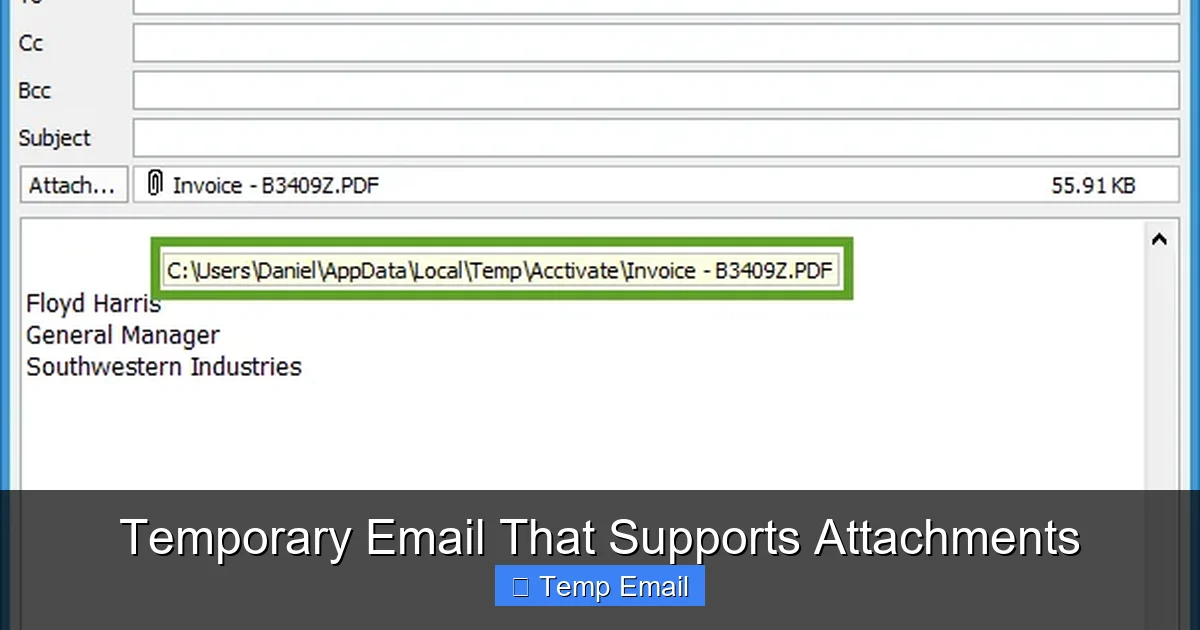
    Temporary email services that support attachments bridge a critical gap in online privacy. Unlike basic throwaway inboxes, these platforms let you securely send and receive files—like PDFs, images, or documents—during sign-ups or temporary exchanges, all without revealing your primary email address. They’re essential for freelancers, testers, and anyone wanting to avoid spam while still completing tasks that require file uploads. This guide explores how they work, top service comparisons, security realities, and practical tips for safe, effective use.

    You’ve been here: you need to download a whitepaper, sign up for a software trial, or register on a forum, but it demands an email address for verification. Using your personal or work email feels risky—it’s a one-way ticket to spam, data broker lists, and a cluttered inbox. A temporary email seems like the perfect solution… until you hit a wall. The site wants you to upload a file—a resume, a contract, a screenshot—and your disposable inbox? It can’t handle it. Basic temp mail services often lack attachment support, leaving you stranded. That’s where the new generation of temporary email with attachment capability comes in. It’s not just about hiding your address anymore; it’s about completing real-world digital tasks without compromise. This guide dives deep into these hybrid tools, how they work, which ones to trust, and how to use them wisely without creating new problems.

    Key Takeaways

    • Attachment capability is a game-changer: Most disposable emails block files, but specialized services enable secure receipt/sending of documents, images, and archives for forms, trials, and collaborations.
    • Security is nuanced, not absolute: While they shield your main address, attachment scanning by providers and temporary storage risks mean you should never send sensitive personal data (like IDs or financial docs).
    • File size and type limits vary widely: Expect caps between 10MB to 50MB per file and restrictions on executable (.exe) or script files. Always check a service’s limits before uploading critical files.
    • Inbox lifespan is short: Emails and attachments auto-delete after hours or days. Download needed files immediately and don’t rely on long-term storage.
    • Use cases extend beyond spam prevention: Ideal for software trials, freelancer client onboarding, anonymous forum sign-ups requiring verification, or sharing one-time download links without personal exposure.
    • Not all “temp mail” services are equal: Some offer attachment support but poor UI or weak security. Prioritize services with HTTPS, clear privacy policies, and reasonable retention periods.
    • They complement, not replace, secure methods: For highly confidential transfers, encrypted cloud storage with password protection remains superior. Use temp mail for low-risk, temporary file exchanges.

    What Exactly is a Temporary Email That Supports Attachments?

    Let’s start with a clear definition. A temporary email (also called disposable, throwaway, or fake email) is a service that provides a random, short-lived email address and inbox. The core idea is anonymity and inbox hygiene. You use it once or twice for a specific purpose, then abandon it, and it self-destructs, leaving no trace linked back to you.

    The Critical Attachment Gap

    The vast majority of free disposable email services are designed for one thing: receiving a single verification link or code. Their infrastructure is minimal. They typically block all incoming attachments to save server space and mitigate security risks from malicious files. Outgoing mail (you sending an email) is often disabled entirely. This is fine for simple “click the link” tasks but fails the moment a website’s upload button appears.

    The Hybrid Solution

    A temporary email that supports attachments is a specialized subset of these services. It maintains the disposable, anonymous nature but upgrades the backend to allow:

    • Receiving attachments: You can get files sent to your temp address (e.g., a client sends you a brief via the platform).
    • Sending attachments: You can upload a file from your device and send it from your temp address (e.g., uploading your resume to a job board form).
    • Larger storage quotas: They allocate more temporary storage space to accommodate files, not just text emails.

    Think of it as a “mailing envelope” service. You’re not getting a permanent, feature-rich mailbox like Gmail or Outlook. You’re getting a secure, anonymous envelope for a single document exchange that burns itself after use.

    Why Attachment Support Matters: Beyond Spam Prevention

    If you’re only using temp mail for “get the coupon code,” you might not see the value. But modern web interactions frequently involve files. Here’s why attachment-enabled temp mail is becoming essential.

    Temporary Email That Supports Attachments

    Visual guide about Temporary Email That Supports Attachments

    Image source: thumb.modcdn.io

    The Sign-Up & Verification Hurdle

    Many SaaS platforms, freelance marketplaces (like Upwork or Fiverr initial gigs), and educational sites require you to upload a document during registration—a portfolio, ID scan, or course prerequisite. Using your primary email forces you to upload from your main account, permanently linking that file to your identity in their system. With a temp mail, the file is uploaded from the temp address, and any reply or stored copy is isolated.

    Freelancers & Gig Workers

    A graphic designer takes on a quick $50 logo job from a new client on a micro-platform. The client wants to send reference images and receive the final deliverables. Sharing a personal Google Drive link exposes your account. Using a temp email with attachment support creates a neutral, disposable channel. You receive the brief’s images, send the final PNGs, and the entire paper trail vanishes in 24 hours.

    Software & Beta Testing

    Testers for new apps or games often need to submit bug reports with screenshots or log files. Developers may request a sample file to test upload functionality. A temp inbox lets you participate in these tests without risking your main email’s reputation or flooding it with test notifications.

    Anonymous Forum or Community Participation

    Some niche forums (e.g., for privacy advocates, certain hobbyist groups) require email verification and allow image uploads in posts. A temp address with attachment capability lets you engage fully while maintaining a layer of separation between your online persona and real-world identity.

    How Do They Work? The Technical & Security Balance

    The magic isn’t in complexity but in deliberate, limited design. Understanding this helps you use these tools safely.

    Temporary Email That Supports Attachments

    Visual guide about Temporary Email That Supports Attachments

    Image source: blog.freedcamp.com

    Infrastructure in a Nutshell

    These services run on cloud servers with temporary databases. When you generate an address (e.g., [email protected]), the system creates a folder for that address. Incoming emails (with or without attachments) are stored there. The attachment files are stored on the server’s temporary disk space. A timer is set—often 1 hour, 6 hours, 24 hours, or 7 days—after which the folder and all its contents are purged.

    The Attachment Journey: Sending & Receiving

    • Receiving: Someone sends an email with a file attached to your temp address. The service’s servers accept it (most have basic virus scanning for inbound files), store the file in your temp folder, and make it available in the web inbox interface. You log in, see the email, click the attachment, and download it to your local device.
    • Sending: You compose a new email in the temp interface, add a recipient, attach a file from your computer (which gets uploaded to the server’s temp storage), and hit send. The service’s server then delivers the email (with its attachment) to the recipient’s actual mail server.

    Security Realities: What’s Protected, What Isn’t

    This is the most crucial section. “Temporary” does not mean “invisible” or “unbreakable.”

    • Encryption in Transit: Reputable services use HTTPS (SSL/TLS) for their web interface, so your login session and file uploads are encrypted between your browser and their server. Always check for the padlock icon.
    • Server-Side Scanning: Most providers scan attachments for malware on their servers before storing them. This is for their protection, not necessarily yours. A malicious file might be blocked from reaching you, but the provider still briefly holds it.
    • No End-to-End Encryption: Unlike ProtonMail or Tutanota, temp mail does not offer E2EE. The provider can technically access the content of emails and attachments stored on their servers. Their privacy policy should state they don’t log or scan content, but you must trust their claim.
    • Ephemeral Storage is the Primary Privacy Feature: The main privacy win is the auto-deletion. Even if a provider’s server were compromised, the data from your temp address would likely be gone unless it was intercepted during its very short lifespan.
    • IP Logging: Many services log your IP address when you access the inbox. This is often for abuse prevention. If anonymity is paramount, using a trusted VPN alongside the temp service is a wise practice.

    Golden Rule: Never send personally identifiable information (PII) like scans of passports, credit cards, signed contracts with signatures, or confidential business plans via a temporary email, even with attachment support. The risk, while low for a 1-hour inbox, is not zero.

    Top Services Compared: Features, Limits, and Usability

    Not all players are created equal. I’ve tested numerous services that claim attachment support. Here’s a practical comparison based on key factors for a user like you.

    Temporary Email That Supports Attachments

    Visual guide about Temporary Email That Supports Attachments

    Image source: as2.ftcdn.net

    Key Evaluation Criteria

    • Attachment Size Limit: The maximum file size per upload. This is often the first limiting factor.
    • Allowed File Types: Some block executables (.exe, .bat), scripts (.js, .php), or even certain archive formats.
    • Inbox Lifespan: How long the address and its contents survive after last activity.
    • Outgoing Email (Sending): Can you actually send emails with attachments from the service, or only receive?
    • User Interface (UI): Is it clean and fast, or cluttered with ads that make downloading files a chore?
    • Privacy Policy Transparency: Do they clearly state what they log and how long data persists?

    Service Spotlight: Temp-Mail.org

    A long-standing player with robust attachment features.

    • Size Limit: Up to 50MB per file.
    • File Types: Generally permissive, but may block known dangerous types.
    • Lifespan: Inbox expires after 1 hour of inactivity. Can be manually extended.
    • Sending: Yes, you can send emails with attachments from your temp address.
    • Pros: Reliable, clean interface, no forced registration, generous size limit.
    • Cons: The 1-hour default is very short; you must be proactive to extend it if waiting for a reply.

    Service Spotlight: DropMail.me

    Focuses on a simple, fast experience with good attachment handling.

    • Size Limit: 25MB per file.
    • Lifespan: Default 24 hours. Can be extended to 7 days with a click.
    • Sending: Yes, sending with attachments is supported.
    • Pros: Extremely intuitive, open-source codebase (auditable), strong privacy stance, clear countdown timer.
    • Cons: Slightly smaller size limit than some competitors.

    Service Spotlight: 10MinuteMail.com

    The classic, but with modern attachment features.

    • Size Limit: 10MB per file (more restrictive).
    • Lifespan: The address lasts 10 minutes by default, but you can extend it in 10-minute increments up to 1 hour.
    • Sending: Yes, but the short window makes sending impractical for delayed replies.
    • Pros: Ultra-simple, iconic service, very short lifespan maximizes anonymity.
    • Cons: Tiny attachment limit and extremely short clock make it only suitable for instant, tiny file exchanges.

    Practical Tip: For any service, always check the “Help” or “FAQ” section for the most current limits. These can change. When in doubt, start with a small test file (like a 1MB text document) before relying on it for a critical upload.

    Step-by-Step: How to Use a Temp Email with Attachments Safely

    Knowing the tools is one thing; using them correctly is another. Follow this workflow to minimize risk and frustration.

    Step 1: Choose the Right Service for the Task

    Ask yourself: What’s the file size I need to send/receive? How long might the conversation last? If you’re uploading a 30MB video clip for a contest, you need a 50MB+ limit service like Temp-Mail.org. If you’re just sending a 2-page PDF resume, almost any will do. If you expect a reply within a few hours, a 24-hour inbox (DropMail) is better than a 1-hour one.

    Step 2: Generate Your Address and Prepare

    Go to the service website. You’ll instantly get an address. Copy it immediately. Some services refresh the address if you reload the page, so keep the tab open. Have your file ready on your desktop.

    Step 3: The Upload Process

    On the website requiring the email and file:

    • Paste the temp email address.
    • Use the file upload button. Select your prepared file.
    • Submit the form.

    Critical: Watch for any “success” message. If the upload fails, it’s likely due to file size or type limits. Check the temp service’s limits first.

    Step 4: Monitor Your Inbox Actively

    Keep the temp mail tab open and refresh it periodically (some have auto-refresh). You’re waiting for two things:

    1. A confirmation email from the site (which may contain a link or a receipt).
    2. Potentially, a reply from a human that includes an attachment.

    Do not close the tab. The countdown is usually based on inactivity. If you leave the tab open, some services pause the timer.

    Step 5: Immediate Action Upon Receipt

    When an email arrives with an attachment:

    • Open it.
    • Download the attached file to your computer immediately. Do not just view it in the browser if possible, to ensure you have a local copy.
    • If it’s a text file or PDF, read it. If it’s an image, save it.

    Do not rely on the temp service to hold it for you. The timer is ticking.

    Step 6: Clean Up and Forget

    Once you have the files you need and any necessary confirmation codes/link clicks are done, simply close the browser tab. The service will delete everything after its set time. There is no “account” to delete. You’re done.

    Security Deep Dive: The Risks You Must Manage

    Using a temp email with attachments is safer than using your primary email for shady sites, but it’s not a Fort Knox. Here are the real risks and how to mitigate them.

    Risk 1: The Service Itself

    A malicious or poorly run temp mail provider could:

    • Log your IP address and the emails/attachments you receive.
    • Inject ads or malware into the web interface you use to view/download files.
    • Sell “aggregated, anonymized data” (which may not be truly anonymous).

    Mitigation: Stick to well-known, reviewed services (like the ones mentioned). Check for HTTPS. Read their privacy policy—look for “we do not log,” “no storage,” or “auto-deletion.” Use a reputable ad-blocker or privacy-focused browser (like Brave or Firefox with uBlock Origin).

    Risk 2: Malicious Attachments

    This is the classic risk. You download an attachment that contains a virus, ransomware, or spyware.

    Mitigation: This is non-negotiable. Always scan every downloaded file with a robust antivirus/anti-malware program before opening it. Modern AV software often scans on download. Treat every file from a temp email as suspect, even if it came from a seemingly legitimate site. The site itself could have been compromised.

    Risk 3: Data Interception During Transfer

    If the temp service uses HTTP (not HTTPS), your file upload and email content could be intercepted by someone on your network (like public Wi-Fi).

    Mitigation: Only use services with a valid HTTPS padlock. For extreme caution, use a trusted VPN on public networks.

    Risk 4: Accidental Exposure

    You receive an attachment with sensitive info (e.g., a contract with someone’s personal address). You download it, but then forget and leave it in your “Downloads” folder. Or, you accidentally forward the temp email to your real address.

    Mitigation: Be disciplined. After downloading, move the file to a specific “Temp Mail Downloads” folder and delete it after use. Never forward emails from your temp address to your primary account. That defeats the entire purpose.

    When NOT to Use a Temp Email with Attachments (The Limits)

    These tools are fantastic for specific scenarios, but they have hard boundaries. Ignoring these leads to failure or danger.

    Government agencies, banks, courts, and verified employers will never accept a disposable email address. They require a traceable, permanent email for legal notices and secure communication. Using a temp address here will get your application rejected or, worse, raise flags.

    Long-Term Project Collaboration

    If you’re working on a month-long project with a team, a temp email that expires in a week is a terrible idea. Use a proper shared drive (Google Drive, Dropbox) with folder permissions or a project management tool. The temp email is for the initial handshake, not the entire workflow.

    High-Value or Highly Confidential Transfers

    Sharing source code for a startup, unreleased product designs, medical records, or signed NDAs? Do not use a temp email. The provider’s brief storage, coupled with the lack of E2EE, makes it unsuitable. Use encrypted email (ProtonMail) or password-protected cloud storage with an expiring link, and share the password via a different channel.

    Receiving Critical, Time-Sensitive Replies

    If you’re expecting a reply that you must get within a few hours (e.g., a last-minute meeting link from a recruiter), a 1-hour auto-delete inbox is risky. You might miss it if you’re not glued to the screen. Use a temp service with a longer default (24h+) or manually extend it, or just use a secondary, dedicated “burner” email you control for such cases.

    Anything Requiring Email History

    Need to search for an attachment sent weeks ago? Temp mail is not a searchable archive. It’s a shredder. If you think you’ll need to reference the file or conversation later, save it locally and store it properly from the start.

    The Future & Ethical Considerations

    The landscape is evolving. As more sites try to combat fraud by blocking known disposable email domains, these services engage in a cat-and-mouse game, constantly rotating domains. Some are adding more sophisticated features like alias forwarding (a temp address that forwards to your real one for a limited time) or browser extensions for one-click generation.

    Ethically, use these tools to protect your privacy from unwanted data collection, not to commit fraud, evade legitimate bans, or harass others. They are a privacy tool for the individual, not a weapon. Responsible use means respecting the terms of service of the websites you visit. If a site explicitly forbids temp emails (some do in their ToS), using one could get your account terminated. It’s a judgment call between your privacy and that site’s rules.

    Conclusion: Smart, Temporary, and Attached

    Temporary email that supports attachments is a powerful, pragmatic tool in the modern privacy toolkit. It solves the last major flaw of basic disposable inboxes: the inability to handle the file-based demands of today’s web. By understanding its strengths—anonymity, spam prevention, and temporary file exchange—and its clear limitations—short lifespan, no long-term storage, and moderate security—you can wield it effectively.

    The key is intentionality. Don’t use it blindly. Before you paste that temp address and hit “upload,” ask: Is this a low-risk, temporary task? Is the file size within limits? Do I have an antivirus ready? Can I download and secure the file immediately? If yes, you’re using it right. If the answer is no, you need a more robust solution.

    In an era of relentless data harvesting, these services offer a valuable pressure valve. They let you say “no” to permanent digital footprints for trivial interactions. Use them wisely, download promptly, scan everything, and let the digital envelope vanish when its job is done. Your primary inbox—and your peace of mind—will thank you.

    Frequently Asked Questions

    Is it legal to use a temporary email with attachments?

    Yes, using a disposable email service is legal in most countries. It’s a tool for privacy protection. However, using it to commit fraud, evade legal obligations, or violate a website’s terms of service can have legal consequences. Always use it for legitimate privacy purposes, not for malicious activity.

    Can I send any type of file as an attachment?

    No. Most services impose restrictions. They typically block executable files (.exe, .bat, .sh) and sometimes scripts (.js, .php) to prevent malware distribution. Archives like .zip or .rar may also be blocked or scanned. Always check the specific service’s allowed file types list before uploading.

    How long do attachments stay on the server?

    Attachments are stored only as long as the email inbox exists. This duration varies by service, typically ranging from 1 hour to 7 days after the inbox’s last activity or creation. Once the inbox expires, all emails and their attachments are permanently deleted from the server.

    Can I forward an email with an attachment from my temporary inbox to my real email?

    Technically, some services may offer a forward feature, but it is strongly discouraged. Forwarding a file from a temp address to your primary email creates a direct link back to the temp address and the sender, partially defeating the anonymity purpose. It also stores the file in your primary inbox permanently. The safest method is to download the file locally and, if absolutely necessary, re-upload it manually from your device.

    What’s the biggest security risk when using these services?

    The largest risk is the provider itself. Since the service can technically access stored emails and attachments, a malicious or compromised provider could log and steal data. Mitigate this by choosing reputable, transparent services with clear no-logging policies, using HTTPS, and never sending truly sensitive data like financial information or government ID scans.

    What’s the best practice for file size limits?

    Always assume your file is larger than you think. Before visiting a site that requires an upload, check the temp service’s current size limit (e.g., 25MB, 50MB). If your file is near that limit, compress it (use a ZIP archive for documents/images) or use a different service with a higher cap. Never assume a service can handle a large video or high-resolution image without checking first.

  • Temp Mail for Online Testing

    Temp Mail for Online Testing

    Temp mail for online testing is a crucial tool for developers, QA testers, and privacy-conscious users. It allows you to create temporary, disposable email addresses to sign up for services, test email workflows, and verify systems without using your personal inbox. This method prevents spam, safeguards your identity, and ensures your test accounts don’t interfere with real communications, making it an essential practice for clean, efficient, and secure online testing scenarios.

    Have you ever been stuck mid-test because a website demanded an email address to proceed? You just want to see if the “Submit” button works or if the email template renders correctly, but you’re hesitant to use your personal Gmail. You’re not alone. This is where temp mail for online testing becomes a silent hero in the world of quality assurance, development, and digital privacy. It’s not just for avoiding spam on sketchy websites; it’s a fundamental utility for anyone who needs to interact with systems that gatekeep functionality behind an email wall. Think of it as a dedicated, throwaway workbench for your email-dependent tasks—a place to make a mess, test the machinery, and walk away without a trace.

    In this comprehensive guide, we’ll dive deep into the strategic use of temporary email addresses specifically for testing purposes. We’ll move beyond the basic “avoid spam” conversation and explore how this tool fits into professional workflows, the nuances of choosing a service, and the best practices that make your testing both effective and ethical. Whether you’re a software tester validating a registration flow, a marketer checking an automated campaign, or just a savvy user wanting to explore a new app risk-free, understanding temp mail for online testing will transform how you interact with the digital world.

    Key Takeaways

    • Anonymity & Privacy: Temp mail shields your real identity and personal email from test platforms, preventing data profiling and unwanted tracking.
    • Spam & Junk Prevention: By using a disposable address, you keep promotional emails and potential malware out of your primary inbox permanently.
    • Clean Test Environment: It ensures test accounts and verifications don’t clutter your real email, allowing for organized, conflict-free testing cycles.
    • GDPR & Compliance Testing: Temp mail is vital for testing user consent flows, data deletion requests, and email opt-out mechanisms under privacy regulations.
    • Cost & Time Efficiency: Automate sign-up and email verification steps quickly without manual inbox management, speeding up QA and development workflows.
    • Risk Mitigation: Avoid accidental subscriptions, security breaches from test accounts, and the “password reset loop” on your personal devices.
    • Ethical & Responsible Use: It’s a tool for legitimate testing, not for bypassing paywalls, creating fake accounts for abuse, or evading bans on platforms.

    What Exactly is “Temp Mail for Online Testing”?

    Let’s clarify the terminology. “Temp mail” or “disposable email” refers to a service that provides you with a random, temporary email address and a public inbox to receive messages. These addresses typically expire after a short period—from 10 minutes to a few hours—or after a certain number of messages. The core idea is impermanence.

    The Core Principle: Ephemeral Communication

    When we say “for online testing,” we’re applying that ephemerality to a specific use case. It’s the practice of using these disposable addresses as a controlled variable in your testing environment. The goal is to simulate a real user’s email interaction without the long-term baggage of a permanent account. This means you can:

    • Trigger and receive verification emails (e.g., “Confirm your email to activate your account”).
    • Test password reset flows by receiving the reset link.
    • Validate newsletter sign-ups and check if the welcome email is formatted correctly.
    • Assess email-based 2FA (two-factor authentication) systems.
    • Check how a system handles invalid or non-deliverable addresses during form validation.

    The “testing” isn’t just about the website’s UI; it’s about the entire email delivery chain: from the moment you submit the address, to the system processing it, to the email service provider (like SendGrid or Mailgun) delivering it, and finally, to the content rendering correctly in a webmail client.

    Why is This Non-Negotiable for Modern Testing? The Key Advantages

    Using your personal email for testing is like using your front door key to test every lock in a hardware store. It works, but it’s irresponsible and creates unnecessary complications. Here’s why dedicated temp mail for online testing is a superior strategy.

    Temp Mail for Online Testing

    Visual guide about Temp Mail for Online Testing

    Image source: 10-minutemail.com

    1. Uncompromised Privacy and Data Isolation

    Every time you use your personal email on a new platform, you create a data point. That platform now has a verified, active email address linked to your real identity (if you use a name-based provider like Gmail). For a tester, this is a contamination of your personal data footprint. Using a random string like [email protected] creates a clean, anonymous boundary. If that test account is ever involved in a data breach, your personal identity is safe. This is especially critical for testers working on financial, healthcare, or high-security projects where even test data must be compartmentalized.

    2. Liberation from Spam and Unwanted Communications

    Let’s be honest: many “free” services monetize by selling access to your email or bombarding you with promotions. A single test sign-up can lead to years of newsletters and promotional blasts. With a disposable address that expires in an hour, any subsequent spam simply vanishes into the void. The inbox closes, the address is recycled, and the noise is permanently silenced. This keeps your primary inbox pristine and your attention focused on what matters.

    3. Perfect for Automated and CI/CD Pipelines

    In modern DevOps, tests are often run automatically on every code commit via CI/CD pipelines (like Jenkins, GitHub Actions). These scripts need to create user accounts, trigger emails, and then retrieve the verification code to complete the test. Manually logging into a personal Gmail to copy a code is impossible in an automated environment. Temp mail services with APIs or predictable inbox URLs allow scripts to fetch the email content programmatically, enabling fully automated end-to-end testing of email-dependent features.

    4. Avoiding the “Password Reset Loop” on Personal Devices

    Ever tested a “Forgot Password” flow on your phone, only to have the reset email land in your personal inbox? Now your phone and your laptop are both logged into the test account, creating sync conflicts and session confusion. Using a temp mail address accessed only via a browser on your test machine keeps all test-related sessions and credentials completely isolated from your personal devices and password managers.

    For applications subject to GDPR, CCPA, or CAN-SPAM, testing consent mechanisms is mandatory. You need to verify that:

    • Unchecking a “Subscribe to newsletter” box actually stops marketing emails.
    • Clicking “Unsubscribe” in a footer email works instantly.
    • A “Delete My Account” request purges all associated data and email lists.
    • Using a disposable address for these tests ensures you are not permanently subscribing your real email to marketing lists just to test an opt-out function. It’s a clean, ethical test cycle.

    How to Integrate Temp Mail into Your Testing Workflow: A Practical Guide

    Knowing the “why” is one thing; executing it smoothly is another. Here’s a step-by-step guide to weaving temp mail for online testing into your standard procedure.

    Temp Mail for Online Testing

    Visual guide about Temp Mail for Online Testing

    Image source: 10-minutemail.com

    Step 1: Choose the Right Service for Your Needs

    Not all temp mail services are created equal for testing. Consider these factors:

    • API Access: Essential for automation. Services like Temp-Mail.org or MailSlurp offer robust APIs to generate addresses and fetch emails programmatically.
    • Inbox Persistence: How long does the inbox last? 10 minutes might be too short for a manual test; 2-3 hours is a good sweet spot.
    • Domain Variety: Some services use a single domain (e.g., @tempmail.com). Others offer multiple domains, which can be useful if the target site blocks known disposable email domains.
    • UI Simplicity: For manual testing, a clean, auto-refreshing inbox is crucial. Look for services that display new emails without manual refresh.
    • No Captcha/Blocking: Some services require you to solve a captcha to view your inbox. This is a friction point for rapid testing.

    Step 2: The Manual Testing Flow

    For a one-off test or exploratory session:

    1. Open your chosen temp mail service in a browser tab.
    2. Copy the randomly generated email address (it’s usually displayed prominently).
    3. Paste it into the target website’s sign-up or contact form.
    4. Submit the form. The site should send a verification or notification email.
    5. Switch back to the temp mail tab. The inbox should auto-refresh and show the new email.
    6. Open the email. You can often click links directly from the temp mail interface (be cautious with unknown links) or copy any codes/links to paste into your test site.
    7. Complete the flow. Once done, simply close the tab. The address and inbox will self-destruct.

    Step 3: The Automated/Programmatic Flow (Example with MailSlurp API)

    For a scripted test (e.g., using Python or JavaScript):

    • 1. Generate a new inbox via API call. The response gives you the email address and a unique inbox ID.
    • 2. Use that email address in your test script to submit the form on the target application.
    • 3. Poll the API for new emails associated with that inbox ID. You can set a timeout (e.g., wait 30 seconds max).
    • 4. Parse the email content. The API returns the subject, body (HTML/text), and any attachments. Use regex or an HTML parser to extract the verification link or code.
    • 5. Use the extracted data to complete the next step in your test (e.g., visit the verification link).
    • 6. Delete the inbox via API. Clean up your test artifacts.

    This entire sequence can be part of a Selenium, Cypress, or Playwright test script, creating a fully autonomous user journey test.

    Step 4: Testing Edge Cases and Negative Scenarios

    Temp mail for online testing isn’t just for happy paths. Use it to stress-test email logic:

    • Invalid Format: Try submitting an address with a missing “@” or illegal characters. Does the front-end validation catch it immediately?
    • Non-Deliverable Domain: Use a temp mail service, but then modify the address to a non-existent domain (e.g., [email protected]). Does the system handle the bounce gracefully? Does it show a user-friendly error after a delay?
    • Rate Limiting: Can you request 50 verification emails in 60 seconds to the same temp address? A well-designed system should throttle this.
    • Email Content Spoofing: Check if your application properly sanitizes user input that ends up in emails (preventing HTML/script injection in the email body).

    Best Practices and Crucial Considerations

    To use temp mail for online testing effectively and responsibly, keep these guidelines in mind.

    Know the Limitations and Risks

    Temp mail is a tool, not a magic wand. Be aware of:

    • Service Reliability: Free services can be slow, go down, or have limited inbox capacity. Have a backup service or a secondary test email (like a dedicated Gmail just for testing) as a fallback.
    • Blocking by Target Sites: Many sophisticated platforms (like Google, Facebook, major banking apps) actively block domains from known temp mail providers. This is a security feature for them, but a hurdle for you. You may need to use a less common provider or a custom domain you control for testing these specific sites.
    • No Long-Term Storage: If you need to refer back to an email weeks later for regression testing, a disposable address won’t work. Use a dedicated permanent test account for that.
    • Potential for Abuse: Some sites may flag activity from a temp mail domain as high-risk, leading to CAPTCHAs or even immediate account suspension. This is often by design to prevent spam and fraud.

    Maintain Ethical Boundaries

    This is the most important section. Temp mail for online testing is for legitimate purposes:

    • ✅ DO: Use it to test your own company’s applications, to evaluate a SaaS tool before committing, to protect your privacy while exploring a new service, or to automate QA workflows.
    • ❌ DO NOT: Use it to create fake accounts for harassment, fraud, or to manipulate systems (e.g., getting unlimited free trials). Do not use it to bypass paywalls, evade legitimate bans, or generate spam. This is unethical and often violates Terms of Service, potentially with legal consequences.
    • The line is clear: are you testing the system, or are you trying to abuse the system?

    Integrate with Your Test Management

    Document your use of temp mail in your test plans. Note which test cases rely on it. If you’re writing automated tests, include comments explaining the temp mail integration step. This ensures other team members understand the flow and that the test isn’t flaky due to a temp mail service outage. Treat the temp mail service as a critical third-party dependency in your test environment.

    The legality of using temp mail is a common concern. The short answer: using disposable email for testing is almost universally permissible and is, in fact, a best practice for privacy and security testing. However, the context matters.

    Terms of Service (ToS) Violations

    The primary legal risk comes from violating a specific platform’s Terms of Service. Many social media, e-commerce, or forum platforms explicitly prohibit the use of “temporary,” “disposable,” or “throwaway” email addresses in their sign-up ToS. They do this to combat spam, fake accounts, and abuse. If you use temp mail to sign up for such a service, you are technically violating their ToS. They can then ban the associated IP address or take other enforcement actions. For a one-time test of a public-facing form, the risk is low, but for creating persistent accounts on such platforms, it’s a definite violation.

    Data Protection Regulations (GDPR, CCPA)

    From a data controller (the website you’re testing) perspective, accepting a temp mail address as a user’s contact information can be a GDPR gray area. A “data subject” has rights (access, erasure). How do you exercise the right to be forgotten for an address like [email protected] that you don’t own? For testing your own application, this is a non-issue because test data is, by definition, not real personal data. But if you are a third-party tester for a GDPR-compliant company, clarify with their legal team how test data (including test emails) should be handled. Often, they will provide you with a dedicated, company-owned test email domain.

    The Bottom Line for Testers

    For QA testers validating functionality, using temp mail is a standard, accepted, and encouraged practice to avoid polluting real user data and personal inboxes. The ethical line, as mentioned, is about intent and scale. Using it to perform your job is perfectly fine. Using it to create hundreds of fraudulent accounts is not. Always review the specific ToS of the application you are testing if you have any doubt, especially for long-term or high-value account creation tests.

    Top Tools and Services for Temp Mail in Testing (A Comparative Look)

    Here’s a breakdown of popular options, categorized by primary use case.

    For Quick, Manual Testing (No Setup)

    • Temp-Mail.org: The classic. Simple, no-frills interface. Random address on load, auto-refreshing inbox. Good for one-off checks. No API.
    • 10MinuteMail.com: Extremely straightforward. Timer counts down. Inbox is basic but reliable. Perfect for a 10-minute test sprint.
    • Guerrilla Mail: Offers a bit more control—you can choose your own inbox name from a list. Also includes a basic “send mail” feature, which is rare and useful for testing email sending from your own domain.

    For Automation and API-Driven Testing

    • MailSlurp: The industry leader for developers. Fantastic REST API and SDKs for Java, Python, JS, etc. You can programmatically create infinite inboxes, send emails, wait for new emails, and parse content. Handles attachments, MIME types, and has great documentation. Paid plans for high volume, but has a generous free tier.
    • Temp-Mail API (by many providers): Some services like Temp-Mail.org also offer a limited free API. It’s simpler than MailSlurp but can work for basic “create inbox -> get latest email” flows.
    • Mailinator (Public Inboxes): The wild west. Any inbox created is public to anyone who guesses the name. Never use for anything with sensitive data. However, for testing public-facing email notifications (like a “password reset” email that contains no secret tokens—just a link with a one-time token that expires immediately), it can be used. The risk is anyone can see your test emails. Its main API feature is watching public inboxes for specific domains.

    For High-Security/Enterprise Testing

    • Self-Hosted Solutions: For companies with extreme data privacy needs, tools like MailHog or Papercut can be installed on a local server or internal network. They act as a fake SMTP server that catches all outgoing emails from your test environment and displays them in a local web UI. This keeps all test emails 100% internal and never leaves your network. Ideal for testing internal enterprise applications.
    • Dedicated Test Domains: Purchase a cheap domain (e.g., myapp-test.com) and set up email forwarding to a central inbox or use an email service provider’s API to create infinite sub-addressing (like [email protected]). This gives you full control and avoids third-party service blocks.

    Conclusion: Making Temp Mail a Strategic Asset

    Temp mail for online testing is far more than a spam-fighting hack; it’s a cornerstone of professional, ethical, and efficient quality assurance. It empowers you to test thoroughly without sacrificing your privacy, cluttering your primary inbox, or risking your personal data. By integrating disposable email addresses into your workflow—whether manually with a simple web tool or programmatically via a robust API—you create a sterile testing environment that mirrors the user experience without the long-term consequences.

    The key is intentionality. Choose the right tool for your specific test scenario, understand the limitations of free services, and always operate within ethical and legal boundaries. When used correctly, it streamlines development cycles, automates previously manual checks, and provides peace of mind. So the next time a form barks “Enter your email,” you can smile, generate a temp address, and test with confidence, knowing your real identity and inbox are safely tucked away. That’s the power of mastering this simple yet profound tool in the modern tester’s kit.

    Frequently Asked Questions

    Is using temp mail for online testing legal?

    Yes, using disposable email for legitimate testing of your own applications or evaluating services is perfectly legal. The primary legal risk comes from violating a specific platform’s Terms of Service, which often prohibit temp mail for account creation. For QA work, it is a standard, accepted practice.

    Can websites detect that I’m using a temp mail address?

    Yes, absolutely. Websites maintain lists of domains from known temp mail providers. When you enter an address from one of these domains, their system can flag it as disposable. This may block sign-up, trigger additional verification (like a CAPTCHA), or flag the account for review. This is a common anti-spam and anti-fraud measure.

    Are temp mail services secure for testing?

    For testing purposes, they are generally secure enough. The main risk is that the inbox is often publicly accessible on the provider’s website if someone guesses the random address. Therefore, you should never use temp mail for any account that contains real personal data, financial information, or sensitive credentials. It is strictly for anonymous, non-critical testing.

    How long do temp email addresses typically last?

    It varies by service. Common lifetimes are 10 minutes, 1 hour, or until the browser tab is closed. Some services delete the inbox after a set number of messages (e.g., 3 emails). For longer testing sessions, choose a service that explicitly offers a 2-3 hour window or more.

    Will using temp mail affect my test results if the email is blocked by the target site?

    Yes, it can. If your target application blocks disposable email domains at the point of sign-up, your test will fail at the first hurdle. This is an important test case itself—verifying that your application’s email validation logic is working as intended. You may need to use a less common temp mail provider or a dedicated test domain for such applications.

    What’s the biggest mistake people make when using temp mail for testing?

    The biggest mistake is using it for accounts that need to persist or contain sensitive data, and then forgetting about them. Another common error is not checking the inbox quickly enough—verification emails often have short expiry times (5-10 minutes). If you wait 30 minutes, the link may be dead, causing a false-negative test result. Always time your test steps accordingly.

  • Disposable Email Vs Real Email: Pros and Cons

    Disposable Email Vs Real Email: Pros and Cons

    Choosing between a disposable and a real email isn’t about which is better, but which is right for the task. Disposable emails offer instant, throwaway privacy for one-time sign-ups, shielding your main inbox from spam. However, they lack security, permanence, and trust. Real emails are your digital identity foundation—secure, reliable, and essential for banking, work, and important accounts, but they require active management to avoid spam overload. The smart strategy is using both: disposable for low-stakes interactions and your real email for everything that matters.

    Key Takeaways

    • Disposable emails are for temporary, low-risk use: Use them for forum sign-ups, freebie downloads, or any site you don’t trust to protect your data long-term.
    • Real emails are your permanent digital identity: They are non-negotiable for financial services, government accounts, professional communication, and any service requiring account recovery.
    • Security is a major differentiator: Real email providers invest in encryption, 2FA, and breach monitoring; disposable emails typically have no security, making them risky for sensitive info.
    • Spam management differs drastically: Disposable emails solve spam by being thrown away; real emails require filters, unsubscribe diligence, and separate addresses for marketing.
    • Trust and legitimacy: Many websites block disposable email domains. A real email from a reputable provider (Gmail, Outlook, etc.) builds immediate trust.
    • There is no “recovery” with disposable emails: Once the session expires or you close the tab, the inbox and its data are gone forever.
    • A hybrid approach is optimal: Most power users maintain a primary real email for important matters and use disposable emails for everything else to compartmentalize risk.

    Your Digital Mailbox: Understanding the Fundamental Choice

    Think about your physical mailbox. You have the address on your house—the one your bank, employer, and family know. That’s your real, permanent address. Now imagine if, for every pizza flyer or promotional catalog you didn’t want, you could instantly generate a new, temporary PO box that self-destructed after one use. That’s the core concept behind the battle of disposable email versus real email.

    In today’s interconnected world, an email address is more than just a way to send messages. It’s a key. It’s a username. It’s a recovery tool. It’s a digital fingerprint. The type of email you use for a specific task can have profound implications for your online privacy, security, and inbox sanity. This article will dive deep into the pros and cons of both disposable and real email services, moving beyond the surface to help you make strategic decisions about your digital footprint.

    What Exactly is a Disposable Email?

    The Mechanics of “Burner” Mail

    A disposable email (also called temporary email, throwaway email, or temp mail) is a service that provides you with a random, temporary email address and inbox. These addresses are typically generated on-demand from a public pool. You visit a website like Temp-Mail.org or 10MinuteMail.com, and instantly, you’re assigned an address like [email protected]. The inbox loads right there in your browser.

    Disposable Email Vs Real Email: Pros and Cons

    Visual guide about Disposable Email Vs Real Email: Pros and Cons

    Image source: smartsheet.com

    The defining characteristics are automatic expiration (often after 10 minutes to 24 hours) and a lack of required registration. There is no password, no username to remember, and no account to log into later. The entire purpose is anonymity and impermanence. The inbox is accessible only via the unique URL or session ID given to you at that moment. Close the browser, clear the cache, and that address—and any emails sent to it—vanish into the digital ether.

    Common Use Cases for Disposable Emails

    These tools are perfect for specific, low-stakes scenarios:

    • Accessing gated content: Downloading a whitepaper, e-book, or template that requires an email sign-up from a company you don’t particularly trust or want to hear from again.
    • Creating test accounts: Quickly signing up for a new app, forum, or online service to test its features without committing your primary email.
    • Bypassing mandatory registration: Some websites insist you create an account just to read an article or view a product. A disposable email lets you comply without consequence.
    • Avoiding spam from a single interaction: You need to use a site once for a specific discount code or contest entry. Using a disposable email ensures any future marketing emails have nowhere to go.

    The Bright Side: Pros of Using Disposable Email

    Ultimate Spam Protection and Inbox Hygiene

    This is the number one benefit. Your primary, real email is a spam magnet. Every data breach, every sketchy website, every “free trial” you forget to cancel adds you to a list. A disposable email acts as a perfect sacrificial lamb. You use it once, it captures any resulting spam, and then it’s destroyed. Your main inbox remains pristine, containing only emails from people and services you genuinely care about. This is inbox hygiene at its most effective.

    Disposable Email Vs Real Email: Pros and Cons

    Visual guide about Disposable Email Vs Real Email: Pros and Cons

    Image source: smartsheet.com

    Enhanced Privacy and Anonymity

    Since no personal information is required to create a disposable address, it severs the direct link between your online activity and your real identity. This is valuable for:

    • Whistleblowers or activists in repressive regions.
    • Researchers investigating shady websites without exposing their affiliation.
    • Everyday users who simply don’t want their browsing habits tied to their primary email for marketing profiling.

    It creates a clean, anonymous session for a specific task.

    Zero Commitment and Instant Gratification

    There is no “Forgot Password?” flow. There is no account recovery process. You need an email *right now* to click a link? You have one in 5 seconds. This frictionless experience is ideal for moments of impulsive need. You’re not creating a long-term digital asset; you’re using a tool and discarding it.

    The Hidden Costs: Cons of Disposable Email

    The Illusion of Security

    This is the most critical con. Disposable email services are, by their nature, insecure. The inbox is often not encrypted. The provider can, in theory, read any email that passes through their servers. Since the address is public and randomly generated, anyone who knows or guesses the URL to your temporary inbox can potentially read your emails. Never, ever use a disposable email for:

    Disposable Email Vs Real Email: Pros and Cons

    Visual guide about Disposable Email Vs Real Email: Pros and Cons

    Image source: nonprofithub.org

    • Password resets for important accounts.
    • Any communication containing personal data (SSN, address, credit card info).
    • Login credentials for any service you wish to keep.
    • Official correspondence from banks, governments, or employers.

    You are trading security for convenience, and it’s a terrible trade for anything sensitive.

    No Recovery, No Persistence

    The “disposable” part is a permanent feature. If a service sends a crucial confirmation email 30 minutes after you signed up with a 10-minute email, you’ve lost it. You cannot recover that account. The service has no way to verify you are the owner because the email address no longer exists. This makes disposable emails completely unsuitable for any account you intend to use long-term or that has value (like a social media profile, cloud storage, or online purchase).

    Low Trust and Blocked by Services

    Smart website operators know the patterns of disposable email domains (e.g., @tempmail.com, @guerrillamail.com). Many major platforms, especially in finance, e-commerce, and social media, actively block these domains from registration. They see them as high-risk for fraud and abuse. Trying to sign up for a PayPal or a verified Twitter/X account with a disposable email will fail instantly. This limits their utility.

    The Cornerstone: Pros of Using a Real (Permanent) Email

    It’s Your Digital Identity and Key

    Your real email address (from a provider like Gmail, Outlook, ProtonMail, or your ISP) is the backbone of your online life. It’s the primary username for hundreds of services. It’s the recovery tool for forgotten passwords. It’s the verified contact for your bank, your university, your government. Losing access to this email can mean being locked out of your entire digital identity. Its power lies in its persistence and association with you.

    Robust Security Features

    Major providers invest billions in security. This includes:

    • End-to-end encryption (in transit and at rest for some providers like ProtonMail).
    • Advanced spam and phishing filters powered by AI and massive datasets.
    • Two-Factor Authentication (2FA) to prevent unauthorized access.
    • Breach monitoring and alerts (e.g., Google’s Password Checkup).
    • Account recovery options (phone, secondary email, security keys).

    This creates a secure vault for your most important communications and account access.

    Trust, Legitimacy, and Professionalism

    An email from [email protected] carries inherent trust. It signals stability and legitimacy. For business, a custom domain email ([email protected]) is the gold standard. Using a disposable email for professional networking, job applications, or client communication would be career suicide. It simply isn’t taken seriously. Real emails facilitate trust in the digital economy.

    The Burden You Carry: Cons of Using a Real Email

    The Spam Tsunami

    Your real email is a target. Every company you do business with, every website you register for, sees your address as a marketing asset. Even with good filters, spam infiltrates your primary inbox. Unsubscribing is a constant chore. The “Promotions” tab in Gmail is a necessary evil. The burden of managing this influx—deleting, filtering, unsubscribing—falls entirely on you. Your real email requires active maintenance to remain usable.

    Permanent Digital Footprint and Profiling

    All your activity linked to your real email is tracked. Your search history (if logged into Google), your YouTube watch history, your location from Android, your shopping habits from Amazon—all are tied to that email address. This creates a incredibly detailed profile used for hyper-targeted advertising. There is no anonymity. You are a known entity in the surveillance capitalism model.

    Single Point of Failure

    If a hacker gains access to your primary email account, the damage can be catastrophic. They can use the “Forgot Password?” feature on *every* other account linked to that email—social media, banking, cloud storage—and lock you out. The security of your entire digital life hinges on the strength of your main email password and its 2FA. This centralization is both its strength and its greatest vulnerability.

    Head-to-Head: The Direct Comparison

    Security & Privacy: No Contest

    Real email wins by default. Disposable emails offer no meaningful security or privacy guarantees. The provider can see all content. The inbox is publicly accessible via its URL. Real emails, especially from privacy-focused providers like ProtonMail or Tutanota, offer cryptographic security and strict no-logging policies. Even standard providers have far superior infrastructure for protecting your data.

    Convenience for Specific Tasks: Depends

    For a single, immediate sign-up, disposable is more convenient—no account creation, no password. For any ongoing use—checking bank statements, corresponding with colleagues, managing subscriptions—real email is the only convenient choice because it’s persistent and accessible everywhere via apps and clients.

    Spam Management: Different Philosophies

    Disposable email: Proactive elimination. The spam never reaches your important inbox because the address ceases to exist. It’s a fire-and-forget solution.
    Real email: Reactive management. You rely on filters, rules, and manual unsubscribes to combat the constant influx. It’s a defensive war of attrition.

    Trust and Acceptance: Real Email Dominates

    As mentioned, the vast majority of serious platforms reject disposable domains. If you want to create an account you intend to keep, a real email is your only option. It is the universal key that opens doors; disposable email is a skeleton key that only opens cheap, flimsy locks.

    Strategic Use: How to Combine Both for Optimal Digital Health

    The “Hybrid Inbox” System

    The most effective modern strategy is not choosing one over the other, but using the right tool for the job. Implement a tiered system:

    1. Tier 1: Primary Real Email (e.g., [email protected])
      Use exclusively for: Financial accounts, primary cloud storage (iCloud, Google Drive), main social media profiles, government/legal docs, professional contacts, and any account where recovery is critical.
    2. Tier 2: Secondary Real Email (e.g., [email protected])
      Use for: Online shopping (Amazon, eBay), newsletters you actually want, non-critical service subscriptions (Netflix, Spotify). This contains spam to a separate inbox.
    3. Tier 3: Disposable Email
      Use for: One-time downloads, forum sign-ups you’ll never visit again, testing shady sites, any form that asks for an email but seems low-value. Have a bookmarked disposable email site for instant access.

    Practical Example: Signing Up for a New Service

    Imagine you find a new project management tool. You’re curious but not ready to commit.

    • Wrong Way: Use your primary Gmail. You get added to their marketing list. If they get breached, your main email is exposed.
    • Better Way: Use your secondary “shopping” email. Spam is contained.
    • Best Way (for testing): Use a disposable email. Explore the tool. If you hate it, close the tab. No trace. If you love it and decide to upgrade to a paid plan, you can then sign up properly with your primary email for billing and account integrity.

    Conclusion: Embrace the Duality

    The disposable email versus real email debate is a false dichotomy. They are not competitors; they are complementary tools for different jobs in your digital toolkit. A real email is your home address—secure, permanent, and essential for building a trustworthy digital life. A disposable email is a hotel room—anonymous, temporary, and perfect for a single night’s stay without leaving a forwarding address.

    The key is awareness. Understand that your real email is a high-value asset that must be guarded with strong passwords, 2FA, and compartmentalization. Understand that disposable email is a blunt instrument for privacy, not a shield for security. By strategically employing both, you reclaim control. You can explore the wilder web with anonymity, while protecting the digital identity that truly matters. Stop letting spam and data brokers dictate your email strategy. Start using the right email for the right purpose, and enjoy a cleaner, safer, and more organized digital existence.

    Frequently Asked Questions

    Is using a disposable email illegal?

    No, using a disposable email service is perfectly legal. However, using it to commit fraud, harass someone, or access services you are banned from is illegal. The tool itself is neutral; it’s the intent behind its use that determines legality.

    Can websites really tell if I’m using a disposable email?

    Yes, very easily. Disposable email providers use a known set of domain names (e.g., @mailinator.com, @10minutemail.com). Websites can maintain and update blocklists of these domains. When you attempt to register with one of these addresses, their system can reject it instantly.

    What happens if I use a disposable email for a password reset?

    The reset email will be sent to an inbox that likely no longer exists by the time you try to use the reset link. You will be permanently locked out of that account. The only recourse is to contact the website’s customer support and prove your identity through other means, which is often difficult or impossible.

    Are there secure disposable email services?

    Some disposable services claim to offer better security (like encryption), but the fundamental model is flawed. The address is public, the session is temporary, and there is no user authentication. True security requires a persistent, password-protected account you control. For high-security anonymity, use a real, privacy-focused email provider like ProtonMail with a pseudonymous sign-up.

    Should I use my real email for online shopping?

    It’s better to use a dedicated secondary real email for all online shopping and commercial newsletters. This contains marketing spam and potential data breach exposure to a non-primary inbox. Never use your primary email (the one tied to banking and password resets) for casual shopping sites.

    Can I forward emails from a disposable address to my real one?

    Some disposable services offer a temporary forwarding feature. This is a risky compromise. It links your real email to the disposable activity, partially defeating the anonymity purpose, and the forwarding server could log the content. It’s generally safer to either use the disposable inbox directly for that session or use a real email from the start for anything you need to keep.

  • How to Avoid Spam Emails with Temp Mail

    How to Avoid Spam Emails with Temp Mail

    Tired of your inbox being flooded with spam? Temp mail—or temporary/disposable email—is your first line of defense. It gives you a throwaway email address for signing up to websites, downloading content, or accessing services, keeping your primary email private and spam-free. By using a temporary address that auto-deletes after a short time, you sever the link between your real identity and online forms, effectively stopping spam at its source. It’s a simple, free, and powerful tool for reclaiming your digital privacy.

    Key Takeaways

    • Shield Your Primary Email: Temp mail creates a barrier between your real, permanent email address and the countless online forms that sell or leak data to spammers.
    • No Registration Required: Most temp mail services generate an inbox instantly—no sign-up, no password, no personal details needed to start receiving emails.
    • Automatic & Inevitable Deletion: These addresses and their emails expire after a set period (often 10 minutes to 24 hours), ensuring any future spam sent to that address vanishes without ever reaching you.
    • Ideal for One-Time Interactions: Perfect for downloading a free ebook, accessing a gated article, or registering for a forum account you’ll rarely use.
    • Not for Critical Accounts: Never use temp mail for banking, primary social media, or any service where account recovery is essential, as you will permanently lose access.
    • Combine for Best Results: Use temp mail for initial sign-ups, then switch to a dedicated secondary email for ongoing communication with trusted services.
    • It’s a Privacy Tool, Not a Hacker Tool: While excellent for privacy, reputable services do not allow sending malicious emails; they are for receiving only and are often monitored for abuse.

    The Inbox Invasion: Understanding the Spam Problem

    Open your email app right now. What do you see? A mix of important messages from your boss, a newsletter you actually wanted, and… a mountain of junk. “Congratulations! You’ve won a lottery you never entered!” “Your package is delayed—click here!” “Urgent: Your bank account needs verification!” This is spam, and it’s more than just a nuisance. It’s a relentless invasion that wastes our time, clutters our digital lives, and poses real security risks through phishing scams and malware.

    But where does all this spam come from? Often, from the very act of trying to engage with the legitimate internet. Every time you sign up for a new service, download a free resource, or comment on a blog using your real email, you’re handing over a key to your inbox. That company might sell your email to data brokers. A website might suffer a data breach. A disgruntled employee might export the user list. Your single email address becomes a commodity, traded and retraded, until spam bots find it and the floodgates open.

    Why Your Main Email is a Bullseye

    Your primary email address—the one tied to your bank, your Apple ID, your family—is the crown jewel. It’s permanent, valuable, and connected to everything. Because it’s so important, spammers target it aggressively. Once it’s on a spam list, it’s nearly impossible to get off. Unsubscribing often just confirms to the sender that your address is active, leading to even more spam. This creates a vicious cycle where your attempt to engage with a legitimate site indirectly fuels the spam machine targeting your most critical account.

    What is Temporary Email? Your Disposable Digital Shield

    Imagine if, instead of giving out your home address to every store for a free sample, you could provide a special, temporary PO box that self-destructed after one use. That’s the core concept behind temporary email, often called “temp mail” or “disposable email.” It’s a service that provides you with a random, working email address for a short, predefined period—usually anywhere from 10 minutes to 24 hours—without requiring any personal information to create it.

    How to Avoid Spam Emails with Temp Mail

    Visual guide about How to Avoid Spam Emails with Temp Mail

    Image source: lessitermedia.com

    These services are designed for one purpose: receiving emails for a specific, limited task. You go to a website like Temp-Mail.org, Guerrilla Mail, or 10MinuteMail, and an inbox is instantly generated for you with a random address (e.g., [email protected]). You copy that address, paste it into the sign-up form for that free webinar or software trial, and then check the temp inbox for the confirmation link. Once you’ve gotten what you needed, you simply close the browser tab. After the time expires, the address and all its history are permanently deleted from the service’s servers. It never touched your real inbox.

    How Temp Mail Differs from Your Regular Email

    The differences are fundamental. Your Gmail or Outlook account is persistent, secure (with 2FA), and designed for long-term identity and communication. You own it, you manage it, and it’s tied to your identity. Temp mail is ephemeral, anonymous by design, and has zero long-term value. It’s like comparing a permanent home address to a burner phone. You wouldn’t give your home phone number to a sketchy vendor at a market; you’d use a disposable number. Temp mail applies that exact logic to your email address. It severs the chain of data linkage at the point of entry.

    The Core Benefits: Why Temp Mail is Your Anti-Sam Weapon

    Using a temporary email address isn’t just a trick; it’s a strategic shift in how you manage your digital footprint. The benefits cascade from that single act of keeping your primary address private.

    How to Avoid Spam Emails with Temp Mail

    Visual guide about How to Avoid Spam Emails with Temp Mail

    Image source: anonymmail.net

    Benefit 1: Unparalleled Privacy and Anonymity

    When you use temp mail, you are not providing any traceable information. No name, no phone number, no link to your other accounts. The address itself is a random string of characters. For websites that collect email addresses solely for marketing or data aggregation, you are giving them a dead end. They have an address that will cease to exist in an hour. This drastically reduces the amount of personal data floating around in corporate databases and data broker lists.

    Benefit 2: Drastic Inbox Hygiene and Focus

    This is the most immediate and satisfying benefit. Your primary inbox becomes a sanctuary for only what matters: emails from real people you know and services you intentionally and permanently subscribed to. No more sifting through hundreds of promotional blasts from a site you visited once three years ago. This saves mental energy, reduces stress, and ensures you never miss an important email because it got lost in a spam tsunami.

    Benefit 3: Robust Security Against Phishing and Scams

    Phishing emails rely on you trusting the sender and clicking a malicious link. While temp mail won’t stop a scammer from *sending* to a temp address, it ensures that any phishing attempt targeting “you” via your primary email channel is impossible because that channel is not compromised. The scammer has the temp address, which is already dead. More importantly, it protects you from “credential stuffing” attacks where hackers use email/password combos from other breaches. If your primary email never appeared in a breach because you always used temp mail for sign-ups, you’re safe from that specific attack vector.

    Benefit 4: Zero Commitment and Zero Cost

    There’s no subscription fee, no premium tier you need to worry about. The core service is free. You also have zero commitment. If a website insists on an email for a free trial and you get cold feet, just use a temp address. If you decide later you actually want the service, you can always provide your real email later. It removes the pressure and risk of that initial “gatekeeper” email field.

    Step-by-Step Guide: Using Temp Mail Effectively

    Knowing the theory is great, but how do you actually use this tool in your daily browsing? Here’s a practical, no-nonsense guide.

    How to Avoid Spam Emails with Temp Mail

    Visual guide about How to Avoid Spam Emails with Temp Mail

    Image source: getmailbird.com

    Step 1: Choose a Reputable Service

    Not all temp mail services are created equal. Look for one with a clean interface, reliable email delivery (sometimes confirmation emails get delayed or lost), and a clear expiration timer. Popular, reliable options include Temp-Mail.org, 10MinuteMail.com, and Guerrilla Mail. Avoid obscure services with lots of ads or that ask for suspicious permissions. Bookmark your chosen service for quick access.

    Step 2: Generate Your Disposable Address

    Navigate to your chosen service’s website. Within seconds, you’ll see your new, random email address and an inbox interface. Copy the address to your clipboard. Most services also let you manually choose a domain or a slightly more readable address if the random one is too complex.

    Step 3: Use It for the Sign-Up

    Go to the website or service you want to access. Paste the temp email address into the email field. Fill out any other required (non-email) information and proceed. If it’s a download, click the “send download link” button. If it’s a registration, submit the form.

    Step 4: Retrieve the Confirmation or Content

    Switch back to your temp mail tab. You should see a new email arrive within a minute or two, often instantly. Click on it to view its contents. Find the confirmation link, the download button, or the access code. Click the link or copy the code back to the original site to complete your action. Important: Do this quickly! You are racing against the service’s countdown timer.

    Step 5: Done. Walk Away.

    Once you’ve received the necessary email and completed your task, simply close the browser tab. You do not need to “delete” anything. The service will automatically purge that address and all its emails when the timer hits zero. That address is now dead. Any future emails sent to it will bounce or be discarded.

    Practical Example: Downloading a Free Ebook

    You find a fantastic marketing ebook titled “The Ultimate Guide to SEO.” To download, you must enter your email. Here’s the temp mail workflow:

    1. Open a new tab, go to Temp-Mail.org. Your address appears: [email protected].
    2. Copy it. Go back to the ebook landing page. Paste it. Click “Send My Free Ebook.”
    3. Switch to the temp mail tab. An email from “MarketingPros” arrives. Open it. Click the big blue “Download PDF” button.
    4. The ebook downloads. You close the temp mail tab. In 60 minutes, [email protected] ceases to exist. MarketingPros now has a dead email. They can’t add you to their weekly newsletter spam list. Your primary inbox is safe.

    Important Limitations: What Temp Mail Can’t Do

    Temp mail is a powerful tool, but it has clear boundaries. Understanding these limitations is crucial to using it safely and effectively.

    Limitation 1: It’s for Receiving, Not Sending (Usually)

    The vast majority of temp mail services are receive-only. You cannot compose and send emails from a temporary address. This is by design to prevent abuse for spam or fraud. If a service requires you to *send* an email (like a contact form), you’ll need a real address. Also, you cannot reply to emails sent to your temp address. The address is a one-way street for incoming messages only.

    Limitation 2: Not for Account Recovery or Important Services

    This is the golden rule. Never, under any circumstances, use a temporary email for:

    • Banking, financial services (PayPal, Venmo)
    • Primary email accounts (Gmail, Outlook, iCloud)
    • Social media profiles you want to keep (Facebook, Instagram, Twitter)
    • Government services, healthcare portals, or official documents
    • Any service where you might need to reset a password years from now

    If you do, and the service emails a password reset link to that temp address, you will be permanently locked out when the address expires. These accounts require a permanent, accessible email for recovery.

    Limitation 3: Some Websites Block Them

    Many popular platforms (like Google, Apple, Facebook, major banks) actively detect and block known temp mail domains from their sign-up processes. They do this to reduce fraud and ensure users provide real contact information. If you try to use a temp address on these sites, you’ll get an error message saying the email is invalid. This is a feature, not a bug, as it tells you that service is too important to use a disposable address for anyway.

    Limitation 4: Short Lifespan Means No History

    You cannot use a temp address to build a long-term relationship with a service. If you sign up for a weekly newsletter with a temp address, you will only receive one or two issues before the address dies. This is the point, but it means temp mail is useless for any ongoing subscription or communication.

    Best Practices and Advanced Strategies

    To move from basic usage to mastery, incorporate these strategies into your routine.

    Strategy 1: Use a Dedicated Secondary Email for “Semi-Permanent” Needs

    For services you use regularly but don’t consider critical—like a forum you post on weekly, a non-primary streaming service, or a store loyalty program—create a dedicated secondary email address with a provider like Gmail or ProtonMail. Use this for all sign-ups that aren’t one-time downloads. This creates a second layer of defense. Your primary inbox gets only the most essential emails (family, work, critical accounts), your secondary gets commercial and semi-regular newsletters, and your temp mail handles the one-off stuff. This three-tier system is optimal for inbox management.

    Strategy 2: Check the Expiration Timer

    Not all temp mail services are equal. Some give you 10 minutes, others 24 hours. Before you start a process (like waiting for a confirmation email that can sometimes be delayed), check the countdown. If you’re using a 10-minute service for a site known to send slow emails, you might run out of time. Choose a service with a longer window (like 1 hour) if you anticipate a delay.

    Strategy 3: Don’t Use It for Two-Factor Authentication (2FA)

    2FA codes are time-sensitive and critical for security. Never have them sent to a temporary address that might expire before you can use the code. Always use your primary, permanent email or, even better, an authenticator app (like Google Authenticator or Authy) for 2FA.

    Strategy 4: Combine with a Password Manager

    Your workflow can be: 1) Generate temp mail. 2) Create a strong, unique password for the new site (your password manager can generate and store it). 3) Use the temp email for sign-up. 4) Since you never intend to log in again (for a one-time download), you don’t even need to save the login in your manager. This combo of unique passwords + disposable emails is a powerful one-two punch against data breaches and spam.

    Conclusion: Reclaim Your Digital Peace of Mind

    The internet doesn’t have to be a place where you sacrifice your email address at every turn. Spam is a direct result of our primary email being overexposed. Temp mail flips the script. It gives you a simple, free, and effective tool to engage with the web on your terms, without sacrificing your privacy or polluting your most important digital space. By adopting the habit of using a disposable address for any sign-up that feels promotional, gated, or non-essential, you build an invisible force field around your permanent inbox. You’ll notice the difference within days: less clutter, fewer distractions, and a significantly reduced risk of falling for phishing scams. Start today. Open a new tab, generate a temp address, and use it for your next free download or newsletter sign-up. Take back control, one disposable inbox at a time.

    Frequently Asked Questions

    Is using temporary email safe and legal?

    Yes, using reputable temp mail services is completely safe and legal. It’s a standard privacy tool. However, using it to commit fraud, send spam, or create malicious accounts is illegal. The service itself is a neutral tool; its legality depends on your use case, which should be for protecting your own privacy.

    How long do temporary email addresses and their emails last?

    It varies by service, but most temporary addresses expire between 10 minutes and 24 hours after creation. The inbox and all emails within it are permanently deleted upon expiration. Always check the specific timer on the service you are using.

    Can I send emails from a temporary address?

    Almost never. Temp mail services are designed almost exclusively for receiving emails. They typically block outgoing mail to prevent abuse for spam and fraud. Their purpose is to receive a single confirmation or download link, not to establish a two-way communication channel.

    What happens if I need to recover an account I signed up with a temp email?

    You won’t be able to. This is why the cardinal rule is to never use temp mail for any account you might need to access in the future, especially those with recovery options. If you forget a password for such an account, the reset email will go to an address that no longer exists, locking you out permanently.

    Are all temporary email services free?

    The vast majority of basic temp mail services are free. They are supported by ads on their websites. Some may offer premium features (like custom domains or longer expiration times) for a fee, but for the core function of receiving a few confirmation emails, free services are perfectly adequate and reliable.

    Do all websites accept temporary email addresses?

    No. Many high-security or high-value platforms (like Google, Apple, major banks, and social media giants) actively detect and block known temporary email domains during sign-up. They require a permanent, verifiable email address. This is a feature, as it prevents these critical services from being associated with disposable addresses.

  • Best Temp Mail Generators for 2026

    Best Temp Mail Generators for 2026

    Tired of spam clogging your primary inbox? Temporary email generators are your digital bodyguards. In 2026, these tools are smarter, faster, and more secure than ever, offering a vital layer of online privacy. We’ve tested and ranked the leading services to help you sign up for sites, download files, or verify accounts without sacrificing your real identity. Choose the right generator to keep your main email clean and your data safe.

    Remember the last time you wanted to download a free PDF, access a gated article, or simply try out a new app? The sign-up form asks for your email, and a little voice in your head says, “Do I really want to give them my main address?” That little voice is your digital common sense. In 2026, the internet is more interconnected—and more invasive—than ever. This is where the best temp mail generators become your first line of defense. They are not just for the paranoid; they are a standard tool for any savvy netizen who values their inbox sanity and online privacy.

    But the landscape has changed. The simple, bare-bones disposable email sites of the early 2010s have evolved. Today’s top temp mail generator services in 2026 offer sleek interfaces, robust security protocols, and smarter inbox management. They’ve had to adapt to smarter website blocks and increased demand for privacy. This guide cuts through the noise. We’ve done the exhaustive testing to bring you a definitive list of the most reliable, feature-rich, and user-friendly temporary email services for the coming year. Whether you need a burner email for five minutes or five hours, we’ve got you covered.

    Key Takeaways

    • Essential Privacy Tool: Temp mail generators create disposable email addresses that shield your primary inbox from spam, data breaches, and unwanted marketing.
    • Use Case Specific: They are perfect for one-time sign-ups, forum registrations, downloading content, or testing services where you don’t trust the recipient with your real email.
    • 2026 Features Focus: Top generators now emphasize enhanced security (encryption), longer inbox lifespans, and AI-powered spam filtering for a better user experience.
    • Not for Critical Accounts: Never use a temporary email for banking, primary social media, or any account where recovery and long-term access are absolutely essential.
    • Easy & Anonymous: The best services require no registration, personal details, or installation, providing instant, anonymous inbox access from any browser.
    • Legal & Ethical Use: Using temp mail is legal for privacy protection, but violating a website’s terms of service by using it to circumvent bans or commit fraud is not.
    • Choose by Need: Select a generator based on your priority: maximum anonymity, inbox duration, domain variety, or advanced features like API access for developers.

    What Exactly Are Temp Mail Generators (And Why You Need One in 2026)

    Let’s start with the basics. A temporary email generator is a web-based service that provides you with a random, disposable email address and a corresponding inbox—all without requiring you to create an account or provide any personal information. You visit the site, it gives you an address like [email protected], you use that address elsewhere, and then you forget about it. The inbox typically auto-deletes after a set period (from 10 minutes to several days) or once you close the browser tab.

    The Core Benefits: Your Inbox, Your Rules

    Why is this simple concept so powerful? The benefits are direct and impactful:

    • Spam annihilation: This is the #1 reason people use them. That free e-book download site that subsequently emails you daily for a year? Give them the temp address. The spam goes to the disposable inbox, which vanishes, leaving your primary Gmail or Outlook account pristine.
    • Privacy Preservation: Every website you sign up for collects data. By using a temp email, you sever the direct link between that website’s data profile and your permanent identity. In an era of data brokers and frequent breaches, this is a crucial privacy hygiene practice.
    • No More “Forgot Password?” Chaos: Use a temp email for a one-time forum account you’ll never log into again. You’ll never get a “password reset” email for a service you don’t use, cluttering your real inbox.
    • Bypass Registration Walls: Many blogs and news sites require an email to read an article. A temp mail generator lets you comply with their form without committing.
    • Safe Software Testing: Developers and QA testers use temp emails to create multiple test accounts for apps and platforms without managing a fleet of real email addresses.

    The 2026 Threat Landscape: Why They’re More Important Now

    The need for disposable emails is growing. Phishing attacks are more sophisticated. Data breaches at major platforms happen quarterly. Websites employ more aggressive tracking. A temp mail acts as a firebreak. If a site you used a disposable address for gets hacked, your real email—and the countless accounts linked to it—remains unaffected. For 2026 and beyond, treating your primary email address like a secret is a smart security posture, and temp mail generators are the tool that makes that practical.

    How We Evaluated the Best Temp Mail Generators for 2026

    Not all disposable email services are created equal. Some are slow, filled with ads, or blocked by major platforms like Google or Facebook. Our evaluation for this 2026 roundup was rigorous and based on real-world testing. We didn’t just visit the sites; we used them to sign up for popular services, sent test emails between them, and stress-tested their longevity.

    Best Temp Mail Generators for 2026

    Visual guide about Best Temp Mail Generators for 2026

    Image source: temp-mail.io

    Our Key Criteria

    Here’s what separated the winners from the also-rans:

    • Uptime & Reliability: A service is useless if it’s down. We prioritized providers with near-constant availability and robust infrastructure.
    • Inbox Lifespan: How long does the email address live? We ranked services offering flexible durations, from 10 minutes to 72 hours, with clear countdown timers.
    • Anti-Block Technology: Can the generated domain be used to sign up for Gmail, Facebook, or Twitter? The best temp mail generators in 2026 use constantly refreshed, non-blacklisted domains to avoid instant rejection.
    • User Experience (UX): Clean interface? Minimal, non-intrusive ads? Fast inbox refresh? A clunky site with pop-up hell gets downgraded quickly.
    • Security Features: Does the service use HTTPS? Is there any encryption of stored emails (even if temporary)? Do they log IP addresses? The most privacy-focused services have clear, transparent policies.
    • Feature Set: Beyond the basic inbox, we looked for useful extras: multiple domain choices, browser extensions, API access for developers, and the ability to reply to emails (a rare but valuable feature).

    A Note on “Free” vs. “Premium”

    All services listed here have a functional free tier. Some offer premium plans with benefits like dedicated domains, longer inbox life (up to 30 days), ad-free interfaces, and priority support. We’ve noted where a paid upgrade offers significant value for power users or businesses.

    The Top 5 Temp Mail Generators for 2026

    After extensive testing, these five services emerged as the clear leaders for different user needs in 2026. They are listed in no strict order, as the “best” depends on your specific situation.

    Best Temp Mail Generators for 2026

    Visual guide about Best Temp Mail Generators for 2026

    Image source: temp-mail.io

    1. Temp-Mail.org: The All-Round Champion

    Why it’s great for 2026: Temp-Mail has consistently been a leader, and for 2026 it has doubled down on anti-blocking measures and user experience. It’s the go-to recommendation for most people.

    • Inbox Lifespan: Default is 24 hours, extendable in 1-hour increments.
    • Key Features: Offers over 10 different domain options (e.g., @temp-mail.org, @tempr.email). Has a built-in password generator for sites requiring one during sign-up. Clean, dark-mode friendly interface with minimal ads. Includes a browser extension for Chrome and Firefox.
    • Best For: Everyday users, students, and anyone who wants a reliable, no-fuss service with good domain variety to avoid simple blocks.
    • Watch Out: The free version has banner ads. The “Premium” plan (~$5/month) removes ads, extends max lifespan to 48 hours, and provides a custom domain.

    2. 10MinuteMail.com: The Speed Demon (Now with More Time)

    Why it’s great for 2026: The classic “10-minute” service has evolved. While its core identity is ultra-short-term, it now intelligently extends the inbox if you’re actively using it, preventing premature deletion.

    • Inbox Lifespan: Starts at 10 minutes but automatically extends in 10-minute blocks as long as you’re on the page and activity is detected. Can last up to 1 hour.
    • Key Features: Incredibly simple, almost primitive interface that loads instantly. No frills, no distractions. The address changes with every visit, maximizing anonymity. Excellent for a quick, single verification.
    • Best For: The ultimate one-and-done verification. When you need an email for a 60-second sign-up and want to close the tab immediately after.
    • Watch Out: The short default lifespan means you must act fast. Not suitable for anything requiring you to wait for an email (like a delayed newsletter).

    3. Guerrilla Mail: The Veteran with Staying Power

    Why it’s great for 2026: One of the oldest names in the business, Guerrilla Mail has survived because it works and it’s trustworthy. Its 2026 update focuses on improved spam filtering within the disposable inbox itself.

    • Inbox Lifespan: Default 60 minutes. Addresses can be “bookmarked” to keep them alive longer within the same session.
    • Key Features: Allows you to choose your own random address from a list. Has a basic “reply” function, which is surprisingly rare and useful for some forum confirmations. Includes a “scramble” button to generate a new address instantly. Very strong anti-spam filters.
    • Best For: Users who might need to reply to a confirmation email or want a bit more control over their chosen address. Its reputation means many sites don’t block its domains.
    • Watch Out: The interface is a bit more cluttered than newer competitors. The “bookmark” feature to extend life is not always intuitive.

    4. Tempail.com: The Privacy-First Contender

    Why it’s great for 2026: Tempail has made privacy its flagship feature. It explicitly states a no-logs policy for user sessions and offers enhanced encryption. It’s the choice for the particularly privacy-conscious.

    • Inbox Lifespan: 3 hours default, with options for 6, 12, or 24 hours without needing an account.
    • Key Features: Strong emphasis on HTTPS and security. Provides a clear, easy-to-understand privacy policy. Offers a wider range of domain options than most, including some country-specific ones. The interface is exceptionally clean and modern.
    • Best For: Journalists, activists, or anyone in a sensitive situation who needs to minimize their digital footprint. Also great for users who dislike ads and want a serene experience.
    • Watch Out: Some of its domains might be less familiar to certain websites, leading to occasional blocks (though less common in 2026).

    5. Maildrop.cc: The Minimalist’s Dream

    Why it’s great for 2026: In a world of feature bloat, Maildrop is a breath of fresh air. It’s a single-page application with one job: give you an inbox. Its 2026 version is faster and more resilient against downtime.

    • Inbox Lifespan: Emails are kept for 24 hours. The address itself is reused for a short period for multiple users (it’s a shared inbox model), which enhances anonymity.
    • Key Features: Utterly minimal. You go to the site, you have an inbox. No buttons, no choices, no ads on the inbox page itself. It’s incredibly fast. Because addresses are public and reused, it’s highly anonymous but means you can’t “claim” a specific address.
    • Best For: The truly anonymous, quick-check scenario. Perfect for verifying a newsletter sign-up where the content isn’t sensitive. Also great for low-bandwidth situations.
    • Watch Out: You cannot choose your address. Anyone can view any inbox if they guess the random address string, though emails are deleted quickly. Not for anything even remotely confidential.

    How to Choose the Right Temp Mail Generator for You

    With our top 5 list, you have great options. But which one should you pick right now? Here’s a simple decision framework.

    Best Temp Mail Generators for 2026

    Visual guide about Best Temp Mail Generators for 2026

    Image source: temp-mail.io

    Match the Service to Your Mission

    • “I just need to click a verification link in the next 5 minutes.”10MinuteMail.com. Its auto-extend feature is perfect for this.
    • “I’m signing up for a forum and might need to receive a welcome email with a password.”Guerrilla Mail. The reply function and address bookmarking are lifesavers here.
    • “I’m downloading a resource from a site I don’t trust at all. Privacy is my #1 concern.”Tempail.com. Its no-logs policy and clean interface are built for this.
    • “I need to sign up for a few different services this afternoon. I want a reliable, all-rounder with a few domain options.”Temp-Mail.org. It’s the safest, most versatile bet for general use.
    • “I’m on a public computer and need something fast, anonymous, and I don’t care about the address.”Maildrop.cc. Load it, get the inbox, done.

    Critical “Do Nots”: When NOT to Use a Temp Mail

    Using the wrong tool for the job can cause real problems. Here are absolute no-gos for temp mail generators:

    • Financial Accounts: Never for banks, PayPal, Venmo, crypto exchanges, or any service holding your money.
    • Primary Communication: Not for your main social media (Facebook, Instagram, Twitter/X), professional network (LinkedIn), or main messaging apps.
    • Important Subscriptions: Never for utilities, insurance, or official government correspondence.
    • Account Recovery: If you use a temp email for an account and then lose access to it, you are permanently locked out. Only use temp emails for accounts you plan to abandon or access only once.
    • To Violate Terms of Service: Using a disposable email to create multiple accounts to spam, evade a ban, or commit fraud is unethical and often a direct violation of a site’s rules, which can lead to IP bans.

    Security & Privacy Deep Dive: Are Temp Mails *Actually* Safe?

    This is the most critical question. The answer is nuanced: they are safe for their intended purpose, but they are not a magic privacy shield. Understanding the limitations is key to using them effectively and securely in 2026.

    What the Service Provider Sees

    When you use a temp mail generator, the provider inherently sees the traffic. A reputable service (like our top 5) will:

    • Use HTTPS to encrypt the connection between you and their server.
    • Have a clear policy stating they do not log IP addresses beyond what’s necessary for basic abuse prevention, or they purge logs quickly.
    • Store emails only in temporary memory (RAM), not on permanent hard drives, ensuring automatic wiping.

    However, a shady, ad-filled temp mail site could be logging everything: your IP, the emails you receive, and the links you click. This data could be sold to advertisers or used for malicious purposes. This is why sticking to the well-known, reputable services from our list is non-negotiable for security.

    What the Sender Sees

    The website or service you sign up for only sees the temporary email address you provided. They have no inherent link back to you, assuming you didn’t use any other identifying information on their site. This is the core privacy win.

    The “Man-in-the-Middle” Risk (and How 2026 Services Mitigate It)

    Because the inbox is public to anyone who has the URL/address, there is a theoretical risk of someone guessing the random address string and viewing your email. Modern temp mail generators combat this in two ways:

    1. Complex Address Generation: Using long, random strings (e.g., [email protected]) makes guessing virtually impossible.
    2. Session-Based Inboxes: Many services now tie the inbox view directly to a unique session cookie or token. Even if you have the address, you can’t view the inbox without the exact, active session link you were given when the address was generated.

    The Final Verdict on Safety

    Using a reputable temp mail generator from our list is safe for its designed purpose: receiving non-sensitive verification emails and avoiding spam. It is not safe for:

    • Sending confidential information.
    • >Receiving sensitive documents like contracts or IDs.

    • Any activity where the email address itself could be used to socially engineer your identity.

    Think of it as a public, timed locker. It’s perfect for dropping off a note, but you wouldn’t store your passport in it.

    The Future of Disposable Email: What to Expect in 2026 and Beyond

    The temp mail industry is not static. As websites get smarter at blocking disposable domains, the generators get smarter at bypassing those blocks. Here are the trends defining the best temp mail generators of 2026 and where they’re headed.

    AI-Powered Domain Generation & Rotation

    Static lists of disposable domains are easily blacklisted. The next generation uses AI to constantly generate new, valid-looking domain names that mimic legitimate providers (e.g., variations of “gmail” or “outlook” that aren’t actually those services). These domains are rotated in real-time, making it nearly impossible for a website to maintain an up-to-date block list.

    Integrated Browser Wallets & Privacy Suites

    We’re seeing the rise of browser extensions that don’t just generate an email, but manage it alongside your other privacy tools. Imagine a single extension that generates a temp email, auto-fills the sign-up form, and then flags the site in a tracker-blocking database. Companies like Temp-Mail.org are leading this integration.

    “Inbox-as-a-Service” for Developers

    APIs are becoming a standard offering. Developers can now programmatically create and manage thousands of disposable inboxes for automated testing of user registration flows, email marketing campaigns, or notification systems. This B2B use case is a huge growth area, with services offering paid tiers for high-volume, API-driven access.

    The Regulatory Question

    As privacy laws like GDPR and CCPA evolve, there’s debate about the legal status of disposable emails. Some argue they facilitate fraudulent activity. However, privacy advocates counter that they are a legitimate tool for data minimization. In 2026, we expect clearer guidelines that distinguish between malicious use and legitimate privacy protection, potentially leading to more standardized “verified disposable email” certifications for compliant services.

    Conclusion: Your Digital Shield Awaits

    The best temp mail generators for 2026 are more than just a quick way to skip a sign-up form. They are a fundamental component of a modern digital hygiene routine. They represent a simple act of defiance against the “data for access” economy, allowing you to engage with the web on your own terms.

    From the all-around reliability of Temp-Mail.org to the extreme anonymity of Maildrop.cc, there is a perfect tool for your specific need. The key is using them wisely: for their intended purpose of temporary, non-critical interactions. By choosing a service from our vetted list, you avoid the risks of shady providers and gain a powerful, easy-to-use shield against spam, tracking, and unnecessary data exposure.

    So next time you hesitate at an email field, remember you have a choice. You don’t have to sacrifice your primary inbox or your privacy. Generate a temp mail, get what you need, and close the tab. In the constant battle for your digital attention and data, a disposable email is a small weapon that yields a surprisingly powerful peace of mind. Choose your champion from our list and reclaim your inbox today.

    Frequently Asked Questions

    Is using a temporary email address legal?

    Yes, using a disposable email address is perfectly legal for protecting your privacy and avoiding spam. It becomes illegal only if used to commit fraud, evade legal obligations, or violate a website’s specific terms of service by creating fake accounts for malicious purposes.

    Can I receive attachments with a temp mail?

    Most modern temp mail generators in 2026, like Temp-Mail.org and Guerrilla Mail, support receiving common attachments like PDFs, images, and documents. However, there is often a strict size limit (usually 10-25MB). Always check the service’s specific capabilities before relying on it for file transfers.

    Will a temp mail work for signing up to major sites like Google or Facebook?

    >It’s increasingly difficult. Major platforms have sophisticated algorithms that detect and block known disposable email domains. The best temp mail generators for 2026 use constantly refreshed domains to sometimes bypass these blocks, but success is never guaranteed. You should not rely on a temp email for accounts you intend to keep long-term on these platforms.

    Are my emails really private on a temp mail service?

    They are private from the sender, but not from the service provider itself. Reputable services use HTTPS and purge data quickly, but the provider technically has access to any email sent to the address while it exists. Never send sensitive personal, financial, or confidential information to a disposable address.

    How long can I keep a temporary email address active?

    It varies by service. Lifespans range from 10 minutes (10MinuteMail) up to 72 hours with some premium plans. The standard free tier on most top services offers between 1 and 24 hours. The address and its inbox are permanently deleted after the time expires.

    What happens if I need to reset a password for an account I signed up with a temp email?

    You will not be able to receive the password reset link. This is why the cardinal rule is: never use a temporary email for any account where you need ongoing access or account recovery. The account will be permanently locked if you forget the password or get logged out.

  • Temporary Email Services for Quick Verifications

    Temporary Email Services for Quick Verifications

    Tired of your main email getting buried under spam after a single sign-up? Temporary email services are your secret weapon. These platforms generate instant, disposable email addresses perfect for one-time verifications, shielding your real inbox from unwanted marketing and potential data breaches. It’s a simple, free tool for anyone looking to browse, sign up, and download with greater privacy and zero long-term commitment.

    You’re clicking through a promising article, ready to download a free ebook or access a gated resource. You fill in the form, hit submit, and bam—the site demands your email address. A familiar sigh escapes you. You know that once you hand over your primary Gmail or Outlook address, it’s a one-way ticket to the promotional spam highway. Your inbox, once a sanctuary, will soon be flooded with newsletters you never asked for, “exclusive offers,” and the constant dread of a potential data breach exposing your main digital identity.

    What if there was a way to bypass this eternal exchange? A method to get the download link, verify the account, or unlock the content without sacrificing your precious, hard-earned inbox? Enter the world of temporary email services. These clever, no-fuss tools provide you with a throwaway email address in seconds, designed specifically for moments like these. They are the digital equivalent of a burner phone—a short-term, low-stakes solution for a single purpose, after which it vanishes without a trace. This isn’t about hiding from the world; it’s about taking control, protecting your privacy, and maintaining a clean, spam-free primary inbox. Let’s dive deep into how these services work, when to use them, and how to choose the right one for your quick verification needs.

    Key Takeaways

    • Disposable addresses are for verification, not primary communication: Use them for account sign-ups, download links, or forum access where you don’t need ongoing correspondence.
    • They are a frontline defense against spam and data harvesting: By isolating the verification step, you prevent companies from adding your permanent email to marketing lists or suffering a data breach that exposes it.
    • No registration or personal info is typically required: The best services generate an inbox for you instantly, requiring zero personal details, maximizing anonymity.
    • Inboxes are temporary and auto-delete: Messages and the address itself usually expire after a set time (e.g., 10 minutes to 24 hours), ensuring no lingering digital trail.
    • They have limitations for critical accounts: Avoid using them for email-based password recovery, banking, or essential services where you need guaranteed, long-term access.
    • Choose a reputable service for reliability: Opt for providers with clear policies, good uptime, and no forced redirects to ensure your verification email actually arrives.
    • They promote a “minimal data” mindset: Regularly using temp emails encourages you to question why an entity needs your email, fostering healthier digital privacy habits.

    How Do Temporary Email Services Actually Work?

    The magic of a temporary email service lies in its beautiful simplicity. Unlike creating a full-fledged email account with Gmail or Yahoo, which involves choosing a username, setting a password, verifying a recovery email, and filling out personal details, a temp email is instant. There’s no “Sign Up” button. There’s no password to remember. There’s just you, your browser, and an inbox.

    The Instant Generation Process

    When you visit a reputable temporary email website, the backend system immediately generates a unique, random email address for your session. This address is typically something like [email protected]. Concurrently, it creates a corresponding, private inbox linked to that address. You are automatically taken to a page that displays this inbox. That’s it. You’re ready to receive emails. The entire process takes less than two seconds and requires zero action on your part beyond loading the page.

    The Lifespan of a Disposable Inbox

    These inboxes are not meant to last. Each service sets its own expiration policy, which is a core part of the “temporary” promise. Common lifespans include:

    • 10-30 Minutes: For ultra-quick, one-off verifications where you expect an instant reply.
    • 1-2 Hours: A common middle ground for most download links and forum activations.
    • 24 Hours: A more generous window for processes that might have a slight delay, like some software trial activations.

    Once the time expires, the inbox and all contained messages are permanently deleted from the server. The email address itself is then recycled and made available for a new user. This automatic cleanup is a key privacy feature, ensuring no residual data is left behind.

    Receiving and Viewing Emails

    You use the generated address wherever an email is requested. When the sending server (e.g., the website you signed up for) delivers the message, the temporary service’s server receives it and places it in your specific, session-linked inbox. You simply refresh the inbox page on the temp email site to see new messages arrive in real-time. Most services allow you to view the email content, and often click any links within it, directly from their interface. Attachments are usually supported, though some services may have size limits.

    Top 5 Practical Use Cases for Temporary Emails

    Knowing *how* it works is one thing; knowing *when* to use it is where the real value lies. Here are the most common and effective scenarios for deploying a disposable email address.

    Temporary Email Services for Quick Verifications

    Visual guide about Temporary Email Services for Quick Verifications

    Image source: atempmail.com

    1. Bypassing Gated Content and Download Walls

    This is the undisputed champion of temp email use cases. You want a whitepaper, a template, a software trial, or a research report. The website asks for your email in exchange. Using your primary email means you’ll likely get added to their main newsletter list, and your email might be sold to partners. A temporary email gets you the goods immediately. You copy the link from the verification email, download the file, and walk away. The inbox vanishes an hour later, and so does their ability to market to you.

    2. Creating Accounts on Low-Trust or One-Time Platforms

    Signing up for a new social media platform you’re just testing? Joining a forum for a single question? Registering on a website for a one-off discount? If there’s no real need for ongoing communication from the platform, use a temp email. It protects you from the inevitable promotional emails and reduces the “attack surface” if that site suffers a data breach. Your real email, tied to your bank and other critical accounts, remains isolated.

    3. Testing Software and Online Services

    Developers, QA testers, and tech-savvy users frequently need to test email-based workflows: registration, password reset, notification triggers. Creating dozens of real email accounts is a management nightmare. Temporary email services allow for rapid, anonymous testing of these flows. You can generate a new address for each test case, verify the functionality, and discard it without clutter.

    4. Protecting Privacy on Public or Shared Computers

    Using a library computer, an airport kiosk, or a friend’s device? Logging into any site with your personal email leaves cookies and session data behind. More critically, if you *must* sign up for something on that machine, using a temporary email means no lasting credential is tied to that physical location. Your primary email and its associated password history remain secure in your personal ecosystem.

    5. Avoiding Unwanted Marketing and Data Profiling

    Even reputable companies have a habit of sharing email lists. That one opt-in for a webinar can seed your address across dozens of marketing platforms. By using a disposable address for any non-essential interaction, you create a buffer. You get the immediate benefit (the webinar link, the discount code) while preventing your primary email from being added to yet another corporate marketing database, thereby reducing your overall digital profile and the spam that targets it.

    How to Choose the Right Temporary Email Service

    Not all temp mail providers are created equal. While the core function is similar, the user experience, reliability, and features can vary significantly. Here’s what to look for.

    Temporary Email Services for Quick Verifications

    Visual guide about Temporary Email Services for Quick Verifications

    Image source: atempmail.com

    Essential Criteria: Speed, Reliability, and Simplicity

    The primary goal is speed. You need an email address *now*. The best services load instantly, generate an address without clicks, and display the inbox immediately. Reliability is paramount—if the service’s server is down or emails are delayed, your verification fails. Look for providers with a reputation for high uptime. The interface should be clean, ad-light (or ad-free), and not bombard you with misleading “download” buttons or aggressive redirects. Your focus is on the inbox, not fighting the website.

    Domain Options and Customization

    Some services offer a choice of domain (e.g., @tempmail.com vs. @10minutemail.com). This can be useful if a particular website blocks emails from known disposable domains (a growing practice). A few advanced services even allow you to create a custom, semi-permanent alias within their system (e.g., [email protected]) that lasts longer than 10 minutes but still isn’t your real address, offering a middle ground.
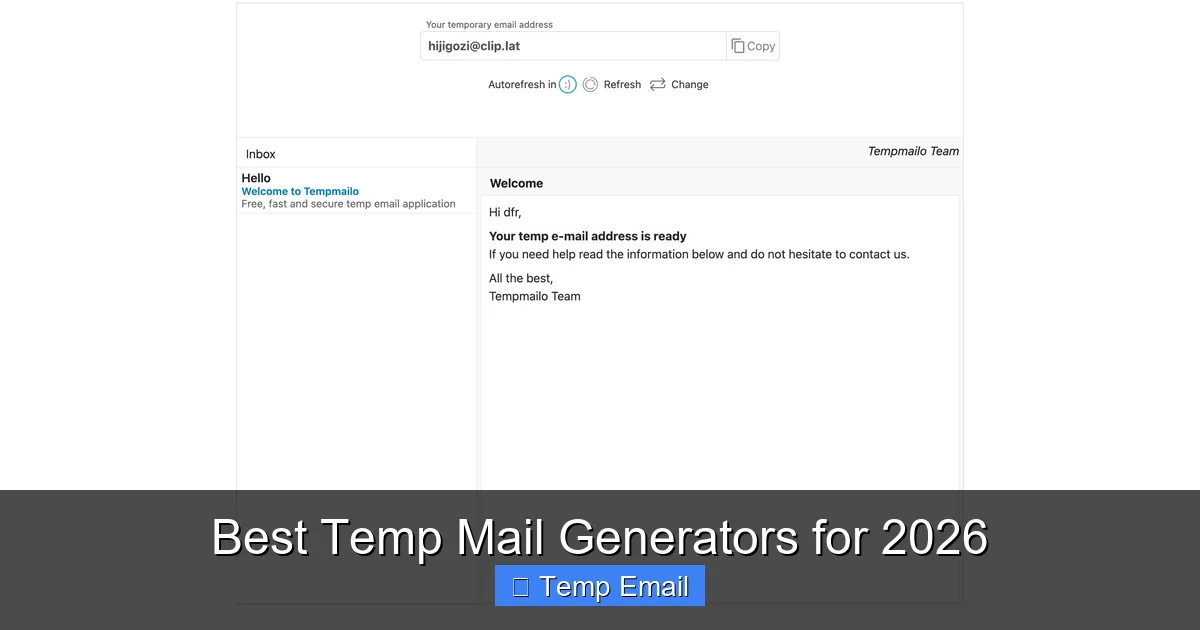
    Browser Extensions and Mobile Apps

    For power users, a dedicated browser extension (like for Chrome or Firefox) is a game-changer. It can generate a temp email address with a single click from any webpage, and sometimes even auto-fill forms. Mobile apps provide the same convenience on the go. This integration streamlines the workflow from “I need an email” to “I have an email” to “I used it” in seconds.

    Security and Privacy Policy Scrutiny

    Even though you’re using a disposable service, you should glance at its privacy policy. Does it claim to log IP addresses? Does it scan email content for advertising? The most reputable services explicitly state they do not log, store, or scan your communications. They treat your session as ephemeral by design. Avoid any service that seems primarily ad-driven with pop-ups, as these can be vectors for malware or phishing.

    Popular, reliable options that consistently score well on these criteria include Temp-Mail, 10MinuteMail, and Guerrilla Mail. They have stood the test of time, offer straightforward interfaces, and reliably deliver emails without unnecessary friction.

    Critical Security Considerations and Limitations

    While incredibly useful, temporary email services are not a silver bullet for all privacy concerns. Understanding their limitations is crucial for using them safely and effectively.

    Temporary Email Services for Quick Verifications

    Visual guide about Temporary Email Services for Quick Verifications

    Image source: sendigram.com

    The “Not for Important Accounts” Rule

    This is the golden rule. Never use a temporary email for any account where recovery, security, or long-term access is vital. This includes:

    • Banking and financial services
    • Primary cloud storage (Google Drive, iCloud, Dropbox)
    • Password managers
    • Main social media accounts
    • Any service where account recovery emails are sent

    If you reset the password on your bank account using a temp email that expires in an hour, you will be permanently locked out. The convenience is not worth the catastrophic risk.

    They Cannot Receive Emails from All Senders

    Some sophisticated platforms actively block known disposable email domains to prevent fake accounts and abuse. If you try to sign up with a temp address and never receive the verification email, this is likely why. In this case, you may need to use a different temp domain or, reluctantly, your real email.

    No Built-in Sending or Long-Term Storage

    These services are receive-only (with few exceptions). You cannot *send* emails from a temporary address. It is a one-way door for incoming messages only. Furthermore, you cannot save an email for later. If you need to keep a confirmation or receipt, copy and paste the text or take a screenshot immediately, because once the inbox expires, the data is gone forever.

    Potential for Abuse and Blacklisting

    Because of their anonymity, temporary emails are sometimes used for malicious purposes like spam or creating fake accounts. As a result, some email services and websites may treat all emails from a disposable domain with suspicion or outright block them. While this is a minor inconvenience for legitimate users, it’s a reality of the ecosystem. Using a less common or newer provider can sometimes mitigate this.

    Best Practices for Seamless Verification

    To make the most of temporary email services and avoid common pitfalls, follow these practical tips.

    Open the Temp Email Tab *Before* Filling the Form

    Don’t wait until you’ve hit “Submit” on a sign-up form. Before you even enter your details, open a new browser tab, navigate to your preferred temp email service, and have the generated address ready. Then, copy and paste it into the form. This way, you’re already watching the inbox as soon as you submit, ready to catch the verification email the moment it arrives.

    Refresh, Don’t Panic, If the Email Is Delayed

    Email delivery, even within the same digital neighborhood, isn’t always instant. If you don’t see the verification email within 30 seconds, don’t assume it failed. Manually refresh the inbox page a few times. Check the spam/junk folder of the temporary inbox itself (some services have this). Wait a full minute or two before concluding the email was blocked or lost.

    Once the email arrives, act with urgency. Click the verification link or copy the activation code. If there’s a download link, right-click and “Save Link As…” or open it in a new tab to start the download. Do not close the email or let the session time out before you’ve extracted the necessary information. The inbox is the only place this data exists.

    Use a Different Browser for Different Tasks

    If you’re managing multiple temporary sign-ups in one session (e.g., testing several tools), use different browsers or private/incognito windows for each. This prevents session cookies from one site from interfering with another and keeps your various disposable inboxes neatly separated in your mind and on your screen.

    Have a Backup Service Ready

    If your go-to temporary email service is down, slow, or the target website blocks its domain, don’t stall. Have a secondary provider bookmarked. Switching to a different service with a different domain (e.g., from @tempmail.com to @mailinator.com) often bypasses domain-based blocks instantly.

    The Future of Disposable Email and Privacy

    The rise of temporary email services is a direct symptom of a broken email economy, where the default is data extraction and spam. As privacy regulations like GDPR and CCPA have given users more rights, the backlash against unwanted emails has grown. We are seeing a parallel trend: the decline of the “single, permanent email address for everything” model.

    Shifting Towards “Email Alias” Services

    The next evolution beyond truly disposable emails is the “email alias” or “masked email” service. Think of Apple’s “Hide My Email” or Firefox’s “Relay” service. These create unique, forwardable email aliases that *do* last longer (weeks, months, or until you delete them) but still protect your primary address. They are a more robust solution for semi-regular use with a specific merchant or service, offering a balance of convenience and control. You can delete the alias at any time, instantly stopping all emails from that source.

    Increased Adoption by Browsers and OS Providers

    Major tech players are integrating privacy-protecting email features directly into their products. This mainstream adoption validates the need for such tools and makes them accessible to less technical users. We can expect this trend to continue, with more operating systems and browsers offering built-in, one-click disposable or masked email generation during form fills.

    The Arms Race: Blocking vs. Evading

    As websites become more aggressive in blocking disposable domains to combat fraud, temporary email providers will evolve. We’ll likely see more providers offering frequently rotating domains, more sophisticated delivery systems to avoid blacklists, and possibly even integration with privacy-focused cryptocurrencies for premium, undetectable tiers. It’s an ongoing cat-and-mouse game between those seeking privacy and those seeking clean, verified user data.

    Conclusion: Reclaim Your Inbox, One Verification at a Time

    Temporary email services are a deceptively powerful tool in the modern digital toolkit. They represent a small but significant act of rebellion against the default model of email—where every address is a data point to be monetized and a gateway to your attention. By using a disposable address for the myriad one-off verifications that pepper our daily browsing, you perform a simple act of data hygiene. You prevent your primary email from being added to another list, reduce your exposure to phishing attempts targeting your main accounts, and keep your sacred inbox a place for communication with people you actually know and services you truly value.

    The process is effortless: generate, copy, paste, verify, discard. There is no learning curve, no cost, and no risk to your core digital identity when used correctly. In a world obsessed with data collection, choosing to use a temporary email for a random website’s sign-up form is a quiet, effective declaration of privacy. It’s a habit that costs you nothing but can save you from a lifetime of spam and potential security headaches. So the next time a website asks for your email to “just verify you’re human,” remember: you have a secret, disposable identity waiting. Use it, and reclaim control of your digital footprint, one quick verification at a time.

    Frequently Asked Questions

    Are temporary email services legal to use?

    Yes, using temporary email services is completely legal in most jurisdictions. They are a legitimate privacy tool. However, using them to commit fraud, evade bans, or send illegal content is, of course, illegal. Their legality stems from the same principles that allow anonymous browsing or using cash.

    Are temporary emails safe from hackers?

    They are safer for your *primary* accounts because they limit exposure. However, the temporary inbox itself is not a secure communication channel. Do not send sensitive information like passwords, financial data, or private documents through a disposable email. The service provider could potentially view it, and the inbox is publicly accessible via the random URL on your screen.

    How long do temporary emails typically last?

    It varies by provider, but common lifespans are 10 minutes, 1 hour, or 24 hours. The expiration time is usually displayed on the inbox page. Always assume the address and its contents will be gone forever once that timer hits zero.

    Can I send attachments with a temporary email?

    Most major temporary email services allow you to receive attachments, though they often impose strict size limits (e.g., 10-25 MB). You can usually download these attachments directly from the inbox interface. Sending attachments is almost never supported, as the service is designed for receiving one-time verification emails.

    Why would a website block a temporary email domain?

    Websites block known disposable email domains to reduce spam account creation, fraud, and abuse of free trials or promotions. They want to ensure users are providing a real, persistent email address they control. If your temp email is blocked, you’ll typically see an error message during sign-up, or the verification email will simply never arrive.

    What’s the difference between a temporary email and an email alias?

    A temporary email is a fully separate, standalone inbox that expires and is deleted. An email alias (like Apple’s Hide My Email) is a unique forwarding address. Emails sent to the alias are automatically forwarded to your real, permanent inbox. You can manage, delete, or stop the alias at any time from your account settings, but the underlying inbox remains your own. Aliases offer more control and longevity for semi-regular use.

  • Temp Email for Anonymous Website Access

    Temp Email for Anonymous Website Access

    Temp email services provide throwaway email addresses for anonymous website access, shielding your personal inbox from spam, data harvesting, and unwanted tracking. They are ideal for one-time sign-ups, downloading content, or accessing gated pages without commitment. While powerful for privacy, they aren’t for secure transactions or long-term accounts. Understanding their proper use and limitations is key to leveraging them effectively.

    Key Takeaways

    • Primary Purpose: Temp emails are designed for short-term, anonymous interaction with websites to avoid contaminating your primary email with spam and marketing lists.
    • Perfect for One-Time Tasks: Use them for forum registrations, downloading whitepapers, accessing paywalled articles, or testing services where you have no intention of maintaining an account.
    • Not for Security-Critical Use: Never use a disposable address for banking, primary social media, password recovery, or any service where account recovery and long-term access are vital.
    • Inherent Limitations: Most temp inboxes expire (hours to days), have no search/organization, and cannot receive emails from other temp services or some secured corporate domains.
    • Anonymity vs. Privacy: While they hide your real email, the temp service provider *can* see the emails you receive. For high-stakes anonymity, additional tools like VPNs or Tor are needed.
    • Websites May Block Them: Many popular platforms actively block known temp email domains to prevent abuse, so success isn’t guaranteed for every site.
    • Simple & Instant: The core advantage is speed—no registration, no password, just copy, paste, and forget.

    What Exactly Is a Temp Email for Anonymous Access?

    Imagine you need to read a groundbreaking article behind a “subscribe to our newsletter” wall, or you want to download a free template from a site that demands an email. You know giving your real, primary email address will likely lead to a cluttered inbox filled with promotions you never wanted. This is where a temporary email, often called a “temp mail” or “disposable email,” becomes your digital shield.

    A temp email is a randomly generated, short-lived email address provided by a specialized service. You don’t create an account; you simply visit the provider’s website, and they serve you an inbox address like [email protected]. You use this address on the target website. Any confirmation or content email sent to that address appears in the temporary inbox displayed on the provider’s site. Once you’ve got what you needed, you close the tab. The address and its inbox typically vanish forever after a set period—often just 10 minutes to 48 hours.

    The Core Principle: Separation of Concerns

    The philosophy is simple: separate your permanent, valuable digital identity (your primary email) from your transient, low-stakes interactions. Your primary email is a key to your online life—linked to banks, social networks, work, and family. It’s a high-value target for spam and data brokers. A temp email is a single-use, sacrificial token. It absorbs the spam and marketing outreach so your main channel stays clean. It’s the digital equivalent of using a burner phone for a Craigslist meet-up, but for your inbox.

    How Do Temp Email Services Actually Work? A Step-by-Step

    The mechanics are beautifully simple, which is part of their appeal. Let’s walk through a typical anonymous access scenario.

    Temp Email for Anonymous Website Access

    Visual guide about Temp Email for Anonymous Website Access

    Image source: is1-ssl.mzstatic.com

    Step 1: Generation Without Registration

    You navigate to a site like Temp-Mail.org, 10MinuteMail.com, or GuerillaMail.com. The moment the page loads, the service’s backend generates a unique email address and a corresponding, private inbox for your browser session. This address is yours to use for the lifespan of that browser tab or session cookie. No username, no password, no two-factor authentication.

    Step 2: Copy, Paste, and Receive

    You copy the generated address ([email protected]) and paste it into the email field on the website you’re trying to access. You proceed through the sign-up or download process. When that site sends a confirmation link or a download file, it routes to the temp service’s servers. The temp service detects incoming mail for your specific random address and displays it in the inbox widget on your original tab.

    Step 3: Access and Action

    You refresh the temp mail page (if not auto-refreshing), see the new email, click any links, or download attachments directly through the temp service’s interface. You complete your goal—verified account, downloaded file, read article.

    Step 4: Inevitable Expiration

    After the timer runs out—which could be 10 minutes, 1 hour, or 1 day depending on the service—the email address is retired. The inbox is wiped from the server. Any future emails sent to that address bounce back. The digital breadcrumb is erased.

    Ideal Use Cases: When to Reach for a Temp Email

    Knowing *when* to use a disposable address is as important as knowing *how*. Here are the prime scenarios where they shine.

    Temp Email for Anonymous Website Access

    Visual guide about Temp Email for Anonymous Website Access

    Image source: is1-ssl.mzstatic.com

    Gated Content & Lead Magnets

    This is the #1 use case. A blog offers a “free ebook” or “template library” in exchange for an email. You want the resource but not the ensuing weekly newsletter. Use a temp email. You get the download link instantly, and the publisher’s CRM gets a dead-end address. Your primary inbox thanks you.

    Forum or Comment Section Registration

    You want to contribute to a niche forum or comment on an article once. The site requires registration. A temp email lets you create that account, post your comment or question, and vanish. You avoid a lifetime of digest emails and potential data breaches from that specific forum.

    Software or Service Trial Sign-Ups

    Need to test a SaaS tool for 7 days? Many require a credit card upfront, but some just need an email for the trial login. Use a temp address for the initial sign-up. You can often still use the trial for its duration. (Note: For paid trials requiring payment details, use a dedicated virtual card, not your main one, and still consider a temp email for the contact).

    Downloading from “Suspicious” or Low-Trust Sites

    You find a niche software or file on a less-reputable website. The download button triggers an “email verification” pop-up. Using your real email here is a spam risk. A temp email lets you bypass the gate while containing the risk. If the file is malware, at least you didn’t hand over your real contact.

    Avoiding Price Discrimination & Tracking

    Some e-commerce or travel sites may track email addresses to build profiles and potentially influence pricing or targeted ads. Using a fresh, anonymous temp email for initial browsing can help create a cleaner, less-tracked session, though using a VPN/incognito mode is more effective for this specific goal.

    Critical Limitations and Risks You Must Know

    Temp emails are a tool, not a magic solution. Using them incorrectly can backfire. Understanding their boundaries is non-negotiable for safe and effective use.

    Temp Email for Anonymous Website Access

    Visual guide about Temp Email for Anonymous Website Access

    Image source: is3-ssl.mzstatic.com

    They Are Not for Security or Identity

    This is the golden rule. Never, ever use a temp email for:

    • Password Recovery: If you forget your password for a service tied to a temp email, you are permanently locked out.
    • Banking, Financial, or Crypto Accounts: These require verified, stable contact information. Using a temp address will likely fail verification or violate terms of service.
    • Primary Social Media or Professional Accounts: Your LinkedIn, Facebook, or main Twitter account is your digital identity. It must be recoverable and permanent.
    • Government Services, Official Documents, or Legal Contracts: These require legally verifiable communication channels.

    Service Blocking and Detection

    Major platforms like Google (Gmail), Microsoft (Outlook/Hotmail), Facebook, Instagram, Twitter/X, and many educational or corporate (.edu, .gov) domains actively maintain and update blocklists of known temp email domains. If you try to sign up with @tempmail.demo on Facebook, it will be rejected instantly. You must check if the target site allows disposable addresses before relying on one.

    Lack of Features and Control

    You are a guest in someone else’s inbox. You cannot:

    • Set up folders or filters.
    • Search beyond the current session’s received mail.
    • Send emails from the temp address (most services are receive-only).
    • Access the inbox after the session expires or you close the browser.
    • Guarantee the email won’t be scanned by the temp service provider (more on privacy next).

    The Privacy Paradox: Who Sees Your Emails?

    You are trusting the temp email service with the content of the messages you receive. While reputable services don’t actively log or sell content (they make money from ads on their site), the technical reality is: the service provider can read any email sent to that address. For most anonymous access scenarios (a forum confirmation link), this risk is negligible. For receiving a sensitive document or private communication, it is absolutely unacceptable. True end-to-end encrypted anonymity requires different tools, like using a secure, self-hosted email forwarder with Tor.

    Best Practices for Safe & Effective Use

    To master the art of the temp email, follow these practical guidelines.

    Always Have a Backup Plan

    Before you submit a temp email on any site, ask yourself: “What happens if I need to recover this account or receive a critical update from this service in a week?” If the answer is “I’d be locked out,” don’t use a temp email. For forums or downloads, it’s fine. For any service you might value later, use your real email or a dedicated secondary email (like one from ProtonMail or Tutanota) that you check occasionally.

    Check the Domain’s Reputation

    Not all temp mail services are equal. Some are more reliable, have longer expiration times, or are less likely to be blocked. Do a quick search for “best temp email 2024” to find currently active, reputable providers. Avoid services that look overly spammy or laden with misleading download buttons.

    Use a Dedicated Browser or Profile

    For maximum anonymity between your temp session and your real identity, use your browser’s “Incognito” or “Private” window. This prevents cookie tracking from the target website from linking your temp email activity to your regular browsing profile. Even better, use a separate browser profile entirely for anonymous tasks.

    Never Use for Account Creation on Core Services

    Reiterating the cardinal rule: Your email is your identity key for Apple ID, Google Account, Microsoft Account, main banking, PayPal, etc. These must be tied to a permanent, secure, and recoverable email you control. A temp email is a single-use ticket, not a master key.

    Be Mindful of Attachment Limits

    Many temp mail services have strict limits on attachment size (often 10-25MB) or may block certain file types (.exe, .zip) for security. If you’re expecting a large file, check the service’s terms first.

    The Future Landscape and Evolving Defenses

    The cat-and-mouse game between those seeking anonymous access and platforms trying to prevent abuse is ongoing. As spam and fraud tactics evolve, so do defenses.

    Why Websites Block Temp Emails

    It’s not just about being difficult. Temp emails are disproportionately used for:

    • Creating spam accounts to post malicious links.
    • Bypassing bans (a user banned from a forum creates a new account with a temp email).
    • Abusing free trials by creating hundreds of accounts to get extended free access.
    • Fraudulent sign-ups for promotions or giveaways.

    From a site operator’s perspective, blocking these domains reduces server load, improves data quality (real users), and lowers fraud risk. It’s a defensive, albeit blunt, instrument.

    The Rise of “More Permanent” Disposables

    In response, some services now offer “temporary” emails that last for 7 days, 30 days, or even 6 months. These look more like real email accounts but are still designed for anonymity and easy deletion. They can sometimes bypass simpler blocklists that only target the 10-minute mail domains. However, they still lack full email client functionality.

    Alternatives for the Privacy-Conscious

    For users who need a separate, more functional, but still private email, consider:

    • Alias Services: like SimpleLogin, AnonAddy, or Firefox Relay. These create unique, forwardable email aliases (e.g., [email protected]) that forward to your real inbox. You can disable an alias at any time. They are more persistent than a 10-minute mail but offer the same spam-blocking benefit with better control.
    • Encrypted Email Providers: ProtonMail, Tutanota, Mailfence. These offer secure, privacy-focused email accounts. You can create a secondary account with these for sign-ups, offering a balance of permanence and strong privacy (with no data scanning).

    These alternatives require a primary account but provide a cleaner, more manageable system for long-term privacy than juggling dozens of 10-minute mail tabs.

    Conclusion: A Niche Tool for a Specific Job

    A temp email for anonymous website access is a brilliant, simple tool in the digital privacy toolkit. It excels at its narrow purpose: allowing you to interact with the web’s countless “email gates” without sacrificing your primary communication channel to spam and data miners. It empowers you to say “no” to unwanted newsletters and “yes” to that free resource you actually need.

    However, its power is precisely limited to that narrow scope. It is not a substitute for a secure, permanent identity. It is a disposable shield, not an impregnable fortress. By understanding its mechanics, respecting its limitations, and applying the best practices outlined above, you can use these services effectively and safely. The goal is informed, intentional use: deploy a temp email when the interaction is fleeting and the risk is low, and reserve your real, valuable email address for the digital relationships and services that truly matter to you. In the ongoing effort to control your digital footprint, the temp email is a handy, first-line defense against inbox pollution.

    Frequently Asked Questions

    Is using a temp email legal?

    Yes, using a temporary email service is completely legal in virtually all jurisdictions. The service itself operates within the law. The legality only comes into question if the disposable address is used for fraudulent activities, which is illegal regardless of the email type used.

    Are temp emails safe from hackers?

    They are safe from hackers targeting your identity, as the address is random and not linked to you. However, the temporary inbox itself is not encrypted or password-protected. Anyone with the unique URL to your specific inbox tab could, in theory, view the emails until the session expires. For highly sensitive info, they are not safe.

    How long do temp emails last?

    It varies by provider. Common expiration times are 10 minutes, 1 hour, 1 day, or 1 week. Some services allow you to extend the time manually. Always check the specific service’s countdown timer to know how long you have to access your received emails.

    Can a website block a temp email?

    Absolutely. Most major websites ( social media, Google, Microsoft, large e-commerce) maintain blocklists of domains from popular temp mail services. If you try to sign up with an address from a blocked domain, the site will reject it immediately, often with an error message like “Please use a valid email address.”

    What happens if I need to recover an account later?

    You cannot. Since you don’t control the temp email domain and the inbox is deleted, password recovery links will bounce. This is why you must never use a temp email for any account you might need to access again in the future. The account is permanently lost if you forget the password.

    What are the best alternatives to a 10-minute temp email?

    For a slightly more permanent but still private solution, use an email alias service (like SimpleLogin or Firefox Relay) or create a secondary account with a privacy-focused provider (like ProtonMail). These give you a unique, forwardable address you control and can disable, without using your primary Gmail or Outlook address.