
Tired of your inbox being flooded with spam? Temp mail—or temporary/disposable email—is your first line of defense. It gives you a throwaway email address for signing up to websites, downloading content, or accessing services, keeping your primary email private and spam-free. By using a temporary address that auto-deletes after a short time, you sever the link between your real identity and online forms, effectively stopping spam at its source. It’s a simple, free, and powerful tool for reclaiming your digital privacy.
Key Takeaways
- Shield Your Primary Email: Temp mail creates a barrier between your real, permanent email address and the countless online forms that sell or leak data to spammers.
- No Registration Required: Most temp mail services generate an inbox instantly—no sign-up, no password, no personal details needed to start receiving emails.
- Automatic & Inevitable Deletion: These addresses and their emails expire after a set period (often 10 minutes to 24 hours), ensuring any future spam sent to that address vanishes without ever reaching you.
- Ideal for One-Time Interactions: Perfect for downloading a free ebook, accessing a gated article, or registering for a forum account you’ll rarely use.
- Not for Critical Accounts: Never use temp mail for banking, primary social media, or any service where account recovery is essential, as you will permanently lose access.
- Combine for Best Results: Use temp mail for initial sign-ups, then switch to a dedicated secondary email for ongoing communication with trusted services.
- It’s a Privacy Tool, Not a Hacker Tool: While excellent for privacy, reputable services do not allow sending malicious emails; they are for receiving only and are often monitored for abuse.
📑 Table of Contents
- The Inbox Invasion: Understanding the Spam Problem
- What is Temporary Email? Your Disposable Digital Shield
- The Core Benefits: Why Temp Mail is Your Anti-Sam Weapon
- Step-by-Step Guide: Using Temp Mail Effectively
- Important Limitations: What Temp Mail Can’t Do
- Best Practices and Advanced Strategies
- Conclusion: Reclaim Your Digital Peace of Mind
The Inbox Invasion: Understanding the Spam Problem
Open your email app right now. What do you see? A mix of important messages from your boss, a newsletter you actually wanted, and… a mountain of junk. “Congratulations! You’ve won a lottery you never entered!” “Your package is delayed—click here!” “Urgent: Your bank account needs verification!” This is spam, and it’s more than just a nuisance. It’s a relentless invasion that wastes our time, clutters our digital lives, and poses real security risks through phishing scams and malware.
But where does all this spam come from? Often, from the very act of trying to engage with the legitimate internet. Every time you sign up for a new service, download a free resource, or comment on a blog using your real email, you’re handing over a key to your inbox. That company might sell your email to data brokers. A website might suffer a data breach. A disgruntled employee might export the user list. Your single email address becomes a commodity, traded and retraded, until spam bots find it and the floodgates open.
Why Your Main Email is a Bullseye
Your primary email address—the one tied to your bank, your Apple ID, your family—is the crown jewel. It’s permanent, valuable, and connected to everything. Because it’s so important, spammers target it aggressively. Once it’s on a spam list, it’s nearly impossible to get off. Unsubscribing often just confirms to the sender that your address is active, leading to even more spam. This creates a vicious cycle where your attempt to engage with a legitimate site indirectly fuels the spam machine targeting your most critical account.
What is Temporary Email? Your Disposable Digital Shield
Imagine if, instead of giving out your home address to every store for a free sample, you could provide a special, temporary PO box that self-destructed after one use. That’s the core concept behind temporary email, often called “temp mail” or “disposable email.” It’s a service that provides you with a random, working email address for a short, predefined period—usually anywhere from 10 minutes to 24 hours—without requiring any personal information to create it.
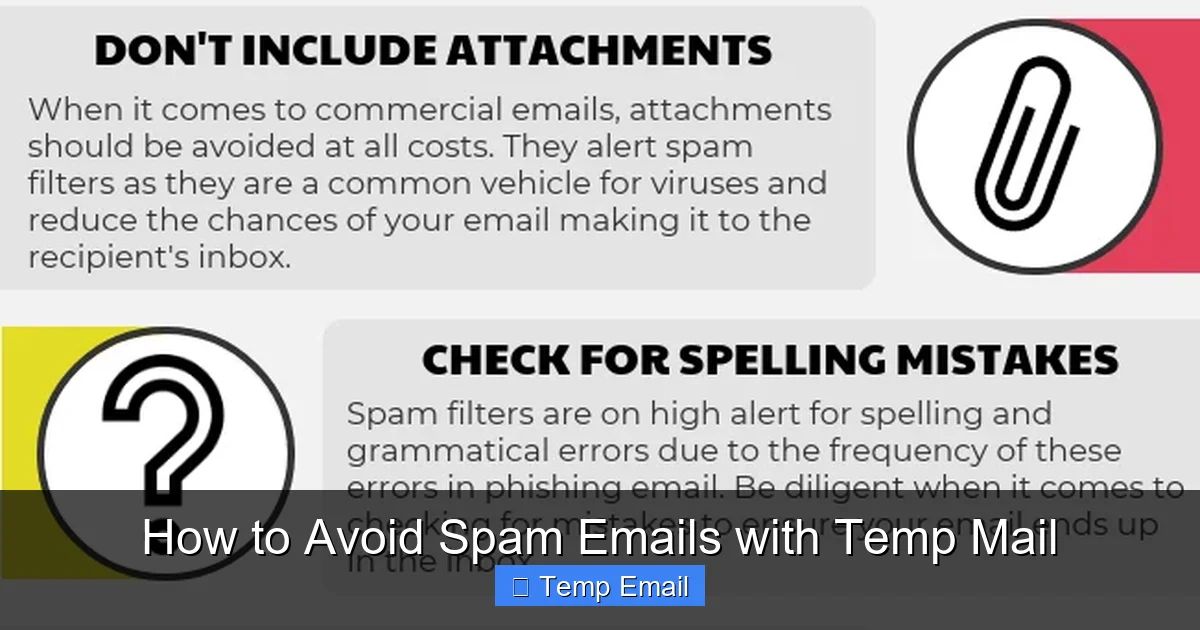
Visual guide about How to Avoid Spam Emails with Temp Mail
Image source: lessitermedia.com
These services are designed for one purpose: receiving emails for a specific, limited task. You go to a website like Temp-Mail.org, Guerrilla Mail, or 10MinuteMail, and an inbox is instantly generated for you with a random address (e.g., [email protected]). You copy that address, paste it into the sign-up form for that free webinar or software trial, and then check the temp inbox for the confirmation link. Once you’ve gotten what you needed, you simply close the browser tab. After the time expires, the address and all its history are permanently deleted from the service’s servers. It never touched your real inbox.
How Temp Mail Differs from Your Regular Email
The differences are fundamental. Your Gmail or Outlook account is persistent, secure (with 2FA), and designed for long-term identity and communication. You own it, you manage it, and it’s tied to your identity. Temp mail is ephemeral, anonymous by design, and has zero long-term value. It’s like comparing a permanent home address to a burner phone. You wouldn’t give your home phone number to a sketchy vendor at a market; you’d use a disposable number. Temp mail applies that exact logic to your email address. It severs the chain of data linkage at the point of entry.
The Core Benefits: Why Temp Mail is Your Anti-Sam Weapon
Using a temporary email address isn’t just a trick; it’s a strategic shift in how you manage your digital footprint. The benefits cascade from that single act of keeping your primary address private.

Visual guide about How to Avoid Spam Emails with Temp Mail
Image source: anonymmail.net
Benefit 1: Unparalleled Privacy and Anonymity
When you use temp mail, you are not providing any traceable information. No name, no phone number, no link to your other accounts. The address itself is a random string of characters. For websites that collect email addresses solely for marketing or data aggregation, you are giving them a dead end. They have an address that will cease to exist in an hour. This drastically reduces the amount of personal data floating around in corporate databases and data broker lists.
Benefit 2: Drastic Inbox Hygiene and Focus
This is the most immediate and satisfying benefit. Your primary inbox becomes a sanctuary for only what matters: emails from real people you know and services you intentionally and permanently subscribed to. No more sifting through hundreds of promotional blasts from a site you visited once three years ago. This saves mental energy, reduces stress, and ensures you never miss an important email because it got lost in a spam tsunami.
Benefit 3: Robust Security Against Phishing and Scams
Phishing emails rely on you trusting the sender and clicking a malicious link. While temp mail won’t stop a scammer from *sending* to a temp address, it ensures that any phishing attempt targeting “you” via your primary email channel is impossible because that channel is not compromised. The scammer has the temp address, which is already dead. More importantly, it protects you from “credential stuffing” attacks where hackers use email/password combos from other breaches. If your primary email never appeared in a breach because you always used temp mail for sign-ups, you’re safe from that specific attack vector.
Benefit 4: Zero Commitment and Zero Cost
There’s no subscription fee, no premium tier you need to worry about. The core service is free. You also have zero commitment. If a website insists on an email for a free trial and you get cold feet, just use a temp address. If you decide later you actually want the service, you can always provide your real email later. It removes the pressure and risk of that initial “gatekeeper” email field.
Step-by-Step Guide: Using Temp Mail Effectively
Knowing the theory is great, but how do you actually use this tool in your daily browsing? Here’s a practical, no-nonsense guide.

Visual guide about How to Avoid Spam Emails with Temp Mail
Image source: getmailbird.com
Step 1: Choose a Reputable Service
Not all temp mail services are created equal. Look for one with a clean interface, reliable email delivery (sometimes confirmation emails get delayed or lost), and a clear expiration timer. Popular, reliable options include Temp-Mail.org, 10MinuteMail.com, and Guerrilla Mail. Avoid obscure services with lots of ads or that ask for suspicious permissions. Bookmark your chosen service for quick access.
Step 2: Generate Your Disposable Address
Navigate to your chosen service’s website. Within seconds, you’ll see your new, random email address and an inbox interface. Copy the address to your clipboard. Most services also let you manually choose a domain or a slightly more readable address if the random one is too complex.
Step 3: Use It for the Sign-Up
Go to the website or service you want to access. Paste the temp email address into the email field. Fill out any other required (non-email) information and proceed. If it’s a download, click the “send download link” button. If it’s a registration, submit the form.
Step 4: Retrieve the Confirmation or Content
Switch back to your temp mail tab. You should see a new email arrive within a minute or two, often instantly. Click on it to view its contents. Find the confirmation link, the download button, or the access code. Click the link or copy the code back to the original site to complete your action. Important: Do this quickly! You are racing against the service’s countdown timer.
Step 5: Done. Walk Away.
Once you’ve received the necessary email and completed your task, simply close the browser tab. You do not need to “delete” anything. The service will automatically purge that address and all its emails when the timer hits zero. That address is now dead. Any future emails sent to it will bounce or be discarded.
Practical Example: Downloading a Free Ebook
You find a fantastic marketing ebook titled “The Ultimate Guide to SEO.” To download, you must enter your email. Here’s the temp mail workflow:
- Open a new tab, go to Temp-Mail.org. Your address appears: [email protected].
- Copy it. Go back to the ebook landing page. Paste it. Click “Send My Free Ebook.”
- Switch to the temp mail tab. An email from “MarketingPros” arrives. Open it. Click the big blue “Download PDF” button.
- The ebook downloads. You close the temp mail tab. In 60 minutes, [email protected] ceases to exist. MarketingPros now has a dead email. They can’t add you to their weekly newsletter spam list. Your primary inbox is safe.
Important Limitations: What Temp Mail Can’t Do
Temp mail is a powerful tool, but it has clear boundaries. Understanding these limitations is crucial to using it safely and effectively.
Limitation 1: It’s for Receiving, Not Sending (Usually)
The vast majority of temp mail services are receive-only. You cannot compose and send emails from a temporary address. This is by design to prevent abuse for spam or fraud. If a service requires you to *send* an email (like a contact form), you’ll need a real address. Also, you cannot reply to emails sent to your temp address. The address is a one-way street for incoming messages only.
Limitation 2: Not for Account Recovery or Important Services
This is the golden rule. Never, under any circumstances, use a temporary email for:
- Banking, financial services (PayPal, Venmo)
- Primary email accounts (Gmail, Outlook, iCloud)
- Social media profiles you want to keep (Facebook, Instagram, Twitter)
- Government services, healthcare portals, or official documents
- Any service where you might need to reset a password years from now
If you do, and the service emails a password reset link to that temp address, you will be permanently locked out when the address expires. These accounts require a permanent, accessible email for recovery.
Limitation 3: Some Websites Block Them
Many popular platforms (like Google, Apple, Facebook, major banks) actively detect and block known temp mail domains from their sign-up processes. They do this to reduce fraud and ensure users provide real contact information. If you try to use a temp address on these sites, you’ll get an error message saying the email is invalid. This is a feature, not a bug, as it tells you that service is too important to use a disposable address for anyway.
Limitation 4: Short Lifespan Means No History
You cannot use a temp address to build a long-term relationship with a service. If you sign up for a weekly newsletter with a temp address, you will only receive one or two issues before the address dies. This is the point, but it means temp mail is useless for any ongoing subscription or communication.
Best Practices and Advanced Strategies
To move from basic usage to mastery, incorporate these strategies into your routine.
Strategy 1: Use a Dedicated Secondary Email for “Semi-Permanent” Needs
For services you use regularly but don’t consider critical—like a forum you post on weekly, a non-primary streaming service, or a store loyalty program—create a dedicated secondary email address with a provider like Gmail or ProtonMail. Use this for all sign-ups that aren’t one-time downloads. This creates a second layer of defense. Your primary inbox gets only the most essential emails (family, work, critical accounts), your secondary gets commercial and semi-regular newsletters, and your temp mail handles the one-off stuff. This three-tier system is optimal for inbox management.
Strategy 2: Check the Expiration Timer
Not all temp mail services are equal. Some give you 10 minutes, others 24 hours. Before you start a process (like waiting for a confirmation email that can sometimes be delayed), check the countdown. If you’re using a 10-minute service for a site known to send slow emails, you might run out of time. Choose a service with a longer window (like 1 hour) if you anticipate a delay.
Strategy 3: Don’t Use It for Two-Factor Authentication (2FA)
2FA codes are time-sensitive and critical for security. Never have them sent to a temporary address that might expire before you can use the code. Always use your primary, permanent email or, even better, an authenticator app (like Google Authenticator or Authy) for 2FA.
Strategy 4: Combine with a Password Manager
Your workflow can be: 1) Generate temp mail. 2) Create a strong, unique password for the new site (your password manager can generate and store it). 3) Use the temp email for sign-up. 4) Since you never intend to log in again (for a one-time download), you don’t even need to save the login in your manager. This combo of unique passwords + disposable emails is a powerful one-two punch against data breaches and spam.
Conclusion: Reclaim Your Digital Peace of Mind
The internet doesn’t have to be a place where you sacrifice your email address at every turn. Spam is a direct result of our primary email being overexposed. Temp mail flips the script. It gives you a simple, free, and effective tool to engage with the web on your terms, without sacrificing your privacy or polluting your most important digital space. By adopting the habit of using a disposable address for any sign-up that feels promotional, gated, or non-essential, you build an invisible force field around your permanent inbox. You’ll notice the difference within days: less clutter, fewer distractions, and a significantly reduced risk of falling for phishing scams. Start today. Open a new tab, generate a temp address, and use it for your next free download or newsletter sign-up. Take back control, one disposable inbox at a time.
Frequently Asked Questions
Is using temporary email safe and legal?
Yes, using reputable temp mail services is completely safe and legal. It’s a standard privacy tool. However, using it to commit fraud, send spam, or create malicious accounts is illegal. The service itself is a neutral tool; its legality depends on your use case, which should be for protecting your own privacy.
How long do temporary email addresses and their emails last?
It varies by service, but most temporary addresses expire between 10 minutes and 24 hours after creation. The inbox and all emails within it are permanently deleted upon expiration. Always check the specific timer on the service you are using.
Can I send emails from a temporary address?
Almost never. Temp mail services are designed almost exclusively for receiving emails. They typically block outgoing mail to prevent abuse for spam and fraud. Their purpose is to receive a single confirmation or download link, not to establish a two-way communication channel.
What happens if I need to recover an account I signed up with a temp email?
You won’t be able to. This is why the cardinal rule is to never use temp mail for any account you might need to access in the future, especially those with recovery options. If you forget a password for such an account, the reset email will go to an address that no longer exists, locking you out permanently.
Are all temporary email services free?
The vast majority of basic temp mail services are free. They are supported by ads on their websites. Some may offer premium features (like custom domains or longer expiration times) for a fee, but for the core function of receiving a few confirmation emails, free services are perfectly adequate and reliable.
Do all websites accept temporary email addresses?
No. Many high-security or high-value platforms (like Google, Apple, major banks, and social media giants) actively detect and block known temporary email domains during sign-up. They require a permanent, verifiable email address. This is a feature, as it prevents these critical services from being associated with disposable addresses.
Leave a Reply