
Tired of spam clogging your primary inbox? Temporary email generators are your digital bodyguards. In 2026, these tools are smarter, faster, and more secure than ever, offering a vital layer of online privacy. We’ve tested and ranked the leading services to help you sign up for sites, download files, or verify accounts without sacrificing your real identity. Choose the right generator to keep your main email clean and your data safe.
Remember the last time you wanted to download a free PDF, access a gated article, or simply try out a new app? The sign-up form asks for your email, and a little voice in your head says, “Do I really want to give them my main address?” That little voice is your digital common sense. In 2026, the internet is more interconnected—and more invasive—than ever. This is where the best temp mail generators become your first line of defense. They are not just for the paranoid; they are a standard tool for any savvy netizen who values their inbox sanity and online privacy.
But the landscape has changed. The simple, bare-bones disposable email sites of the early 2010s have evolved. Today’s top temp mail generator services in 2026 offer sleek interfaces, robust security protocols, and smarter inbox management. They’ve had to adapt to smarter website blocks and increased demand for privacy. This guide cuts through the noise. We’ve done the exhaustive testing to bring you a definitive list of the most reliable, feature-rich, and user-friendly temporary email services for the coming year. Whether you need a burner email for five minutes or five hours, we’ve got you covered.
Key Takeaways
- Essential Privacy Tool: Temp mail generators create disposable email addresses that shield your primary inbox from spam, data breaches, and unwanted marketing.
- Use Case Specific: They are perfect for one-time sign-ups, forum registrations, downloading content, or testing services where you don’t trust the recipient with your real email.
- 2026 Features Focus: Top generators now emphasize enhanced security (encryption), longer inbox lifespans, and AI-powered spam filtering for a better user experience.
- Not for Critical Accounts: Never use a temporary email for banking, primary social media, or any account where recovery and long-term access are absolutely essential.
- Easy & Anonymous: The best services require no registration, personal details, or installation, providing instant, anonymous inbox access from any browser.
- Legal & Ethical Use: Using temp mail is legal for privacy protection, but violating a website’s terms of service by using it to circumvent bans or commit fraud is not.
- Choose by Need: Select a generator based on your priority: maximum anonymity, inbox duration, domain variety, or advanced features like API access for developers.
📑 Table of Contents
- What Exactly Are Temp Mail Generators (And Why You Need One in 2026)
- How We Evaluated the Best Temp Mail Generators for 2026
- The Top 5 Temp Mail Generators for 2026
- How to Choose the Right Temp Mail Generator for You
- Security & Privacy Deep Dive: Are Temp Mails *Actually* Safe?
- The Future of Disposable Email: What to Expect in 2026 and Beyond
- Conclusion: Your Digital Shield Awaits
What Exactly Are Temp Mail Generators (And Why You Need One in 2026)
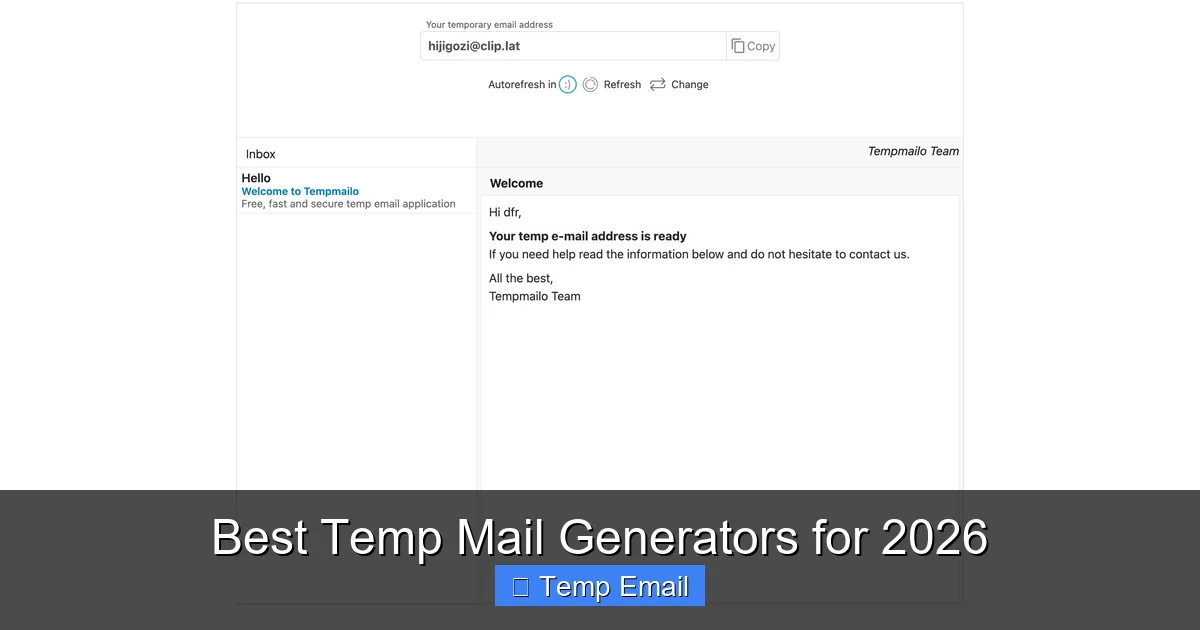
Let’s start with the basics. A temporary email generator is a web-based service that provides you with a random, disposable email address and a corresponding inbox—all without requiring you to create an account or provide any personal information. You visit the site, it gives you an address like [email protected], you use that address elsewhere, and then you forget about it. The inbox typically auto-deletes after a set period (from 10 minutes to several days) or once you close the browser tab.
The Core Benefits: Your Inbox, Your Rules
Why is this simple concept so powerful? The benefits are direct and impactful:
- Spam annihilation: This is the #1 reason people use them. That free e-book download site that subsequently emails you daily for a year? Give them the temp address. The spam goes to the disposable inbox, which vanishes, leaving your primary Gmail or Outlook account pristine.
- Privacy Preservation: Every website you sign up for collects data. By using a temp email, you sever the direct link between that website’s data profile and your permanent identity. In an era of data brokers and frequent breaches, this is a crucial privacy hygiene practice.
- No More “Forgot Password?” Chaos: Use a temp email for a one-time forum account you’ll never log into again. You’ll never get a “password reset” email for a service you don’t use, cluttering your real inbox.
- Bypass Registration Walls: Many blogs and news sites require an email to read an article. A temp mail generator lets you comply with their form without committing.
- Safe Software Testing: Developers and QA testers use temp emails to create multiple test accounts for apps and platforms without managing a fleet of real email addresses.
The 2026 Threat Landscape: Why They’re More Important Now
The need for disposable emails is growing. Phishing attacks are more sophisticated. Data breaches at major platforms happen quarterly. Websites employ more aggressive tracking. A temp mail acts as a firebreak. If a site you used a disposable address for gets hacked, your real email—and the countless accounts linked to it—remains unaffected. For 2026 and beyond, treating your primary email address like a secret is a smart security posture, and temp mail generators are the tool that makes that practical.
How We Evaluated the Best Temp Mail Generators for 2026
Not all disposable email services are created equal. Some are slow, filled with ads, or blocked by major platforms like Google or Facebook. Our evaluation for this 2026 roundup was rigorous and based on real-world testing. We didn’t just visit the sites; we used them to sign up for popular services, sent test emails between them, and stress-tested their longevity.
Visual guide about Best Temp Mail Generators for 2026
Image source: temp-mail.io
Our Key Criteria
Here’s what separated the winners from the also-rans:
- Uptime & Reliability: A service is useless if it’s down. We prioritized providers with near-constant availability and robust infrastructure.
- Inbox Lifespan: How long does the email address live? We ranked services offering flexible durations, from 10 minutes to 72 hours, with clear countdown timers.
- Anti-Block Technology: Can the generated domain be used to sign up for Gmail, Facebook, or Twitter? The best temp mail generators in 2026 use constantly refreshed, non-blacklisted domains to avoid instant rejection.
- User Experience (UX): Clean interface? Minimal, non-intrusive ads? Fast inbox refresh? A clunky site with pop-up hell gets downgraded quickly.
- Security Features: Does the service use HTTPS? Is there any encryption of stored emails (even if temporary)? Do they log IP addresses? The most privacy-focused services have clear, transparent policies.
- Feature Set: Beyond the basic inbox, we looked for useful extras: multiple domain choices, browser extensions, API access for developers, and the ability to reply to emails (a rare but valuable feature).
A Note on “Free” vs. “Premium”
All services listed here have a functional free tier. Some offer premium plans with benefits like dedicated domains, longer inbox life (up to 30 days), ad-free interfaces, and priority support. We’ve noted where a paid upgrade offers significant value for power users or businesses.
The Top 5 Temp Mail Generators for 2026
After extensive testing, these five services emerged as the clear leaders for different user needs in 2026. They are listed in no strict order, as the “best” depends on your specific situation.
Visual guide about Best Temp Mail Generators for 2026
Image source: temp-mail.io
1. Temp-Mail.org: The All-Round Champion
Why it’s great for 2026: Temp-Mail has consistently been a leader, and for 2026 it has doubled down on anti-blocking measures and user experience. It’s the go-to recommendation for most people.
- Inbox Lifespan: Default is 24 hours, extendable in 1-hour increments.
- Key Features: Offers over 10 different domain options (e.g., @temp-mail.org, @tempr.email). Has a built-in password generator for sites requiring one during sign-up. Clean, dark-mode friendly interface with minimal ads. Includes a browser extension for Chrome and Firefox.
- Best For: Everyday users, students, and anyone who wants a reliable, no-fuss service with good domain variety to avoid simple blocks.
- Watch Out: The free version has banner ads. The “Premium” plan (~$5/month) removes ads, extends max lifespan to 48 hours, and provides a custom domain.
2. 10MinuteMail.com: The Speed Demon (Now with More Time)
Why it’s great for 2026: The classic “10-minute” service has evolved. While its core identity is ultra-short-term, it now intelligently extends the inbox if you’re actively using it, preventing premature deletion.
- Inbox Lifespan: Starts at 10 minutes but automatically extends in 10-minute blocks as long as you’re on the page and activity is detected. Can last up to 1 hour.
- Key Features: Incredibly simple, almost primitive interface that loads instantly. No frills, no distractions. The address changes with every visit, maximizing anonymity. Excellent for a quick, single verification.
- Best For: The ultimate one-and-done verification. When you need an email for a 60-second sign-up and want to close the tab immediately after.
- Watch Out: The short default lifespan means you must act fast. Not suitable for anything requiring you to wait for an email (like a delayed newsletter).
3. Guerrilla Mail: The Veteran with Staying Power
Why it’s great for 2026: One of the oldest names in the business, Guerrilla Mail has survived because it works and it’s trustworthy. Its 2026 update focuses on improved spam filtering within the disposable inbox itself.
- Inbox Lifespan: Default 60 minutes. Addresses can be “bookmarked” to keep them alive longer within the same session.
- Key Features: Allows you to choose your own random address from a list. Has a basic “reply” function, which is surprisingly rare and useful for some forum confirmations. Includes a “scramble” button to generate a new address instantly. Very strong anti-spam filters.
- Best For: Users who might need to reply to a confirmation email or want a bit more control over their chosen address. Its reputation means many sites don’t block its domains.
- Watch Out: The interface is a bit more cluttered than newer competitors. The “bookmark” feature to extend life is not always intuitive.
4. Tempail.com: The Privacy-First Contender
Why it’s great for 2026: Tempail has made privacy its flagship feature. It explicitly states a no-logs policy for user sessions and offers enhanced encryption. It’s the choice for the particularly privacy-conscious.
- Inbox Lifespan: 3 hours default, with options for 6, 12, or 24 hours without needing an account.
- Key Features: Strong emphasis on HTTPS and security. Provides a clear, easy-to-understand privacy policy. Offers a wider range of domain options than most, including some country-specific ones. The interface is exceptionally clean and modern.
- Best For: Journalists, activists, or anyone in a sensitive situation who needs to minimize their digital footprint. Also great for users who dislike ads and want a serene experience.
- Watch Out: Some of its domains might be less familiar to certain websites, leading to occasional blocks (though less common in 2026).
5. Maildrop.cc: The Minimalist’s Dream
Why it’s great for 2026: In a world of feature bloat, Maildrop is a breath of fresh air. It’s a single-page application with one job: give you an inbox. Its 2026 version is faster and more resilient against downtime.
- Inbox Lifespan: Emails are kept for 24 hours. The address itself is reused for a short period for multiple users (it’s a shared inbox model), which enhances anonymity.
- Key Features: Utterly minimal. You go to the site, you have an inbox. No buttons, no choices, no ads on the inbox page itself. It’s incredibly fast. Because addresses are public and reused, it’s highly anonymous but means you can’t “claim” a specific address.
- Best For: The truly anonymous, quick-check scenario. Perfect for verifying a newsletter sign-up where the content isn’t sensitive. Also great for low-bandwidth situations.
- Watch Out: You cannot choose your address. Anyone can view any inbox if they guess the random address string, though emails are deleted quickly. Not for anything even remotely confidential.
How to Choose the Right Temp Mail Generator for You
With our top 5 list, you have great options. But which one should you pick right now? Here’s a simple decision framework.

Visual guide about Best Temp Mail Generators for 2026
Image source: temp-mail.io
Match the Service to Your Mission
- “I just need to click a verification link in the next 5 minutes.” → 10MinuteMail.com. Its auto-extend feature is perfect for this.
- “I’m signing up for a forum and might need to receive a welcome email with a password.” → Guerrilla Mail. The reply function and address bookmarking are lifesavers here.
- “I’m downloading a resource from a site I don’t trust at all. Privacy is my #1 concern.” → Tempail.com. Its no-logs policy and clean interface are built for this.
- “I need to sign up for a few different services this afternoon. I want a reliable, all-rounder with a few domain options.” → Temp-Mail.org. It’s the safest, most versatile bet for general use.
- “I’m on a public computer and need something fast, anonymous, and I don’t care about the address.” → Maildrop.cc. Load it, get the inbox, done.
Critical “Do Nots”: When NOT to Use a Temp Mail
Using the wrong tool for the job can cause real problems. Here are absolute no-gos for temp mail generators:
- Financial Accounts: Never for banks, PayPal, Venmo, crypto exchanges, or any service holding your money.
- Primary Communication: Not for your main social media (Facebook, Instagram, Twitter/X), professional network (LinkedIn), or main messaging apps.
- Important Subscriptions: Never for utilities, insurance, or official government correspondence.
- Account Recovery: If you use a temp email for an account and then lose access to it, you are permanently locked out. Only use temp emails for accounts you plan to abandon or access only once.
- To Violate Terms of Service: Using a disposable email to create multiple accounts to spam, evade a ban, or commit fraud is unethical and often a direct violation of a site’s rules, which can lead to IP bans.
Security & Privacy Deep Dive: Are Temp Mails *Actually* Safe?
This is the most critical question. The answer is nuanced: they are safe for their intended purpose, but they are not a magic privacy shield. Understanding the limitations is key to using them effectively and securely in 2026.
What the Service Provider Sees
When you use a temp mail generator, the provider inherently sees the traffic. A reputable service (like our top 5) will:
- Use HTTPS to encrypt the connection between you and their server.
- Have a clear policy stating they do not log IP addresses beyond what’s necessary for basic abuse prevention, or they purge logs quickly.
- Store emails only in temporary memory (RAM), not on permanent hard drives, ensuring automatic wiping.
However, a shady, ad-filled temp mail site could be logging everything: your IP, the emails you receive, and the links you click. This data could be sold to advertisers or used for malicious purposes. This is why sticking to the well-known, reputable services from our list is non-negotiable for security.
What the Sender Sees
The website or service you sign up for only sees the temporary email address you provided. They have no inherent link back to you, assuming you didn’t use any other identifying information on their site. This is the core privacy win.
The “Man-in-the-Middle” Risk (and How 2026 Services Mitigate It)
Because the inbox is public to anyone who has the URL/address, there is a theoretical risk of someone guessing the random address string and viewing your email. Modern temp mail generators combat this in two ways:
- Complex Address Generation: Using long, random strings (e.g., [email protected]) makes guessing virtually impossible.
- Session-Based Inboxes: Many services now tie the inbox view directly to a unique session cookie or token. Even if you have the address, you can’t view the inbox without the exact, active session link you were given when the address was generated.
The Final Verdict on Safety
Using a reputable temp mail generator from our list is safe for its designed purpose: receiving non-sensitive verification emails and avoiding spam. It is not safe for:
- Sending confidential information.
- Any activity where the email address itself could be used to socially engineer your identity.
>Receiving sensitive documents like contracts or IDs.
Think of it as a public, timed locker. It’s perfect for dropping off a note, but you wouldn’t store your passport in it.
The Future of Disposable Email: What to Expect in 2026 and Beyond
The temp mail industry is not static. As websites get smarter at blocking disposable domains, the generators get smarter at bypassing those blocks. Here are the trends defining the best temp mail generators of 2026 and where they’re headed.
AI-Powered Domain Generation & Rotation
Static lists of disposable domains are easily blacklisted. The next generation uses AI to constantly generate new, valid-looking domain names that mimic legitimate providers (e.g., variations of “gmail” or “outlook” that aren’t actually those services). These domains are rotated in real-time, making it nearly impossible for a website to maintain an up-to-date block list.
Integrated Browser Wallets & Privacy Suites
We’re seeing the rise of browser extensions that don’t just generate an email, but manage it alongside your other privacy tools. Imagine a single extension that generates a temp email, auto-fills the sign-up form, and then flags the site in a tracker-blocking database. Companies like Temp-Mail.org are leading this integration.
“Inbox-as-a-Service” for Developers
APIs are becoming a standard offering. Developers can now programmatically create and manage thousands of disposable inboxes for automated testing of user registration flows, email marketing campaigns, or notification systems. This B2B use case is a huge growth area, with services offering paid tiers for high-volume, API-driven access.
The Regulatory Question
As privacy laws like GDPR and CCPA evolve, there’s debate about the legal status of disposable emails. Some argue they facilitate fraudulent activity. However, privacy advocates counter that they are a legitimate tool for data minimization. In 2026, we expect clearer guidelines that distinguish between malicious use and legitimate privacy protection, potentially leading to more standardized “verified disposable email” certifications for compliant services.
Conclusion: Your Digital Shield Awaits
The best temp mail generators for 2026 are more than just a quick way to skip a sign-up form. They are a fundamental component of a modern digital hygiene routine. They represent a simple act of defiance against the “data for access” economy, allowing you to engage with the web on your own terms.
From the all-around reliability of Temp-Mail.org to the extreme anonymity of Maildrop.cc, there is a perfect tool for your specific need. The key is using them wisely: for their intended purpose of temporary, non-critical interactions. By choosing a service from our vetted list, you avoid the risks of shady providers and gain a powerful, easy-to-use shield against spam, tracking, and unnecessary data exposure.
So next time you hesitate at an email field, remember you have a choice. You don’t have to sacrifice your primary inbox or your privacy. Generate a temp mail, get what you need, and close the tab. In the constant battle for your digital attention and data, a disposable email is a small weapon that yields a surprisingly powerful peace of mind. Choose your champion from our list and reclaim your inbox today.
Frequently Asked Questions
Is using a temporary email address legal?
Yes, using a disposable email address is perfectly legal for protecting your privacy and avoiding spam. It becomes illegal only if used to commit fraud, evade legal obligations, or violate a website’s specific terms of service by creating fake accounts for malicious purposes.
Can I receive attachments with a temp mail?
Most modern temp mail generators in 2026, like Temp-Mail.org and Guerrilla Mail, support receiving common attachments like PDFs, images, and documents. However, there is often a strict size limit (usually 10-25MB). Always check the service’s specific capabilities before relying on it for file transfers.
Will a temp mail work for signing up to major sites like Google or Facebook?
>It’s increasingly difficult. Major platforms have sophisticated algorithms that detect and block known disposable email domains. The best temp mail generators for 2026 use constantly refreshed domains to sometimes bypass these blocks, but success is never guaranteed. You should not rely on a temp email for accounts you intend to keep long-term on these platforms.
Are my emails really private on a temp mail service?
They are private from the sender, but not from the service provider itself. Reputable services use HTTPS and purge data quickly, but the provider technically has access to any email sent to the address while it exists. Never send sensitive personal, financial, or confidential information to a disposable address.
How long can I keep a temporary email address active?
It varies by service. Lifespans range from 10 minutes (10MinuteMail) up to 72 hours with some premium plans. The standard free tier on most top services offers between 1 and 24 hours. The address and its inbox are permanently deleted after the time expires.
What happens if I need to reset a password for an account I signed up with a temp email?
You will not be able to receive the password reset link. This is why the cardinal rule is: never use a temporary email for any account where you need ongoing access or account recovery. The account will be permanently locked if you forget the password or get logged out.
Leave a Reply