
Temp email services provide throwaway email addresses for anonymous website access, shielding your personal inbox from spam, data harvesting, and unwanted tracking. They are ideal for one-time sign-ups, downloading content, or accessing gated pages without commitment. While powerful for privacy, they aren’t for secure transactions or long-term accounts. Understanding their proper use and limitations is key to leveraging them effectively.
Key Takeaways
- Primary Purpose: Temp emails are designed for short-term, anonymous interaction with websites to avoid contaminating your primary email with spam and marketing lists.
- Perfect for One-Time Tasks: Use them for forum registrations, downloading whitepapers, accessing paywalled articles, or testing services where you have no intention of maintaining an account.
- Not for Security-Critical Use: Never use a disposable address for banking, primary social media, password recovery, or any service where account recovery and long-term access are vital.
- Inherent Limitations: Most temp inboxes expire (hours to days), have no search/organization, and cannot receive emails from other temp services or some secured corporate domains.
- Anonymity vs. Privacy: While they hide your real email, the temp service provider *can* see the emails you receive. For high-stakes anonymity, additional tools like VPNs or Tor are needed.
- Websites May Block Them: Many popular platforms actively block known temp email domains to prevent abuse, so success isn’t guaranteed for every site.
- Simple & Instant: The core advantage is speed—no registration, no password, just copy, paste, and forget.
📑 Table of Contents
- What Exactly Is a Temp Email for Anonymous Access?
- How Do Temp Email Services Actually Work? A Step-by-Step
- Ideal Use Cases: When to Reach for a Temp Email
- Critical Limitations and Risks You Must Know
- Best Practices for Safe & Effective Use
- The Future Landscape and Evolving Defenses
- Conclusion: A Niche Tool for a Specific Job
What Exactly Is a Temp Email for Anonymous Access?
Imagine you need to read a groundbreaking article behind a “subscribe to our newsletter” wall, or you want to download a free template from a site that demands an email. You know giving your real, primary email address will likely lead to a cluttered inbox filled with promotions you never wanted. This is where a temporary email, often called a “temp mail” or “disposable email,” becomes your digital shield.
A temp email is a randomly generated, short-lived email address provided by a specialized service. You don’t create an account; you simply visit the provider’s website, and they serve you an inbox address like [email protected]. You use this address on the target website. Any confirmation or content email sent to that address appears in the temporary inbox displayed on the provider’s site. Once you’ve got what you needed, you close the tab. The address and its inbox typically vanish forever after a set period—often just 10 minutes to 48 hours.
The Core Principle: Separation of Concerns
The philosophy is simple: separate your permanent, valuable digital identity (your primary email) from your transient, low-stakes interactions. Your primary email is a key to your online life—linked to banks, social networks, work, and family. It’s a high-value target for spam and data brokers. A temp email is a single-use, sacrificial token. It absorbs the spam and marketing outreach so your main channel stays clean. It’s the digital equivalent of using a burner phone for a Craigslist meet-up, but for your inbox.
How Do Temp Email Services Actually Work? A Step-by-Step
The mechanics are beautifully simple, which is part of their appeal. Let’s walk through a typical anonymous access scenario.
Visual guide about Temp Email for Anonymous Website Access
Image source: is1-ssl.mzstatic.com
Step 1: Generation Without Registration
You navigate to a site like Temp-Mail.org, 10MinuteMail.com, or GuerillaMail.com. The moment the page loads, the service’s backend generates a unique email address and a corresponding, private inbox for your browser session. This address is yours to use for the lifespan of that browser tab or session cookie. No username, no password, no two-factor authentication.
Step 2: Copy, Paste, and Receive
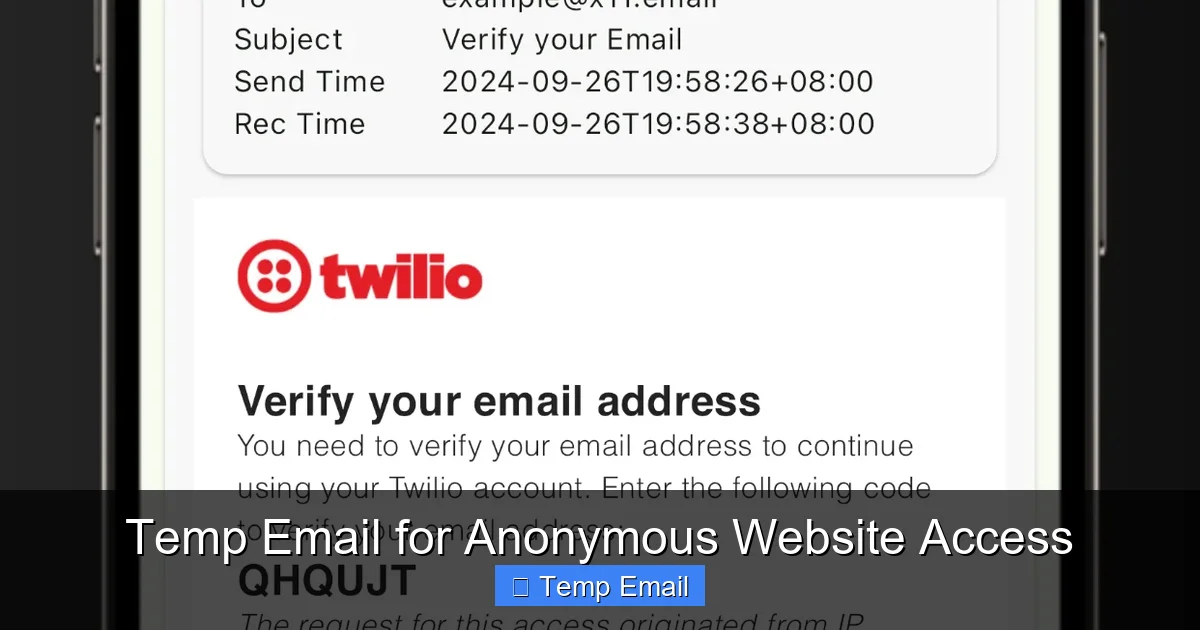
You copy the generated address ([email protected]) and paste it into the email field on the website you’re trying to access. You proceed through the sign-up or download process. When that site sends a confirmation link or a download file, it routes to the temp service’s servers. The temp service detects incoming mail for your specific random address and displays it in the inbox widget on your original tab.
Step 3: Access and Action
You refresh the temp mail page (if not auto-refreshing), see the new email, click any links, or download attachments directly through the temp service’s interface. You complete your goal—verified account, downloaded file, read article.
Step 4: Inevitable Expiration
After the timer runs out—which could be 10 minutes, 1 hour, or 1 day depending on the service—the email address is retired. The inbox is wiped from the server. Any future emails sent to that address bounce back. The digital breadcrumb is erased.
Ideal Use Cases: When to Reach for a Temp Email
Knowing *when* to use a disposable address is as important as knowing *how*. Here are the prime scenarios where they shine.

Visual guide about Temp Email for Anonymous Website Access
Image source: is1-ssl.mzstatic.com
Gated Content & Lead Magnets
This is the #1 use case. A blog offers a “free ebook” or “template library” in exchange for an email. You want the resource but not the ensuing weekly newsletter. Use a temp email. You get the download link instantly, and the publisher’s CRM gets a dead-end address. Your primary inbox thanks you.
Forum or Comment Section Registration
You want to contribute to a niche forum or comment on an article once. The site requires registration. A temp email lets you create that account, post your comment or question, and vanish. You avoid a lifetime of digest emails and potential data breaches from that specific forum.
Software or Service Trial Sign-Ups
Need to test a SaaS tool for 7 days? Many require a credit card upfront, but some just need an email for the trial login. Use a temp address for the initial sign-up. You can often still use the trial for its duration. (Note: For paid trials requiring payment details, use a dedicated virtual card, not your main one, and still consider a temp email for the contact).
Downloading from “Suspicious” or Low-Trust Sites
You find a niche software or file on a less-reputable website. The download button triggers an “email verification” pop-up. Using your real email here is a spam risk. A temp email lets you bypass the gate while containing the risk. If the file is malware, at least you didn’t hand over your real contact.
Avoiding Price Discrimination & Tracking
Some e-commerce or travel sites may track email addresses to build profiles and potentially influence pricing or targeted ads. Using a fresh, anonymous temp email for initial browsing can help create a cleaner, less-tracked session, though using a VPN/incognito mode is more effective for this specific goal.
Critical Limitations and Risks You Must Know
Temp emails are a tool, not a magic solution. Using them incorrectly can backfire. Understanding their boundaries is non-negotiable for safe and effective use.

Visual guide about Temp Email for Anonymous Website Access
Image source: is3-ssl.mzstatic.com
They Are Not for Security or Identity
This is the golden rule. Never, ever use a temp email for:
- Password Recovery: If you forget your password for a service tied to a temp email, you are permanently locked out.
- Banking, Financial, or Crypto Accounts: These require verified, stable contact information. Using a temp address will likely fail verification or violate terms of service.
- Primary Social Media or Professional Accounts: Your LinkedIn, Facebook, or main Twitter account is your digital identity. It must be recoverable and permanent.
- Government Services, Official Documents, or Legal Contracts: These require legally verifiable communication channels.
Service Blocking and Detection
Major platforms like Google (Gmail), Microsoft (Outlook/Hotmail), Facebook, Instagram, Twitter/X, and many educational or corporate (.edu, .gov) domains actively maintain and update blocklists of known temp email domains. If you try to sign up with @tempmail.demo on Facebook, it will be rejected instantly. You must check if the target site allows disposable addresses before relying on one.
Lack of Features and Control
You are a guest in someone else’s inbox. You cannot:
- Set up folders or filters.
- Search beyond the current session’s received mail.
- Send emails from the temp address (most services are receive-only).
- Access the inbox after the session expires or you close the browser.
- Guarantee the email won’t be scanned by the temp service provider (more on privacy next).
The Privacy Paradox: Who Sees Your Emails?
You are trusting the temp email service with the content of the messages you receive. While reputable services don’t actively log or sell content (they make money from ads on their site), the technical reality is: the service provider can read any email sent to that address. For most anonymous access scenarios (a forum confirmation link), this risk is negligible. For receiving a sensitive document or private communication, it is absolutely unacceptable. True end-to-end encrypted anonymity requires different tools, like using a secure, self-hosted email forwarder with Tor.
Best Practices for Safe & Effective Use
To master the art of the temp email, follow these practical guidelines.
Always Have a Backup Plan
Before you submit a temp email on any site, ask yourself: “What happens if I need to recover this account or receive a critical update from this service in a week?” If the answer is “I’d be locked out,” don’t use a temp email. For forums or downloads, it’s fine. For any service you might value later, use your real email or a dedicated secondary email (like one from ProtonMail or Tutanota) that you check occasionally.
Check the Domain’s Reputation
Not all temp mail services are equal. Some are more reliable, have longer expiration times, or are less likely to be blocked. Do a quick search for “best temp email 2024” to find currently active, reputable providers. Avoid services that look overly spammy or laden with misleading download buttons.
Use a Dedicated Browser or Profile
For maximum anonymity between your temp session and your real identity, use your browser’s “Incognito” or “Private” window. This prevents cookie tracking from the target website from linking your temp email activity to your regular browsing profile. Even better, use a separate browser profile entirely for anonymous tasks.
Never Use for Account Creation on Core Services
Reiterating the cardinal rule: Your email is your identity key for Apple ID, Google Account, Microsoft Account, main banking, PayPal, etc. These must be tied to a permanent, secure, and recoverable email you control. A temp email is a single-use ticket, not a master key.
Be Mindful of Attachment Limits
Many temp mail services have strict limits on attachment size (often 10-25MB) or may block certain file types (.exe, .zip) for security. If you’re expecting a large file, check the service’s terms first.
The Future Landscape and Evolving Defenses
The cat-and-mouse game between those seeking anonymous access and platforms trying to prevent abuse is ongoing. As spam and fraud tactics evolve, so do defenses.
Why Websites Block Temp Emails
It’s not just about being difficult. Temp emails are disproportionately used for:
- Creating spam accounts to post malicious links.
- Bypassing bans (a user banned from a forum creates a new account with a temp email).
- Abusing free trials by creating hundreds of accounts to get extended free access.
- Fraudulent sign-ups for promotions or giveaways.
From a site operator’s perspective, blocking these domains reduces server load, improves data quality (real users), and lowers fraud risk. It’s a defensive, albeit blunt, instrument.
The Rise of “More Permanent” Disposables
In response, some services now offer “temporary” emails that last for 7 days, 30 days, or even 6 months. These look more like real email accounts but are still designed for anonymity and easy deletion. They can sometimes bypass simpler blocklists that only target the 10-minute mail domains. However, they still lack full email client functionality.
Alternatives for the Privacy-Conscious
For users who need a separate, more functional, but still private email, consider:
- Alias Services: like SimpleLogin, AnonAddy, or Firefox Relay. These create unique, forwardable email aliases (e.g., [email protected]) that forward to your real inbox. You can disable an alias at any time. They are more persistent than a 10-minute mail but offer the same spam-blocking benefit with better control.
- Encrypted Email Providers: ProtonMail, Tutanota, Mailfence. These offer secure, privacy-focused email accounts. You can create a secondary account with these for sign-ups, offering a balance of permanence and strong privacy (with no data scanning).
These alternatives require a primary account but provide a cleaner, more manageable system for long-term privacy than juggling dozens of 10-minute mail tabs.
Conclusion: A Niche Tool for a Specific Job
A temp email for anonymous website access is a brilliant, simple tool in the digital privacy toolkit. It excels at its narrow purpose: allowing you to interact with the web’s countless “email gates” without sacrificing your primary communication channel to spam and data miners. It empowers you to say “no” to unwanted newsletters and “yes” to that free resource you actually need.
However, its power is precisely limited to that narrow scope. It is not a substitute for a secure, permanent identity. It is a disposable shield, not an impregnable fortress. By understanding its mechanics, respecting its limitations, and applying the best practices outlined above, you can use these services effectively and safely. The goal is informed, intentional use: deploy a temp email when the interaction is fleeting and the risk is low, and reserve your real, valuable email address for the digital relationships and services that truly matter to you. In the ongoing effort to control your digital footprint, the temp email is a handy, first-line defense against inbox pollution.
Frequently Asked Questions
Is using a temp email legal?
Yes, using a temporary email service is completely legal in virtually all jurisdictions. The service itself operates within the law. The legality only comes into question if the disposable address is used for fraudulent activities, which is illegal regardless of the email type used.
Are temp emails safe from hackers?
They are safe from hackers targeting your identity, as the address is random and not linked to you. However, the temporary inbox itself is not encrypted or password-protected. Anyone with the unique URL to your specific inbox tab could, in theory, view the emails until the session expires. For highly sensitive info, they are not safe.
How long do temp emails last?
It varies by provider. Common expiration times are 10 minutes, 1 hour, 1 day, or 1 week. Some services allow you to extend the time manually. Always check the specific service’s countdown timer to know how long you have to access your received emails.
Can a website block a temp email?
Absolutely. Most major websites ( social media, Google, Microsoft, large e-commerce) maintain blocklists of domains from popular temp mail services. If you try to sign up with an address from a blocked domain, the site will reject it immediately, often with an error message like “Please use a valid email address.”
What happens if I need to recover an account later?
You cannot. Since you don’t control the temp email domain and the inbox is deleted, password recovery links will bounce. This is why you must never use a temp email for any account you might need to access again in the future. The account is permanently lost if you forget the password.
What are the best alternatives to a 10-minute temp email?
For a slightly more permanent but still private solution, use an email alias service (like SimpleLogin or Firefox Relay) or create a secondary account with a privacy-focused provider (like ProtonMail). These give you a unique, forwardable address you control and can disable, without using your primary Gmail or Outlook address.
Leave a Reply