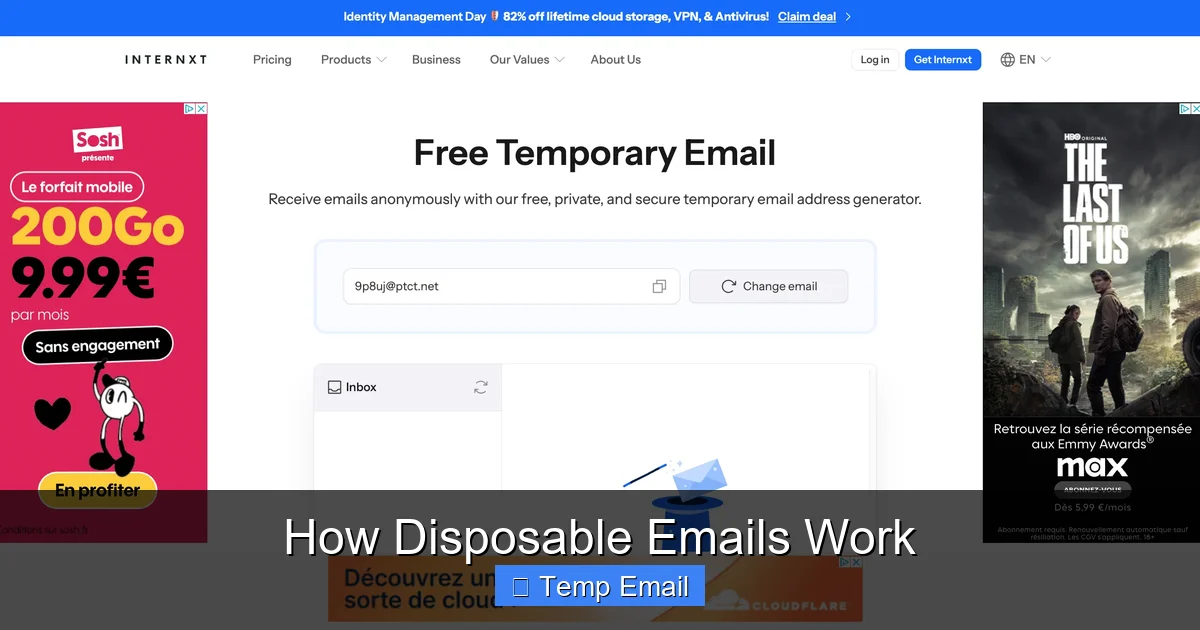
How Disposable Emails Work is an essential topic that provides valuable insights and practical knowledge for anyone interested in learning more about this subject.
How Disposable Emails Work
Have you ever hesitated to sign up for a free online course, a discount coupon, or a new app because it required your email address? You just knew that your inbox would soon be flooded with newsletters, promotional spam, and who-knows-what-else. That nagging feeling is all too common. For years, I used my primary email for everything, only to regret it as my inbox became a digital junkyard. Then, I discovered a simple, clever tool that changed the game: the disposable email. It’s not magic, but it’s pretty close. In this guide, we’re going to pull back the curtain and explore exactly how disposable emails work, from the moment you generate one to the second it self-destructs. Think of it as your digital smoke bomb—create it, use it, and watch it vanish without a trace.
The concept is beautifully simple, yet the technology behind it is fascinating. These temporary inboxes act as a shield, protecting your real identity and your permanent email address from the wild west of the internet. Whether you’re a casual browser, a privacy-conscious user, or someone just tired of unsubscribing, understanding the mechanics of these throwaway accounts is the first step to taking control of your online footprint. So, let’s dive in and demystify the world of temporary email addresses.
Key Takeaways
- Use disposable emails for one-time sign-ups to protect your primary address.
- They auto-delete after a short time or a limited number of messages.
- Shield your privacy by avoiding the sharing of your real email with untrusted sites.
- Combat spam effectively by containing unwanted emails to a temporary inbox.
- Do not use them for critical accounts like banking or primary communication.
- Most services offer simple, no-registration generation for instant addresses.
- Understand their limits as they are tools for temporary, not permanent, needs.
📑 Table of Contents
- What Exactly Is a Disposable Email?
- The Step-by-Step Mechanics: From Creation to Deletion
- Common and Smart Use Cases for Disposable Emails
- The Advantages: Why You Might Love Them
- The Limitations and Risks: What You Need to Watch Out For
- Choosing a Service and Best Practices
- The Future of Temporary Email and Privacy
- Conclusion: Your Inbox, Your Rules
What Exactly Is a Disposable Email?
Before we get into the nuts and bolts, let’s get on the same page. A disposable email, also called a temp email, throwaway email, or fake email, is a temporary email address that exists for a very short period—usually just 10 minutes to a few hours—and then automatically disappears. It’s not tied to your real identity, your phone number, or your permanent inbox. You create it on a specialized website, use it to receive a single verification email or download a file, and then forget about it. No passwords, no login, no long-term commitment.
The Core Principle: Anonymity and Ephemeralness
The entire philosophy behind a disposable email service is built on two pillars: anonymity and ephemeralness. Anonymity means you don’t have to provide any personal information to get an address. No name, no recovery phone number, nothing. The service generates a random string of characters (like [email protected]) and gives you access to its inbox via a unique, temporary URL. Ephemeralness means it’s designed to die. After a set time, or once you close the browser tab, the address and all its emails are purged from the server forever. There’s no archive, no “sent” folder, and no way to recover it.
How It Differs From Your Regular Email
Your Gmail, Outlook, or Yahoo account is a persistent, secure, and feature-rich communication hub. It’s meant for long-term use, with storage, folders, contacts, and robust spam filters. A disposable email is the polar opposite: a bare-bones, single-use inbox with zero storage promises. It’s like comparing a luxury hotel suite (your permanent email) to a perfectly clean, functional public locker (a disposable email). You use the locker for a few hours to drop off or pick up one item, and then you’re done. The key difference is intent. Permanent email is for communication; disposable email is for access.
The Step-by-Step Mechanics: From Creation to Deletion
Now for the fun part. Let’s walk through the entire lifecycle of a disposable email. I’ll use a common scenario: you need an email to download a free PDF guide from a website.
Visual guide about How Disposable Emails Work
Image source: funkyspacemonkey.com
Step 1: Generation – You Get Your Temporary Address
You navigate to a disposable email provider’s website (e.g., Temp-Mail.org, 10MinuteMail.com). The moment the page loads, the backend system does its magic. It instantly generates a completely random email address for you, like [email protected]. This address is now active on their server and is assigned to your current browser session. You don’t create an account; you’re simply given a key to an empty, waiting mailbox. The website will usually display this address prominently and provide you with a unique inbox URL. This URL is your only “login” credential. Lose it, and you lose access to that specific inbox.
Step 2: Usage – You Provide the Address
You copy that random email address and paste it into the sign-up or download form on the website you’re visiting. You click “Submit” or “Download.” The website’s system sends a verification email or the download link to the address you provided: [email protected].
Step 3: Reception – The Email Arrives in Your Temp Inbox
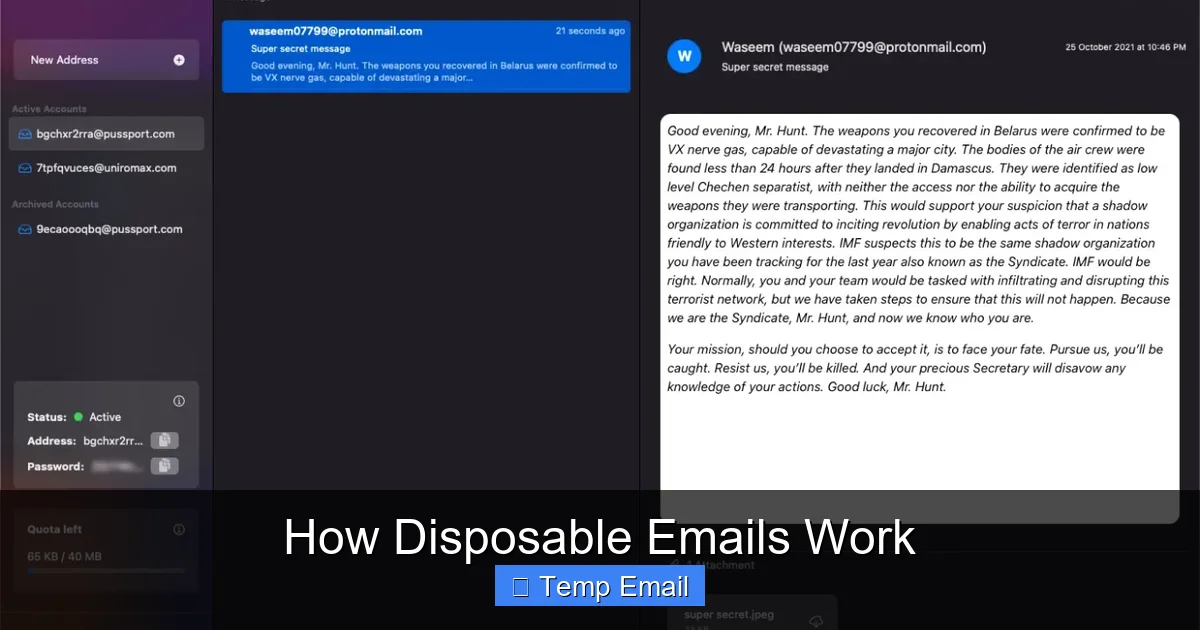
Here’s where it gets cool. You don’t need to check a separate app. You simply keep that unique inbox URL open in your browser tab. Within seconds, the disposable email service’s server receives the incoming message from the sender’s server. Because the address [email protected] is actively monitored for your session, the service immediately renders the email (subject, sender, and body/content) in the inbox view on your browser page. It feels just like checking a normal webmail, but it’s all happening in real-time on a public, shared server infrastructure.
Step 4: Access and Auto-Deletion
You read the verification code or click the download link directly from this temporary inbox. You complete your task on the original website. Now, you can simply close the browser tab. At this point, two things typically happen simultaneously: 1) Your session on the disposable email service ends, so the inbox URL becomes useless. 2) The server’s automated cleanup process begins. After the preset time limit (often 10 minutes, 1 hour, or 1 day), the email address [email protected] and all its contents are permanently deleted from the system. The address is then recycled and may be given to a completely different user in the future. Your digital footprint for that interaction is gone.
Common and Smart Use Cases for Disposable Emails
Knowing how disposable emails work is one thing; knowing when to use them is the real skill. They are not a replacement for your primary email but a strategic tool for specific situations. Here are the most common and smart applications.
Visual guide about How Disposable Emails Work
Image source: funkyspacemonkey.com
For One-Time Sign-Ups and Content Gating
This is the #1 use case. You want to access a gated piece of content—a whitepaper, a webinar recording, a discount code—but the site demands an email. Using a disposable address lets you get the goods without committing your primary address to a company’s marketing list. You get the content; they get a fake email that bounces or goes nowhere after an hour. It’s a clean, fair exchange for a one-time resource.
To Bypass Website Registration Walls
Some forums, news sites, or tools force you to “register” just to read an article or view a comment section. It’s frustrating. A disposable email lets you breeze through that wall instantly. Create an address, use it, get your access, and never think about it again. No password reset emails cluttering your real inbox later.
For Testing and Development
Developers and QA testers use disposable emails constantly. When building a website or app with email verification, they need to test the flow—the sign-up email, the “forgot password” link, the notification system. Using a disposable inbox allows them to receive these test emails without using a real personal or corporate account, keeping test data separate and clean.
To Avoid Spam and Data Brokers
Every time you use your real email online, you’re potentially adding it to a data broker’s list or a spammer’s collection. Disposable emails act as a buffer. If a company you don’t fully trust asks for your email, give them the temporary one. If they sell your data (which many do), they’re selling an address that will be dead in an hour. Your primary inbox stays pristine.
For Anonymous Forum or Commenting Activity
If you need to post a comment on a controversial topic, ask a sensitive question on a public forum, or create a burner account for a short project, a disposable email provides the anonymity needed to sign up without linking the activity back to your identity.
The Advantages: Why You Might Love Them
Using disposable emails effectively is like having a superpower for your online privacy. The benefits are immediate and tangible.
Visual guide about How Disposable Emails Work
Image source: mailtemp.uk
- Spam Prevention: This is the biggest win. Marketing emails, newsletters, and data breach notifications go to an address that no longer exists. Your primary inbox remains for friends, family, and important work.
- Enhanced Privacy: You don’t have to give out your real email to untrusted or unknown services. It minimizes the data points that can be used to profile you online.
- No Long-Term Commitment: No passwords to remember, no security questions to set, no account to delete later. It’s a true “use and lose” system.
- Speed and Simplicity: You get an inbox in one click. No registration forms. It’s the fastest way to satisfy an email requirement on the web.
- Protection Against Data Breaches: If a website you used a temp email for suffers a breach, your real email address and any passwords associated with it are safe. The leaked data is useless.
The Limitations and Risks: What You Need to Watch Out For
Disposable emails are a powerful tool, but they are not a silver bullet. Understanding their limitations is crucial for using them safely and effectively. Ignoring these can lead to real problems.
They Are Not for Important Accounts
Never, ever use a disposable email for anything you need to access long-term. This includes: banking, social media main accounts, primary cloud storage (Google Drive, iCloud), official government services, or your main professional contact. Once the email vanishes, you will be permanently locked out. Account recovery will be impossible. If you forget your password, there’s no way to reset it. These are for temporary access only.
Security and Privacy Trade-offs
While they protect you from the site you’re signing up for, you must trust the disposable email service itself. The service provider can see all emails that pass through their system. Reputable providers claim not to log or store content, but with a free, anonymous service, you’re placing a degree of trust in an unknown entity. For highly sensitive communications, this is not the tool. Also, because the address is public and shared (recycled), someone else could potentially receive an email meant for you if the system isn’t perfectly isolated, though reputable services prevent this.
They Can Be Blocked
Many legitimate websites and services actively block known disposable email domains. They see them as a sign of low-quality or fraudulent sign-ups. If you try to use @tempmail.demo on a platform like Facebook, LinkedIn, or a major bank, it will be rejected outright. This is actually a good thing—it tells you the site is serious about user authenticity—but it limits where you can use these addresses.
No Sending Capability
Almost all disposable email services are receive-only. You cannot compose and send an email from your temporary address. Their sole purpose is to be a target for incoming messages. If a website requires you to send an email (like for a support ticket), a disposable address won’t work.
Choosing a Service and Best Practices
Not all disposable email services are created equal. Here’s what to look for and how to use them wisely.
Key Features to Look For
- Domain Variety: Services that offer multiple domain options (e.g., @dropmail.me, @tmpmail.org) are less likely to be blocked universally.
- Adjustable Lifespan: The ability to extend the inbox life from 10 minutes to 24 hours is useful for multi-step processes.
- No Captcha or Minimal Friction: The best services give you an inbox instantly. If you’re forced to solve multiple Captchas, it defeats the purpose of speed.
- Clear Privacy Policy: A reputable service will state that emails are not logged, not sold, and are deleted automatically. Read it.
- HTTPS Only: Ensure the site uses HTTPS to encrypt the connection between your browser and their server, protecting the email content in transit.
Practical Tips for Safe and Effective Use
Based on experience, here’s my personal checklist:
- Use a Dedicated Browser Tab/Window: Never mix your disposable inbox with your regular browsing. Keep it isolated.
- Copy the Inbox URL: The unique URL is your lifeline. Bookmark it or copy it to a notepad if you need to switch devices for a short session.
- Assume It’s Public: Do not use disposable emails for any confidential information—passwords, financial data, personal secrets. The email travels through a public server.
- Check the Domain First: Before filling out a form, glance at the disposable email domain. If it looks sketchy (random words, misspellings), avoid it. Some malicious sites set up fake “temp mail” services to harvest the emails you receive.
- Know When to Walk Away: If a website is asking for an email for something trivial (like reading a single blog post) and you feel uneasy, just close the tab. You don’t have to have that content.
The Future of Temporary Email and Privacy
The landscape of disposable email is evolving. As data privacy regulations like GDPR and CCPA tighten, and as users become savvier, the demand for these tools grows. We’re seeing more integrated browser extensions and mobile apps that generate temp addresses on the fly. Some password managers now include alias email features (like Apple’s “Hide My Email”) which are a more sophisticated, persistent form of disposable email tied to your main account.
However, the cat-and-mouse game continues. As more sites block disposable domains, providers will create new domains. The fundamental tension remains: the convenience of frictionless sign-ups versus the right to digital privacy. Disposable emails are a grassroots, user-powered solution to this problem. They put the power back in your hands, allowing you to say “no” to data collection without sacrificing access.
Conclusion: Your Inbox, Your Rules
So, there you have it. Disposable emails work by creating a short-lived, anonymous mailbox that acts as a perfect shield for your primary digital identity. They are brilliantly simple: generate, use, and abandon. The technology behind them—rapid address allocation, real-time email routing, and automated purging—is a testament to clever engineering solving a common modern nuisance.
My advice? Embrace them as a standard part of your digital hygiene. Keep a favorite provider bookmarked. Use them without guilt for any sign-up that feels promotional, sketchy, or one-off. But always remember their fatal flaw: impermanence. Reserve your permanent, secure email for the pillars of your digital life—banking, main social accounts, essential subscriptions. By using the right tool for the right job, you reclaim your inbox, dodge spam, and take a small but significant stand for your online privacy. After all, your email address is a key to your digital front door. Why would you give a copy to every stranger who asks?
Frequently Asked Questions
How do disposable emails work?
Disposable emails are temporary email addresses generated by online services that don’t require registration. They forward incoming mail to a secure, anonymous inbox accessible for a short time, usually minutes or hours, before automatically deleting everything.
Are disposable emails safe to use?
Disposable emails are generally safe for protecting your primary inbox from spam and unwanted marketing. However, they should never be used for sensitive accounts like banking or password recovery, as the service provider can potentially see all messages sent to that temporary address.
Is it legal to use disposable emails?
Yes, using disposable emails is perfectly legal for most purposes, such as signing up for newsletters or downloading content. However, many websites’ Terms of Service prohibit their use, and employing them to circumvent bans or for fraud is illegal.
Can websites detect disposable emails?
Yes, many websites can detect disposable emails by checking the domain against publicly available blocklists of known temporary email providers. If detected, the site may block sign-up attempts or require alternative verification methods.
How long do disposable emails last?
The lifespan of a disposable email varies by service, typically ranging from 10 minutes to 48 hours. Once the time limit expires, the email address and all its messages are permanently deleted from the provider’s servers.
What are the best disposable email services?
Popular and reliable disposable email services include TempMail, 10MinuteMail, and Guerrilla Mail. The best choice depends on your needs, such as desired inbox lifespan, ease of use, and whether the service offers a custom domain option.
Leave a Reply