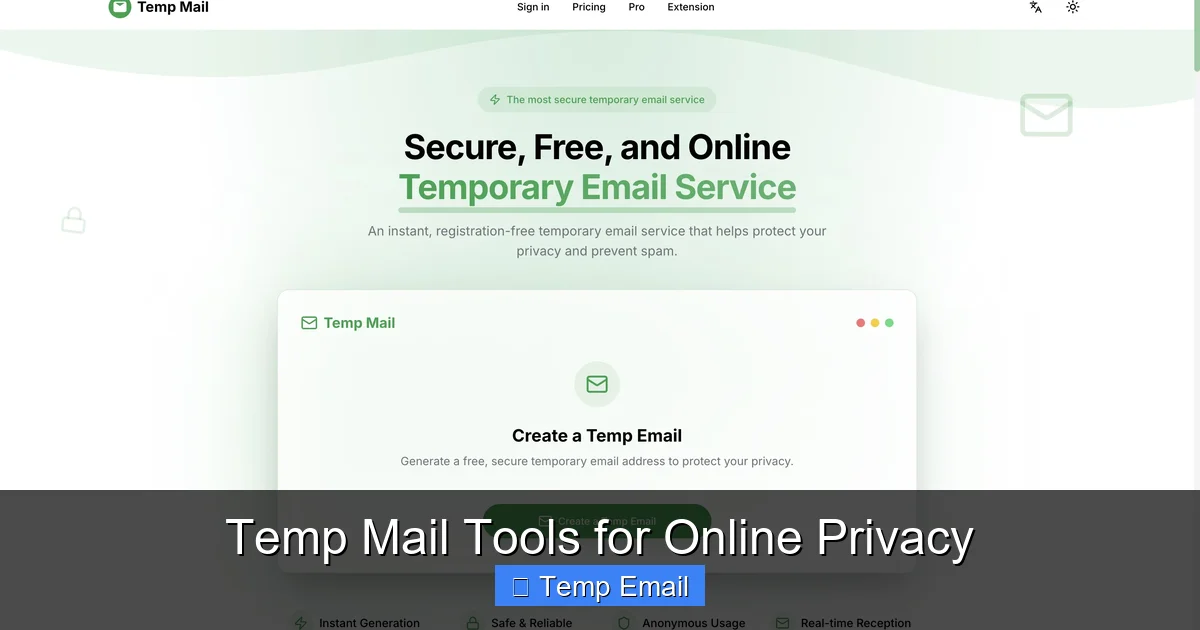
Temp mail tools provide disposable email addresses that safeguard your primary inbox and personal information. By using these temporary accounts for sign-ups, downloads, and untrusted sites, you drastically reduce spam, prevent data harvesting, and minimize your digital footprint. They’re a simple, free, and essential layer of privacy for any savvy internet user.
Key Takeaways
- Spam Prevention: Temp mail creates a sacrificial email for online forms, keeping spam and marketing emails away from your permanent inbox.
- Enhanced Privacy: It prevents websites from linking your real email to your identity, browsing habits, and data profiles, reducing targeted tracking.
- Breach Protection: If a site using your temp mail suffers a data breach, your critical accounts (bank, work) linked to your real email remain safe.
- No Long-Term Commitment: These addresses auto-delete after a short period (usually 1-24 hours) or after a single use, leaving no lasting digital trail.
- Simple & Accessible: Most services require no registration—just visit the site, get an address, and use it immediately for free.
- Use Case Specific: Ideal for one-time sign-ups, accessing gated content, software trials, and forums, but not for essential accounts.
- Not a Security Panacea: While great for privacy, temp mail does not encrypt your emails or protect against malware; use it alongside other tools like VPNs and password managers.
📑 Table of Contents
- Your Inbox Is a Target: Why You Need a Disposable Email Strategy
- What Exactly Are Temp Mail Tools? The Disposable Email 101
- Why Your Permanent Email Is a Privacy Liability (And How Temp Mail Fixes It)
- Practical Use Cases: When to Reach for the Disposable
- Top Temp Mail Tools in 2024: A Quick Comparison
- The Limitations and Crucial Safety Tips
- Building a Holistic Privacy Habit: Beyond Just the Temp Mail
- Conclusion: Reclaiming Your Digital Footprint, One Disposable Address at a Time
Your Inbox Is a Target: Why You Need a Disposable Email Strategy
Let’s have a real talk about your email address. It’s not just an inbox; it’s a master key. That one string of characters is often the username for dozens of accounts, the recovery method for your bank, and the primary hook for companies to track your every online move. Every time you type it into a website for a free PDF, a discount coupon, or a forum you’ll visit once, you’re handing over a piece of your digital identity. What happens there? That website might sell your address to marketers. It could be leaked in a data breach. It becomes a permanent link in your data profile. This is where temp mail tools for online privacy come in as your first line of defense. Think of it as using a burner phone for a Craigslist deal. You wouldn’t give out your personal cell for a one-off transaction, so why hand over your permanent email? In this guide, we’ll break down exactly how these tools work, why they’re crucial for privacy, and how to use them effectively without missing important emails.
What Exactly Are Temp Mail Tools? The Disposable Email 101
Temp mail tools, also called disposable email, throwaway email, or fake email generators, are services that provide you with a temporary, working email address for a short period. These addresses are not tied to you personally. They are generated on the fly by the service’s server and exist solely for your immediate use.
Visual guide about Temp Mail Tools for Online Privacy
Image source: toolszu.com
How They Function: The Simple Mechanics
The process is beautifully simple, often requiring zero clicks:
- Generation: You visit a temp mail website like Temp-Mail.org, 10MinuteMail, or Guerrilla Mail. The site instantly creates a random email address for you (e.g., [email protected]) and loads an inbox interface.
- Usage: You copy that address and paste it into any website that asks for an email—to download a whitepaper, sign up for a webinar, or create a trial account.
- Reception: Any email sent to that address appears in the web-based inbox provided by the temp mail service. You can read it, click verification links, or download attachments right there.
- Destruction: After a set time (often 10 minutes to 1 hour) or when you close the browser tab, the address and all its emails are permanently deleted from the server. It’s gone. Poof.
There’s no password, no login, and no recovery. The address is a public resource that cycles through thousands of users. This anonymity is the core of its privacy power.
Core Features That Define a Good Service
Not all temp mail services are created equal. When choosing one, look for these features:
- Multiple Domain Options: The ability to choose from different domain names (e.g., @tempmail.com, @guerrillamail.com) can help if a specific domain is blocked by a website.
- Inbox Refresh & Auto-Refresh: A button to manually check for new emails and an auto-refresh feature that updates the inbox every 10-30 seconds.
- Reply Capability: Some advanced services allow you to reply to emails from the temporary address, which is useful for confirming a subscription or a simple back-and-forth.
- Attachment Support: The ability to receive and download attachments (be cautious with executable files).
- No-Registration Required: The best services don’t ask you to create an account to get an address. That defeats the purpose.
- Clear Expiry Timer: A visible countdown showing exactly how long you have left before the inbox self-destructs.
Why Your Permanent Email Is a Privacy Liability (And How Temp Mail Fixes It)
To understand the value, you must see the problem. Your primary email address is a hub. It connects to:
- Data Brokers: Companies that collect and sell your data. Every form you fill out adds another profile to your digital shadow.
- Credential Stuffing Attacks: If one site you use gets hacked, hackers now have your email. They’ll try that same email/password combo on your bank, social media, and email provider.
- Unwanted Tracking: Services like Gmail and Outlook (while convenient) scan email content for ads and to improve their algorithms. A temp mail address is a blank slate.
- Permanent Marketing Lists: Even if you unsubscribe, your email is often still retained. With a temp mail, the list entry becomes invalid after the address expires.
Temp mail tools for online privacy act as a firewall. They intercept this data flow. The website you’re signing up for gets an email address that leads nowhere after an hour. It can’t be tied back to you. It can’t be used to reset your Google password. It can’t be sold as part of your “profile.” You are effectively invisible to that specific transaction.
Practical Use Cases: When to Reach for the Disposable
Knowing when to use a temp mail is as important as knowing how. Here are the prime scenarios where it should be your default move.
1. Gated Content & Lead Magnets
That “free ebook” or “industry report” requiring an email? Almost always a lead generation tactic. The company wants your email to add you to their marketing funnel. Use a temp mail, get the download, and vanish. No follow-up spam in your real inbox.
2. Software Trials & Free Services
Signing up for a 14-day trial of a SaaS tool? Use a temp mail. If you forget to cancel, they’ll email the temp address, not you. You won’t be charged, and you won’t get a “we miss you” series of emails six months later.
3. Anonymous Forum or Comment Sign-Ups
Joining a discussion board, Reddit, or a news site comment section? There’s rarely a need for a traceable, permanent email. A temp address protects you from doxxing or that forum’s own data practices.
4. One-Time Promotions & Coupons
That 20% off coupon for a store you’ll never shop at again? A temp email is perfect. You get the code, use it, and the promotional relationship ends with the inbox.
5. Testing & Development
Developers and QA testers use temp mails to test email workflows (sign-up confirmations, password resets) without polluting real test accounts or risking personal data.
6. Protecting Against Data Breaches (The Big One)
This is the silent killer. Every week, a new company announces a breach. If you used your real email for a minor site that later gets hacked, that email/password combo is now on the dark web. If that same email is your Apple ID or bank username, you’re in serious trouble. Using a temp mail for low-stakes sites contains the blast radius of any breach. The breached data is useless because the email address no longer exists.
Top Temp Mail Tools in 2024: A Quick Comparison
The landscape changes, but a few reliable players consistently emerge. Here’s a snapshot of popular options, each with a slight twist.
- Temp-Mail.org: The classic. Extremely simple, fast, and reliable. Offers multiple domain choices and a clean interface. Often the first result on Google for a reason.
- 10MinuteMail: The original. It’s exactly what it says—an address for 10 minutes. No frills, incredibly fast. Perfect for a single, immediate verification.
- Guerrilla Mail: A veteran with more features. It offers a slightly longer lifespan (up to 1 hour), the ability to send replies, and even a “scramble” button to generate a new address instantly while keeping your inbox.
- MailDrop: Focuses on simplicity and longevity. Inboxes can last up to 24 hours if you keep the tab open and active. Good for situations where you might need the email for a few hours.
- Tempail: Offers a unique “keep” feature where you can reserve an address for longer (24h) by clicking a button, and has a very user-friendly, modern UI.
Critical Note: Never use these for password resets on important accounts, banking, or anything you need to access long-term. Once the inbox expires, those recovery emails are lost forever, locking you out.
The Limitations and Crucial Safety Tips
Temp mail is a powerful privacy tool, but it’s not magic. Understanding its limits is key to using it safely and effectively.
What Temp Mail CAN’T Do
- It’s Not Encryption: Emails in the temp inbox are generally not end-to-end encrypted. The service provider can theoretically read them. Don’t send sensitive personal data (SSN, credit card numbers, confidential documents) via a temp mail.
- It’s Not a VPN: It hides your email identity, not your IP address or overall browsing activity. For full anonymity, pair it with a reputable VPN.
- It’s Not for Identity Verification: Many financial services, government sites, and even some social media platforms (like LinkedIn) actively block known temp mail domains. They require a “real,” verifiable email.
- It’s Ephemeral: The core feature is also its biggest drawback. Forget to check the inbox, and the verification email—and your chance to access the service—is gone.
Essential Best Practices for Safe Use
To master the use of temp mail tools for online privacy, follow these rules:
- Have a Dedicated Tab: Open the temp mail site in a separate browser tab and keep it open until you’ve completed your task. Don’t navigate away until you’ve received and used the verification email.
- Bookmark Your Inbox: Some services let you bookmark the specific inbox URL to return to it later if the session persists. Use this if you need a few hours.
- Never Use for Critical Accounts: Your email for Google, Apple, Microsoft, your bank, your workplace, your main cloud storage—these must be your permanent, secure email with 2FA enabled.
- Check Attachment Safety: While rare, a temp inbox could receive a malicious attachment. If you weren’t expecting one, don’t open it. Use cloud-based scanners if you must.
- Use a Privacy-Focused Browser: Pair your temp mail habit with a browser like Brave or Firefox with strong privacy extensions (uBlock Origin, Privacy Badger) for maximum effect.
- Clear Your Browser Data: After finishing with a temp mail session, close the tab and clear your browser’s cookies and cache for that site to ensure no residual tracking.
Building a Holistic Privacy Habit: Beyond Just the Temp Mail
Relying solely on disposable email is like putting a lock on one door while the windows are wide open. True online privacy is a layered approach. Think of your digital hygiene like securing your home.
- The Foundation: A Secure Primary Email. Your main email should be with a provider that respects privacy (like ProtonMail or Tuta) and protected by a unique, strong password and two-factor authentication (2FA). This is your fortress.
- The First Line of Defense: Temp Mail. Use disposable addresses for every non-essential interaction online. This is your outer fence, keeping the noise and threats at bay.
- The Cloak: A Reputable VPN. A VPN encrypts your internet traffic and masks your IP address from the websites you visit. While temp mail hides your identity from the site, a VPN hides your location and network from the site. They complement each other perfectly.
- The Keys: A Password Manager. Use a password manager (Bitwarden, 1Password) to generate and store unique, complex passwords for every site. This prevents credential stuffing attacks from breaching multiple accounts.
- The Awareness: Mindful Sharing. The best tool is your own judgment. Before entering any email, ask: “Is this site trustworthy? Do I need ongoing communication from them?” If the answer is no, reach for the temp mail.
By combining these tools—a secure primary account, a disposable email habit, a VPN, and a password manager—you build a robust, practical shield against the pervasive data collection of the modern web.
Conclusion: Reclaiming Your Digital Footprint, One Disposable Address at a Time
Online privacy can feel like an impossible battle against monolithic tech giants and shadowy data brokers. But often, the most effective strategies are the simplest. Temp mail tools for online privacy embody this principle. They are a low-effort, high-impact method to immediately slice away a massive portion of unnecessary data linkage. Every time you use a temporary email instead of your real one for a one-off sign-up, you are successfully preventing that company from adding a permanent node to your personal data graph. You are containing the potential damage of the next inevitable data breach. You are taking back control of your primary inbox from the torrent of promotional spam. Start today. Make it a reflex. The next time a website asks for your email for a “free” resource, pause, open a new tab, generate a temp address, and complete your transaction with a sigh of relief. Your future self—the one with a clean inbox and a smaller digital footprint—will thank you. It’s a small habit that builds a fortress of privacy, one disposable address at a time.
Frequently Asked Questions
Are temp mail tools legal to use?
Yes, using disposable email addresses is completely legal in most jurisdictions. They are a legitimate tool for privacy protection. However, using them to commit fraud, evade legal obligations, or send malicious content is illegal, as with any communication tool.
Is a temp mail as secure as a VPN?
No, they serve different purposes. A temp mail protects your identity by hiding your real email from a website. A VPN encrypts your internet connection and hides your IP address and location from the website and your internet service provider. For maximum privacy, use both together.
How long do temp emails actually last?
It varies by service, but most temporary inboxes last between 10 minutes and 1 hour after generation. Some services offer extensions (up to 24 hours) if you keep the browser tab active. The address and all its emails are permanently deleted after the expiry time.
Can I receive attachments with a temp mail?
Yes, most major temp mail services allow you to receive and download attachments. However, you should exercise caution. Never open executable files (.exe, .scr) or unexpected documents from unknown senders, as they could contain malware. The inbox itself is not a secure environment for sensitive files.
Do I have to pay for temp mail tools?
No. The vast majority of disposable email services are completely free and supported by ads. Some offer premium plans with features like custom domains, longer expiry times, or ad-free interfaces, but the core free service is sufficient for most privacy use cases.
When should I NEVER use a temporary email?
Avoid temp mail for any account you need to recover or access long-term. This includes your primary email, banking, social media, cloud storage, work/school logins, and any service that sends critical notifications (like flight changes or medical results). Use your secure, permanent email with 2FA for these essential accounts.
Leave a Reply